Manually provisioning accounts across various platforms can hinder productivity and pose security risks, such as stale accounts and incorrectly assigned permissions, leading to data misuse and breaches. ADManager Plus' integration with Sage HR automates database synchronization, eliminates manual intervention, and reduces security risks.

The following are the immediate business benefits of the integration between ADManager Plus and Sage HR

  • Save costs through elimination of manual identity management

  • Eliminate errors in user provisioning through automation

  • Improve security by eliminating duplicate and redundant accounts

  • Ensure a smooth cross-platform experience for all users and increased productivity

Use cases

Keep up with what’s happening across every team and project.
Automated user provisioning

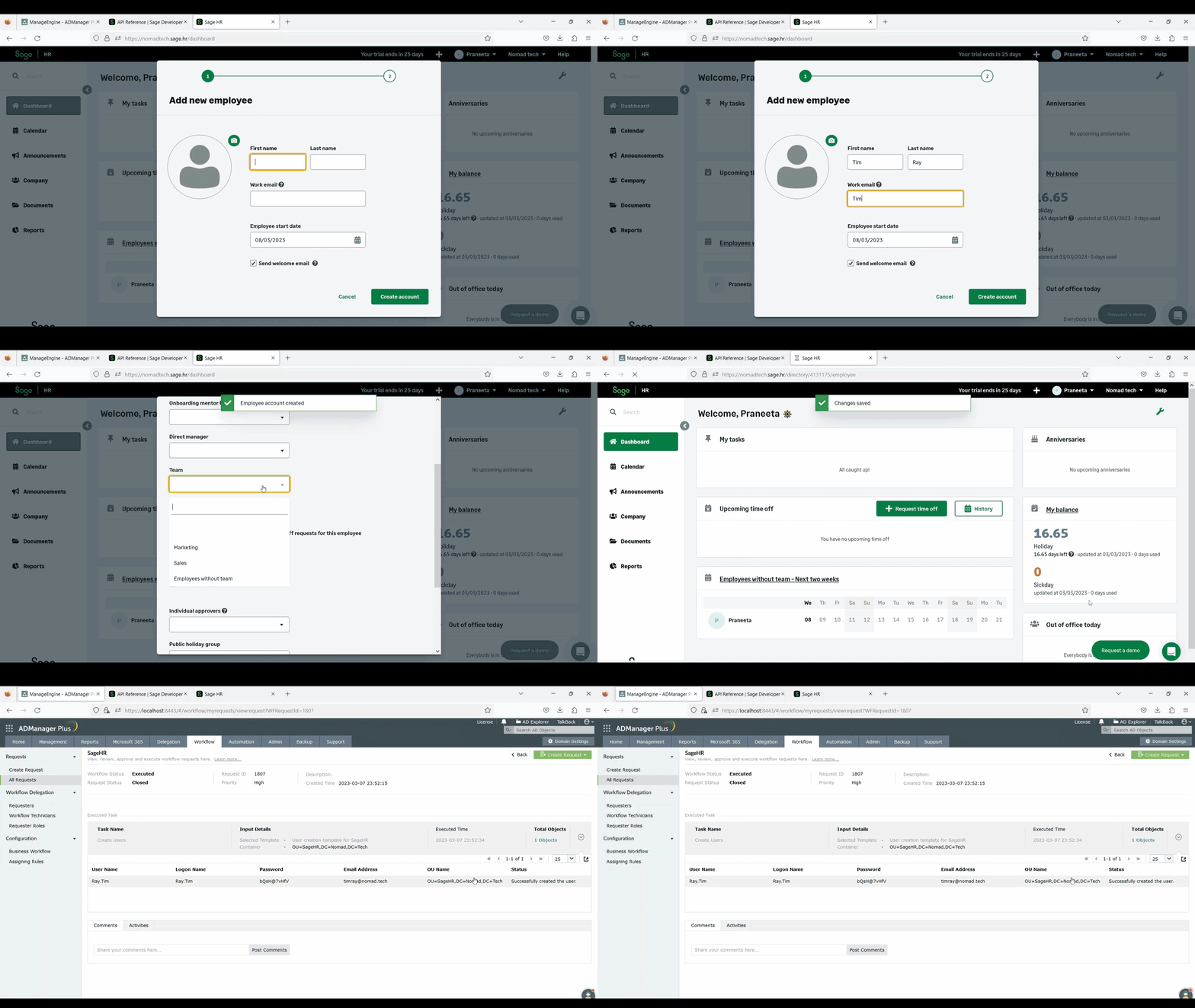
  • Automatically provision users in Active Directory, Microsoft Exchange, Google Workspace, and other applications as soon as the user record gets added in Sage HR.
  • Prevent unintentional mistakes by automating data synchronization between Sage HR and Active Directory through ADManager Plus.
  • Ensure employees get instant access to all required groups and applications based on attributes as soon as a record is created in Sage HR.
  • Automatically create employee records in Sage HR as soon as user accounts are created in AD.

Automated de-provisioning

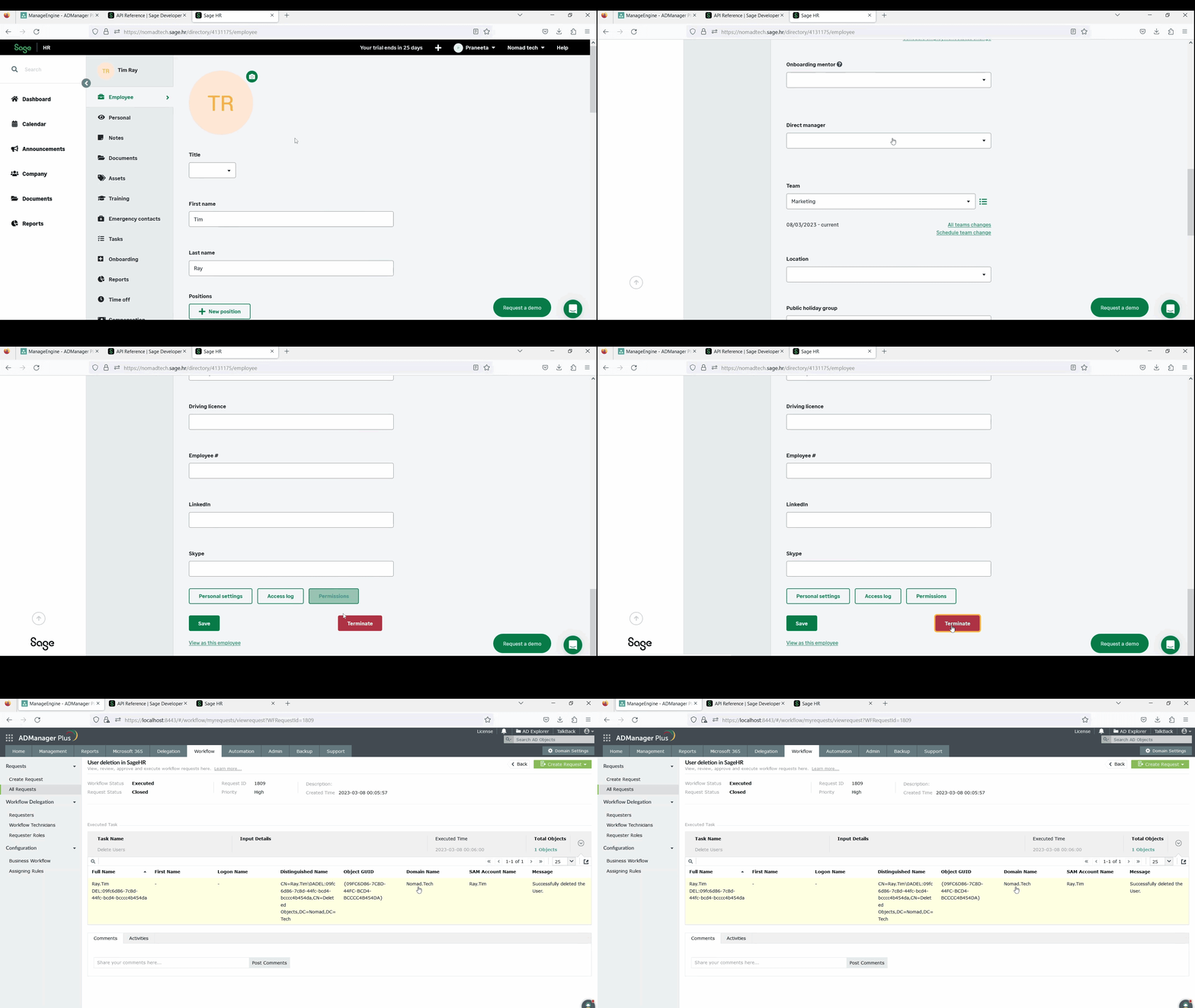
  • Automatically de-provision users in Active Directory, remove licenses, and revoke access to apps all at once when a record is deleted from Sage HR.
  • Delete on-premises and cloud mailboxes as soon as a employee record is removed in Sage HR. Also, retain Microsoft 365 mailboxes as shared mailboxes if necessary.
  • Delete employee records from Sage HR when a user is de-provisioned from AD.

Modifying user account properties

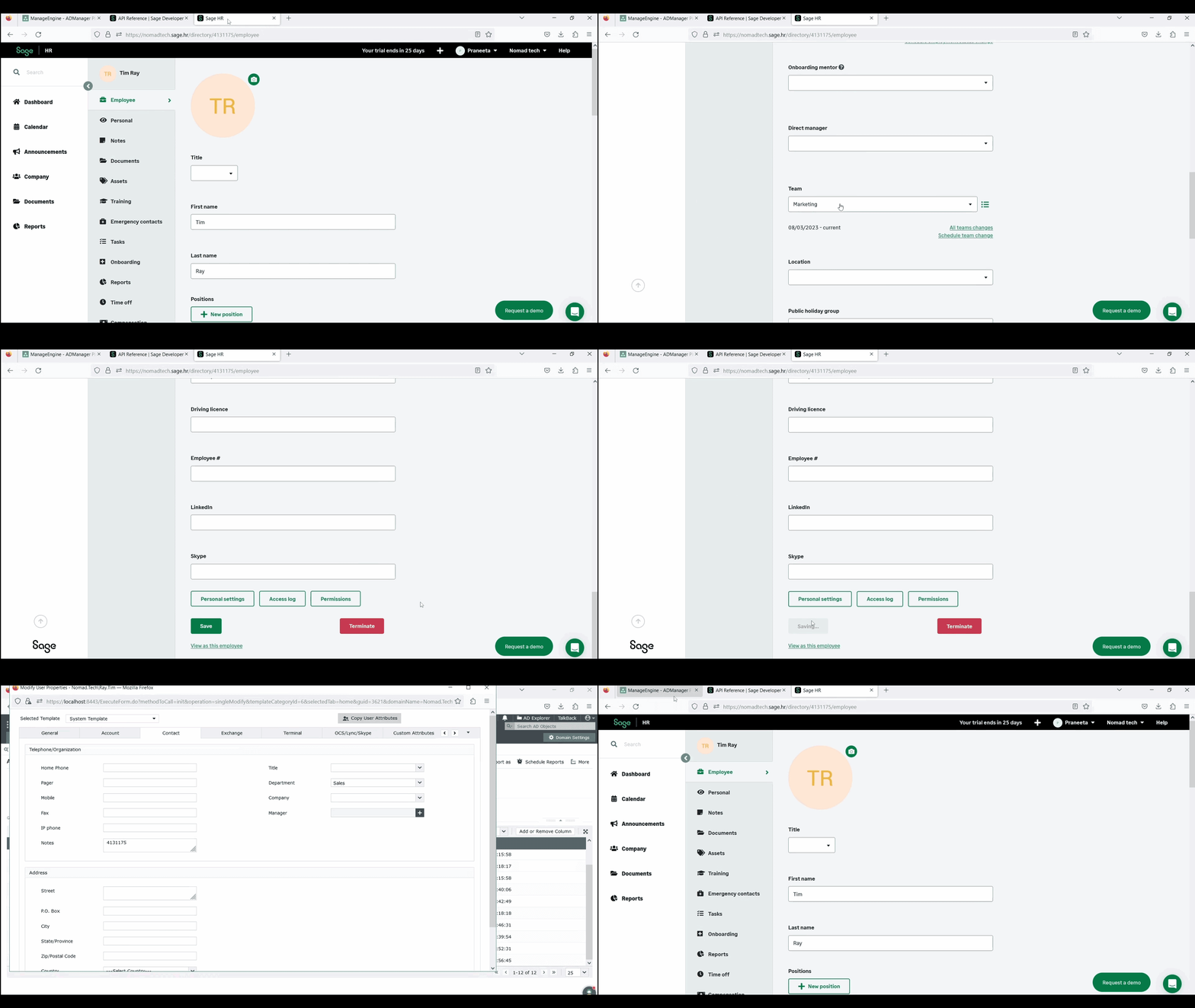
  • Automatically modify user account properties when employees' roles or departments are modified in the Sage HR records.
  • Prevent breaches and malicious attacks by ensuring employees only get the permissions they need through user creation templates based on attributes in the Sage HR records.
  • Reflect changes in Sage HR when attributes like name, email, department, etc. are modified in AD.

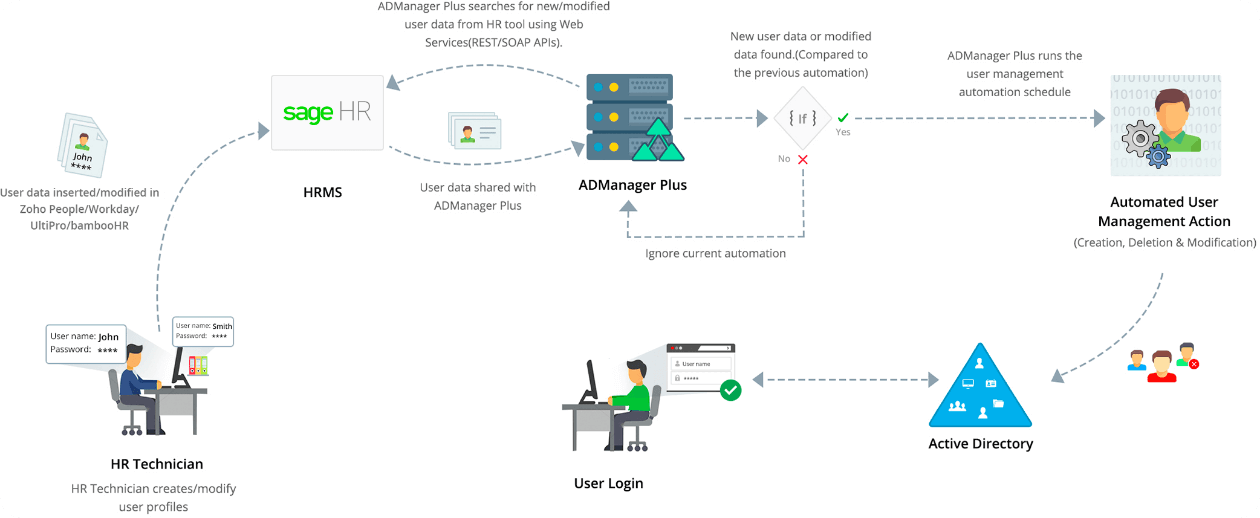
The working ofADManager Plus - Sage HR integration

Sage HR active directory integration
  • What you get out of the

    ADManager Plus + Sage HR

    integration

  • Enhanced security measures

    Accounts of ex-employees can pose a security risk if they are not promptly deactivated. This integration addresses the issue by facilitating timely deprovisioning of dormant accounts.

  • Error-free user provisioning

    Role-based templates can be established to define user privileges based on their designation or role. These templates can be applied to every instance of user provisioning or modification, ensuring consistency and accuracy.

  • Improved synchronization between HR and IT

    By integrating the HRMS with IT systems, help desk requests related to employee designation, role, or location changes can be reduced, as updates in the HR system are automatically synchronized with AD.

  • Streamlined onboarding processes

    The integration allows for seamless acquisition of new employee details from the HRMS, automatically creating accounts in AD, Microsoft 365/Office 365, Exchange, Skype for Business, and Google Workspace. This eliminates the need for manual data entry and saves time.

  • Real-time alerts and insights

    Real-time SMS and email notifications can be configured to alert relevant team members of account creation, modification, or deletion. Additionally, ADManager Plus' pre-packaged reports provide insights into account activity.

See how to integrate

Sage HR + ADManager Plus
 

Request a personalized demo

  •  
  •  
  •  
By clicking " Schedule free demo", you agree to processing of personal data according to the Privacy Policy.

Thank you for the interest in ManageEngine ADManager Plus.

We have received your request for a personalized demo and will contact you shortly.

2023 Zoho Corporation Pvt. Ltd. All rights reserved.