
Active Directory Management Tool
Managing Active Directory (AD) can be challenging and time-consuming, especially for larger organizations with a complex AD structure. ManageEngine ADManager Plus is a comprehensive Active Directory (AD) management and reporting solution that simplifies the complex tasks of managing users, groups, and computers within an AD environment.
Fulfill all your Active Directory, Exchange, Microsoft 365, and Microsoft Teams management and reporting needs from a single, centralized platform. Streamline a wide range of AD management tasks that are complex with native tools or would typically demand extensive PowerShell expertise.

Manage Active Directory Efficiently
- User management
- Group management
- NTFS and file server management
- GPO management
- Computer management
- Contact management
- OU management
Streamlined bulk user account management
- Create single or multiple user accounts in one go simultaneously, streamlining the process and saving time for administrators.
- Modify the attributes of multiple users at once by importing a CSV file that contains the necessary details, enabling bulk updates across user accounts efficiently.
- Enable or disable users in bulk, set account expiration dates, and schedule automatic deactivation of accounts after a specific period.
- Reset the passwords of bulk users quickly and easily, with the option to configure settings that force users to change their password upon their next login.
- Unlock one or multiple locked-out accounts locked due to failed login attempts or account settings by using the search option or importing a CSV file to list the users.
- Restore deleted user objects in bulk, ensuring all their attributes, including group memberships and permissions, are fully intact.
Optimized AD group management
- Create groups in bulk with ease by simply importing a CSV file containing the list of groups and their associated attributes to be created.
- Use pre-defined templates for group creation and modification, applying different attributes and values based on organizational policies.
- Modify organizational attributes of the group, such as its email, description, the groups to which it belongs, and its manager.
- Modify groups' Exchange attributes, such as the receiving message's size and more.
- Move groups to a different container or OU when administrators want to use the group for a different purpose.
- Create a dynamic distribution group and configure its various attributes in a single step.
Efficient NTFS permissions, file access, management
- Modify NTFS permissions to grant or restrict access for users, enhancing file security and management control.
- Remove NTFS permissions to revoke or adjust access rights for users, ensuring proper file security and access control.
- Perform bulk operations on file shares and permissions to save time and streamline management.
- Remove share permissions by disabling both allow and deny access settings for users on a shared resource.
- Manage file servers by adding new servers to the domain or removing existing ones, allowing for better control.
Centralize and streamline GPO management
- Create, edit, or delete Group Policy Objects (GPOs) to enforce security and configuration settings across your AD environment.
- Link or unlink GPOs to OUs, domains, or sites to apply group policies where needed.
- Force an immediate update of Group Policy settings across targeted computers or users, bypassing the default refresh interval.
- Manage the order in which linked GPOs are applied to ensure correct policy precedence across OUs or domains.
- Copy existing GPOs to apply similar settings or create new GPOs based on an existing configuration for different scopes.
Manage AD computers without hassle
- Move bulk computer objects across Organizational Units (OUs) or departments according to the organization requirements.
- Create multiple computer accounts in bulk to allow these devices to log in to the domain and seamlessly access network resources.
- Clean up single or multiple computer accounts in a single step by importing a CSV file that contains the list of computers to be deleted.
- Disable computer accounts that have been inactive for a long time and enable them whenever required in just a click.
- Modify general computer attributes like Description, Location, or Managed By for the computers.
- Modify the group attributes, such as adding or removing computers from groups or setting primary groups.
Simplified AD contact management
- Create and manage contacts with an intuitive GUI, allowing quick customization, addition, editing, or deletion of contact information.
- Modify the contact attributes such as title, department, organization, address, and more in bulk.
- Clean up AD contacts in bulk and also restore the deleted contacts with their attributes intact.
- Use the predefined templates that standardize the values and formats in which they are applied automatically across all the contact objects that are being created or modified.
- Move contact objects in bulk between OUs by importing a CSV file that contains the list of contacts to be moved.
- Easily modify only a specific set of contact objects' attributes like address attributes, organization attributes, and naming attributes.
OU management
- Create multiple OUs in one go, streamlining AD management by efficiently creating and organizing organizational units in bulk.
- Delete OUs individually or in bulk, enabling efficient removal of organizational units while maintaining full control over permissions.
- Modify more than one OU at a time specific to the needs of the organization using the bulk OU modification option.
- Use the predefined templates to configure attributes based on the organization's needs and policies.
- Move OUs across different locations in one go, streamlining the management of AD structures.
- Import a CSV file to create and modify OUs in a single step, simplifying bulk management tasks and enhancing administrative efficiency.
AD management capabilities in ADManager Plus
- User management
- Group management
- NTFS and file server management
- GPO management
- Computer management
- Contact management
- OU management
Create users
Create single or multiple users with predefined templates or CSV import.
Reset password
Reset passwords for multiple user accounts in one step.
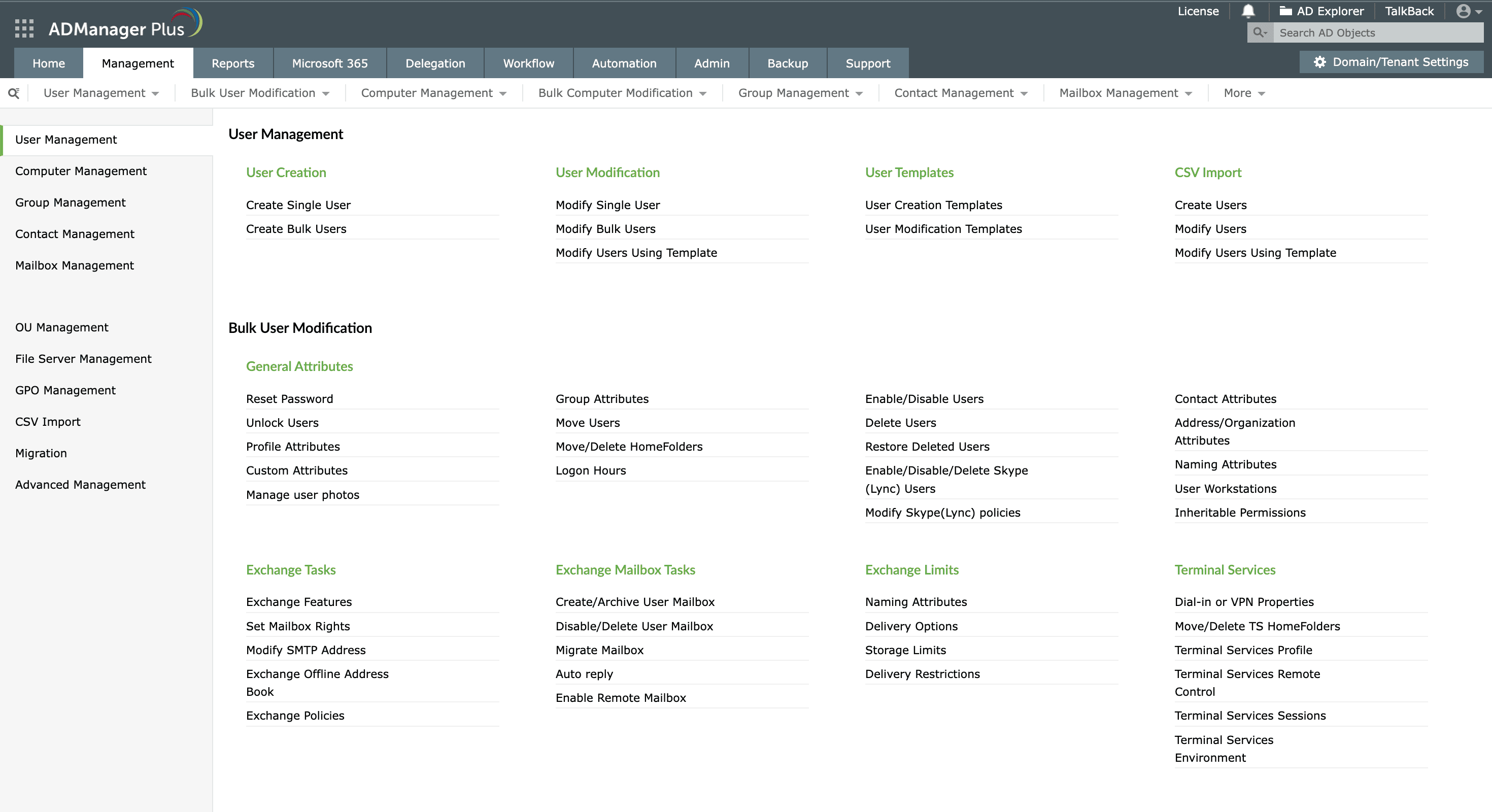
Create users: Create single or multiple users with
predefined
templates or CSV import.
Reset password: Reset passwords for multiple user accounts in one
step.
Create groups
Enable or disable computer accounts in one step.
Move groups
Move groups to different OUs in one step.
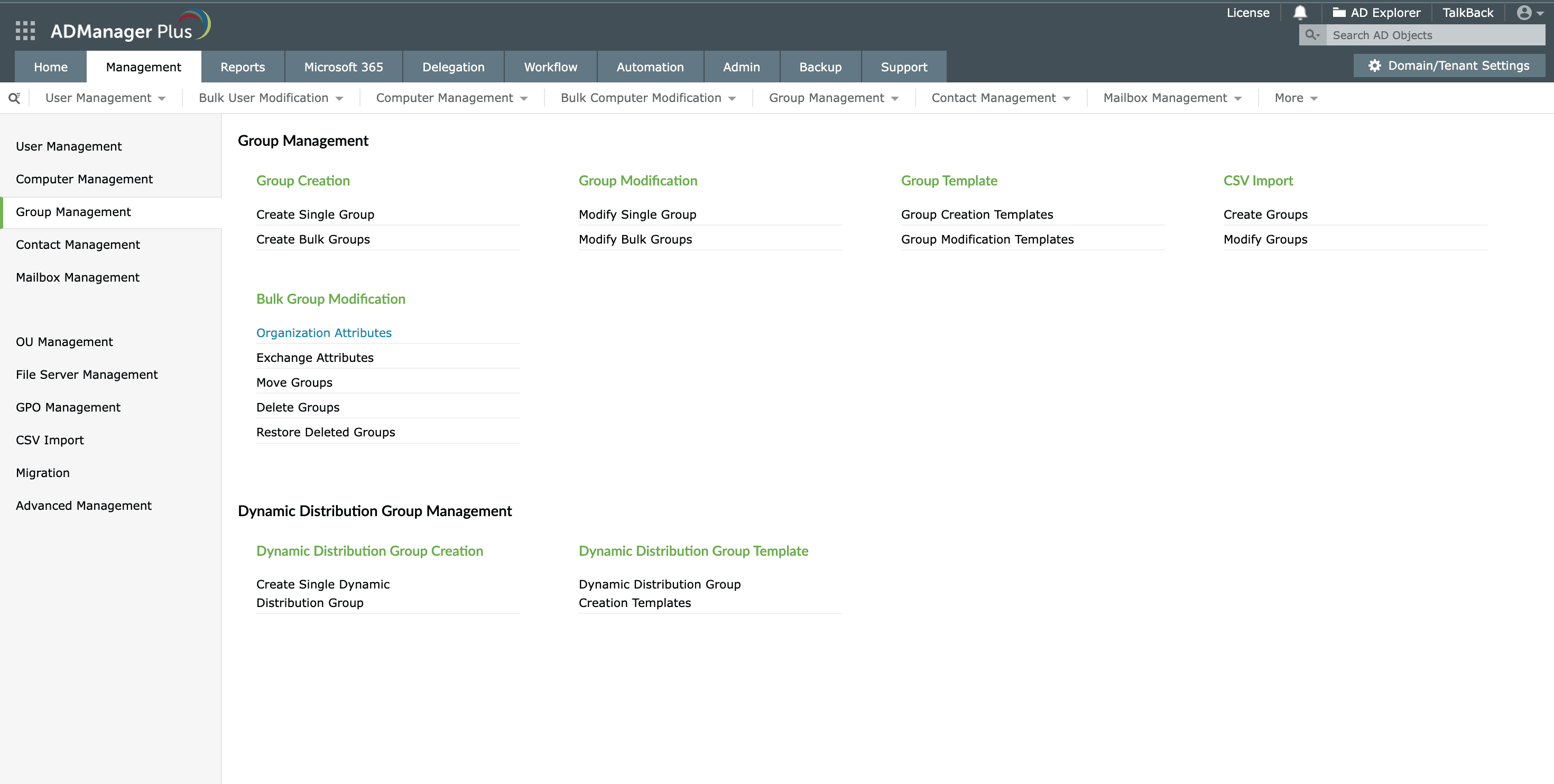
Create groups: Enable or disable computer accounts
in one step.
Move groups: Move groups to different OUs in one step.
Modify permissions
Allow or deny NTFS and share permissions for users.
Manage file servers
Add or remove file servers within the domain.
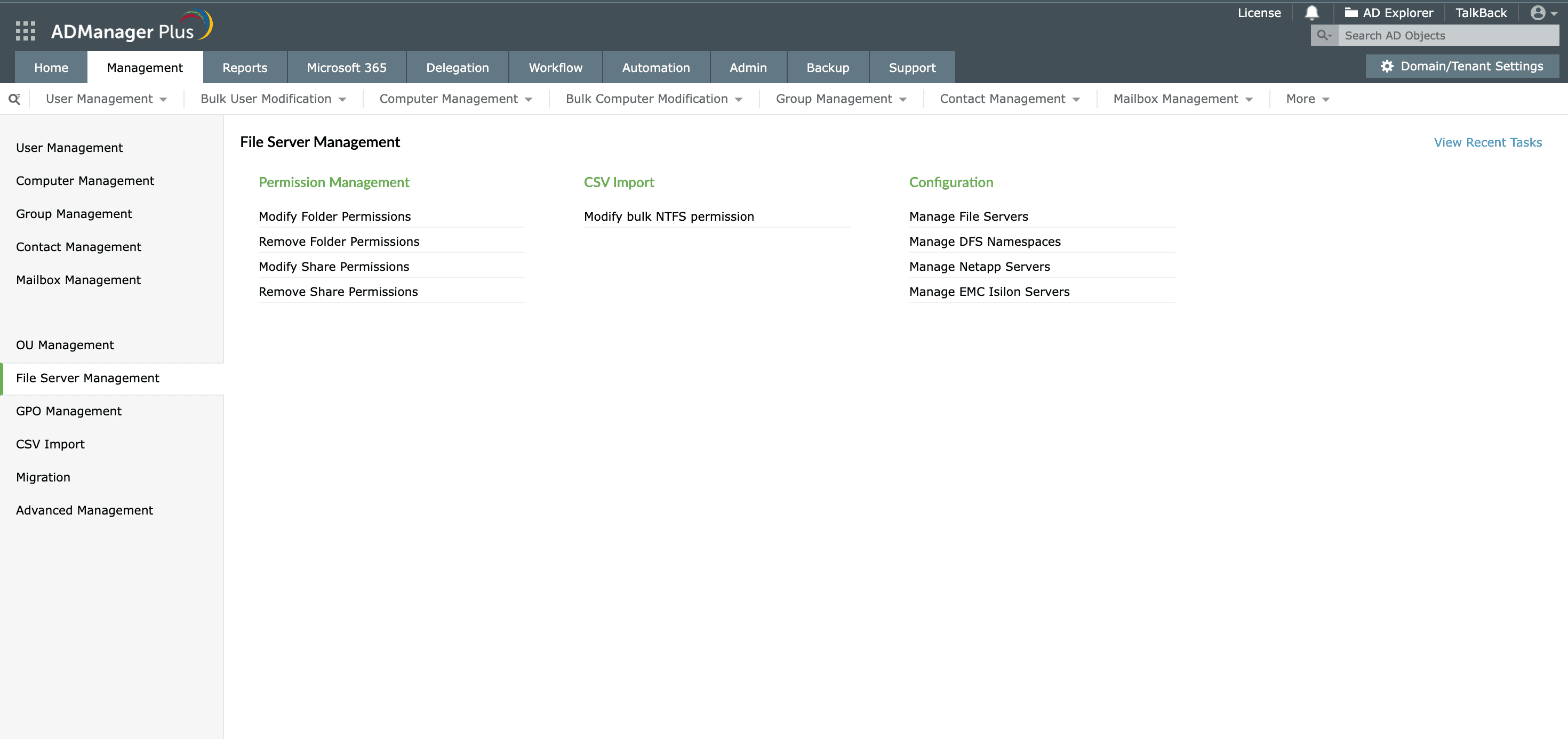
Modify permissions: Allow or deny NTFS and share
permissions for
users.
Manage file servers: Add or remove file servers within the domain.
Create GPOs
Create GPOs and link them to multiple sites or OUs in one go.
Manage GPOs
Edit, delete, rename, and enable or disable GPOs.
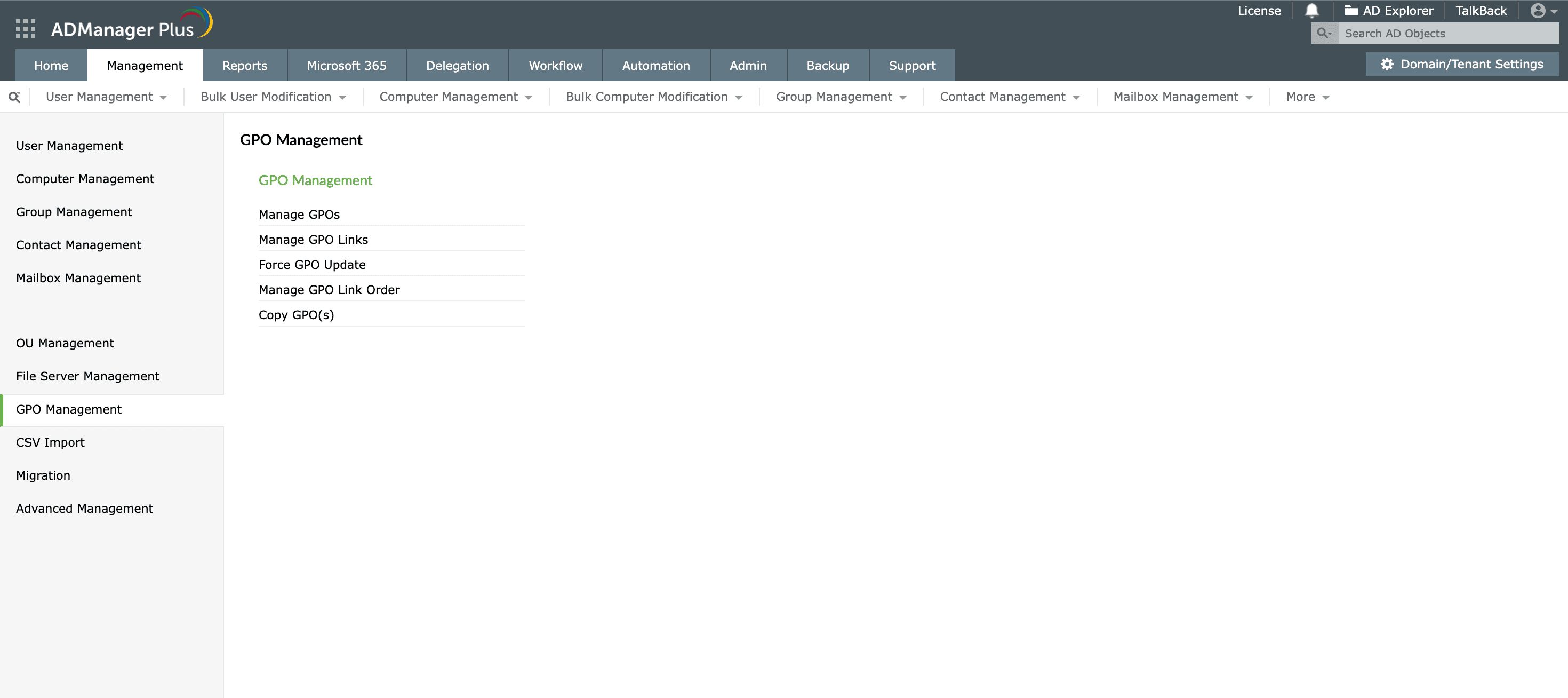
Create GPOs:Create GPOs and link them to multiple
sites or OUs in
one go.
Manage GPOs:Edit, delete, rename, and enable or disable GPOs.
Enable or disable computers
Enable or disable computer accounts in one step.
Delete computers
Clean up single or multiple computer accounts in a single step.
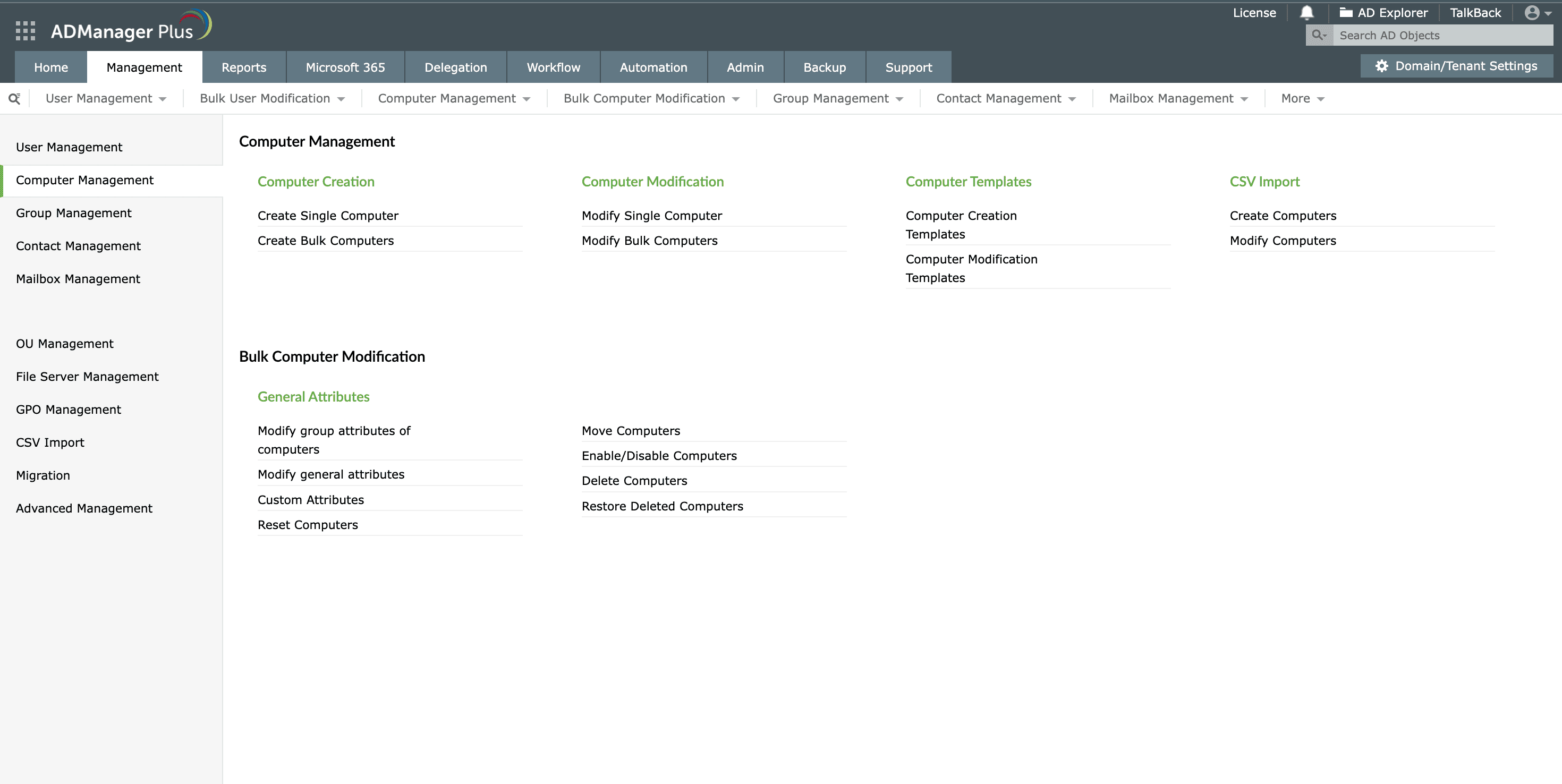
Enable or disable computers:Enable or disable
computer accounts in
one step.
Delete computers:Clean up single or multiple computer accounts in a
single step.
Contact creation templates
Create contacts using predefined templates or CSV import.
Modify contacts
Modify contact attributes like phone numbers, email IDs, and more in bulk.
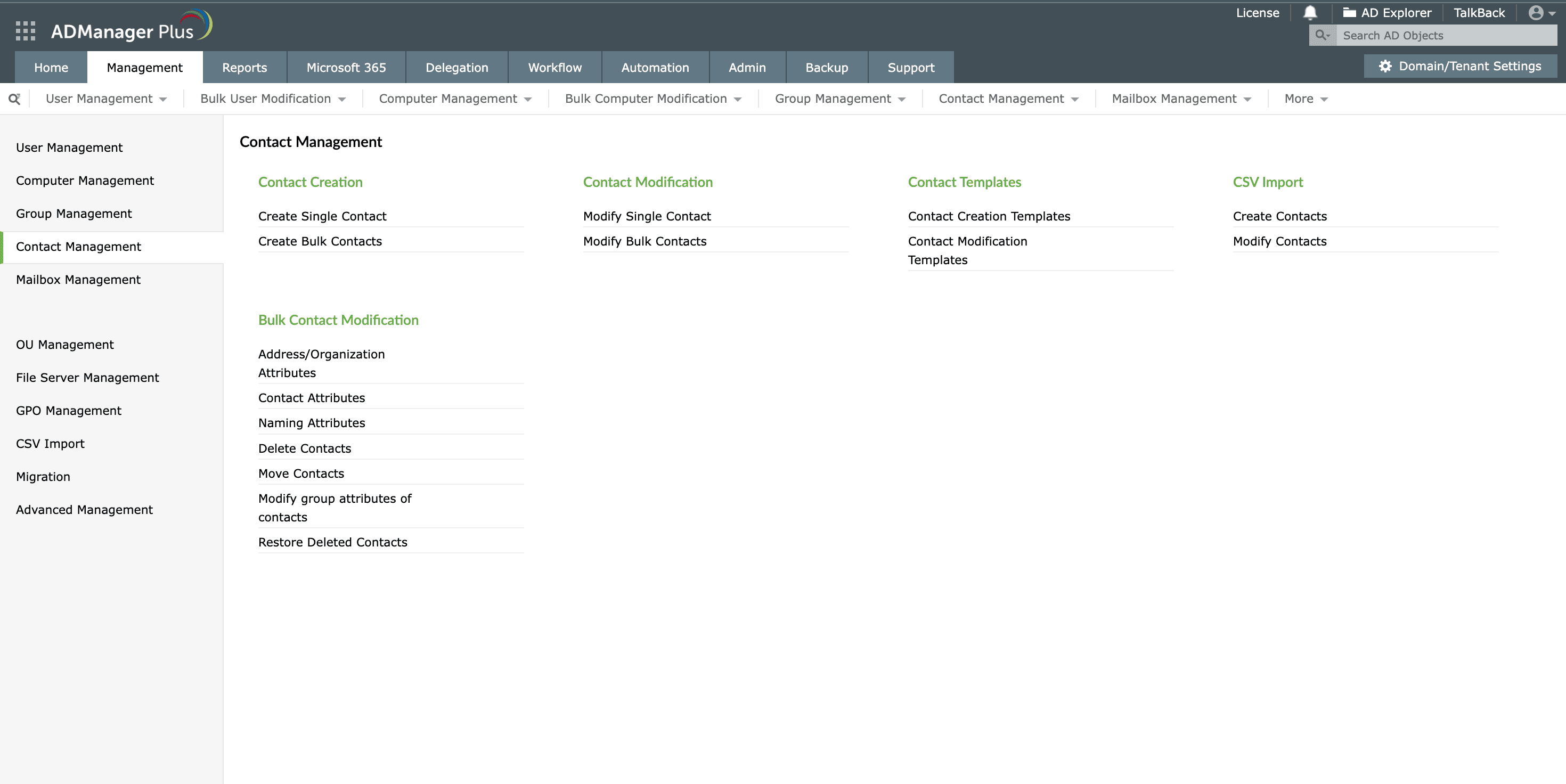
Contact creation templates: Create contacts using
predefined
templates or CSV import.
Modify contacts: Modify contact attributes like phone numbers,
email IDs, and more
in bulk.
Delete OUs
Delete OUs individually or in bulk.
Create and modify OUs using CSVs
Import a CSV file to create and modify OUs in a single step.
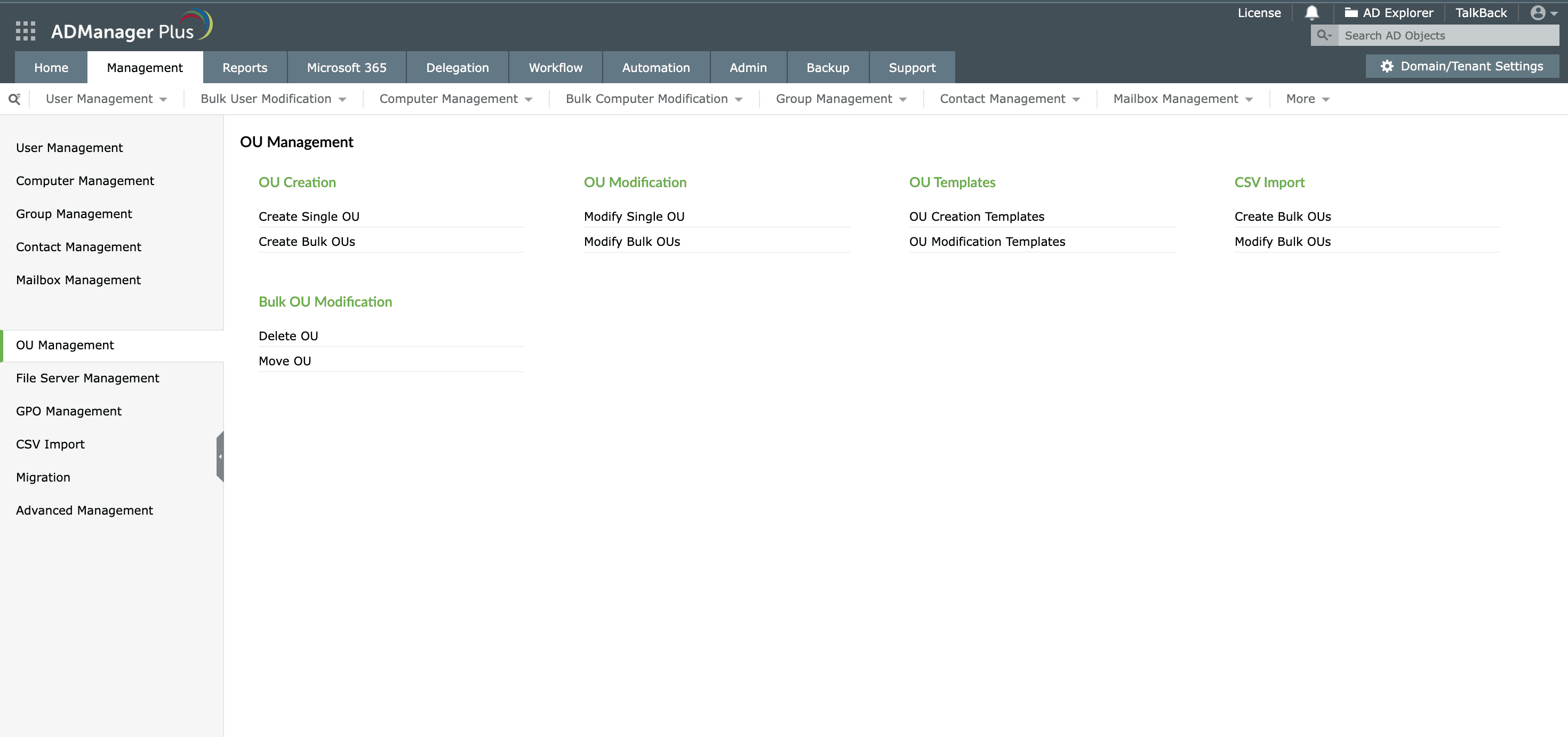
Delete OUs: Delete OUs individually or in bulk.
Create and modify OUs using CSVs: Import a CSV file to create and
modify OUs in a
single step.
Other features in ADManager Plus
-
Active Directory Automation
Fully automate critical AD tasks like user provisioning, inactive user cleanup, and more. Sequence and execute follow-up tasks, integrating with workflows to deliver seamless controlled automation.
-
Active Directory Delegation
Empower your IT team by delegating AD management tasks without granting full administrative rights. With fine-grained delegation, you can set permissions based on roles, ensuring that users only have access to the tasks they need.
-
Identity orchestration
Streamline and automate user lifecycle management across multiple platforms with ADManager Plus’ identity orchestration. Whether onboarding new employees, handling role changes, or offboarding, automate the entire process to enhance operational efficiency and security.
-
Identity Risk Assessment
Identify and mitigate security vulnerabilities in your Active Directory environment with ADManager Plus’ Identity Risk Assessment. By combining risk assessment with actionable remediation, secure your AD environment, ensure compliance, and minimize the likelihood of breaches.
-
Access Certification Campaign
Ensure secure and compliant access to critical systems with ADManager Plus’ Access Certification Campaigns. Periodically review and certify user access rights across Active Directory, Microsoft 365, Exchange, and other platforms.
-
Integrations
Simplify IT workflows and enhance efficiency with ADManager Plus' integrations. By connecting with help desk tools, HR systems, and IT security solutions, you can enable seamless task execution, automate user lifecycle management, and ensure consistent access control across your IT ecosystem.
Simplify compliance and identity governance at one go!
Our Active Directory management tool offers extensive out-of-the-box compliance reports that help streamline and meet multiple compliance requirements.
Customers Review
-
ADManager Plus - The Swiss Army Knife for AD Administrator. It has made managing and administrating Active Directory easy, fast and efficient. Everyday tasks which earlier required us to write Powershell scripts are now easily achievable using an workflow like interface.
Jason A. Kinder
Director - IT, DRS Defense Solutions
-
ADManager Plus provides us a single point for our Active Directory Reports. For a small IT department this is crucial for saving time and being able to apply our energy to keeping things running smooth. I foresee this being in our arsenal of network tools for a long time to come.
Mark Anderson
IT Support, ET Investments
-
ADManager Plus is head and shoulders above the other products that we have used or evaluated. ADManager Plus allows us to keep up with the changes in AD, keep it clean and up to date with minimal effort. ADManager Plus is a tremendous time saver for our support engineers.
Donald Storm
Systems Engineer, American Association for Cancer Research
-
ADManager Plus - The Swiss Army Knife for AD Administrator. It has made managing and administrating Active Directory easy, fast and efficient. Everyday tasks which earlier required us to write Powershell scripts are now easily achievable using an workflow like interface.
Jason A. Kinder
Director - IT, DRS Defense Solutions
-
ADManager Plus provides us a single point for our Active Directory Reports. For a small IT department this is crucial for saving time and being able to apply our energy to keeping things running smooth. I foresee this being in our arsenal of network tools for a long time to come.
Mark Anderson
IT Support, ET Investments
To assist your evaluation we offer
- 30-day fully functional free trial.
- No user limits.
- Free 24*5 tech support.
Thanks!
Your download is in progress and it will be completed in just a few seconds!
If you face any issues, download manually here