AD account lockouts can happen when

  • Replication fails between
    domain controllers.
  • Users forget their
    passwords.
  • Authentication credentials
    are obsolete.

Unlocking AD accounts using ADManager Plus

  • Generate a locked-out
    users report

  • Unlock user accounts
    in bulk

  • Delegate account
    unlock capabilities in AD
  • Unlock user accounts
    on the go

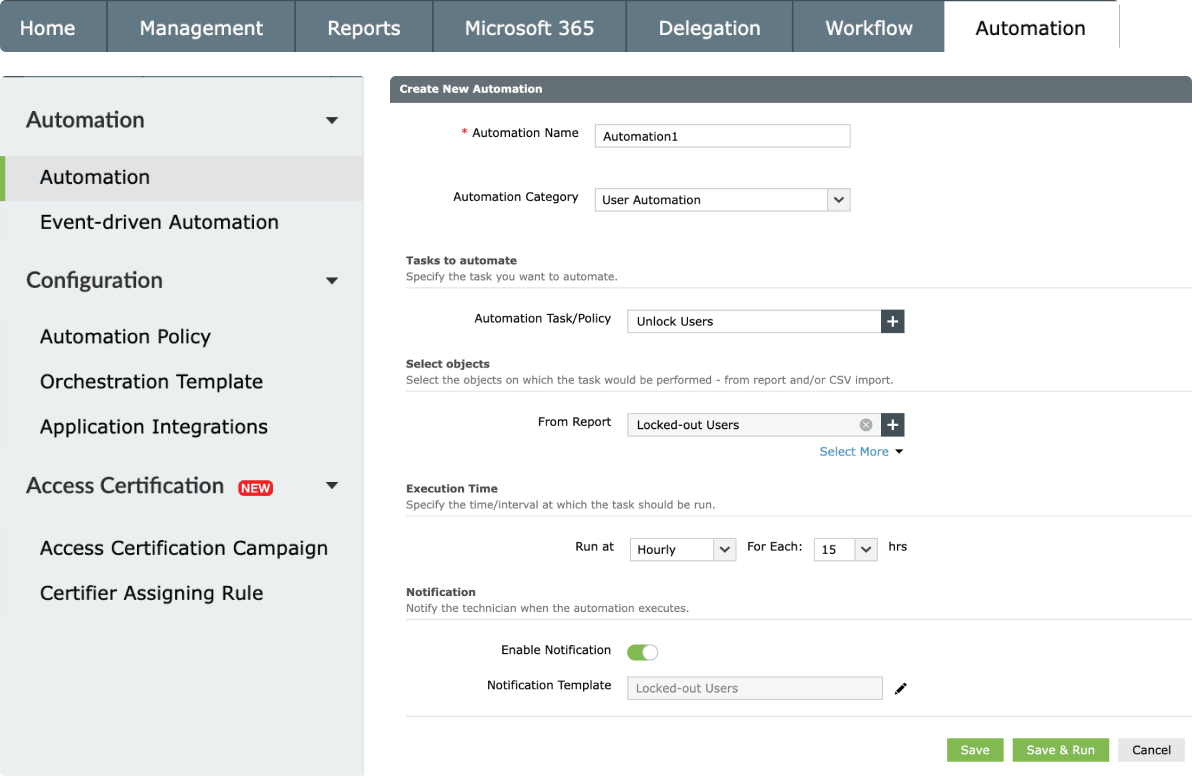
  • Automate the unlocking
    of locked-out accounts
Generate a locked-out users report

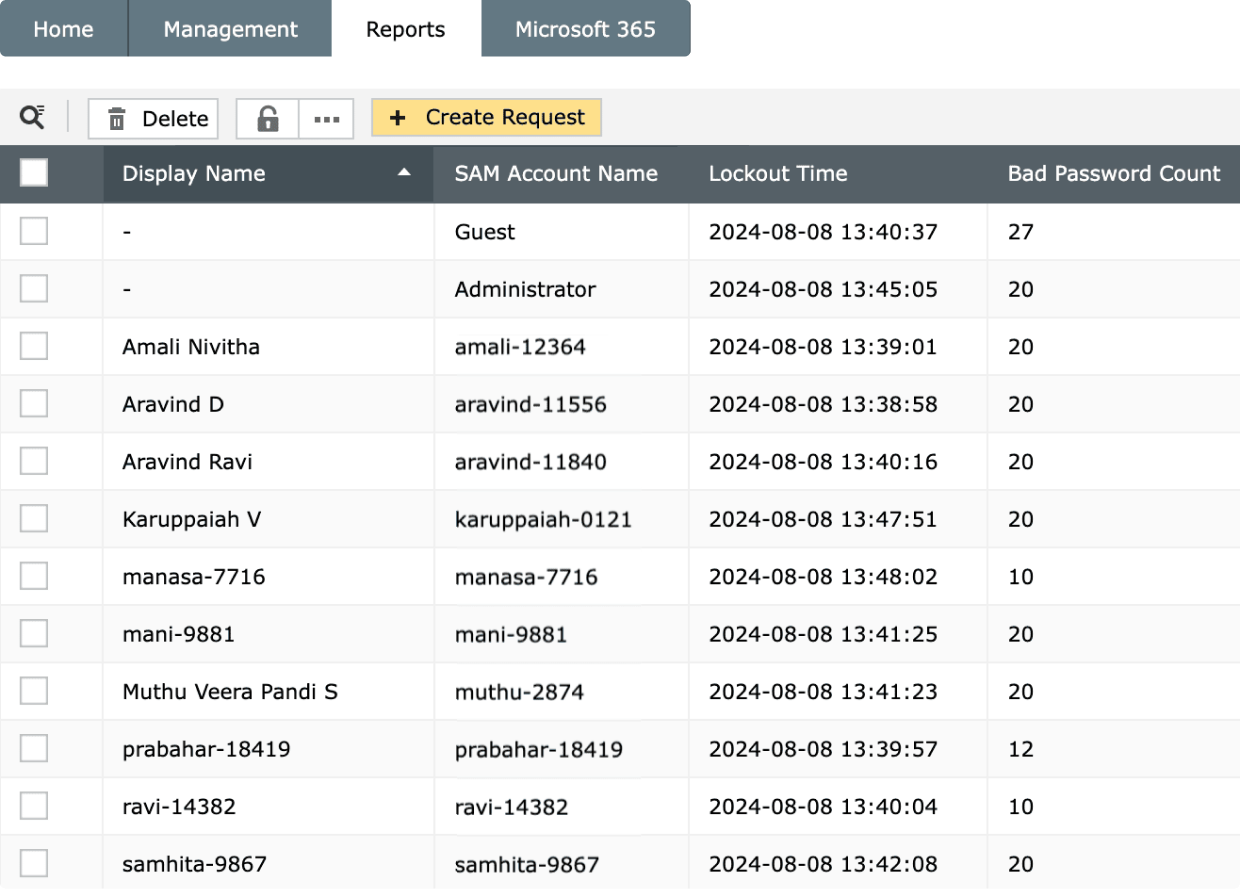
Generate reports on locked-out accounts in AD without any PowerShell scripts. Export the report in multiple formats and schedule it to be periodically sent to your inbox.

Unlock user accounts in bulk

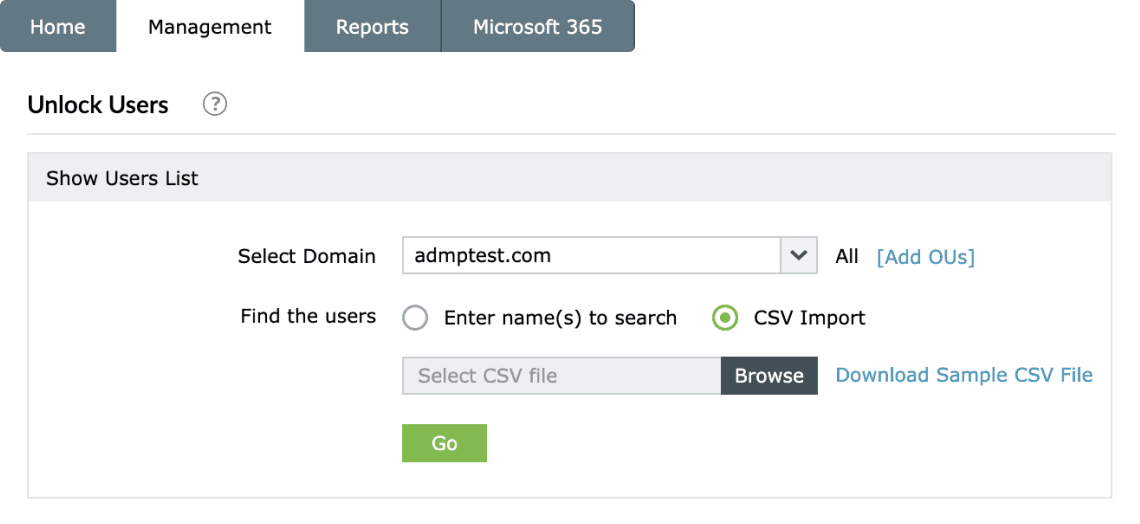
Unlock accounts instantly by uploading a CSV file containing the list of locked-out users. Alternatively, generate a Locked-out Users report and manually select and unlock users directly from the report.

Delegate account unlock capabilities in AD

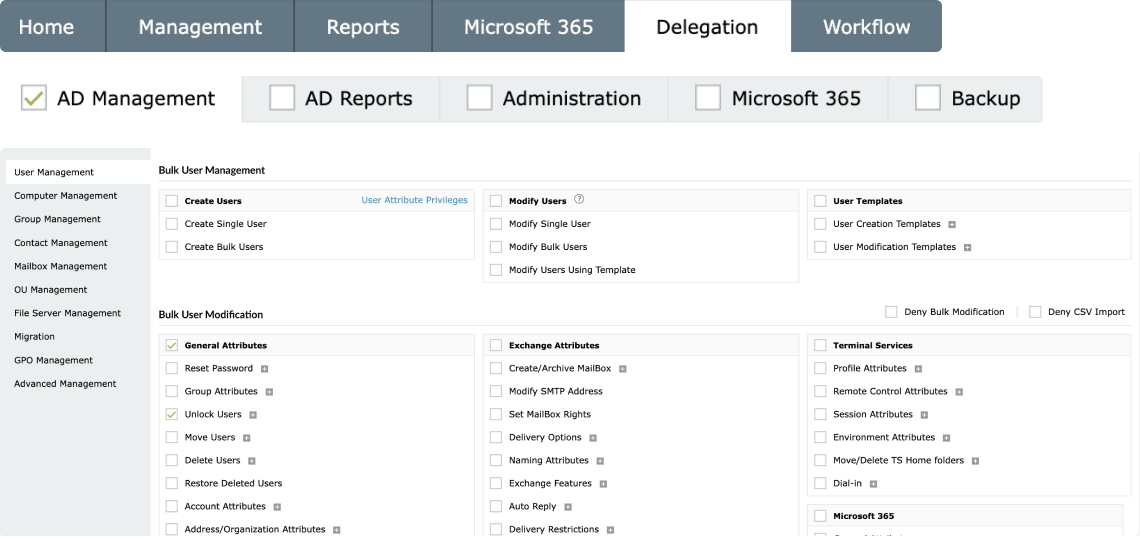
Delegate user unlock reporting and management capabilities to non-administrators to ease your workload. Monitor technicians' actions via audit reports to prevent any unauthorized activity

Unlock user accounts on the go

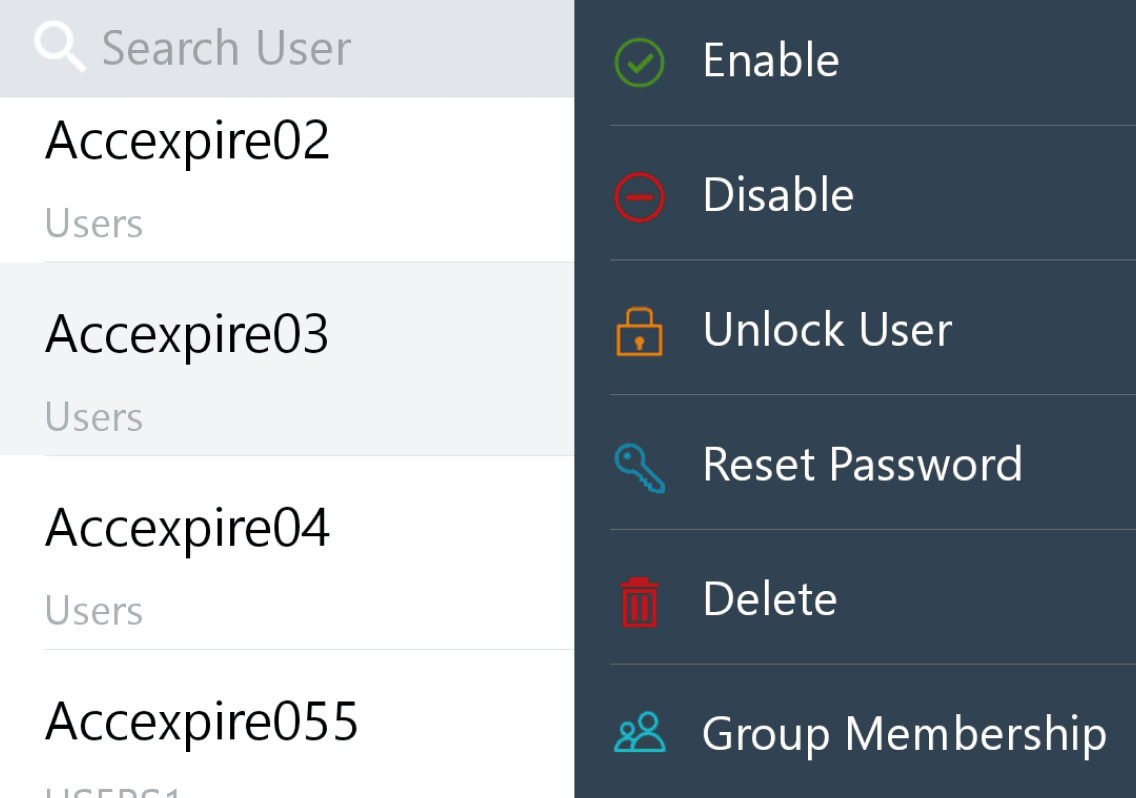
Leverage ADManager Plus' iOS and Android mobile apps to unlock multiple locked-out user accounts in a single touch from anywhere in the world

Automate the unlocking of locked-out accounts

Automate the process of unlocking the accounts that have been locked out to reduce manual efforts. Automatically restore access for account lockouts caused by failed login attempts, minimizing downtime and enhancing productivity.


Over 280,000 organizations across 190 countries
trust ManageEngine to manage their IT.

9 out of 10 Fortune 100 companies trust
ManageEngine to manage their IT.

 
4.6/5
 
4.1/5
 
4.5/5
 
4.47/5
 
4.6/5
 
4.6/5

PowerShellvsADManager Plus

Sample script to unlock AD users

Unlock-ADAccount -Identity "CN=Scott John,OU=Finance,OU=UserAccounts, DC=ABCCompany,DC=COM"

Limitations

  • The machine must have the ADDS role installed.
  • The scripts will become longer and more complicated when additional filters are added.
  • Extensive AD and scripting knowledge is required to troubleshoot these scripts.

Steps to unlock accounts in bulk

  • Navigate to Management > User Management > Unlock Users.
  • Select the domain and OU in the respective fields.
  • Choose the users you want to unlock or import a CSV file containing the user details, then click Apply.
Start your free trial

Over 100,000 technicians
trust ADManager Plus to manage their
Windows environment.

  • ADManager Plus provides us a single point for our Active Directory Reports. For a small IT department this is crucial for saving time and being able to apply our energy to keeping things running smooth. I foresee this being in our arsenal of network tools for a long time to come.

    Mark Anderson

    IT Support, ET Investments

  • ADManager Plus - The Swiss Army Knife for AD Administrator
    It has made managing and administrating Active Directory easy, fast and efficient. Everyday tasks which earlier required us to write Powershell scripts are now easily achievable using an workflow like interface.

    Deputy Chief IT Engineer

    Company Size: 1B - 3B, Energy and Utilities

ADManager Plus does more!

AD Management and Reporting

Leverage the customizable templates to manage all AD objects with simple, GUI-based actions, and stay on top of your AD environment with over 200 out-of-the-box reports.

Microsoft 365 Management and Reporting

Create and manage Microsoft 365 users and their licenses, groups, contacts, mailboxes, and more. Gain visibility on your Microsoft 365 environment with over 90 built-in reports.

AD Automation

Automate routine AD tasks like creating users or deleting inactive users. Track the status of automated tasks whenever required.

×

Start your 30-day free trial

  •  
  • *
     
  •  
  •  
  • By clicking 'Submit' you agree to processing of personal data according to the Privacy Policy.