

Creating and managing user accounts in Active Directory (AD) can be time-consuming and error-prone, especially when done manually or through PowerShell. An AD user creation tool like ADManager Plus simplifies this process with features that
Thank you for your interest in ADManager Plus. Our support engineers will get in touch to help you with your evaluation.
Your download should begin automatically in 15 seconds, If not click here to download manually.
Thank you for your interest in ManageEngine ADManager Plus. We have received your request for a price quote and will contact you shortly.
Thank you for your interest in ManageEngine ADManager Plus. We have received your request for a personalized demo and will contact you shortly.
Over 280,000 organizations across 190 countries
trust ManageEngine to manage their IT.
While AD can be managed using Active Directory Users and Computers (ADUC) and PowerShell, they come with significant limitations when it comes to efficient and scalable user creation.
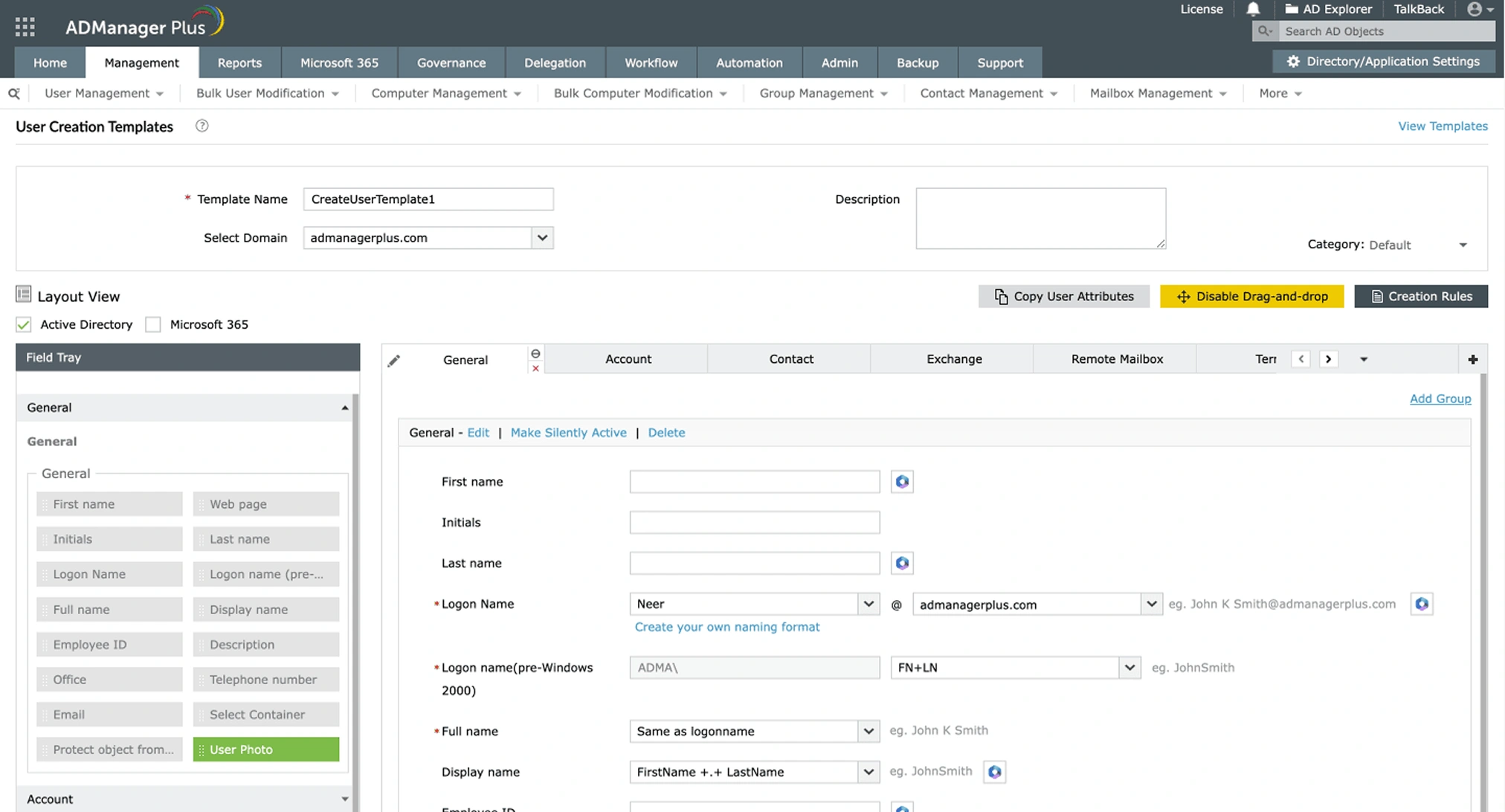
Quickly create a new user in AD using a customizable smart template that prefills standard attributes like department, location, and email format.
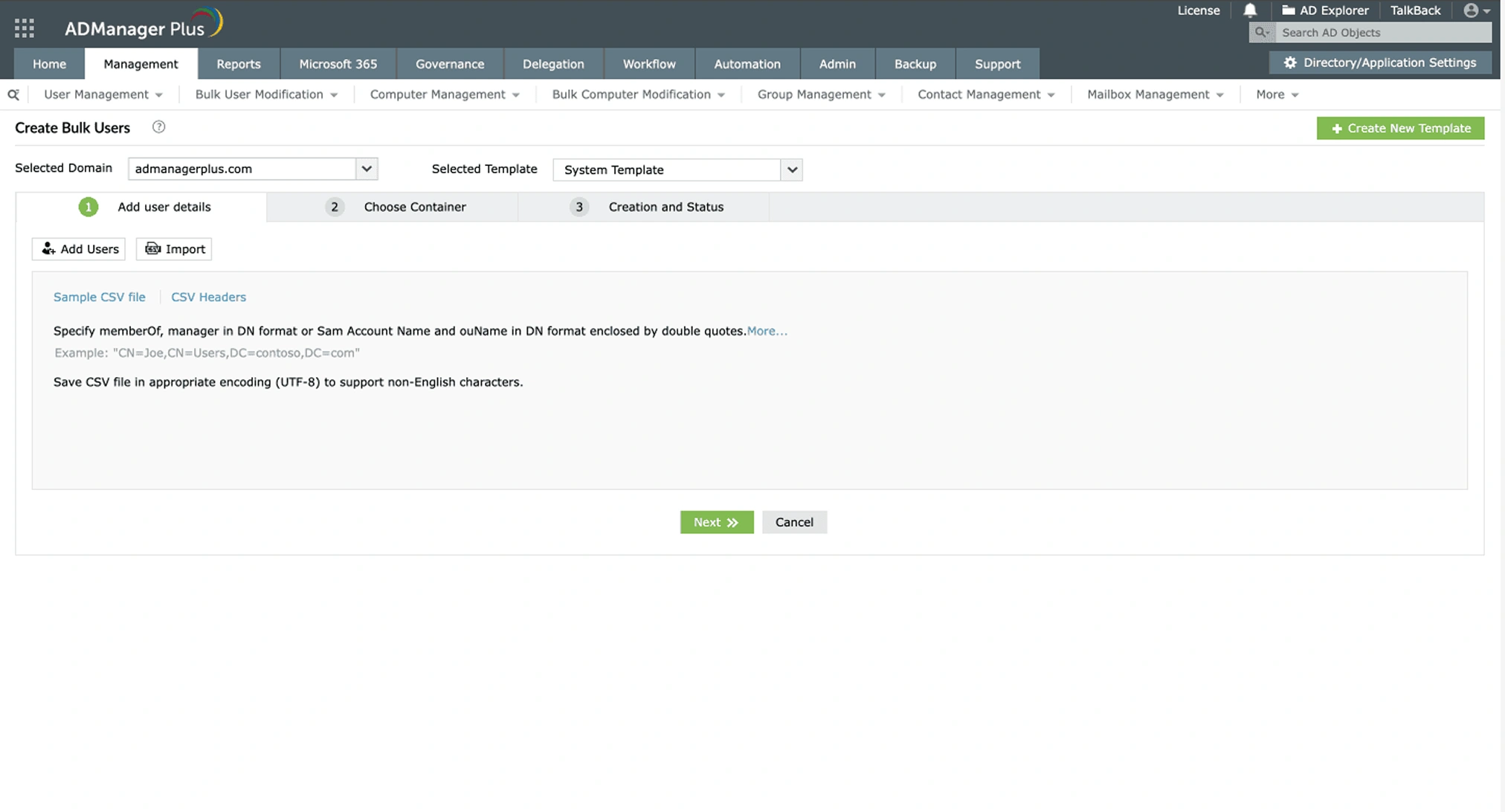
Add multiple users to AD in one go using CSV import, perfect for onboarding entire teams or departments.
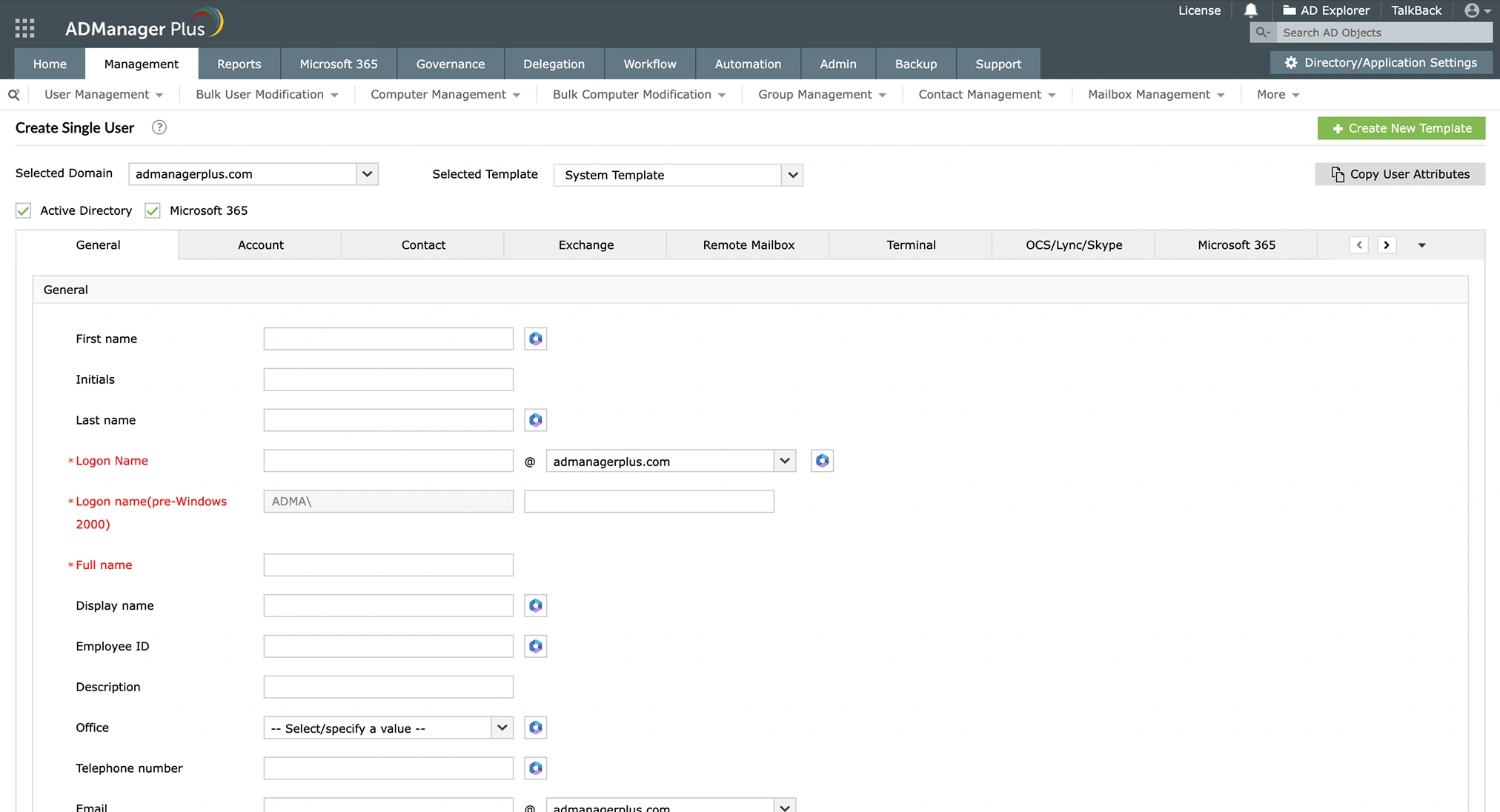
Provision user accounts not just in AD, but also in Microsoft 365, Exchange, and Google Workspace, all from a single place.
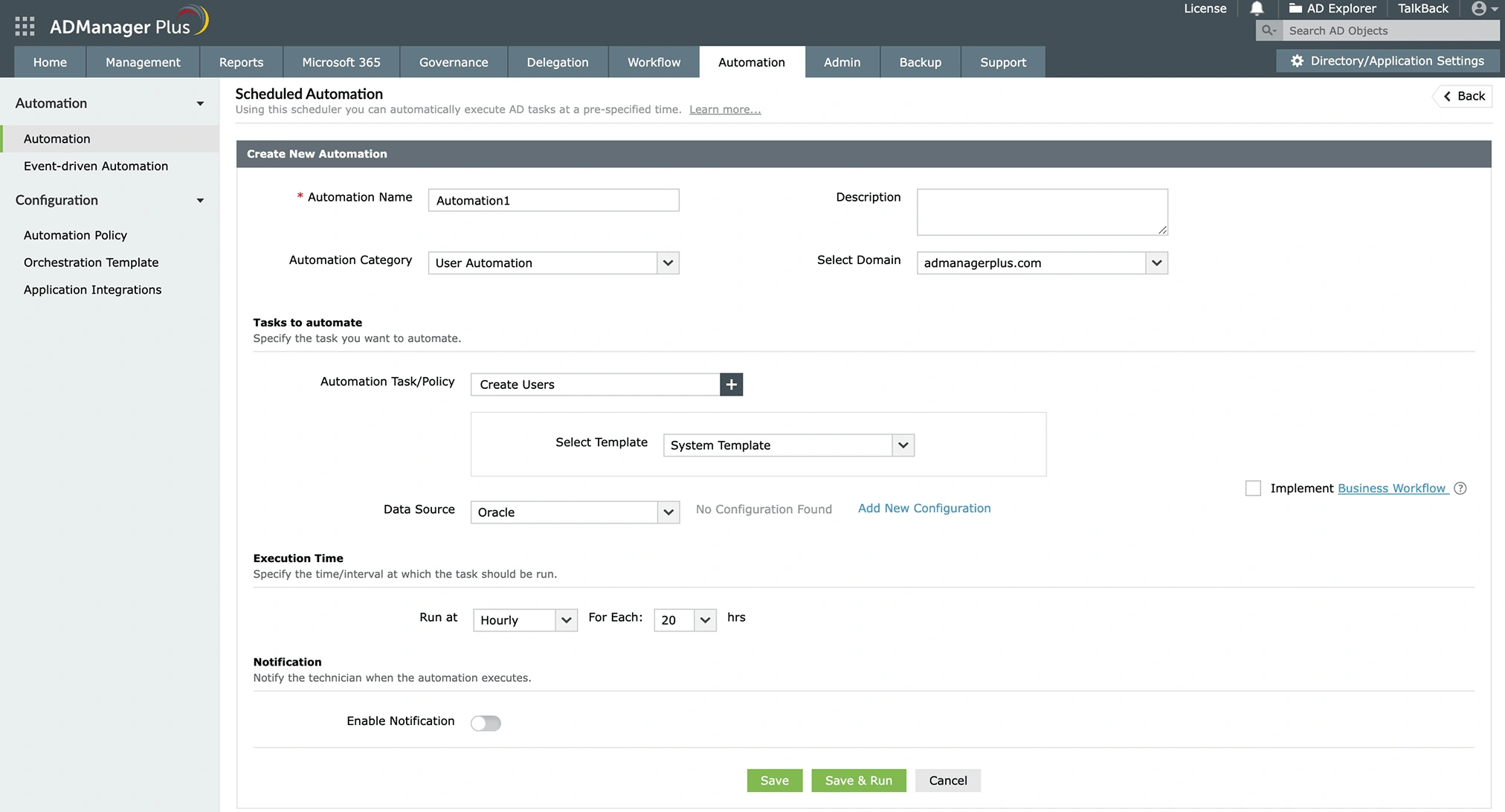
Integrate ADManager Plus to your HCM applications and databases to automatically fetch user data and trigger user creation in AD when new hires are added.
Unify user creation across your enterprise stack by integrating ADManager Plus with a wide range of enterprise
applications, such as BambooHR, UKG Pro, Zendesk, and more.
ServiceNow
Workday
BambooHR
Zendesk
UltiPro
ADSelfService Plus
Zoho People
ServiceDesk Plus
Add users to AD in bulk using CSV files or customizable templates. Create thousands of users in minutes by importing a CSV file with a list of users; no scripting needed.
Prefill attributes, avoid duplication, standardize naming formats, automate group assignment, and much more with smart templates.
Automate the full provisioning process: create users, assign them permissions, and add them to groups, ensuring users are ready to work from day one.
Delegate user creation tasks to help desk technicians without granting them full administrative privileges or changing their AD permissions, enhancing security and operational efficiency.
Oversee delegated tasks and ensure that every new AD user is reviewed and approved by the administrator before being added to AD.
Generate comprehensive reports on recently created users in AD to keep track of the user creation process and gain insights into users who were recently created, along with details like group memberships, departments, and much more.
Efficiently create AD accounts for staff and faculty, synchronized with platforms like Google Workspace and Exchange to reduce onboarding time.
Organize account creation using structured workflows that ensure approval and compliance before provisioning.
Create domain-specific user accounts with customized access levels for regional and centralized domains.
Provision users, create mailboxes, assign licenses, and manage users across Exchange and Microsoft 365. Generate reports on mailbox size, inactive accounts, and license usage, all from a unified console.
Gain visibility into NTFS and share permissions across your file servers. Analyze who has access to what, clean up excessive privileges, and manage permissions efficiently.
Identify stale, inactive, or unused AD accounts and automatically remove them using scheduled and event-driven automations to strengthen security and reduce the attack surface.
Review and certify users' access across AD and Microsoft 365 by periodically conducting access reviews to validate group memberships, entitlements, and more to ensure compliance.
ADManager Plus allows you to add users to AD individually and in bulk with an intuitive GUI. It offers customizable templates and bulk user import options that enable administrators to create users in AD efficiently without using any scripts.
Yes. You can create multiple AD users at once by importing a CSV file with the users' details such as names, departments, groups, managers, and titles into ADManager Plus.
Creating a service account in AD is similar to creating a regular user account in AD but with specific configurations to support certain capabilities.
, Zoho Corporation Pvt. Ltd. All Rights Reserved.