Distribution List
Management Tool

Effortlessly manage distribution lists across Active Directory, Microsoft 365, and Exchange, all from a single, intuitive web interface.

No scripts. No toggling between applications.

  • Manage all distribution lists across AD, Microsoft 365, and Exchange from a single console without switching between multiple applications or consoles.
  • Add or remove distribution list members easily, without using scripts.
  • Create distribution lists in bulk and ensure consistency using templates.
  • Gain insights on distribution lists with comprehensive predefined reports.
  • Save time with automated group membership updates when users join, leave, or change roles.
  • Delegate distribution list management tasks to help desk teams securely without giving full admin access.
Download
Demo
Get Quote

Thank you

Thank you for your interest in ADManager Plus. Our support engineers will get in touch to help you with your evaluation.

Your download should begin automatically in 15 seconds, If not click here to download manually.

Fill your details and
Get a free download

  •  
  •  
  • By clicking 'DOWNLOAD NOW' you agree to processing of personal data according to the Privacy Policy.

Thank you

Thank you for your interest in ManageEngine ADManager Plus. We have received your request for a price quote and will contact you shortly.

Get a Personalized Quote,
that best suits your requirements

  •  
  • Number of IT technicians who need access

     
  •  
  • By clicking 'Submit', you agree to processing of personal data according to the Privacy Policy.

Thank you

Thank you for your interest in ManageEngine ADManager Plus. We have received your request for a personalized demo and will contact you shortly.

Schedule a
Personalized Web Demo

  •  
  •  
  •  
  •  
  • By clicking 'Schedule a Demo' you agree to processing of personal data according to the Privacy Policy.

Over 280,000 organizations across 190 countries
trust ManageEngine to manage their IT.

PowerShell vs. ADManager Plus for
managing distribution lists

Using PowerShell scripts to manage distribution lists across AD, Microsoft 365 and Exchange can be
complex and error-prone. ADManager Plus acts as a simpler, GUI-based alternative to perform the same
tasks faster and without command-line errors.

Distribution list management task
PowerShell cmdlet
How ADManager Plus helps
Creating a new distribution list
New-DistributionGroup
Create distribution groups in AD, Exchange, or Microsoft 365 using CSVs and templates.
Adding users to a distribution list
Add-DistributionGroupMember
Add users to distribution groups in bulk using CSVs.
Modifying group properties
Set-DistributionGroup
Update group properties, memberships, and much more with intuitive actions.
View members of a distribution group
Get-DistributionGroupMember
Generate predefined reports on distribution group members and manage them instantly from the reports.

One interface for all your distribution lists

With ADManager Plus, say goodbye to manual distribution list
management and multiple consoles.
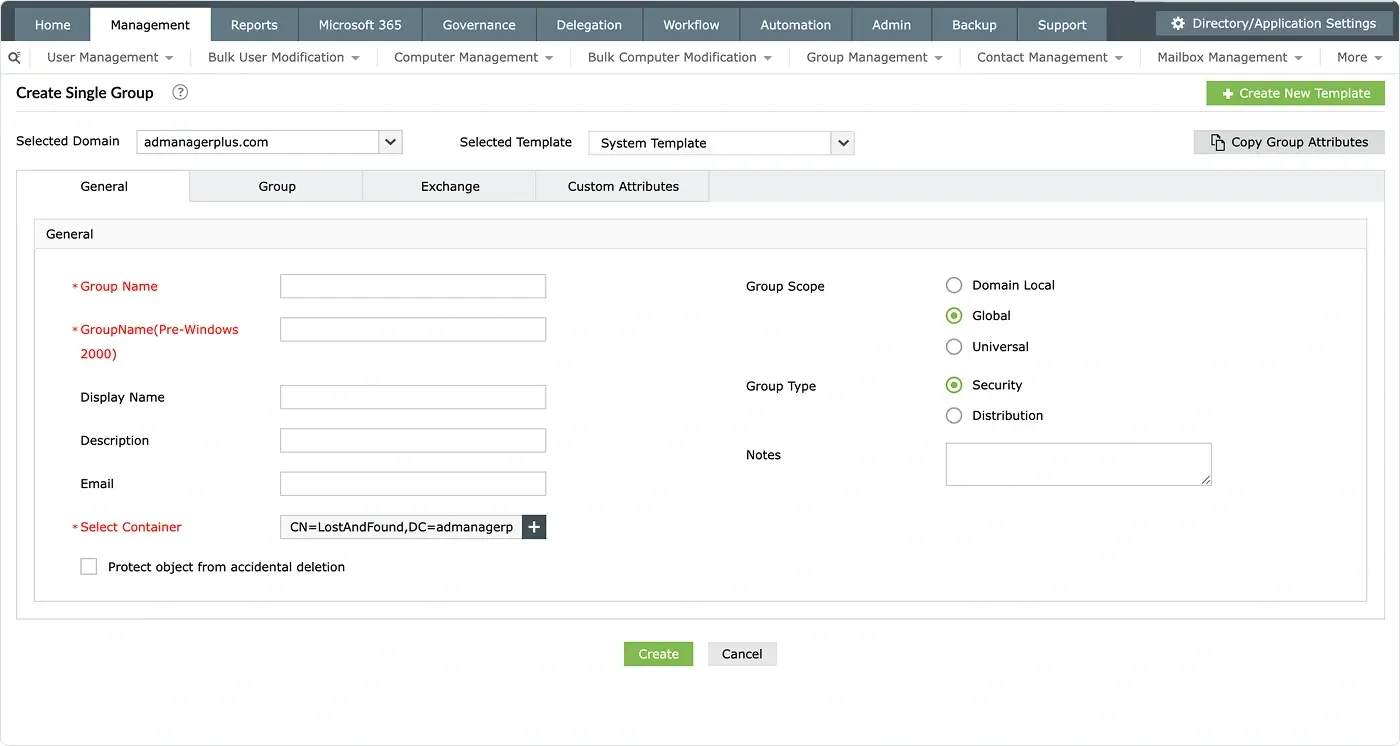
Active Directory distribution list management

  • View and manage distribution lists directly in AD without opening ADUC.
  • Manage group membership and nested group structures in bulk.
  • Automatically update group membership based on distribution group reports.
  • Delegate distribution list management tasks to help desk teams securely.
Active Directory distribution list management
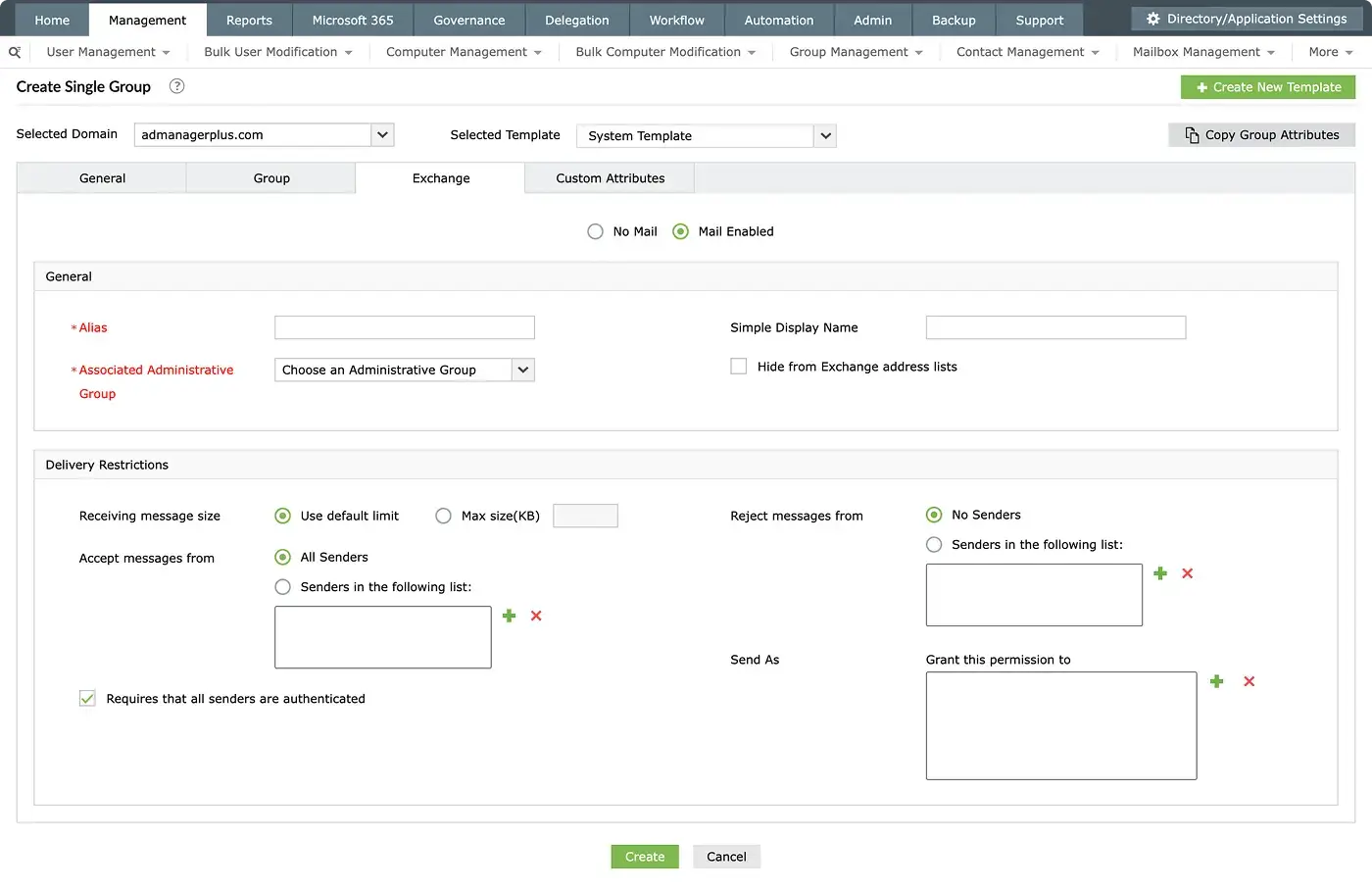
Exchange distribution list management

Exchange distribution list management

  • Create, edit, or remove distribution lists in Exchange with ease.
  • Add group members in bulk using CSV imports without using the add-distributiongroupmember cmdlet.
  • Generate reports, get distribution group member details, and export members to CSV.
  • Set distribution group properties and permissions with intuitive actions.

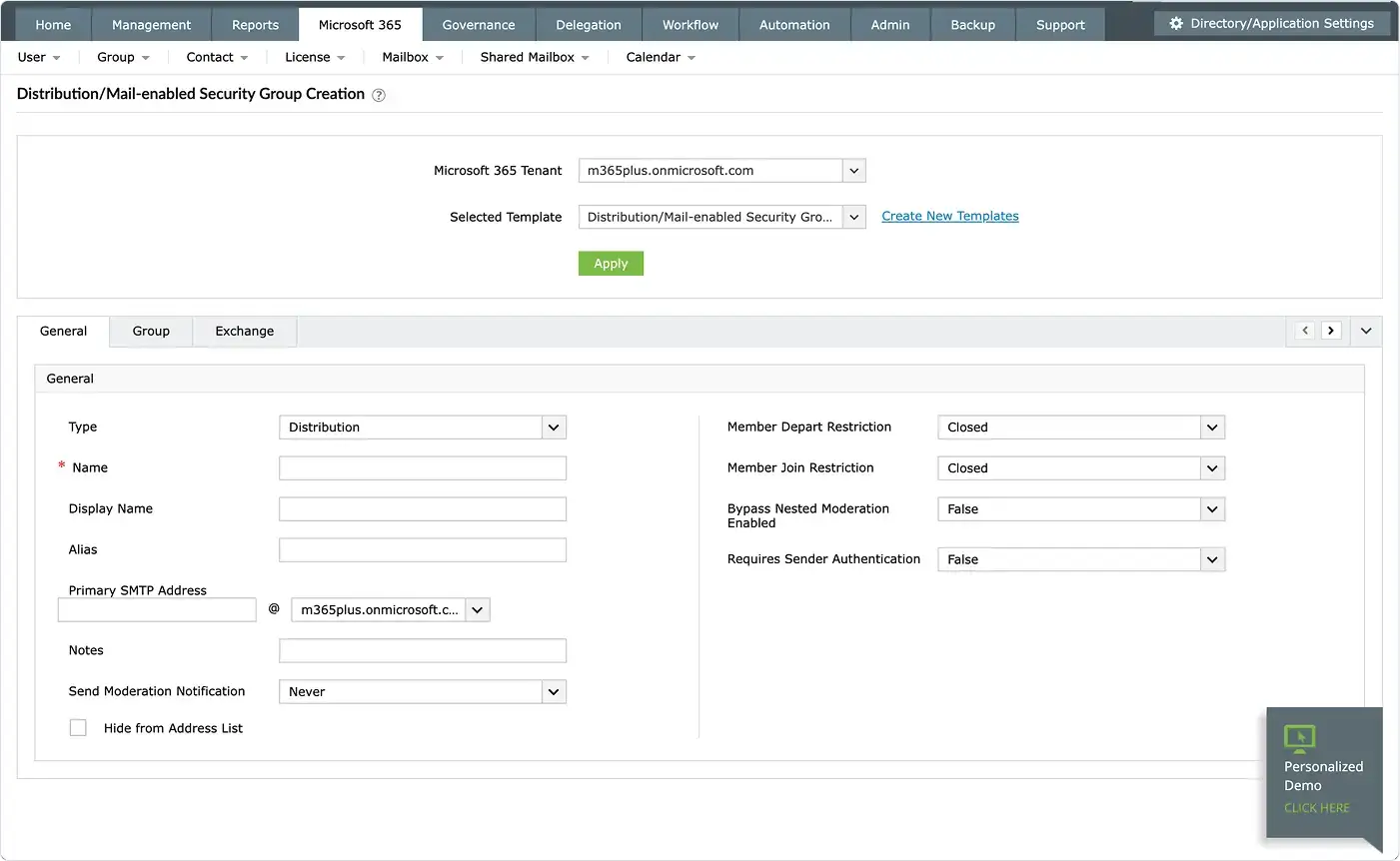
Micrososft 365 distribution list management

  • Create and manage Microsoft 365 distribution lists from an intuitive interface.
  • Use templates to ensure consistent group settings across teams and departments.
  • Easily add or remove users to and from distribution lists, including external email addresses.
  • Create and update dynamic distribution groups in Microsoft 365 as well.
Micrososft 365 distribution list management

Why choose ADManager Plus for distribution list management?

ADManager Plus is designed to simplify distribution list management for admins, offering a range of powerful features that native tools simply can't match.


Streamlined group creation

Create distribution lists in AD, Microsoft 365, and Exchange from a single interface.


Bulk management

Manage distribution lists' members using CSV imports and templates, saving you countless hours.


Automated group management

Automatically update list members and grant just-in-time access using scheduled automations.


Comprehensive reporting

Report on distribution lists and export distribution list members to CSV with a single click for auditing.


Secure delegation

Delegate tasks to help desk technicians without granting them full access to your hybrid environment.


Dynamic group management

Create and modify dynamic distribution groups with advanced filtering rules and automatic membership updates.

Beyond distribution list management

ADManager Plus isn’t just a distribution list management tool, it’s your all-in-one
hybrid AD management tool.


AD user life cycle automation

Automate user provisioning, modification, and deprovisioning across enterprise applications.


Microsoft 365 management

Manage Microsoft 365 users, groups, contacts, and more from a centralized console.


AD workflows

Set up multi-level workflows and oversee sensitive AD management tasks.


AD reporting

Generate comprehensive reports on your AD environment using the predefined reports available in ADManager Plus.

ManageEngine is recognized by industry experts!

REVIEWS

What our customers say

Manage distribution lists the smart way with ADManager Plus!

 , Zoho Corporation Pvt. Ltd. All Rights Reserved.