Over 280,000 organizations across 190 countries
trust ManageEngine to manage their IT.


Over 280,000 organizations across 190 countries
trust ManageEngine to manage their IT.
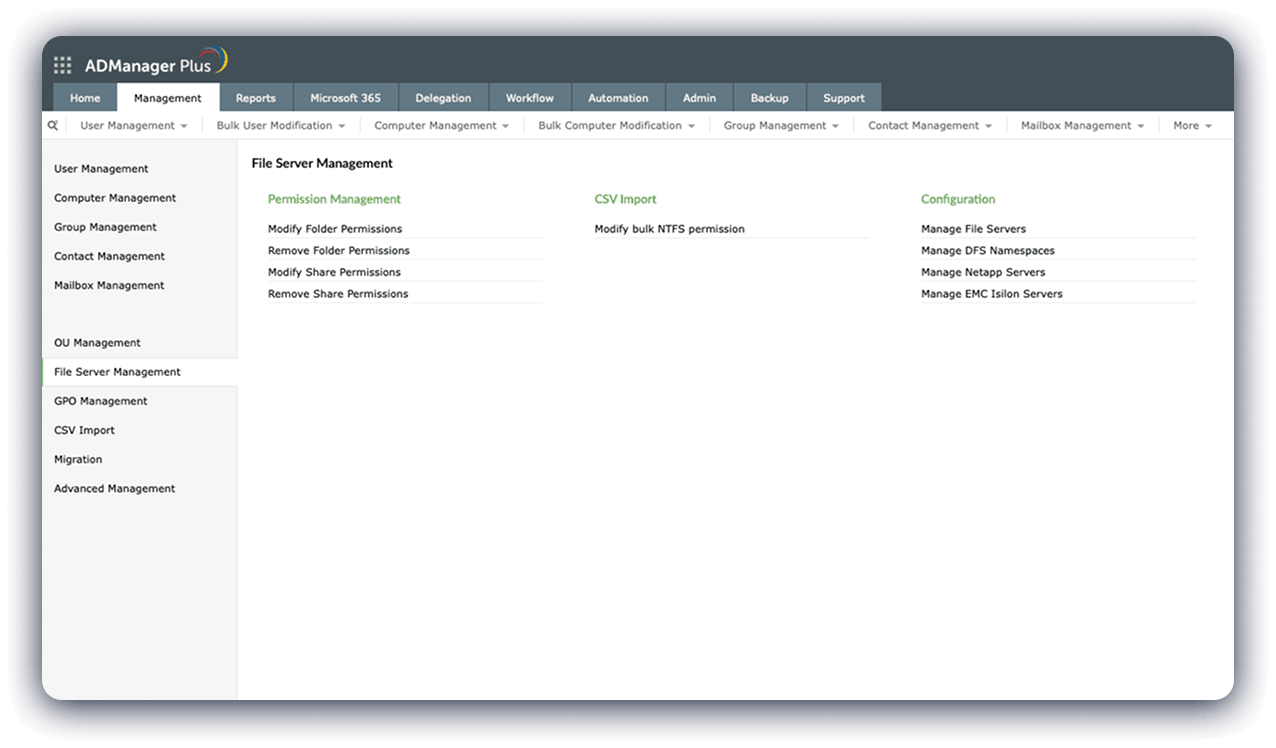
View all the management actions you can take to set, modify, and revoke file server permissions.
View all the management actions you can take to set, modify, and revoke file server permissions.
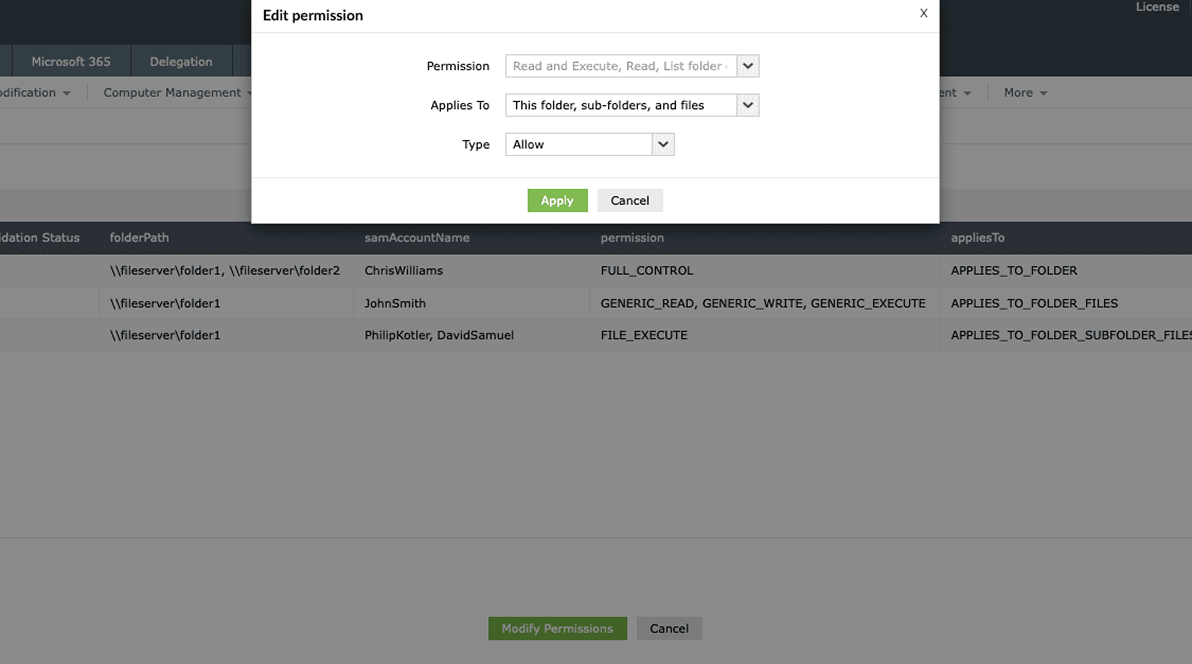
Update NTFS permissions in bulk.
Update NTFS permissions in bulk.
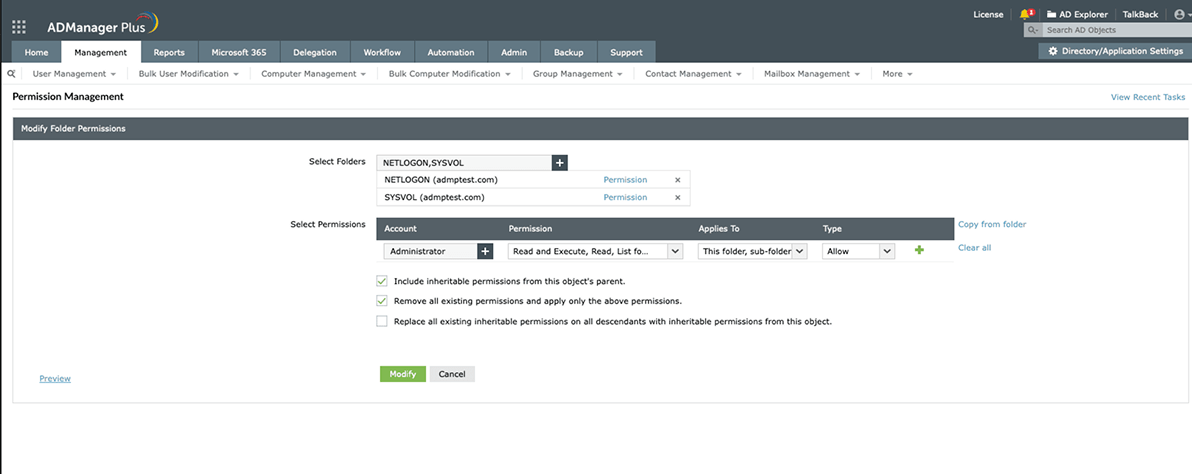
Easily update folder permissions for users in your organization.
Easily update folder permissions for users in your organization.
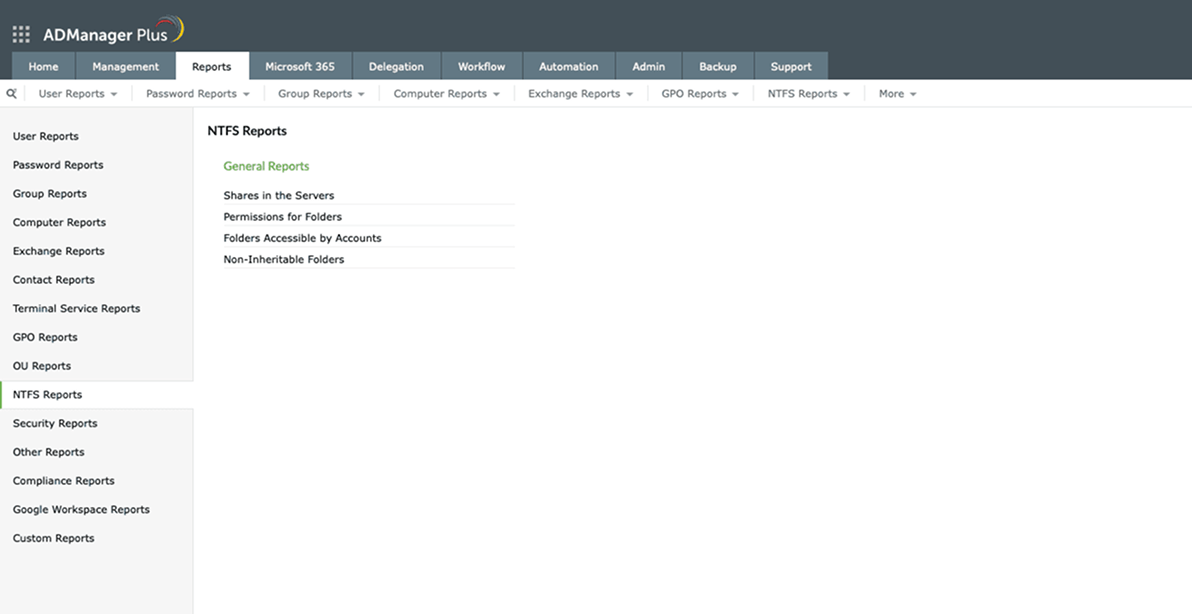
View all the preconfigured reports you can generate to gain insights about folders in your organizations.
View all the preconfigured reports you can generate to gain insights about folders in your organizations.
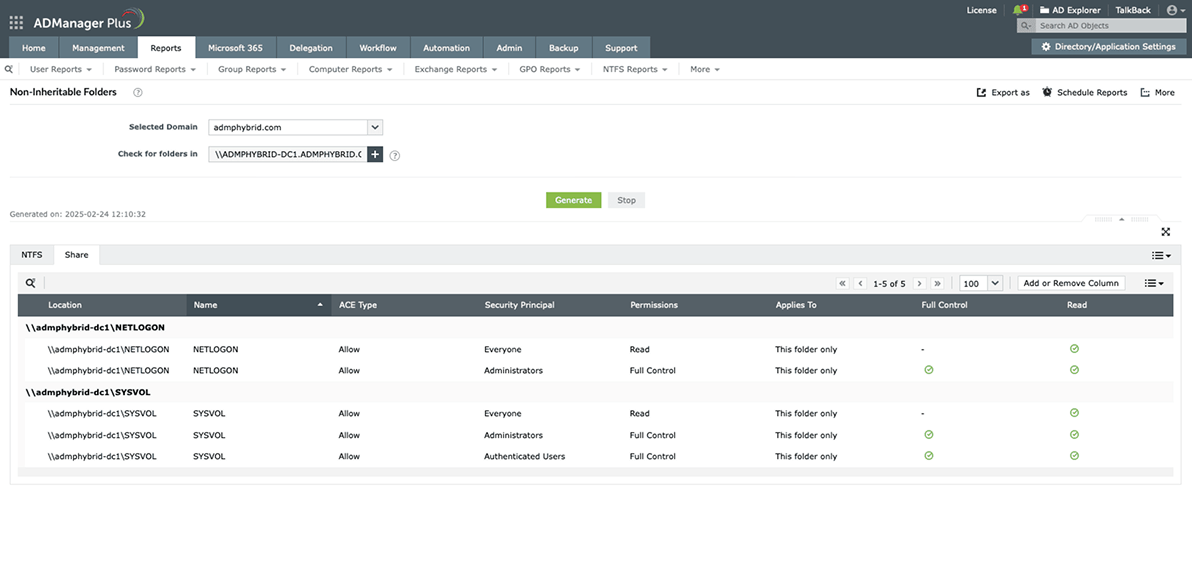
View the list of all non-inheritable folders in your organization.
View the list of all non-inheritable folders in your organization.
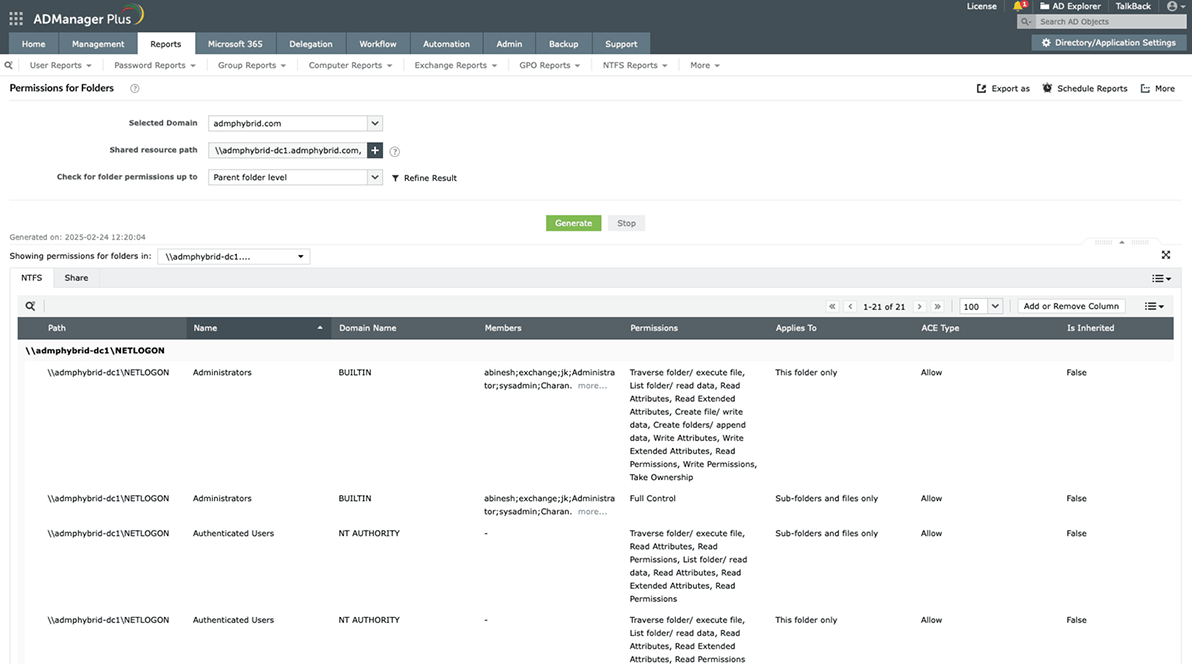
View the list of users and groups that have access to folders in a specified path.
View the list of users and groups that have access to folders in a specified path.
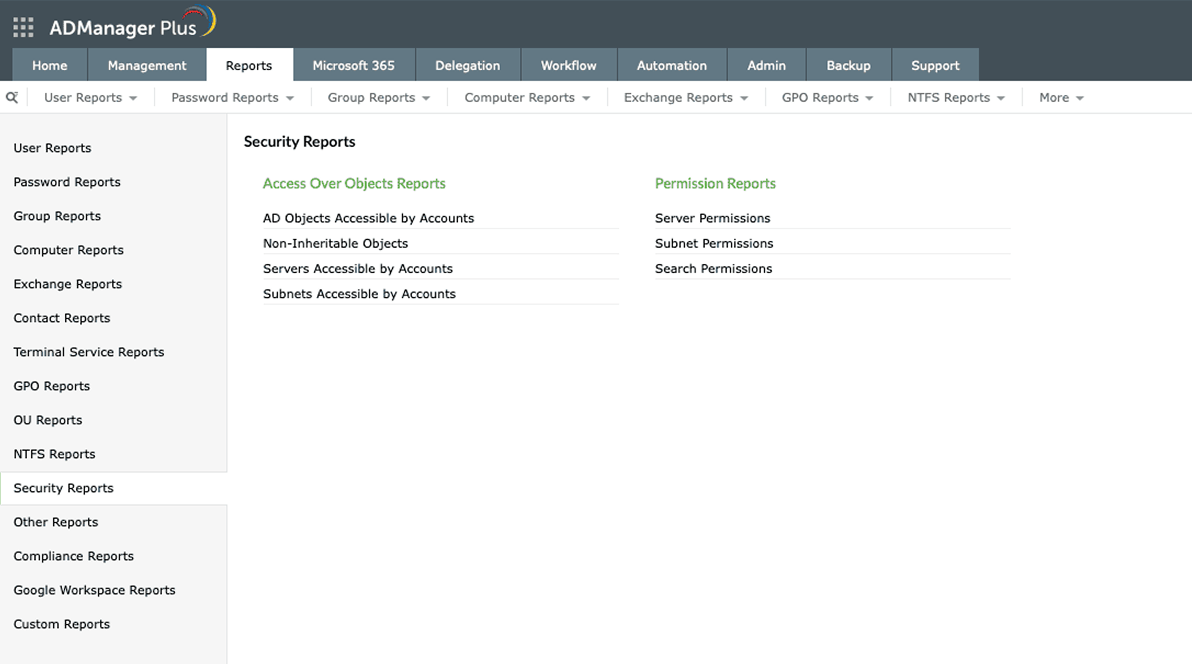
View all the built-in reports you can use to receive detailed information about access permissions in your organizations.
View all the built-in reports you can use to receive detailed information about access permissions in your organizations.
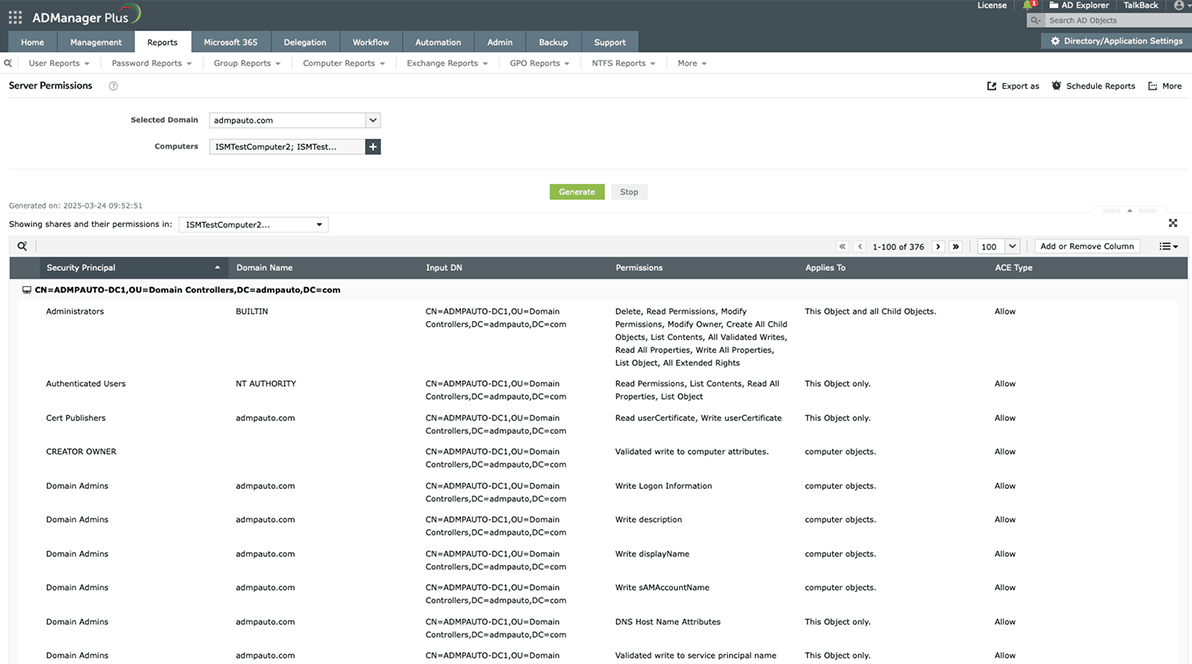
View the list of users and groups that have access to selected servers.
View the list of users and groups that have access to selected servers.
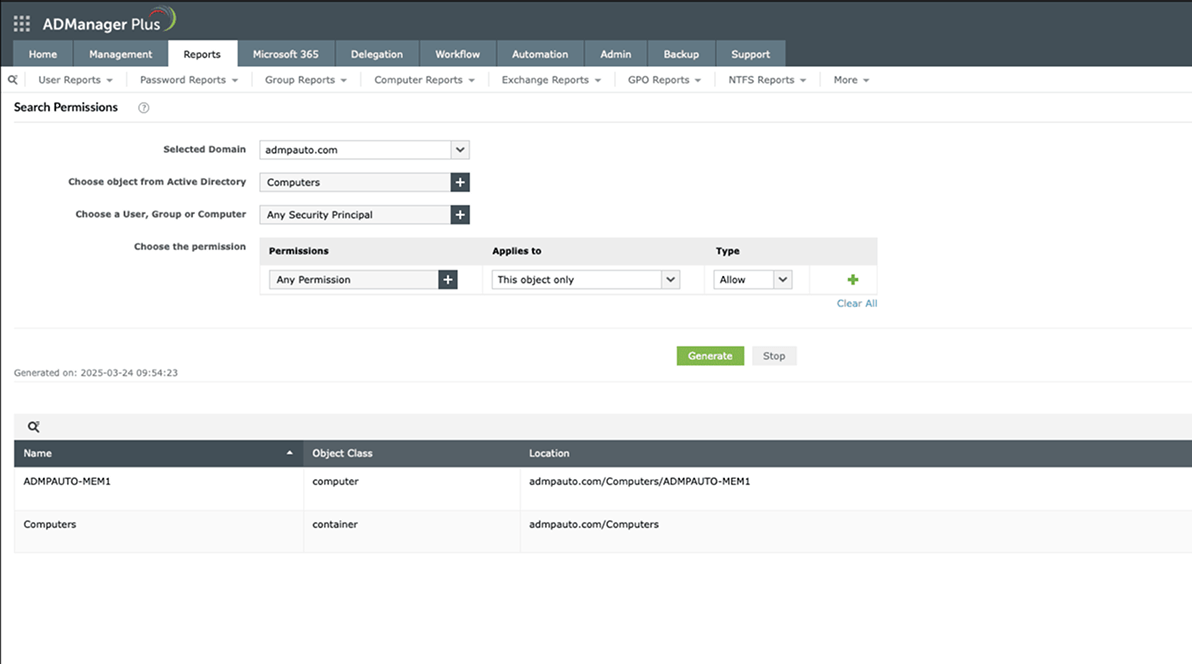
Find specific permissions across your Active Directory.
Find specific permissions across your Active Directory.
Perform management actions, such as modifying permissions, in bulk to save time and effort.
Automate routine tasks, like removing permissions for former employees and periodic access reviews to ensure the elimination of privilege abuse.
Get detailed reports on the file and folder permissions in your environment, schedule them, and export them for easier sharing.
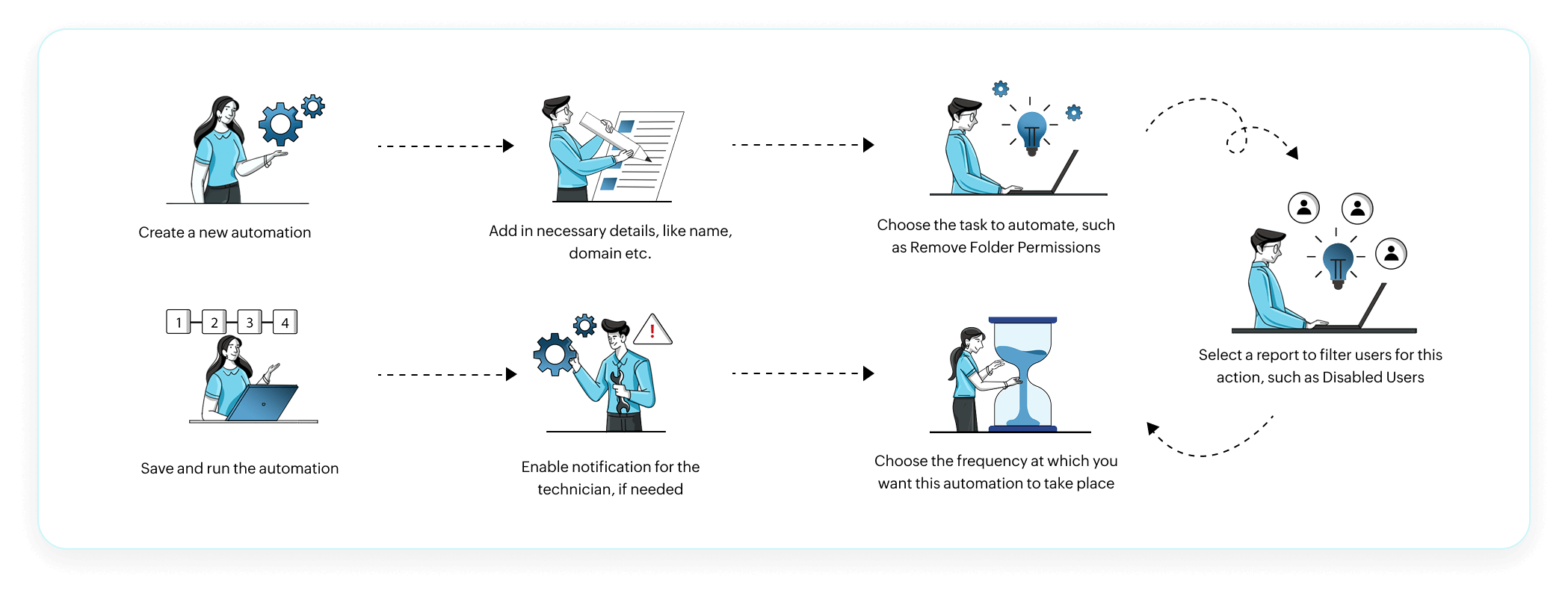
Performing routine administrative tasks, such as removing folder and share permissions when an employee exits the organization, can
be a hassle to be done manually. ADManager Plus enables you automate these tasks easily.
The following flow shows how to automate file and folder permissions management using ADManager Plus. In this example, we showcase
streamlining the removal of folder permissions for all disabled users in your organization. This ensures that former employees no longer have
access to organizational data.
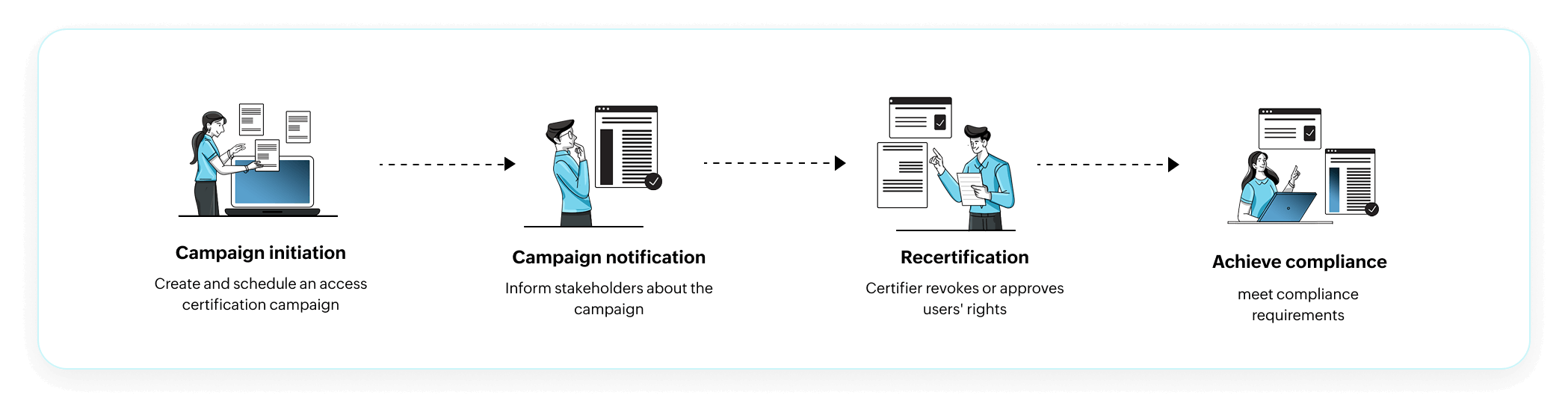
ADManager Plus also empowers administrators to automate access reviews with Access Certification Campaigns. This
enables you to keep an eye on the access permissions users have in your organization, approve new ones or revoke some
instantly with periodic access reviews.
ADManager Plus provides hundreds of management actions for Active Directory and Microsoft 365. Easily reset passwords, manage GPOs, and handle bulk user creation and modification. Streamline administration by automating routine tasks.
Use over 200 built-in reports to gain detailed insights about your Active Directory and Microsoft 365 environments. Schedule automatic report generation, export them, and share them easily.
Integrate ADManager Plus with HCM, ITSM, and SIEM tools for seamless management. Choose from over 100 built-in applications like Sage HR and Zoho People, or use REST API for custom integrations. Streamline processes and enhance efficiency effortlessly.
Keep an eye on potential risk factors in your organization's AD and Microsoft 365 platforms with a comprehensive Identity Risk Assessment report. Enhance security further with exclusive, preconfigured compliance reports.
More than 100,000 IT experts rely on
ADManager Plus—See why!
Managing sensitive folders and files across an organization is challenging as it requires constant monitoring to detect and avoid unauthorized access. As role changes are dynamic, NTFS permission reporting tools can be of great help in monitoring and managing the multiple layers of NTFS permissions
Folder permissions reporting tools gather data from your entire file system, fetching the permissions settings of the specified files and folders. The reports contain information related to access control, such as who has access to what resources and when. You can identify any misconfigured folder permissions from the reports and flag them if needed.
ADManager Plus lets you analyze and modify NTFS and share permissions on multiple folders from a central location in just a few clicks. Using the NTFS permissions reporter, you can identify existing NTFS permissions at a granular level without writing any scripts. You can also export folder permissions to Excel and automate folder permissions reporting.
© 2024, Zoho Corporation Pvt. Ltd. All Rights Reserved.
Your download is in progress and it will be completed in just a few seconds!
If you face any issues, download manually here
Our Support team will contact you to assist with the download and evaluation.