

Over 280,000 organizations across 190 countries
trust ManageEngine to manage
their IT.
Categorize users based on their city, job title, and other attributes and then assign the appropriate M365 licenses.
Remove the M365 licenses of inactive users when they are no longer needed or when they leave the organization.
Reassign the M365 licenses when additional or different Microsoft 365 services are needed for users when they change roles.
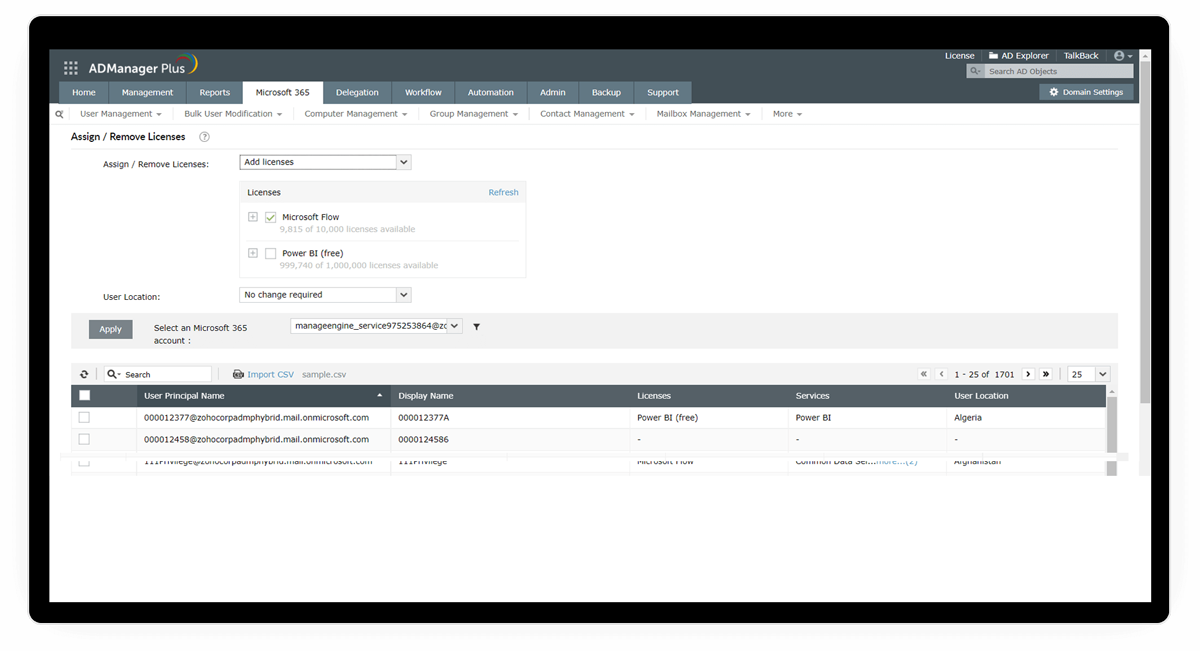
All the configured license plans are displayed here. View the available licenses in each license plan and select the M365 licenses that you wish to assign.
Select which user accounts have to be licensed. Alternatively, you can import a CSV file containing the list of users.
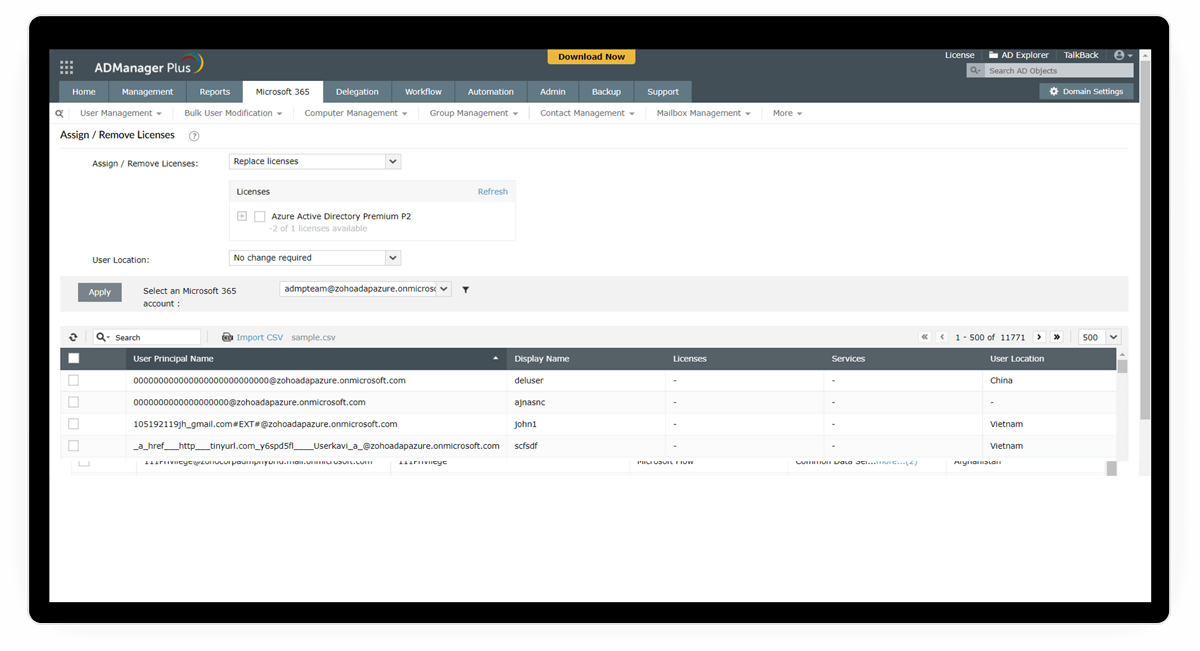
Change your users' Microsoft 365 licenses in a single click simply by selecting the license that should replace their previous license.
Select the users accounts for which you want to replace the licenses. You can also import a CSV file containing the list of users.
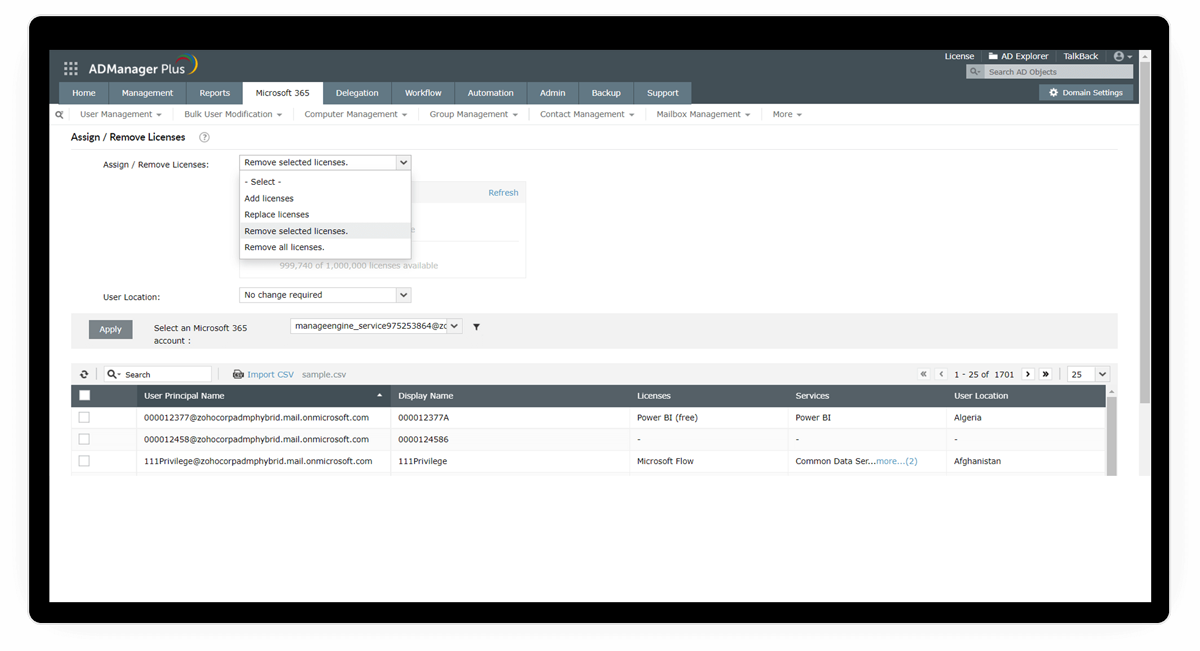
Remove specific M365 licenses that have been assigned to users by selecting this option.
Remove all Microsoft 365 licenses at once and at your preferred time using this option.
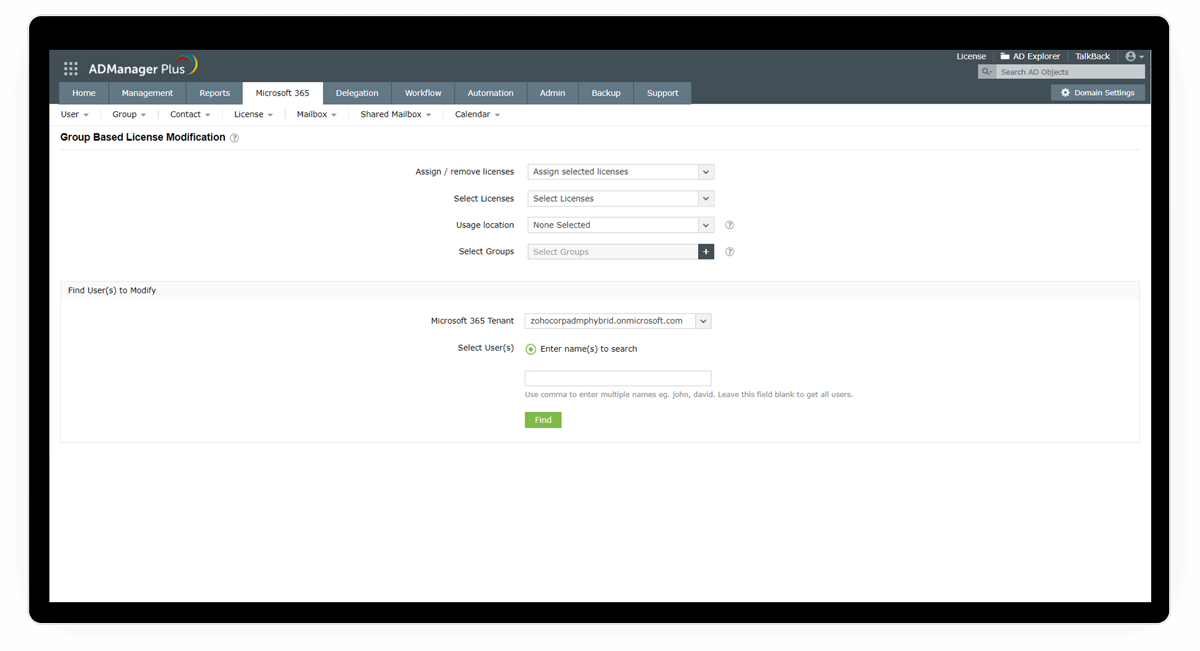
Manage the licenses of all users belonging to the same group. Identify users who belong to a specific group and modify their licenses in bulk.
All the configured license plans are displayed here. View the available licenses in each license plan and select the M365 licenses that you wish to assign.
Select which user accounts have to be licensed. Alternatively, you can import a CSV file containing the list of users.
Change your users' Microsoft 365 licenses in a single click simply by selecting the license that should replace their previous license.
Select the users accounts for which you want to replace the licenses. You can also import a CSV file containing the list of users.
Remove specific M365 licenses that have been assigned to users by selecting this option.
Remove all Microsoft 365 licenses at once and at your preferred time using this option.
Manage the licenses of all users belonging to the same group. Identify users who belong to a specific group and modify their licenses in bulk.
Over 100,000 technicians
trust ADManager Plus to manage their
Windows environment.
Gain in-depth visibility into your Microsoft 365 environment with over 90 out-of-the-box reports without any PowerShell scripts.
Leverage the customizable templates to manage all AD objects with simple, GUI-based actions.
Expand the capabilities of ADManager Plus by integrating with other leading IT products.
2023, Zoho Corporation Pvt. Ltd. All Rights Reserved.