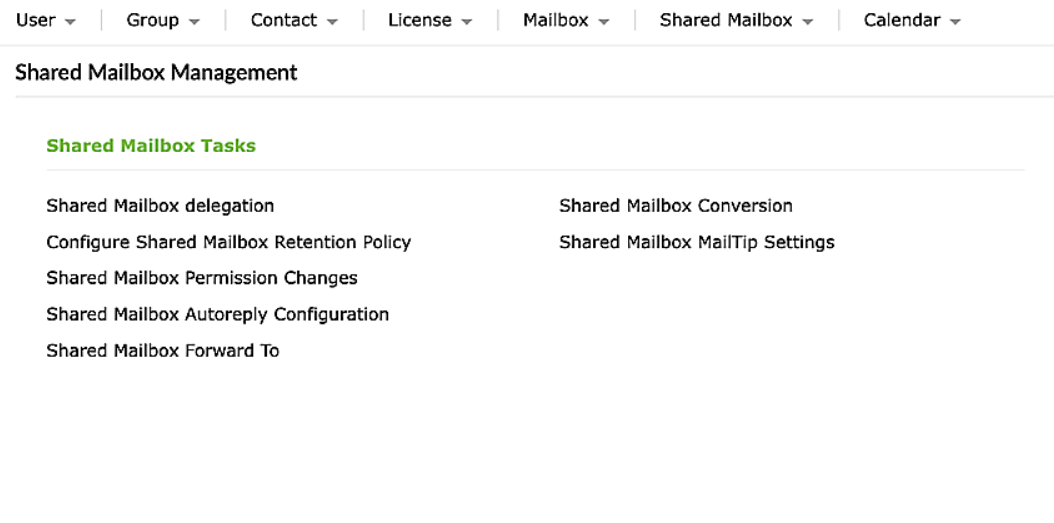
M365 Management features in ADManager Plus

  • Microsoft 365
    User Management
  • Microsoft 365
    Group Management
  • Microsoft 365
    Contact Management
  • Microsoft 365
    License Management
  • Exchange
    Online Management


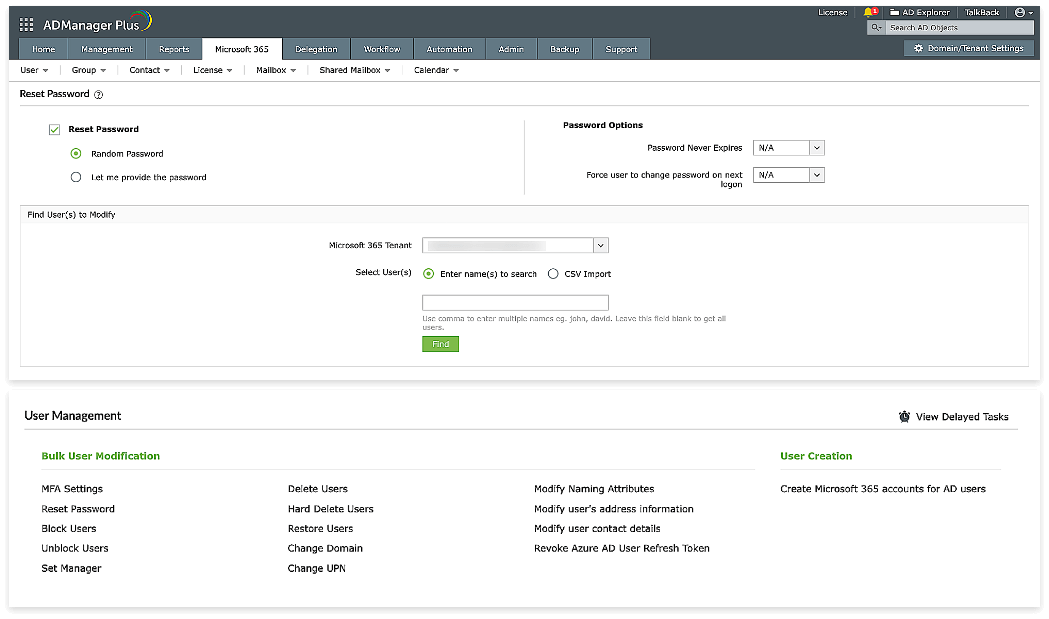
Microsoft 365 User Management

  • Simplify the process of adding or removing users across both Active Directory and Microsoft 365, ensuring consistency and reducing manual efforts.
  • Seamlessly synchronize AD and Microsoft 365 accounts in a user-friendly interface.
  • Reset passwords, block or unblock user accounts, and configure MFA settings with a few mouse clicks.
  • Easily modify user attributes, permissions, and access rights within the Microsoft 365 environment, maintaining control and security.
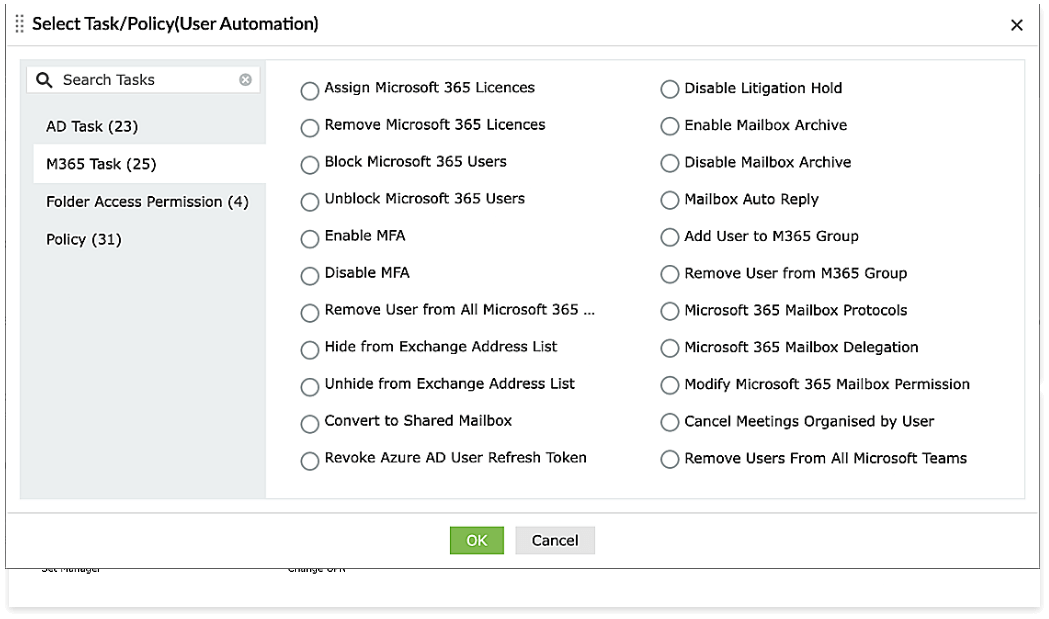
  • Exercise control over automated user management tasks by setting up multi-level workflows with SLA in place.
  • Seamlessly integrate with third-party applications for synchronized user data, facilitating accurate user information management.
  • Delegate routine Microsoft 365 user management tasks to non-administrative users with appropriate authentication and authorization controls to reduce the administrator's workload.
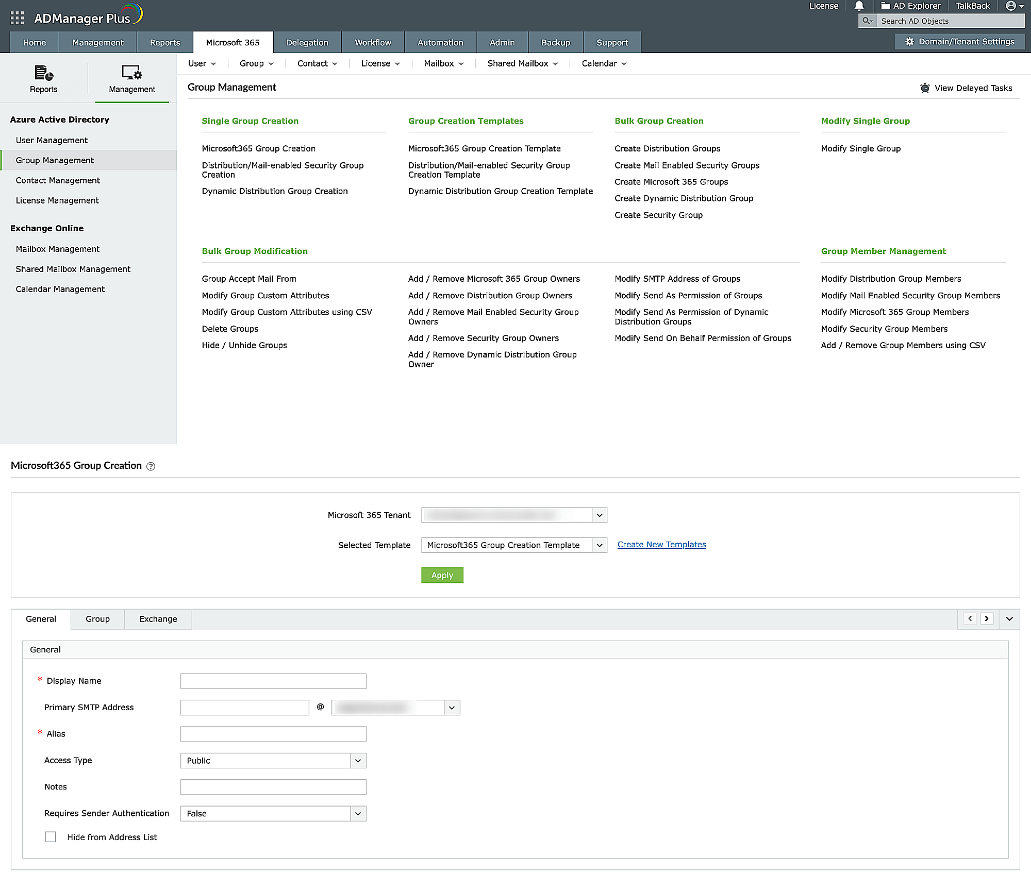
   

Microsoft 365 Group Management

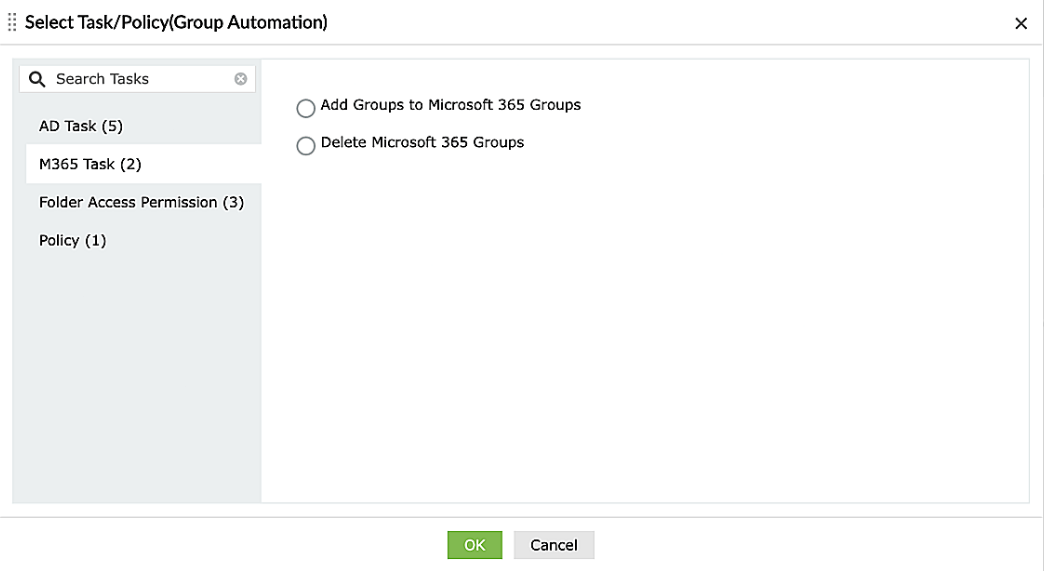
  • Create and delete Microsoft 365 security, distribution, and dynamic distribution groups in bulk.
  • Manage group memberships, permissions, and access levels within Microsoft 365 with a friendly user interface.
  • Modify group attributes and SMTP address, add or remove group owners, hide or unhide groups from address list in bulk.
  • Automate routine group management tasks to conserve time and manual efforts in managing Microsoft 365 groups.
  • Delegate users to manage routine Microsoft 365 group tasks, thereby alleviate the administrator's workload.
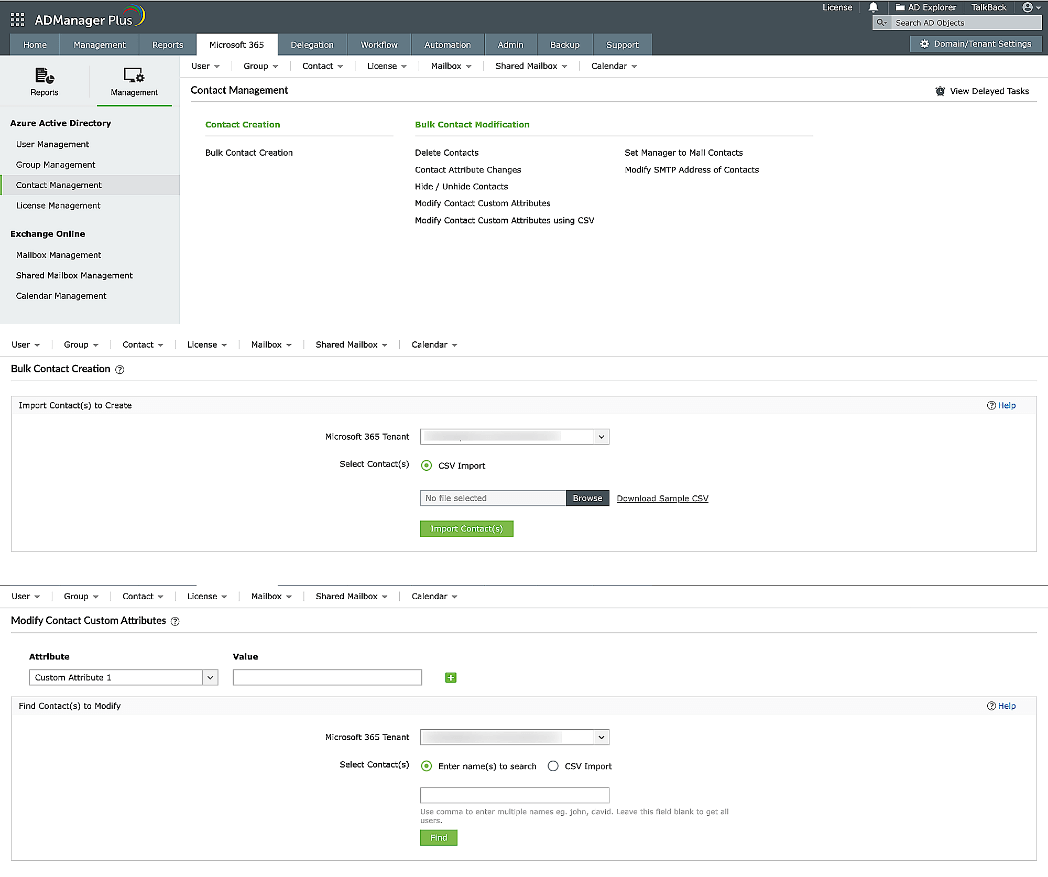
Microsoft 365 Contact Management

  • Create, modify, and delete contacts in bulk by importing their details from a CSV file.
  • Customize the fields and choices for managing contacts to ensure they align with the specific needs of the organization.
  • Effectively handle contacts within the Microsoft 365 environment through a centralized platform.
  • Synchronize contact information between various applications by integrating them with ADManager Plus
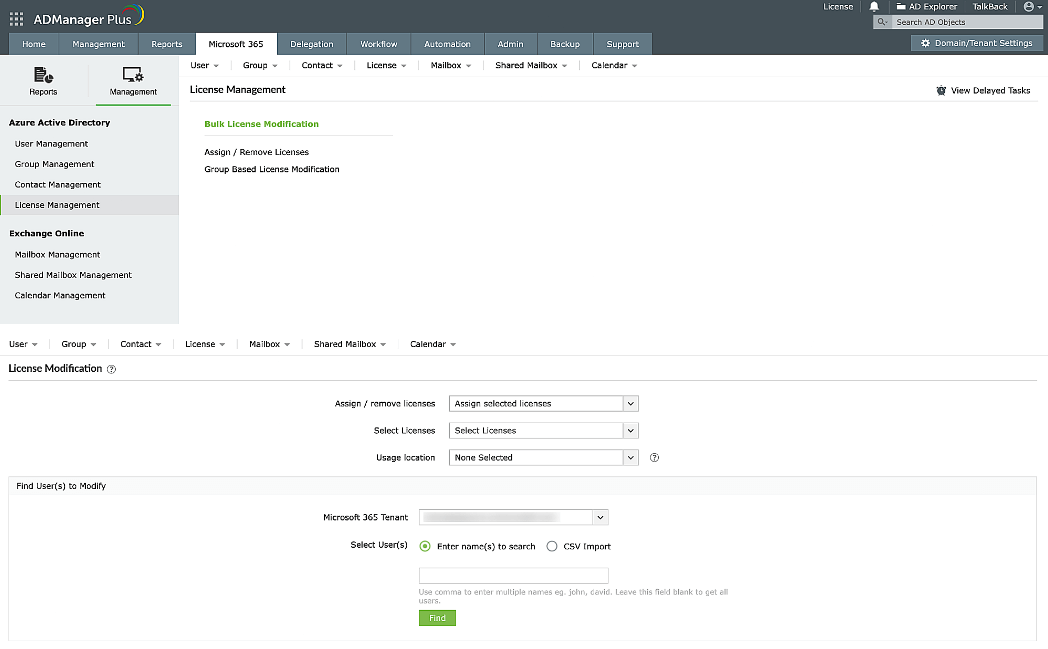
   

Microsoft 365 License Management

  • Assign and remove licenses based on the user's needs, ensuring efficient utilization.
  • Perform bulk license management of Microsoft 365 users without the need for PowerShell scripting.
  • Use the automated features for managing licenses, minimizing the need for manual work.
  • Streamline the process of assigning licenses to new users and reclaiming licenses from departed employees, ensuring smoother workflows.
  • Manage licenses accurately to prevent over-assignments or under-utilization, ensuring compliance.
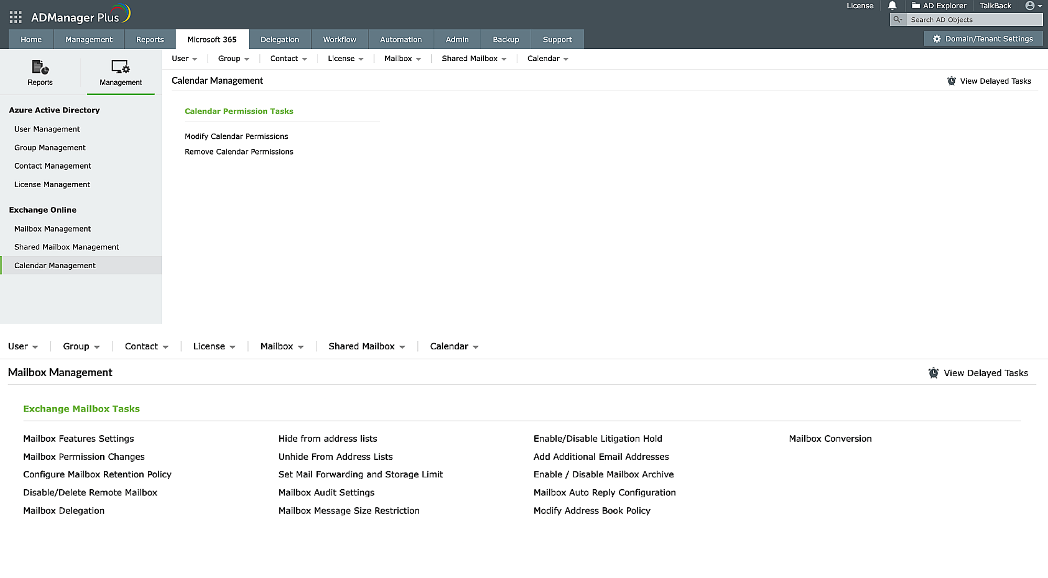
   

Exchange Online Management

  • Modify the permissions, retention policy, delegation, address book policy, litigation hold, and more of the Exchange Online mailboxes.
  • Manage permissions, MailTip settings, delegation, auto-reply, and more of Exchange Online shared mailboxes.
  • Convert any type of mailbox to a regular, room, equipment or shared mailbox in bulk with a few mouse clicks.
  • Modify or remove the calendar permissions of Microsoft 365 users in bulk using CSV.

The ADManager Plus advantage in M365 management

Over 280,000 organizations across 190 countries
trust ManageEngine to manage their IT.

M365 Management is just one of the many
powerful features in ADManager Plus
Here are a few more:

Over 100,000 technicians trust ADManager Plus to manage their Windows environment.

  • ADManager Plus provides us a single point for our Active Directory Reports. For a small IT department this is crucial for saving time and being able to apply our energy to keeping things running smooth. I foresee this being in our arsenal of network tools for a long time to come.

    Mark Anderson

    IT Support, ET Investments

  • ADManager Plus - The Swiss Army Knife for AD Administrator It has made managing and administrating Active Directory easy, fast and efficient. Everyday tasks which earlier required us to write Powershell scripts are now easily achievable using an workflow like interface.

    Mark Anderson

    IT Support, ET Investments

  • ADManager Plus is head and shoulders above the other products that we have used or evaluated. ADManager Plus allows us to keep up with the changes in AD, keep it clean and up to date with minimal effort. ADManager Plus is a tremendous time saver for our support engineers.

    Donald Storm

    Systems Engineer, American Association for Cancer Research

Frequently asked questions

1. How to reset Microsoft 365 user account passwords using ADManager Plus?

Ans

  • Log in to ADManager Plus, and navigate to the Microsoft 365 tab.
  • Click on Management in the left navigation pane.
  • Click on User Management > Reset Password.
  • Search for the required users, and configure the password settings as desired.
  • Click Apply to finish the process.

2. How do I assign or revoke Microsoft 365 licenses of users using ADManager Plus?

Ans

  • Login to ADManager Plus and click the Microsoft 365 tab.
  • Click the Management option in the left panel, and click on License Management.
  • Click the Assign / Remove Licenses option.
  • Select from any of the following options based on your requirements:
    • Assign selected licenses
    • Remove selected licenses
    • Modify selected licenses
    • Replace all licenses
    • Remove all licenses

    NOTE: Select the type of license for operations such as Add licenses, Replace licenses, and Remove selected licenses.

  • Specify the location of the user.
  • Select the desired Microsoft 365 tenant account. You can also add OU-based filters.
  • Find the users on which you wish to perform the required operation either by typing in their names in the quick search section or by importing their details via a CSV file.
  • Select the required users and click Apply.

3. How do I automate user provisioning in Active Directory and Microsoft 365 simultaneously?

Ans

In ADManager Plus, to automate the user provisioning process, all you need to do is:

  • Create an automation policy:
    • Click the Automation tab.
    • From the left pane, click Automation Policy.
    • Click Create New Automation Policy in the top-right corner.
    • On the page that appears configure the settings for the automation policy with the help of the labels:
      • Automation Policy Name: Enter a name for the automation process.
      • Description: Add a note that describes the automation process.
      • Automation Category: Choose User Automation.
      • Select Domain: Choose the domain and OUs where the task should be run.
      • Instant tasks: Choose a task from the drop-down list box that has to be run immediately. You can add more by clicking the plus sign.
      • Example: Add the users to M365 groups, add M365 license, etc.
      • To add more successive tasks, click the Add Successive Task link.
      • Successive tasks: Choose the period (days, hours, or minutes) after which the successive tasks have to be run, and then choose the task from the drop-down list box.
    • Finally, click Save, and the automation policy will be saved.

4. How to create a Microsoft 365 group using ADManager Plus?

Ans

In ADManager Plus, to automate the user provisioning process, all you need to do is:

  • Navigate to Microsoft 365 → Management → Group Management → Microsoft 365 Group Creation.
  • Select the Microsoft 365 Tenant and the Microsoft 365 Group Creation Template. To know more about group creation template, go here.
  • In the General tab, configure the Display name, Primary SMTP address, alias, and other information like,
  • Access Type - Set it to Public or Private.
  • Requires Sender Authentication -Set to True if you want the sender to be authenticated every time they send a mail on behalf of the group.
  • In the Group tab, add members and owners to the Microsoft 365 group.
  • The Exchange tab allows you to configure MailTip and Custom Attributes for the Microsoft 365 group.
  • Click Apply to finish.

Unified Active Directory, Exchange, and Microsoft 365 Management and Reporting Solution.

Try ADManager Plus today!
×

Start your 30-day free trial

  •  
  •  
  •  
  • By clicking 'Submit', you agree to processing of personal data according to the Privacy Policy.

Thanks!

Your download is in progress and it will be completed in just a few seconds!
If you face any issues, download manually here

Thanks!

Our Support team will contact you to assist with the download and evaluation.

×

Schedule a
personalized web demo

  •  
  •  
  •  
  •  
  • By clicking 'Submit', you agree to processing of personal data according to the Privacy Policy.

Demo Request Received

Thank you for the interest in ManageEngine ADManager Plus. We have received your request for a personalized demo and will contact you shortly.