# AWS EC2 Monitoring
## Gain insight into the health and performance of your EC2 instances
Amazon Elastic Compute Cloud (EC2) is an integral part of Amazon Web Services (AWS), the public cloud computing platform offered by Amazon. ManageEngine Applications Manager provides comprehensive performance metrics to monitor your Amazon EC2 instances and helps ensure your business-critical applications and services hosted on the EC2 platform are performing well at all times.
Applications Manager's [AWS monitoring](https://www.manageengine.com/products/applications_manager/aws-monitoring.html) tool automatically discovers Amazon EC2 instances and EBS volumes attached to these instances and continuously monitors them for any problems. With out-of-the-box reports, graphical views, alarms, thresholds and comprehensive fault management capabilities, you can gain visibility into the performance and resource utilization of EC2 instances and the applications running on these instances.
Some of the metrics provided by Applications Manager for EC2 instances include:
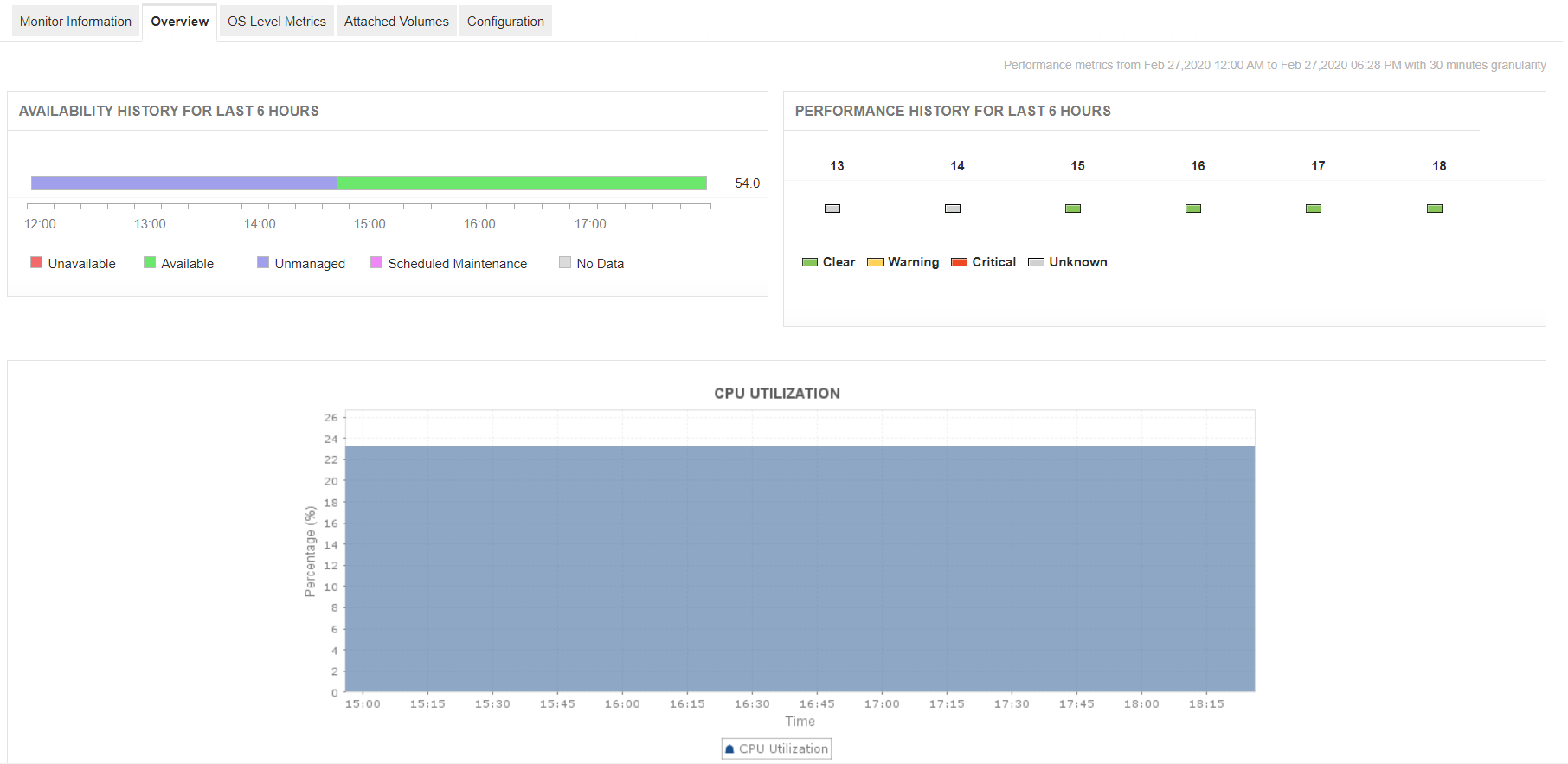
## CPU Utilization, Network Traffic, Disk I/O
Monitor the current availability and health status of the EC2 instances. Troubleshoot problems through the Root Cause Analysis (RCA) window. Know what portion of the instance's CPU is being utilized, the network traffic statistics and disk read/write operations.
## Real-Time OS-Level Metrics
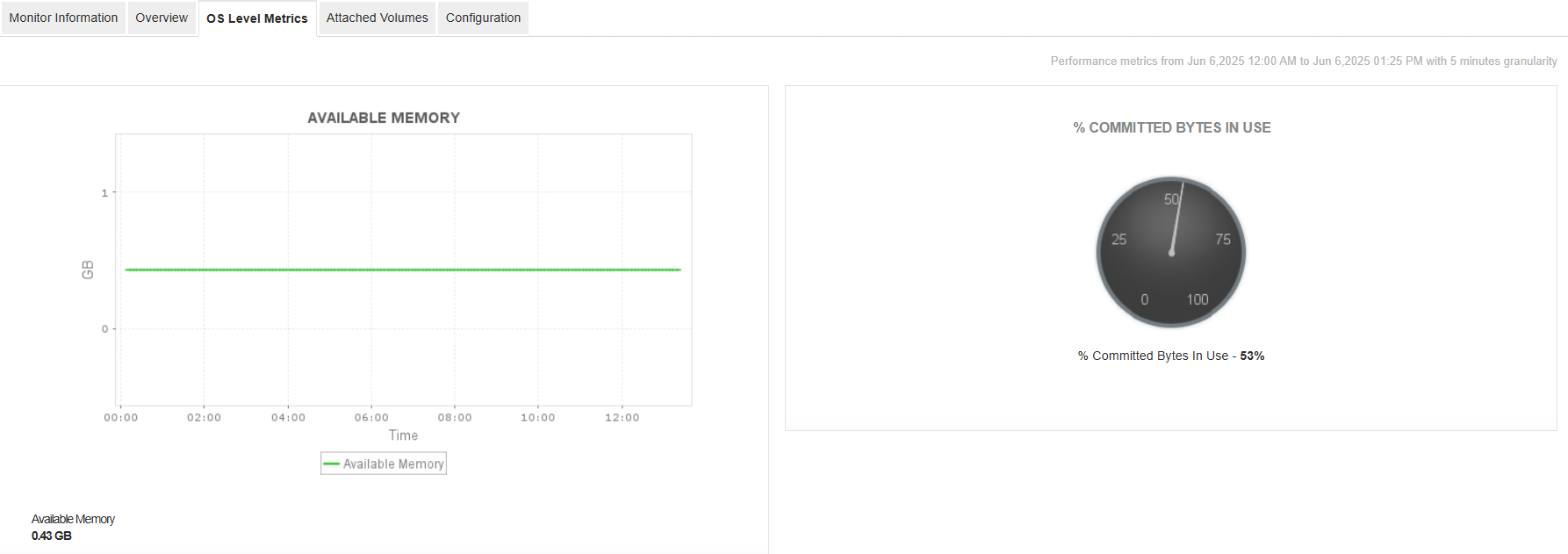
Get a clear picture of your EC2 instance's performance with detailed OS-level metrics. From memory usage and disk space to system health and alarms, Applications Manager helps you monitor key stats in real time. Quickly spot if your instance is running low on memory or disk, and get ahead of performance issues before they affect your applications.
## Metrics of Attached EBS Volumes
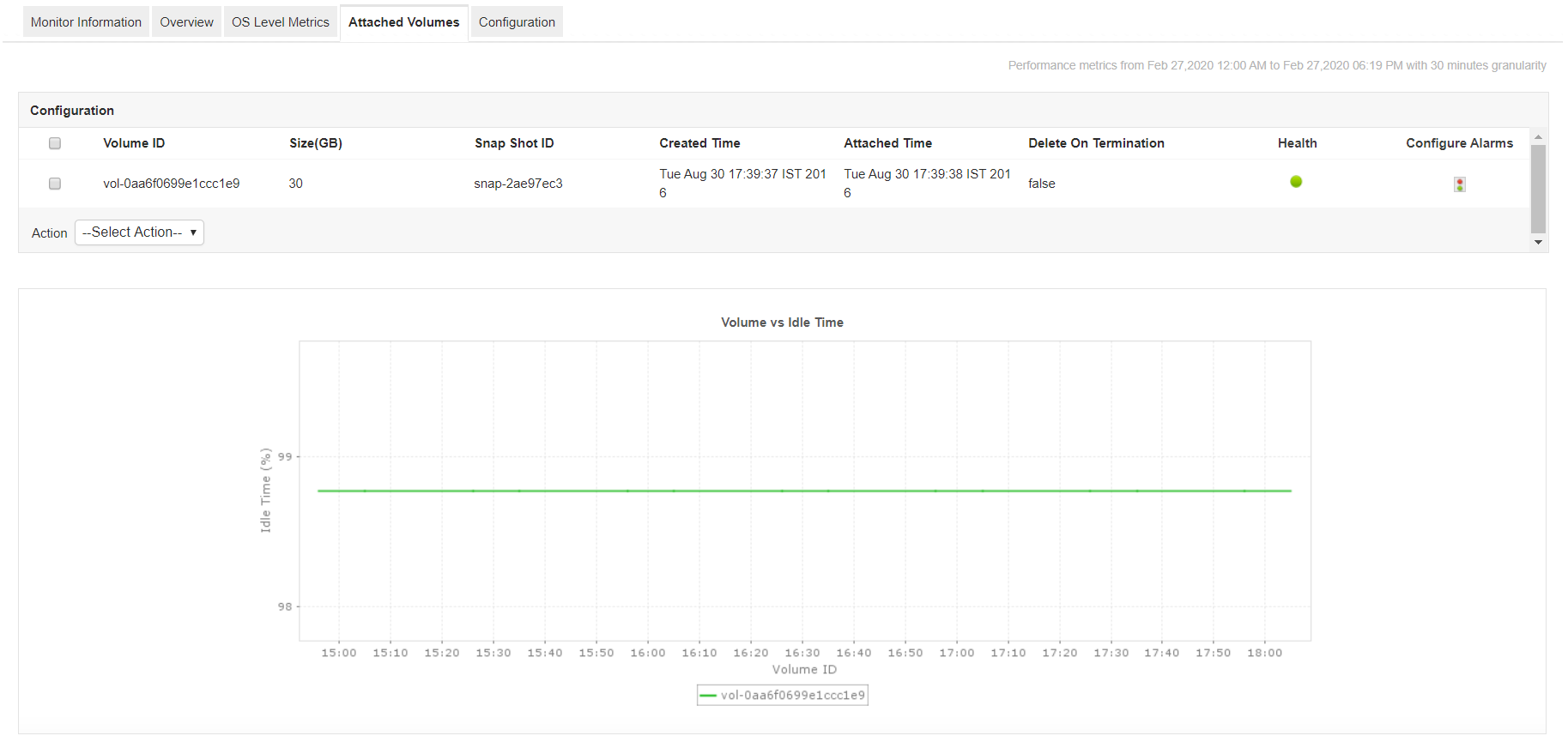
Amazon EBS provides highly reliable storage volumes that can be attached to the EC2 instances available in the same availability zone. Applications Manager tracks the key performance indicators of EBS volumes attached to the EC2 instance being monitored. Metrics shown here provide insight into volume traffic, latency, volume IO, bandwidth, throughput, etc.
## Out-of-the-box Performance Reports
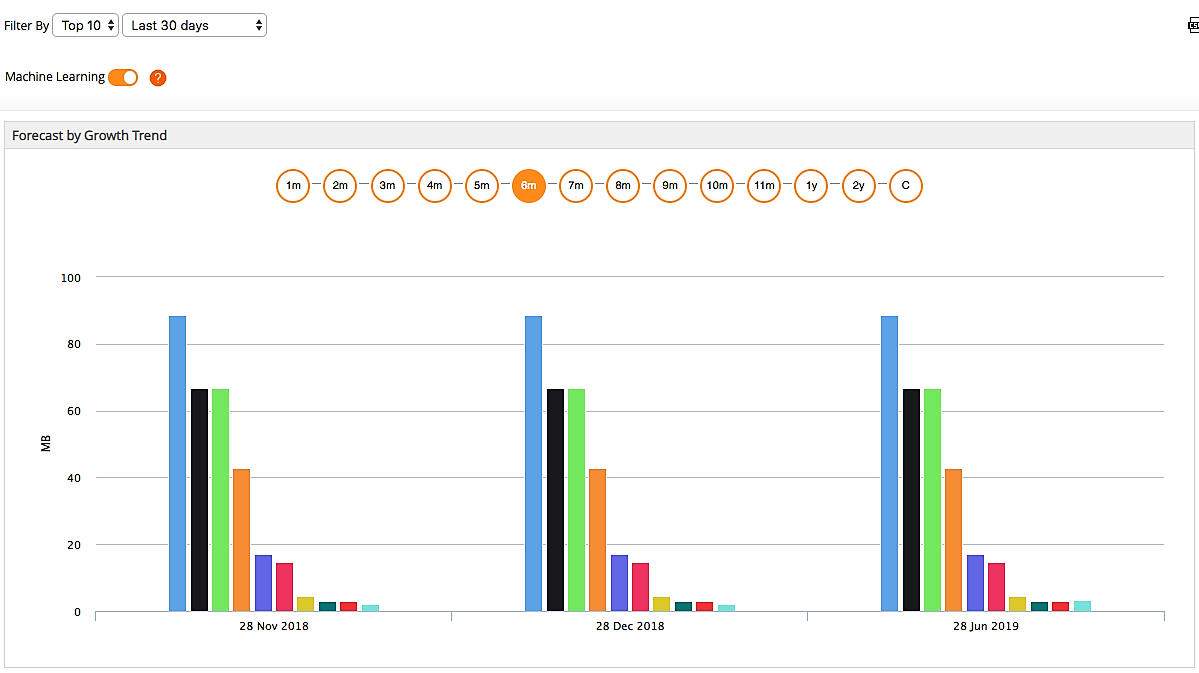
ManageEngine Applications Manager also provides out-of-the-box reports that help analyze the overall performance of EC2 instances and help in [capacity planning](https://www.manageengine.com/products/applications_manager/capacity-planning.html).
## Benefits of using Applications Manager's Amazon EC2 Monitoring Feature
- Gain insight into the performance of your Amazon EC2 environment; troubleshoot and resolve problems before end users are affected.
- Plan capacity and make educated decisions about allocating EC2 resources.
- Single console for monitoring your physical, virtual and cloud infrastructure.
- Monitor applications hosted on the EC2 platform as well as inside your corporate data center.
- Agentless monitoring solution that is easy to set up and manage.
You can also perform [Amazon EKS monitoring](https://www.manageengine.com/products/applications_manager/amazon-elastic-kubernetes-service-monitoring.html), [Amazon Cloudfront Monitoring](https://www.manageengine.com/products/applications_manager/amazon-cloudfront-monitoring.html), and [AWS ECS monitoring](https://www.manageengine.com/products/applications_manager/aws-ecs-monitoring.html) that come along with Applications Manager's AWS monitoring feature. To explore all our features on your own, download a [30-day free trial](https://www.manageengine.com/products/applications_manager/download.html) now!
Applications Manager's AWS performance monitoring service supports popular services like:
| | |
|---|---|
| - [Amazon EKS Monitoring](https://www.manageengine.com/products/applications_manager/amazon-elastic-kubernetes-service-monitoring.html?ec2-monitoring)
- [Amazon Compute Services Monitoring](https://www.manageengine.com/products/applications_manager/amazon-compute-services-monitoring.html?ec2-monitoring)
- [Amazon RDS Monitoring](https://www.manageengine.com/products/applications_manager/amazon-rds-monitoring.html?ec2-monitoring)
- [Amazon DynamoDB](https://www.manageengine.com/products/applications_manager/amazon-dynamodb-monitoring.html?ec2-monitoring)
- [Amazon Aurora DB](https://www.manageengine.com/products/applications_manager/amazon-aurora-db-monitoring.html?ec2-monitoring)
- [Amazon Billing](https://www.manageengine.com/products/applications_manager/aws-billing.html?ec2-monitoring) | - [AWS ELB Monitoring](https://www.manageengine.com/products/applications_manager/aws-elb-monitoring.html?ec2-monitoring)
- [AWS SQS Monitoring](https://www.manageengine.com/products/applications_manager/aws-sqs-monitoring.html?ec2-monitoring)
- [AWS Lambda Monitoring](https://www.manageengine.com/products/applications_manager/aws-lambda-monitoring.html?ec2-monitoring)
- [AWS Elastic Beanstalk Monitoring](https://www.manageengine.com/products/applications_manager/aws-elastic-beanstalk-monitoring.html?ec2-monitoring)
- [AWS ECS Monitoring](https://www.manageengine.com/products/applications_manager/aws-ecs-monitoring.html?ec2-monitoring)
- [Amazon CloudFront Monitoring](https://www.manageengine.com/products/applications_manager/amazon-cloudfront-monitoring.html) |