Setting Environment Variables for Computers
What is an environment variable?
An environment variable is a value set in an operating system or software environment which can be accessed by applications that are running within the same environment. A lot of programs use environment variables to configure themselves or interact with other applications because these variables contain insightful information about the operating system, hardware and software configurations. They play a pivotal role in the aspect of system configuration and can be used to modify the functionalities of applications and services running in that particular environment specific to the user.
Where can environment variables be used?
The most common usage of environment variable is when you want to set up different configuration options specific to each environment. They help you configure the third party services depending on the environment they are hosted by changing the API key, endpoint and so on.
How to configure an environment variable?
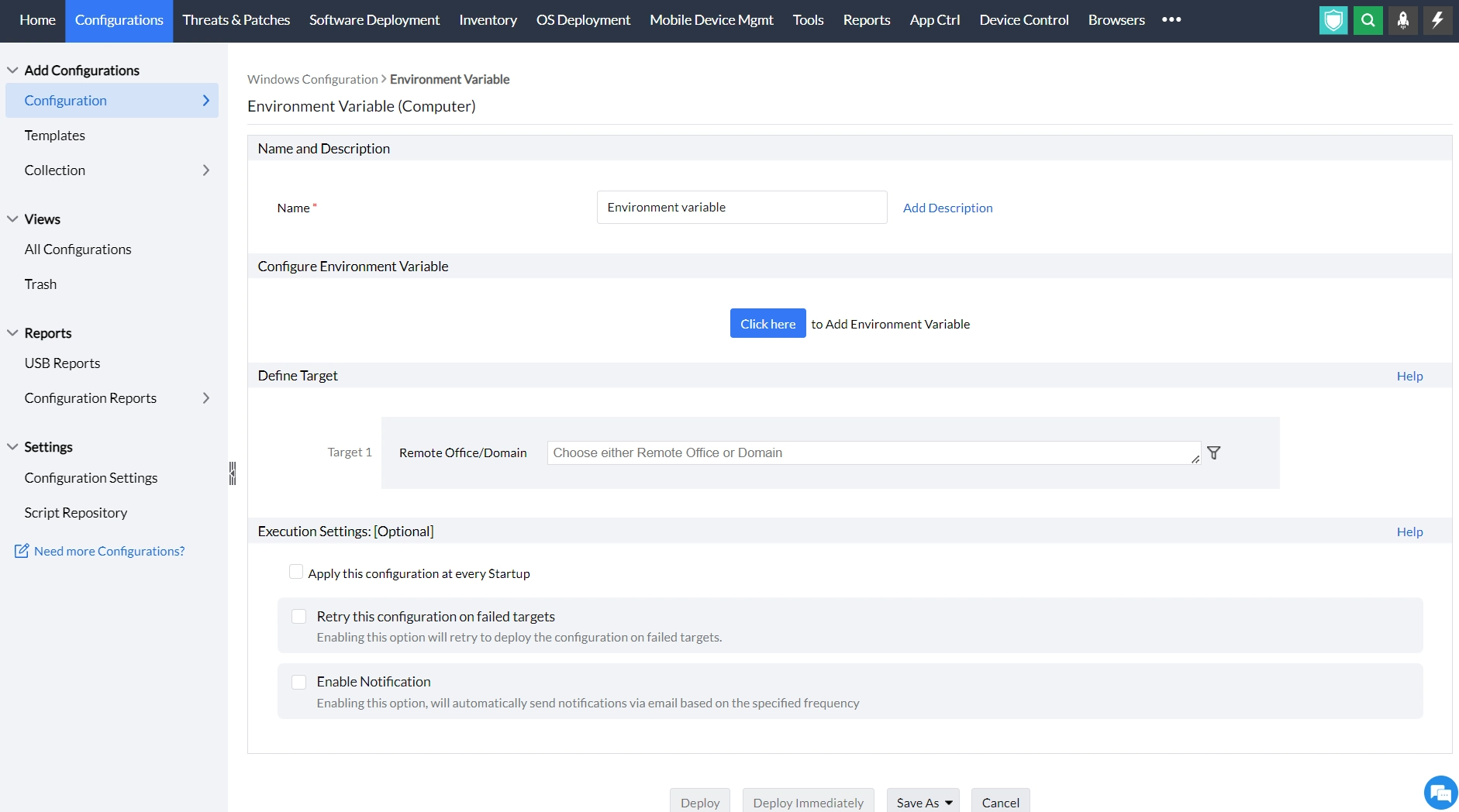
- In Endpoint Central Console, navigate to Configurations tab --> Add Configurations --> Configurations--> Windows
- Select Environment variables and choose Computer
- Specify the name and description for the configuration
- In the Configure Environment variable parameter, click to add environment variable
- In the Add environment variable criteria,
- Add the environment variable that needs to be modified or deleted
- Enter the value that has to be stored in the environment variable.
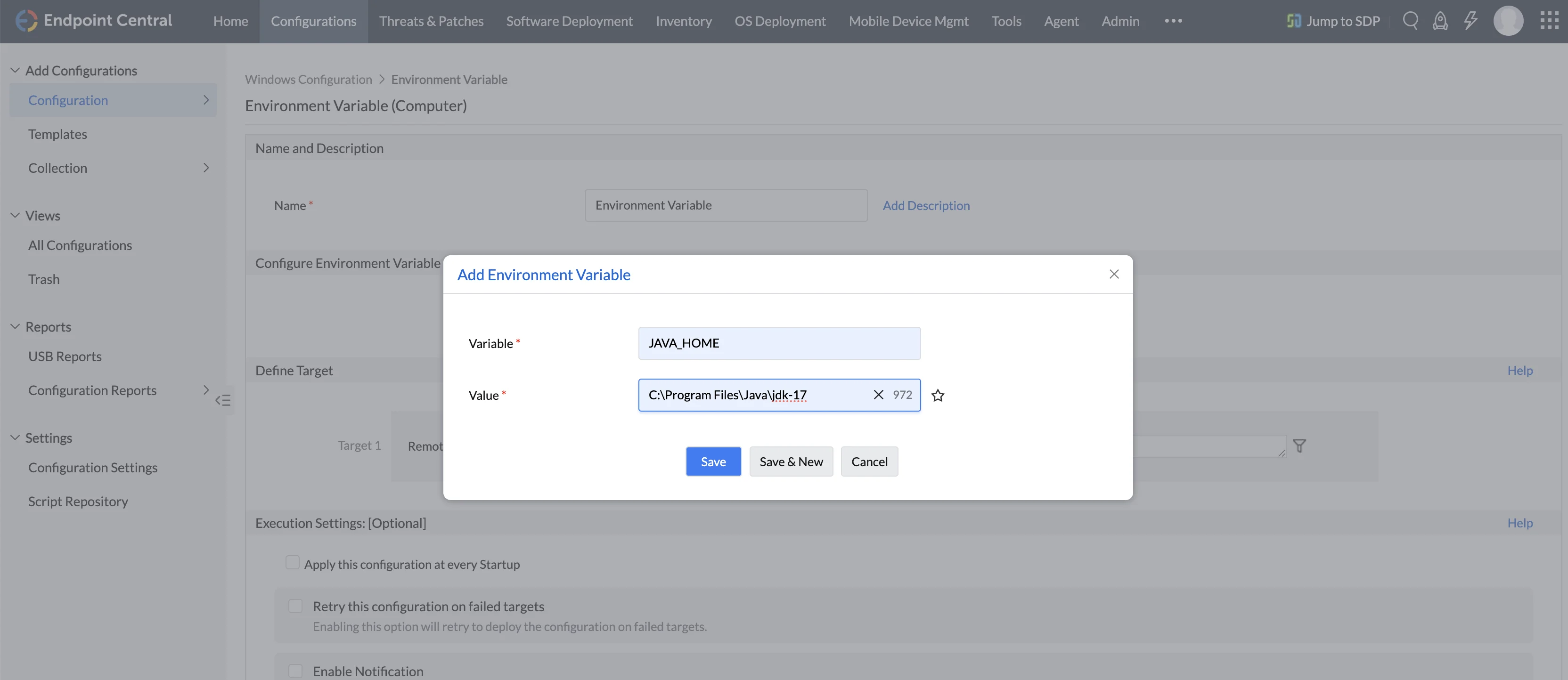
You have successfully configured an environment variable for Windows machines