Custom Group Reports
This document covers how the custom group reports help administrators track and analyze group-based associations within Endpoint Central. The reports cover both computers and users organized through custom groups, along with insights into static unique group memberships and their assigned technicians.
Table of Contents
Access Custom Group Reports
To access Custom Group Reports:
- Navigate to Admin → Custom Groups → Reports
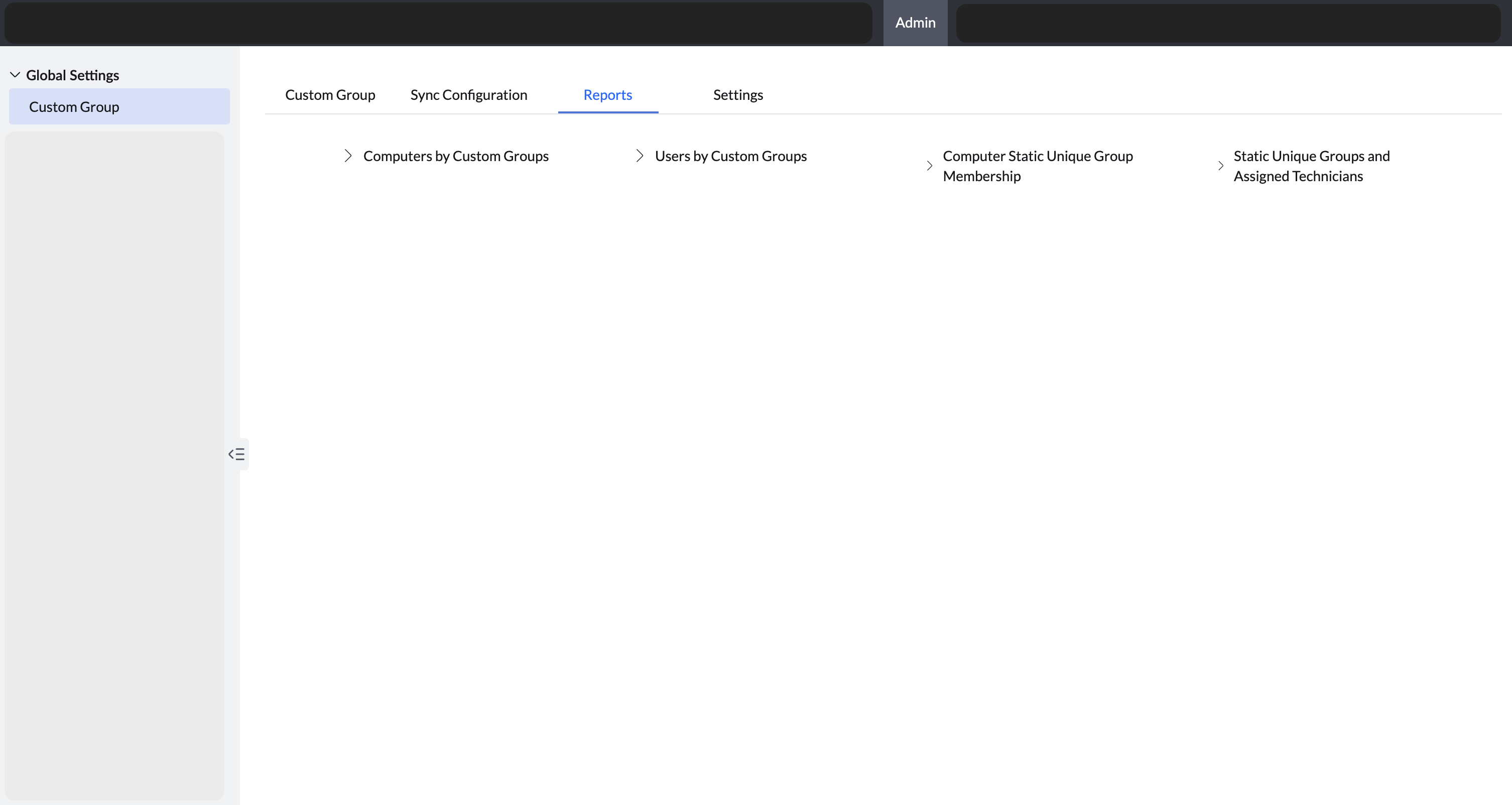
You can also access the custom group reports through:
- Go to Reports (top navigation bar) → Custom Group Reports.
Computers by custom groups
This report provides a detailed view of all computers and their memberships in Static and Static Unique Custom Groups.
It helps administrators:
- Identify which devices belong to specific groups
- Validate group associations
- Maintain better control over group-based operations
Users by custom groups
This report lists all users along with their memberships in Static Custom Groups.
It enables administrators to:
- Track user grouping for management purposes
- Verify user-group associations
- Ensure accurate and consistent grouping
Computer static unique group membership
This report provides a comprehensive list of computers and the Static Unique Groups they are assigned to.
Since a computer can belong to only one Static Unique Group at a time, this report offers clear visibility into exclusive group memberships and helps prevent overlapping assignments.
Static unique groups and assigned technicians
This report lists all Static Unique Groups along with the technicians assigned to manage them.
It provides visibility into:
- Technician scope
- Responsibility mapping
Administrators can use this report to validate technician assignments and streamline delegation.
Additional Information:
- You can switch to Detailed View to display additional columns and navigate directly to the respective custom group.
- Administrators can view all custom groups.
- Scoped Technicians can view only the Computers by Custom Groups report and scoped technicians can see results limited to the endpoints they manage.




