Resolving Incidents
Table of contents
Endpoint Central provides a streamlined and uncomplicated process for resolving the incidents detected by the various detection engines. This allows you to review flagged items before action is taken and lets you identify and exclude false positives.The incidents can be marked as True Positive or False Positive after analyzing whether the incident detected was a malicious attack or if the software had mistakenly flagged a harmless file or program as malignant.
About True Positive and False Positive
The threats identified by the detection engines can fall into two categories: they are either genuine threats or harmless files mistakenly flagged as malware. They have to be categorized accordingly as True Positive or False Positive to help improve the accuracy of the Next Gen Antivirus's detection of malicious threats.
- True Positive: This occurs when the detection engines correctly identify an actual threat. This is a successful detection. When the detection is valid, it is recommended that you mark the incident as True Positive and follow the appropriate steps given below.
- False Positive: This happens when the detection engines mistakenly identify a harmless file or program as malware. A False Positive is a false alarm.
Managing Incident
To remediate an incident, please follow the steps outlined below:
- Navigate to the Incidents tab and identify the incident.
Select Action and choose the Mark as True Positive option, to mark it as True Positive, or choose the Mark as False Positive option, to mark it as False Positive, from the drop-down menu.
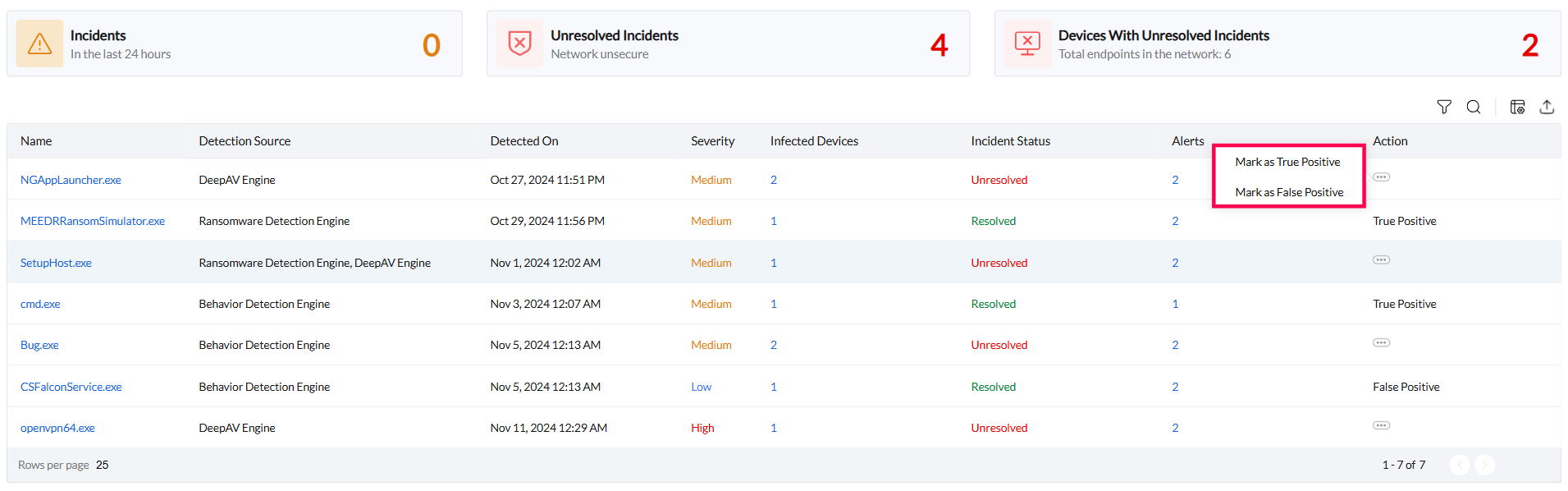
- Once the incident has been marked as a True Positive or False Positive, you can follow the options given below to settle it.
Mitigating Threats & Eliminating False Flags
True Positive
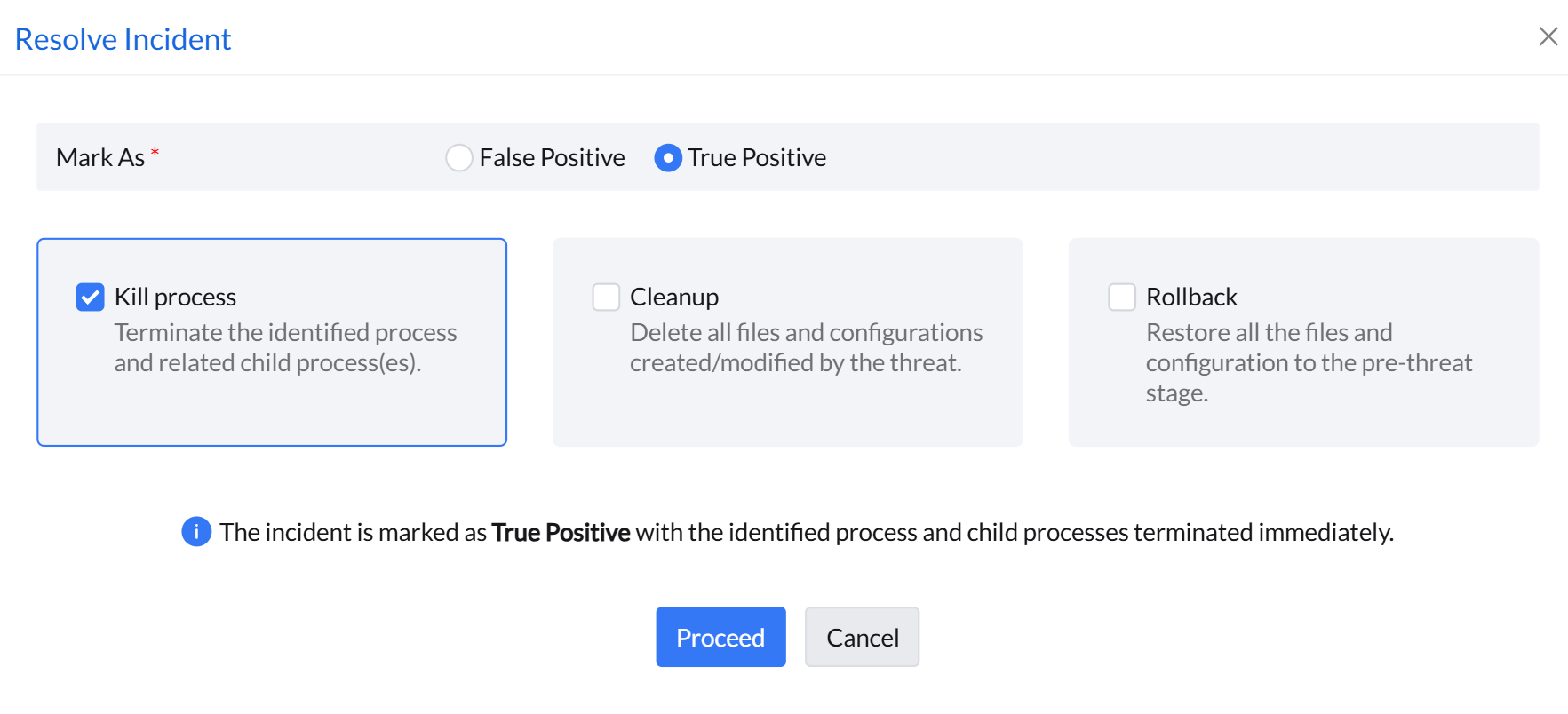
The incidents marked as True Positive can be resolved in the following ways:
- Kill process: This option enables to terminate the identified process of the incident and its related child process(es) immediately.
- Cleanup: This will erase all the files and system configurations made by the threat and kill the processes of the threat.
- Rollback: This will revert all the files and system configurations corrupted by the threat to its previous state. It will kill the processes of the threat, and delete all files and system configurations corrupted by it. You can instantly view the status of the restoration process under the Incidents tab.
Note: The restoration process may take a few minutes depending on the size of the affected files.
False Positive
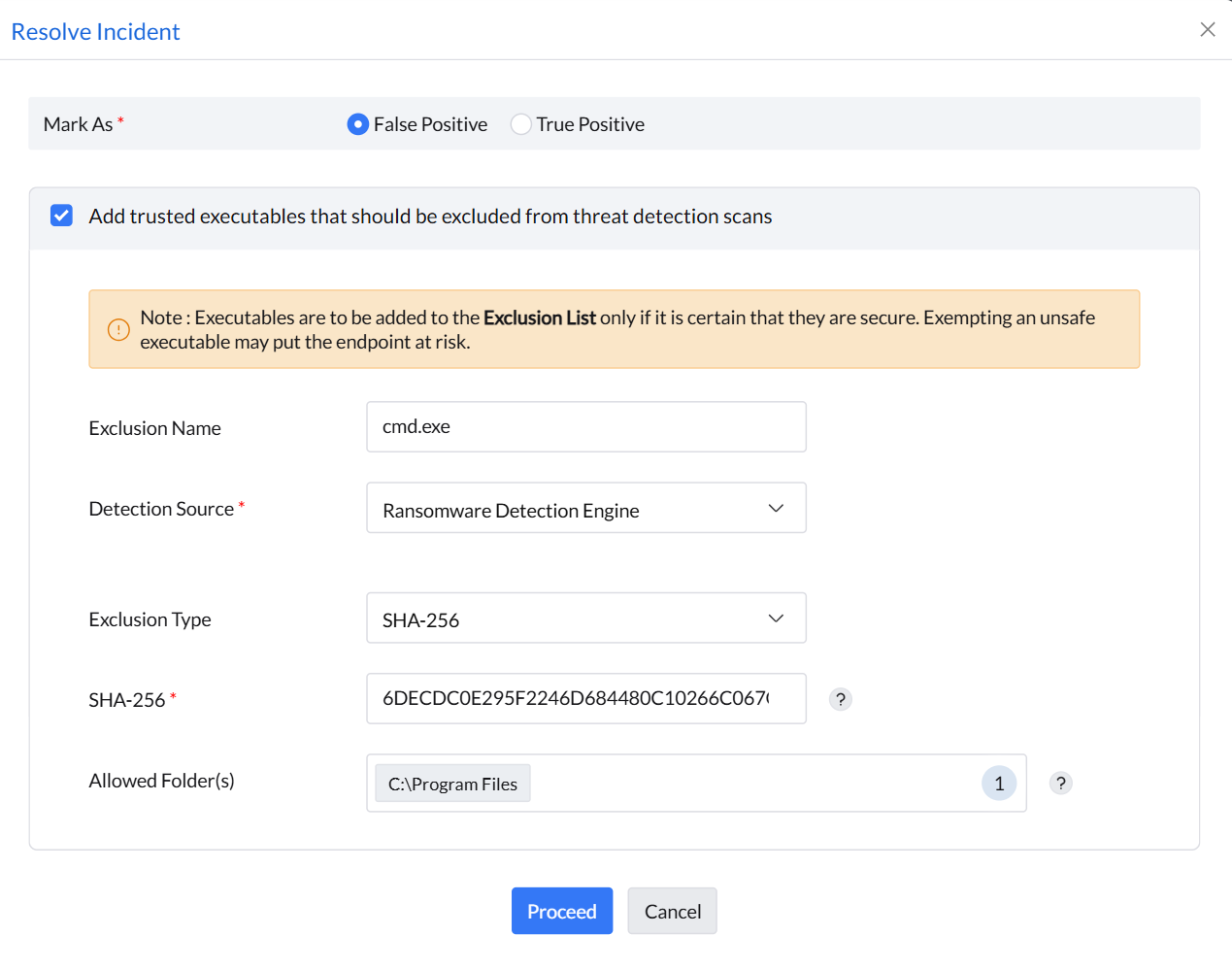
The incidents marked as False Positive can be resolved by adding them to the Exclusion List.