Understanding Data Loss Prevention
Endpoint Central's Data Loss Prevention provides a robust layer of security by preventing unauthorized access and leakage of sensitive data. This page covers the specifications of the agent processes and the core mechanisms behind Data Loss Prevention, helping you understand how it safeguards your endpoints and protects critical information from unauthorized exposure.
Policy Deployment: Agent-Server Synchronization
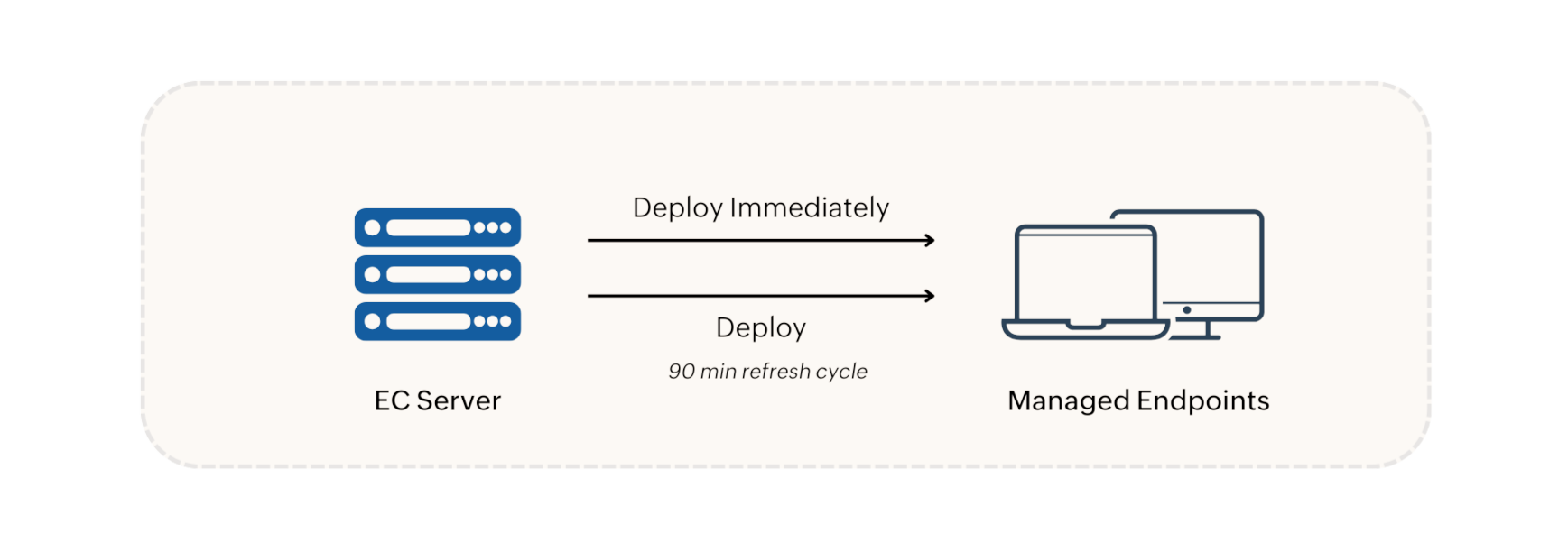
When a Data Loss Prevention policy is created, it is deployed using one of the following two options:
- Deploy Immediately: The policy is immediately pushed to and applied on agent machines that are currently online. For large custom groups (over 200 machines), the policy is applied to 200 machines initially, with the rest following in the next refresh cycle.
- Deploy: The policy is scheduled for the next 90-minute refresh cycle.
Policy modifications, deletions, group changes, and unmanaged device updates are synchronized with agent machines during refresh cycles. In environments with a Distribution Server, policies and configurations are replicated to the Distribution Server and then synchronized with agent machines during the 90-minute refresh cycle.
Policy Enforcement in Agent
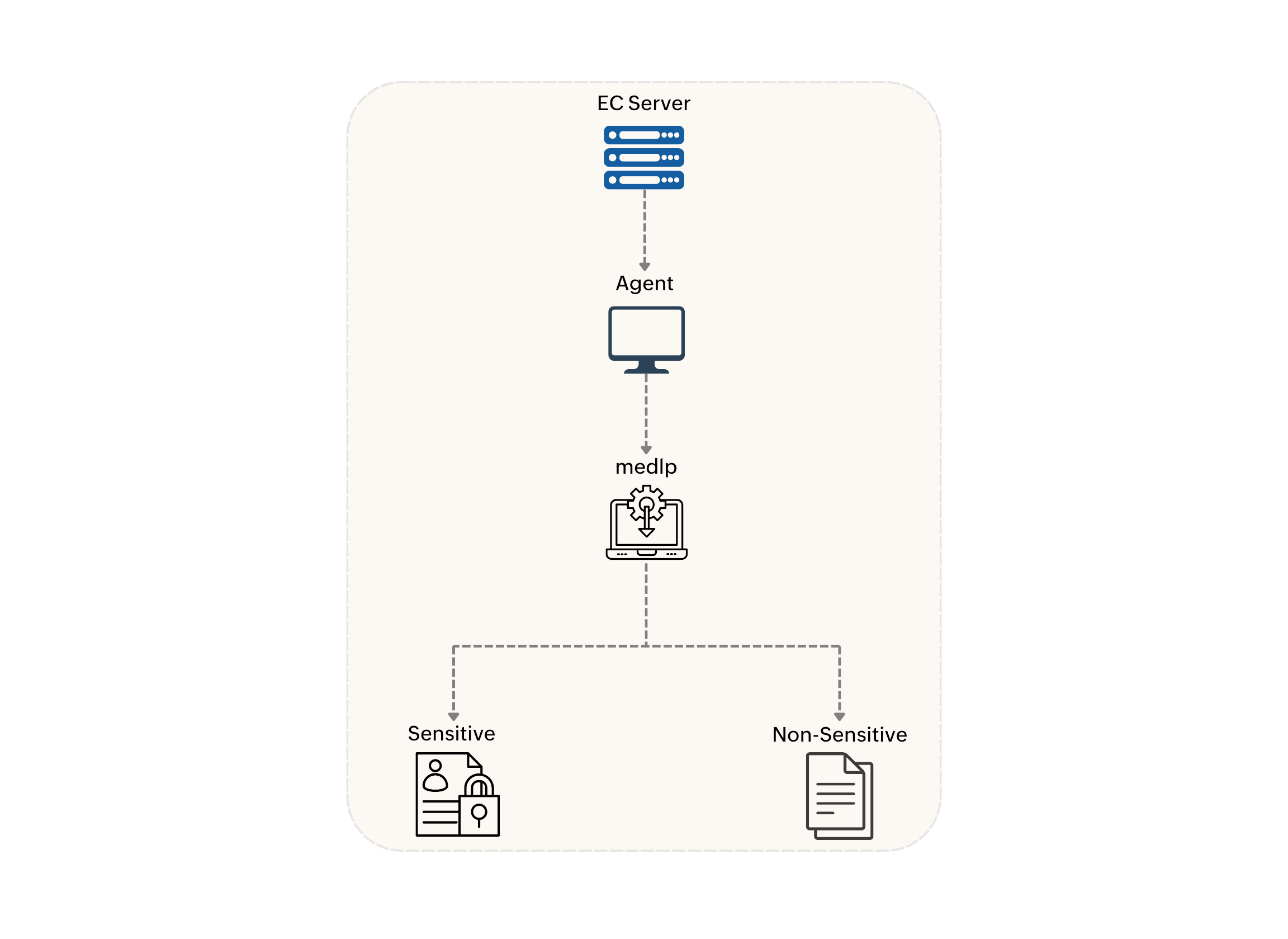
The Data Loss Prevention policy will be received by the agent and enforced by the kernel mode driver named medlp. This driver monitors device connections and ensures that only authorized devices can be accessed according to the deployed policy. Audited and blocked device events will be posted in the 90-minute refresh cycle.
Sensitive Data Discovery
After agent installation, the agent remains dormant until a policy is deployed. Once a policy is in place, the agent scans endpoints for sensitive files based on the defined rules.
Additionally, OCR (Optical Character Recognition) support enables the agent to identify sensitive information even within image-based documents.
To view the complete list of supported file formats, refer to List of Supported File Formats.
Endpoint Central Conflict Precedence
When conflicting policies are applied to the same target group, the following order of precedence applies:
- Block
- Allow Within Trusted
- Audit Only