N-1 patching on Debian
N-1 patching on Debian enables you to manage updates in your Debian environment at your convenience. It helps you:
- Maintain consistency across all Debian servers by staying on the same version.
- Follow organizational policies that require older stable patches instead of the latest updates.
- Ensure compatibility with dependent applications that may not support the latest updates.
Table of contents
Overview
Debian does not retain older versions of package updates in its public repositories. When a new update is released, the previous version is removed. Because N-1 patching requires access to older package versions, you must maintain an internal Debian repository mirror.
The N-1 workflow relies on this mirror to supply older package metadata and update files to agents. Machines mapped to the mirror will report missing updates based on the mirror’s metadata rather than the latest available updates.
Prerequisite
N-1 patching on Debian requires a Debian repository mirror hosted within your environment over HTTP or HTTPS. This mirror should contain the older package versions you intend to use.
For detailed steps on creating a mirror, refer to the How to mirror section in the official Debian documentation.
Adding the mirror details
After creating the mirror:
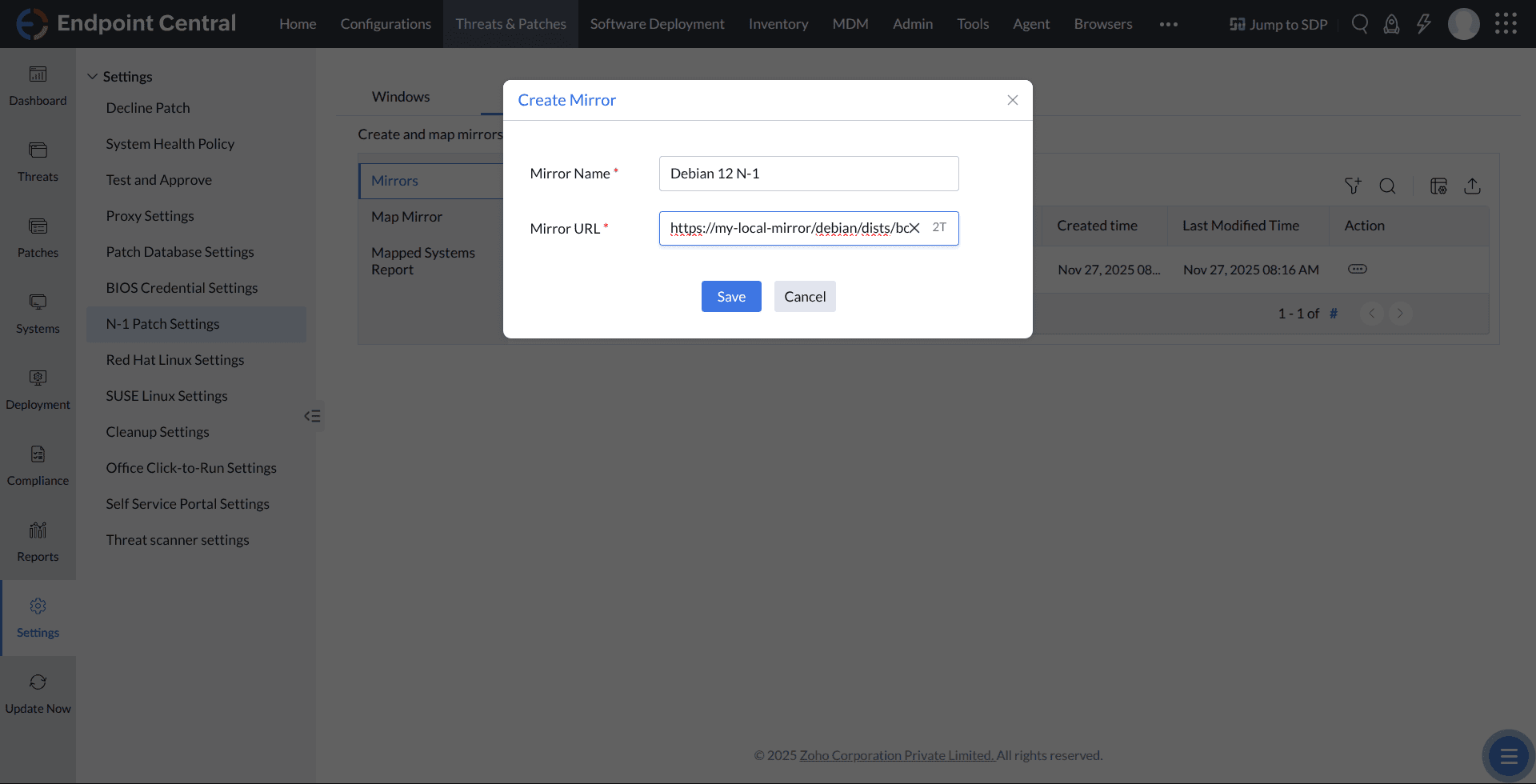
- Navigate to Threats & Patches → N-1 patch settings → Debian → Mirrors → Create mirror.
- Enter the mirror name and the mirror URL you created earlier.
- Click Save.
The Central Server verifies the mirror URL and adds it to the list.
Map the mirror to machines
Mapping machines to a mirror instructs the agents to fetch Linux package metadata and updates from that mirror. This overrides the default behaviour of using the latest Debian repository data.
Before mapping, create a custom group containing the Debian machines that require N-1 patching.
After the group and mirror are ready:
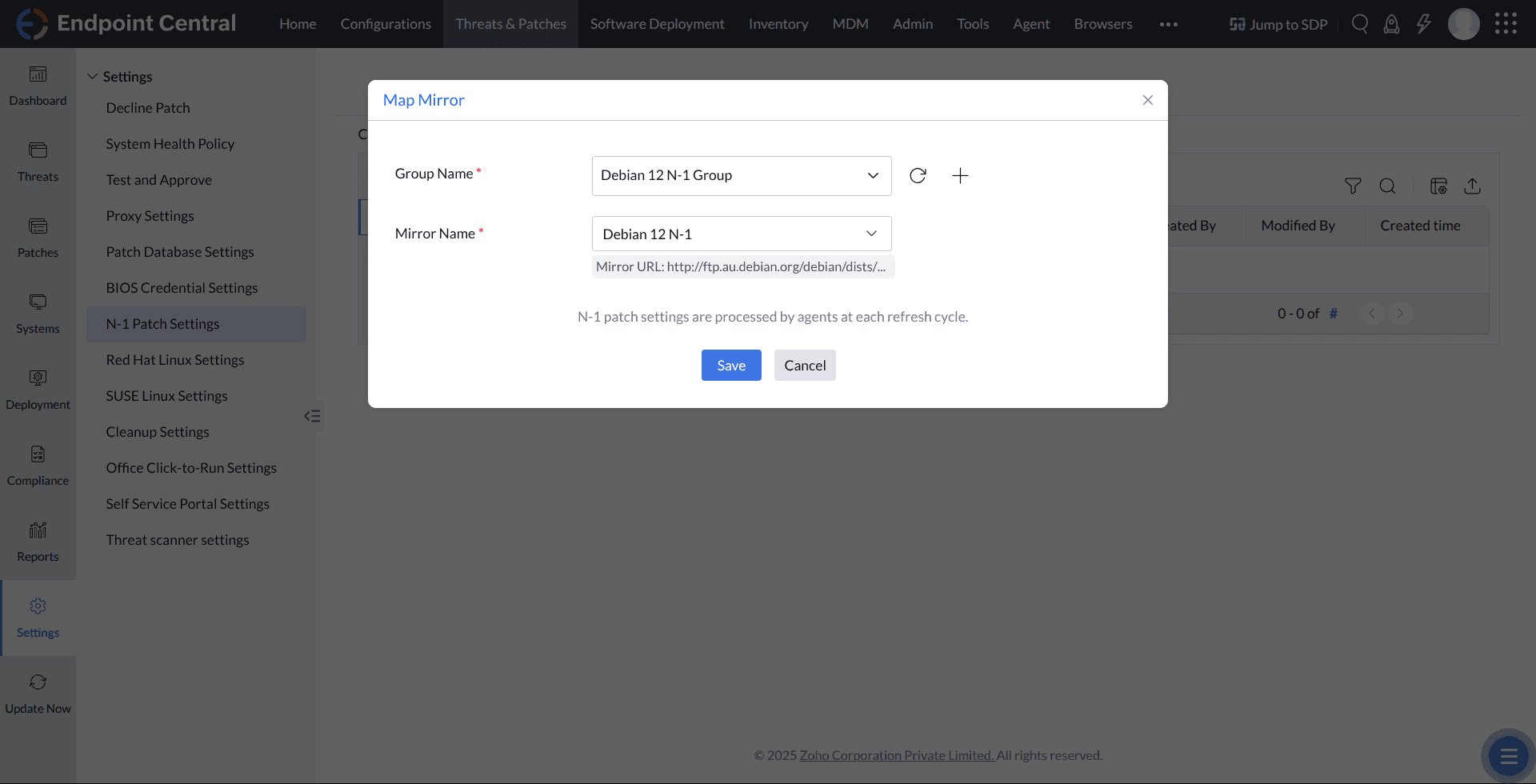
- Go to Threats & Patches → N-1 patch settings → Debian → Map mirror → Create mapping.
- Select the mirror and the target machine group.
- Click Save.
The mapped machines will begin using the mirror starting from the next refresh cycle. Their missing-patch reports will reflect the metadata available in the mirror.
Note: Agents apply the mirror configuration only during their next refresh cycle.
Distribution of updates
On-premises environment
- The Central Server downloads Linux package metadata and update files from the mirror.
- Agents that connect directly to the Central Server download updates from it.
- Agents managed by a Distribution Server receive updates from the Distribution Server after it replicates the necessary content from the Central Server.
Cloud environment
- The agent stores the mirror details locally and connects to the mirror directly to download Linux package metadata and updates.
Note: If you manage machines across multiple regions, host a separate mirror for each location and map machines accordingly.
Roles and permissions
- Users with patch management full control and write access can view, create, edit, and delete mirrors and mappings.
- Users with patch management read access can only view mirrors and mappings.




