×![]()
×
×![]()
×
×
Auditing
Audit
The Audit section provides a consolidated view of all access related activities within the Endpoint Central environment. It helps administrators track user patterns, monitor activities and review successful or failed attempts to access internal applications.
Note
The Audit view is refreshed every 60 minutes to reflect the latest access activity data.
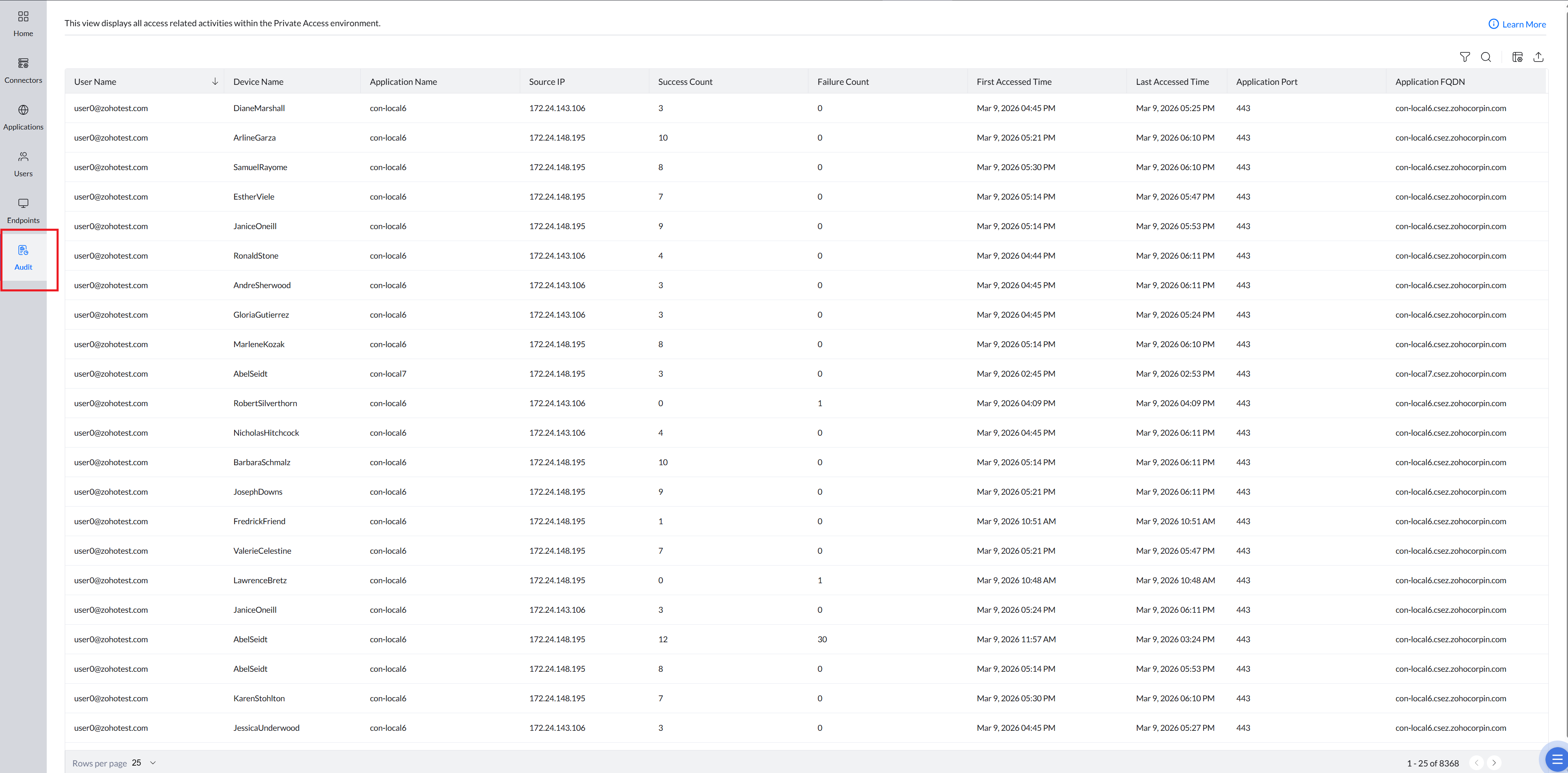
Audit Table Overview
- User Name: Identifies the user who attempted to access a private application.
- Device Name: Indicates the device used during the access attempt.
- Application Name: Shows the internal application accessed.
- Source IP: Displays the IP address of the user's device from which the internal application is accessed.
- Success Count: Displays the successful access attempts by the user for that application.
- Failure Count: Indicates the number of failed attempts, if any.
- First Accessed Time: Shows when the user first attempted to access the application in the given time frame.
- Last Accessed Time: Shows the most recent assess attempt recorded for that user and application in the given time frame.
Filtering Audit Records
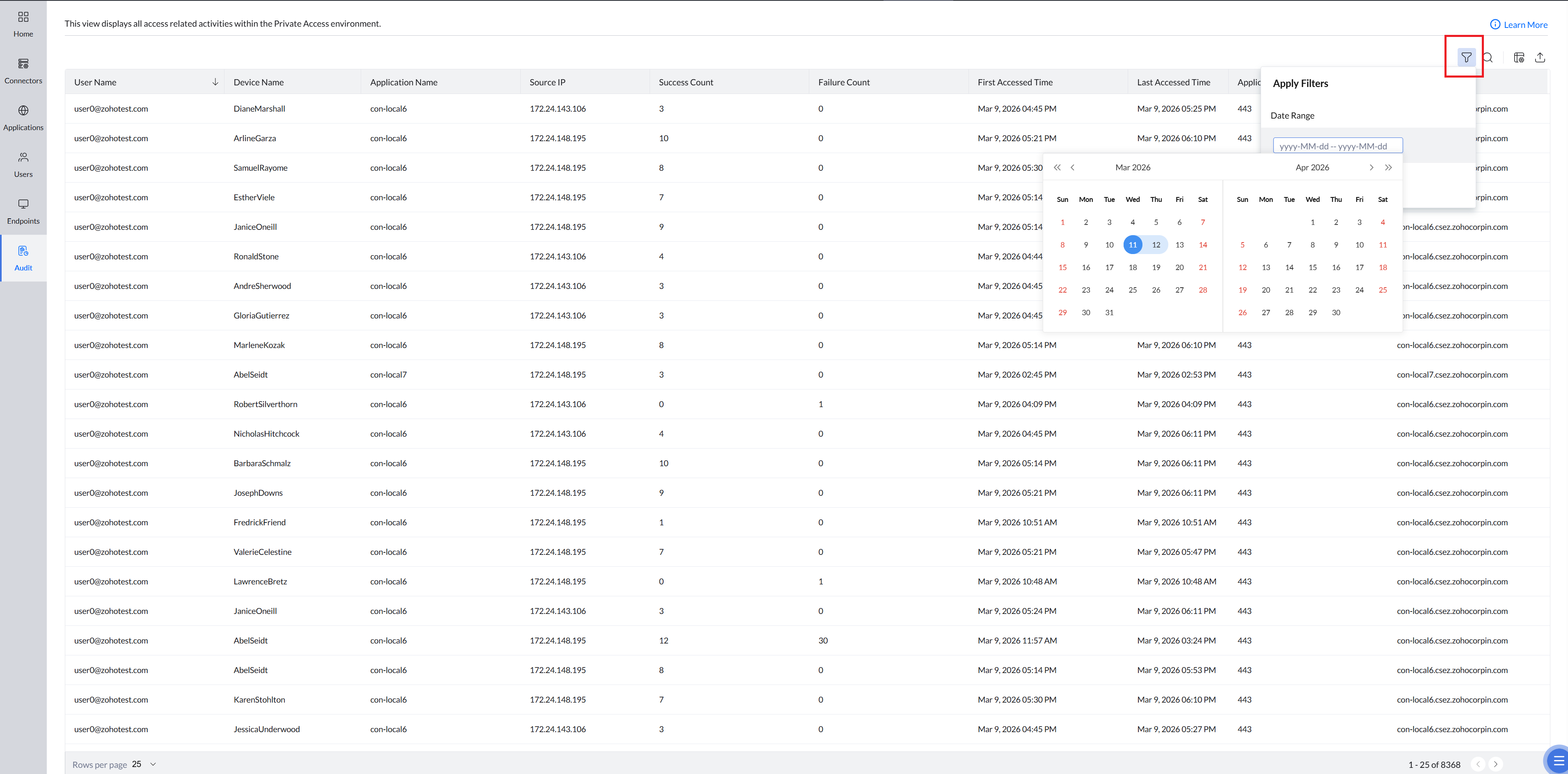
The audit page includes date-based filtering to help you focus on a specific activity window.
To filter records, click the Filter icon , choose the desired date range, and the table updates instantly with matching results.