×![]()
×
×![]()
×
×
Configuring Application Access
To enable access to internal services through Endpoint Central , you’ll need to add the relevant internal applications to the console. Only the applications you explicitly allowlist will be accessible.
Note
Only TCP-based connections are currently supported.
Steps to Add an Application
- Navigate to the Applications tab.
- Click Add Application .
Enter the required details as shown in the reference image:
- Application Name : A user-friendly name to identify the application.
- Application DNS : The Fully Qualified Domain Name of the internal service. This must be resolvable from the Application Connector’s network .
- Port : The port number on which the internal service is running.
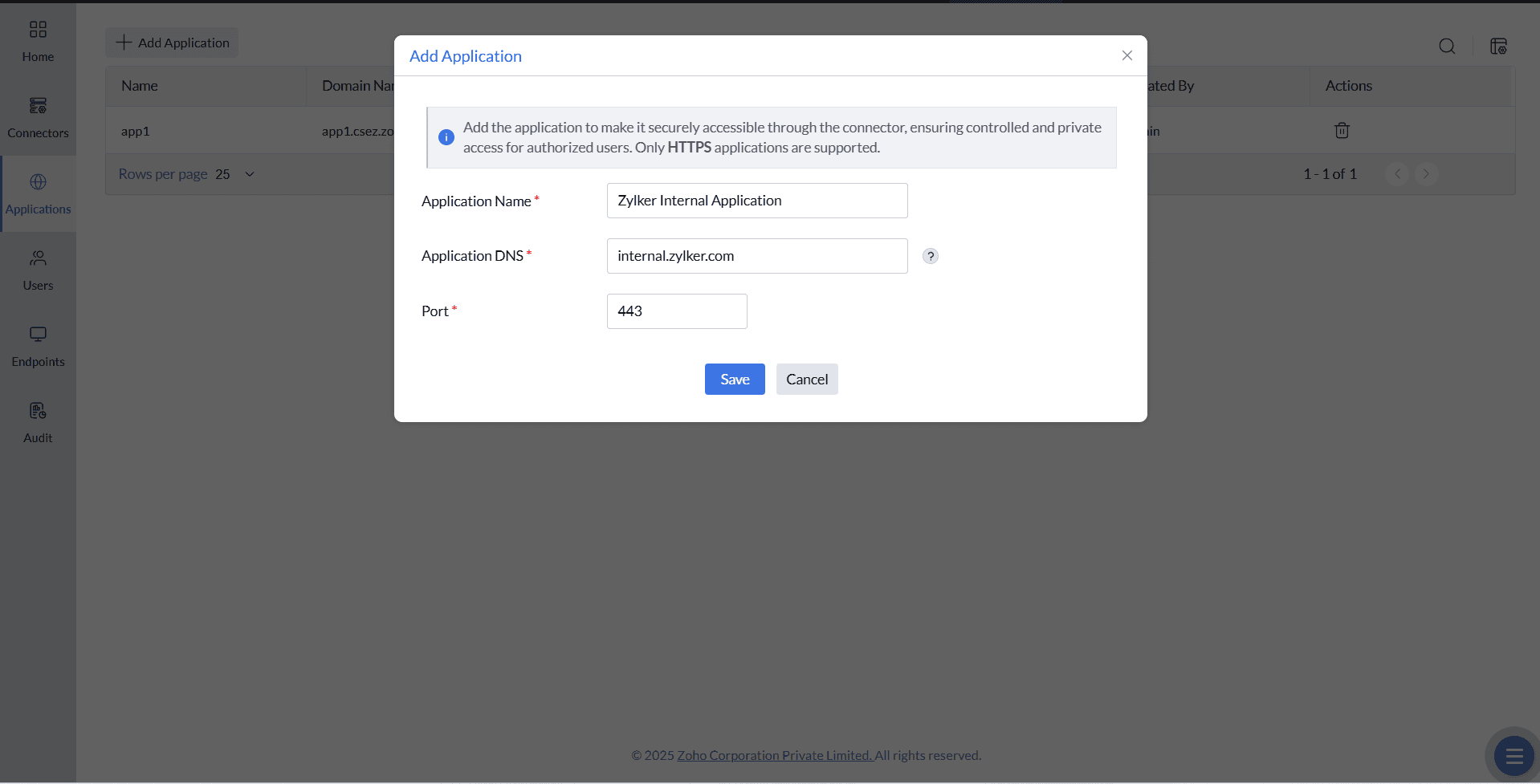
- Click Save to complete the process.
Once saved, the selected internal applications become discoverable and accessible through the configured Endpoint Central setup.