Zia Agents
Zia Agents are autonomous AI agents built into Endpoint Central that investigate device issues, triage alerts, and surface actionable insights without requiring admins to query multiple tools manually across consoles.
Once Ask Zia is enabled, admins can describe an issue in plain language and receive a root cause diagnosis with remediation guidance in minutes.
Zia Agents are available to administrators only. Technicians and other roles cannot access this feature.
Agents come in two types:
- Predefined agents — Ready-to-use agents built and maintained by ManageEngine for common IT investigation scenarios. Enable with a single toggle; no configuration required.
- Custom agents — Agents built by your organization using Zia Agent Studio, tailored to your specific workflows and data sources.
Prerequisites
| Requirement | Details |
|---|---|
| Zia enabled | Zia must be configured in Admin > Zia > Zia Configuration before agents can be activated. Zia Agents surface results through Ask Zia, which requires Zia to be configured first. Refer to documentation. |
| Administrator role | Required to enable, disable, and manage agents. |
Predefined Agents
Predefined agents are built and maintained by ManageEngine for common IT investigation scenarios. Each agent is ready to use with a single toggle — no configuration required.
| Agent | Description |
|---|---|
| Device Investigation Agent | Investigates device performance, software, and hardware issues; identifies root cause and provides targeted remediation steps. |
| EDR Alert Triage Agent | Triages endpoint-generated alerts and returns a true/false positive assessment with recommended remediation action. |
| Patch Issue Troubleshooting Agent | Analyses issues encountered in Patch Management and provides resolution guidance. |
Custom Agents
Custom agents are built by your organization using Zia Agent Studio to address investigation scenarios specific to your IT environment. Unlike predefined agents, custom agents let you define the goal, data sources, and investigation workflow to match your operational needs.
What a custom agent can do
The capabilities of a custom agent depend on how it is configured in Zia Agent Studio. At a minimum, a custom agent can:
- Accept a plain-language issue description through Ask Zia.
- Query the data sources you configure as part of its investigation workflow.
- Return a diagnosis and remediation guidance based on the logic you define.
Custom agents are configured through Zia Agent Studio and are not available natively within Endpoint Central or accessible through Ask Zia.
To build a custom agent, refer to Zia Agent Studio.
Managing Agents
Accessing the Agent page
Go to Admin > Zia > Zia Agent. This page lists all predefined and custom agents in your Endpoint Central instance, along with their type and current status.
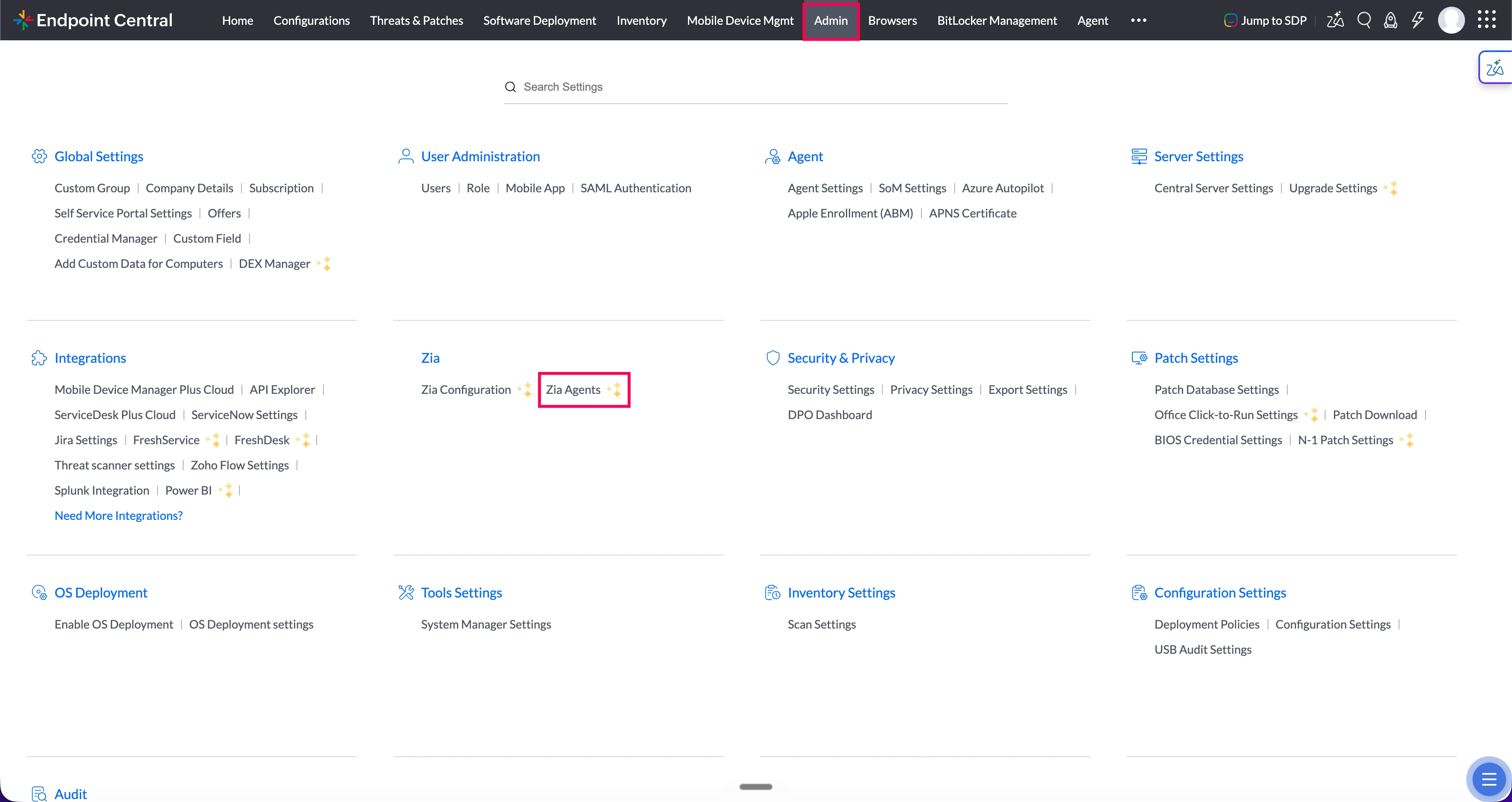
Enabling a predefined agent
- Go to Admin > Zia > Zia Agents.
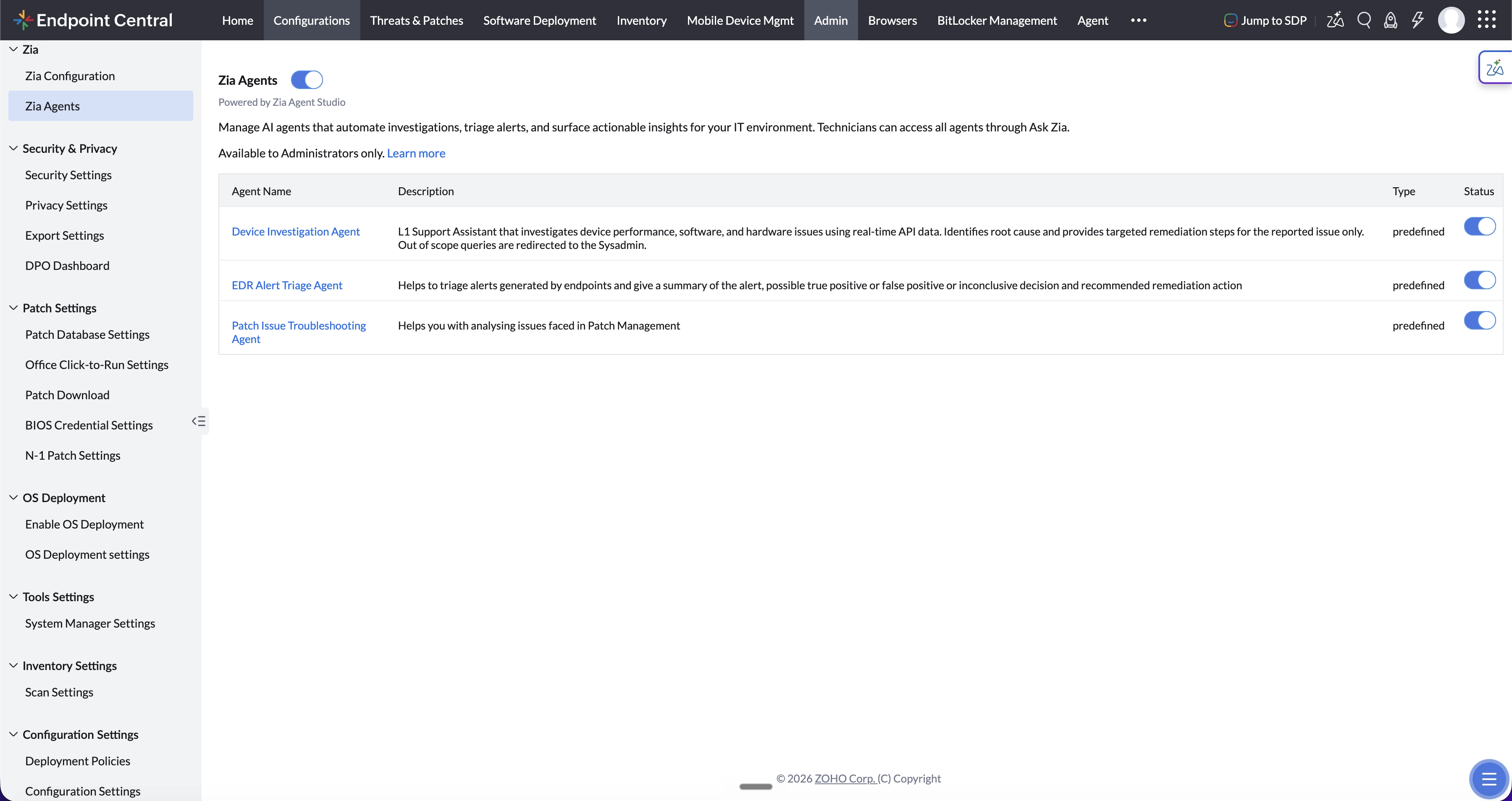
- Locate the agent in the list.
- Toggle the Status switch to enabled.
The agent is immediately active and accessible to all admins through Ask Zia.
Disabling an agent does not delete its configuration. It can be re-enabled at any time without reconfiguration.
Using Agents
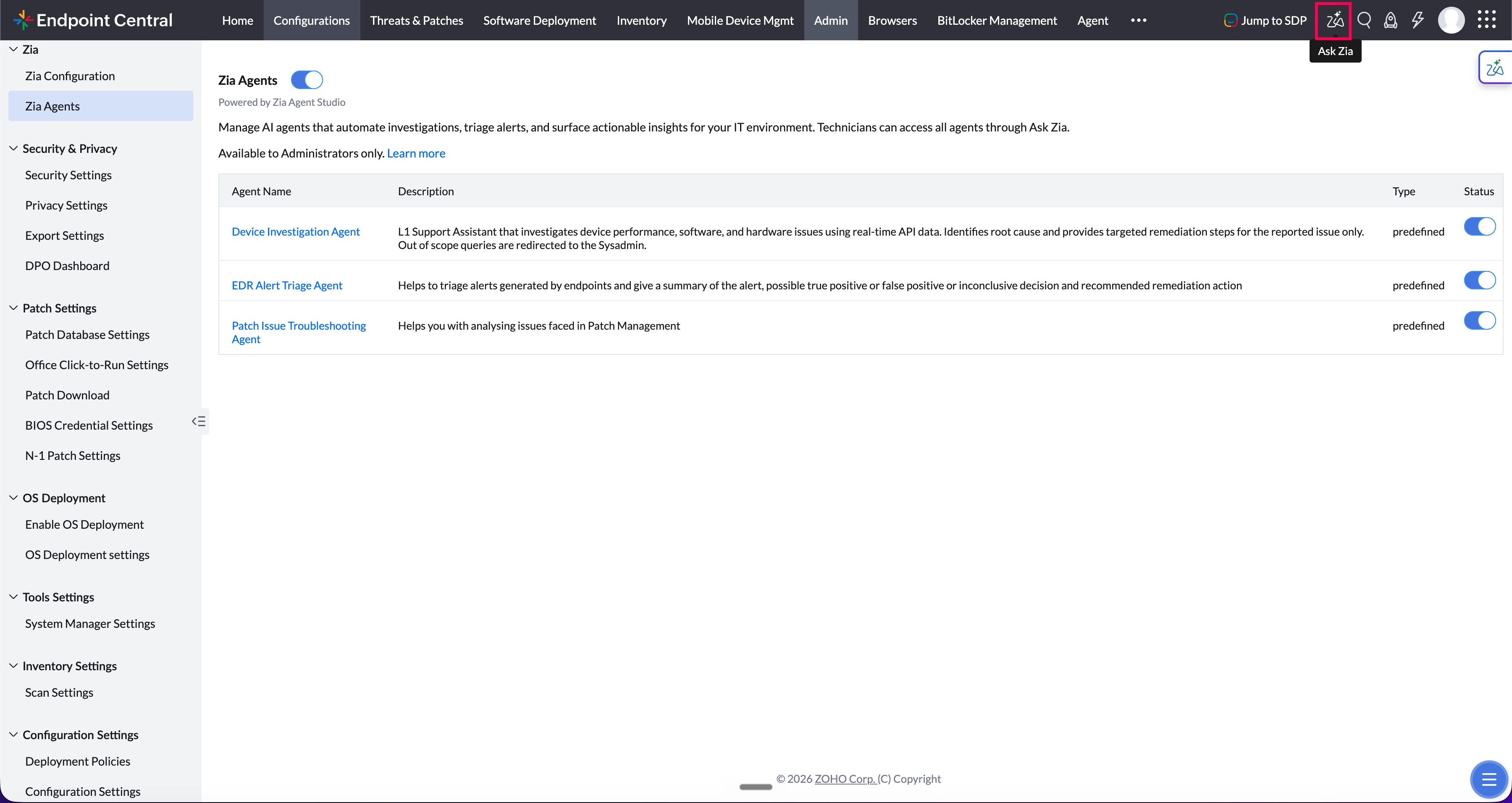
All agents are accessed through Ask Zia, available from any page in Endpoint Central.
- Click the Ask Zia icon in the top-right corner of the console. The Ask Zia panel opens.
- Describe your issue in the input box and submit. You can either:
- Type your query without selecting an agent — Zia will automatically route it to the appropriate agent based on the intent of your query.
- Select a specific agent from the suggestions first, then type your query to direct it to that agent.
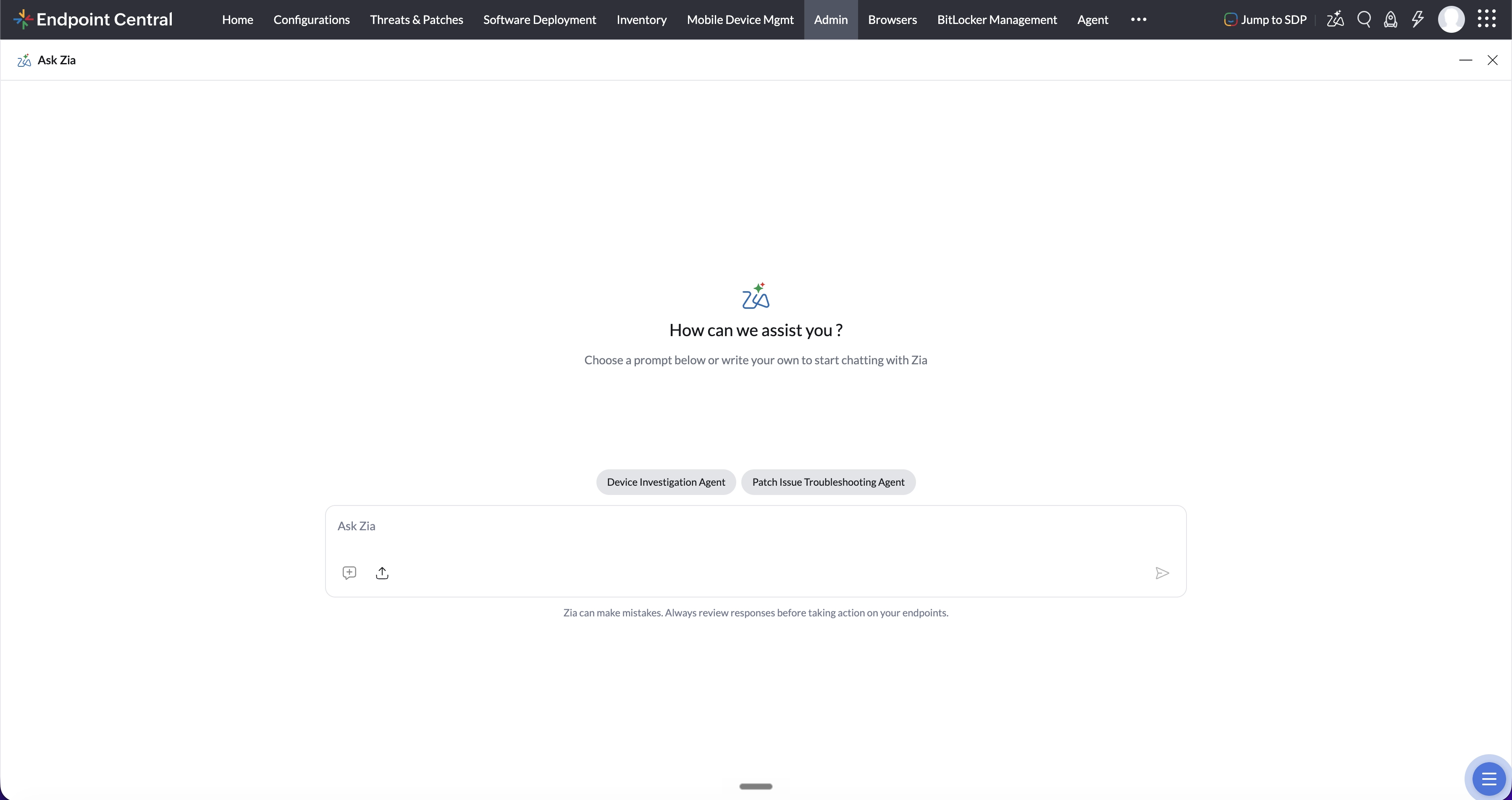
- Zia investigates and returns a diagnosis with remediation guidance based on the active agent's workflow.
Zia can make mistakes. Always review responses before taking action on your endpoints.
Frequently Asked Questions
Zia Agent Studio is currently supported in the following data centers:
- US
- IN
- AU
No. Zia Agents are supported only when Zia is configured using Zoho Credits. Bring Your Own Key (BYOK) is not supported for Zia Agents.