Patch Configuration Failure - "Problem while downloading the patch from server"
Problem
You are trying to deploy patches on your network computers. However the Patch Deployment Status shows a message - "Problem while downloading the patch from server ".
Cause
You will encounter this error if, the agent residing in your client machines is unable to download a particular patch from the Endpoint Central Server. This could occur due to the following reasons:
- If you have recently changed the Patch Store Directory to a new location and failed to copy the patches from the previous directory to the new location. (or)
- If you have deleted the patches from the patch store.(or)
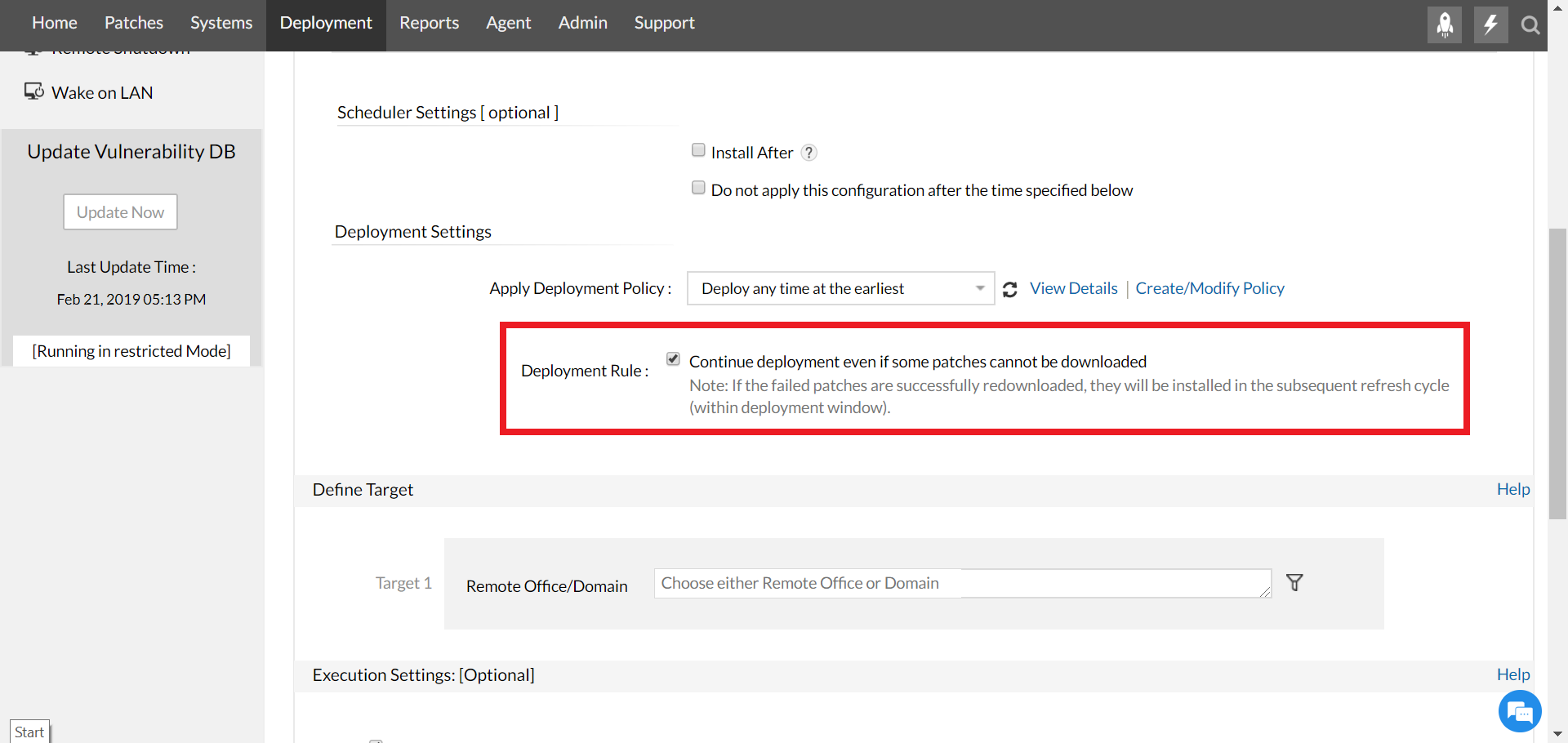
- If you have selected the option Continue deployment even if some patches cannot be downloaded, as shown below
Resolution
You can resolve this issue as follows:
- Copy the patches from the previous directory to the new location.
- Redeploy the patch on the target system.
- Uncheck / Deselect the option Continue deployment even if some patches cannot be downloaded, as shown below
| Error code | Resolution |
|---|---|
| 12002,12007,12019,12029,12030,12175 | Make sure the agents are reachable from the central and distribution servers. |
| 403 | Ensure to whitelist the vendor URL. |
| 404 | In the console, check for the required patch in Downloaded patches -> Upload patches |
Applies to: Patch Deployment Failure, Patch Download Failure
Keywords: Problem while downloading the patch from server, Patch Installation Failure
| Other KB articles | 24/5 Support |
|---|---|
Support will be available 24hrs a day and five days a week (Monday through Friday), excluding USA & India public holidays. Tel : +1-888-720-9500 Speak to us |




