Configuring NAT Settings
Introduction
NAT(Network Address Translation)is the method by which the Central Server can be made available for the managed devices to contact with. For any deployment to be carried out on the managed device, the Central Server and the respective agent installed device must be in contact, irrespective of the network residing in.
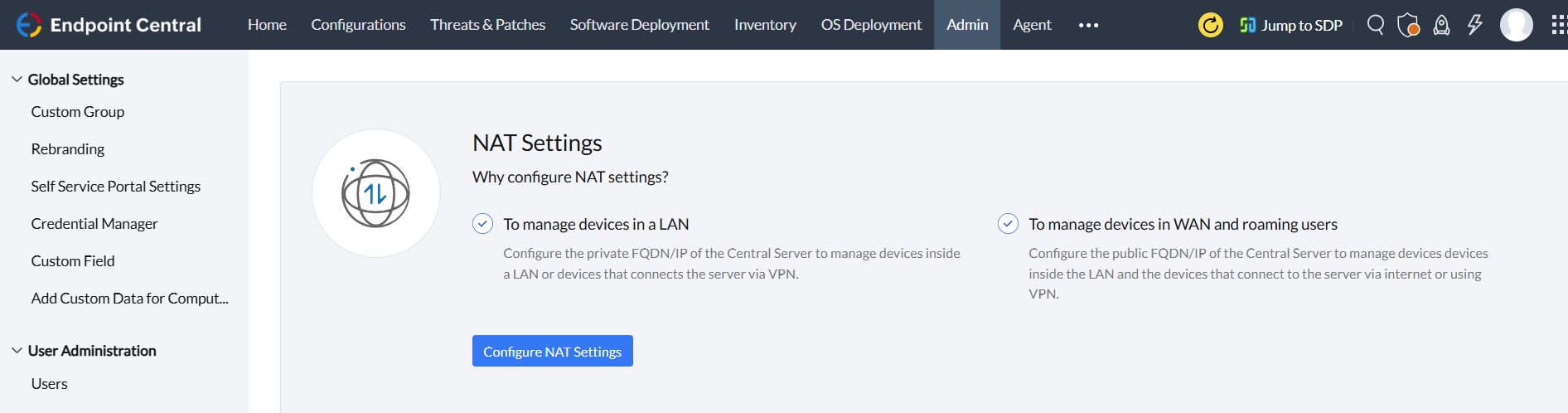
To configure NAT Settings, in the product console, navigate to Admin > Server Settings > NAT Settings, where the communication network can be selected either as a
- LAN(Local Area Network)
- WAN(Wide Area Network)
NAT Settings can be configured for both LAN and WAN setup depending on the business needs. To manage devices that connect via VPN, the LAN method can be selected. The NAT Settings can be secured by importing SSL certificates, such as using a third-party certificate.
NAT Settings for LAN Setup
- When the managed devices reside in a LAN, IT admin can configure the NAT with a private IP address/FQDN (Fully Qualified Domain Name), which will be used by the managed devices to reach the Central Server.
- The same NAT can be used by devices that connect to the business network using a VPN.
NAT Settings for WAN Setup
- To manage devices over the internet, configure the NAT Settings with a Public IP address/FQDN (Fully Qualified Domain Name),which is required by the WAN devices to contact the Central Server.
Note: It is recommended to configure NAT Settings with a FQDN rather than an IP address. This is because an FQDN will be used to check the integrity of the secured communication when using certificates. Also, FQDN can be easily resolved in the DNS irrespective of the nature of the IP address to be static or dynamic.
Modify your NAT Settings
NAT Settings once configured can be modified by navigating to the same page. When the NAT Settings is modified, previously managed devices will try to contact the pervious FQDN/IP address, however the devices added to Endpoint Central's scope after the modification in NAT Settings will contact the updated FQDN/IP address.
To eliminate the communication break for the previously managed devices, the former FQDN/IP address should be mapped to the newly added one.
Note: For scenarios involving certificate import and NAT FQDN changes, refer to this KB on avoiding agent communication failure due to SAN mismatch.
Secure Management of Over the Internet Devices
Secure Gateway Server is used to secure the communication between the Central Server and managed devices over the internet. This is an additional layer of security for the management of devices. To configure Secure Gateway Server, the public FQDN/IP address of the Central Server is mapped to the Secure Gateway Server. To have further understanding on the importance and working of Secure Gateway Server, visit this page.




