- Related Products
- Log360
- AD360
- ADManager Plus
- ADAudit Plus
- ADSelfService Plus
- Exchange Reporter Plus

 Click here to expand
EventLog Analyzer's Zia Insights is an AI-powered capability that delivers contextual security insights by analyzing logs, alerts, and incidents. These insights help interpret security activity, identify impacted entities, map observed behavior to the MITRE ATT&CK® framework, and determine recommended response actions.
This page explains how to invoke Zia Insights from the Search, Alerts, and Incidents modules of ManageEngine EventLog Analyzer.
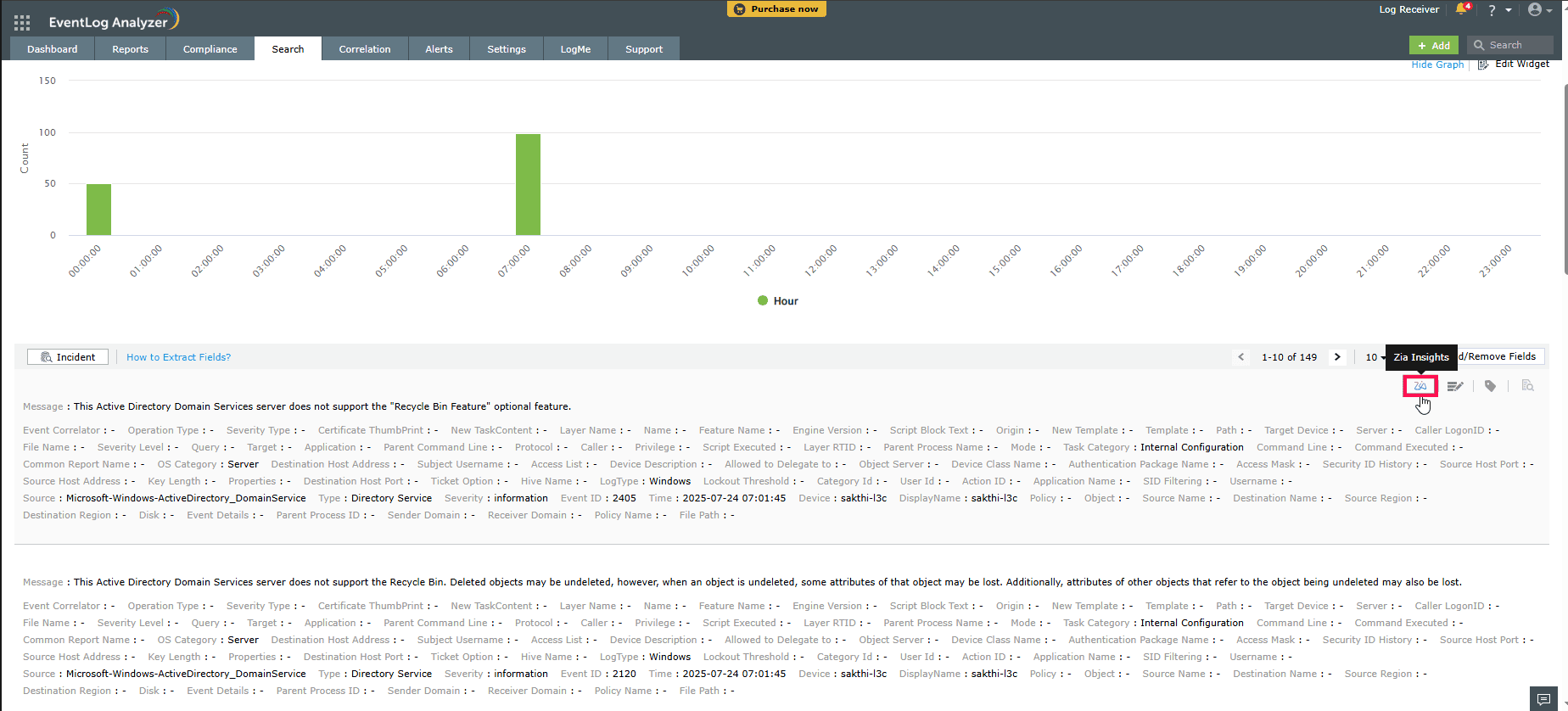 Figure 1: Invoking Zia Insights from Search of ManageEngine EventLog Analyzer
Zia will process the selected log and display contextual insights, including a summary, associated MITRE ATT&CK® techniques (if applicable), and suggested mitigation steps.
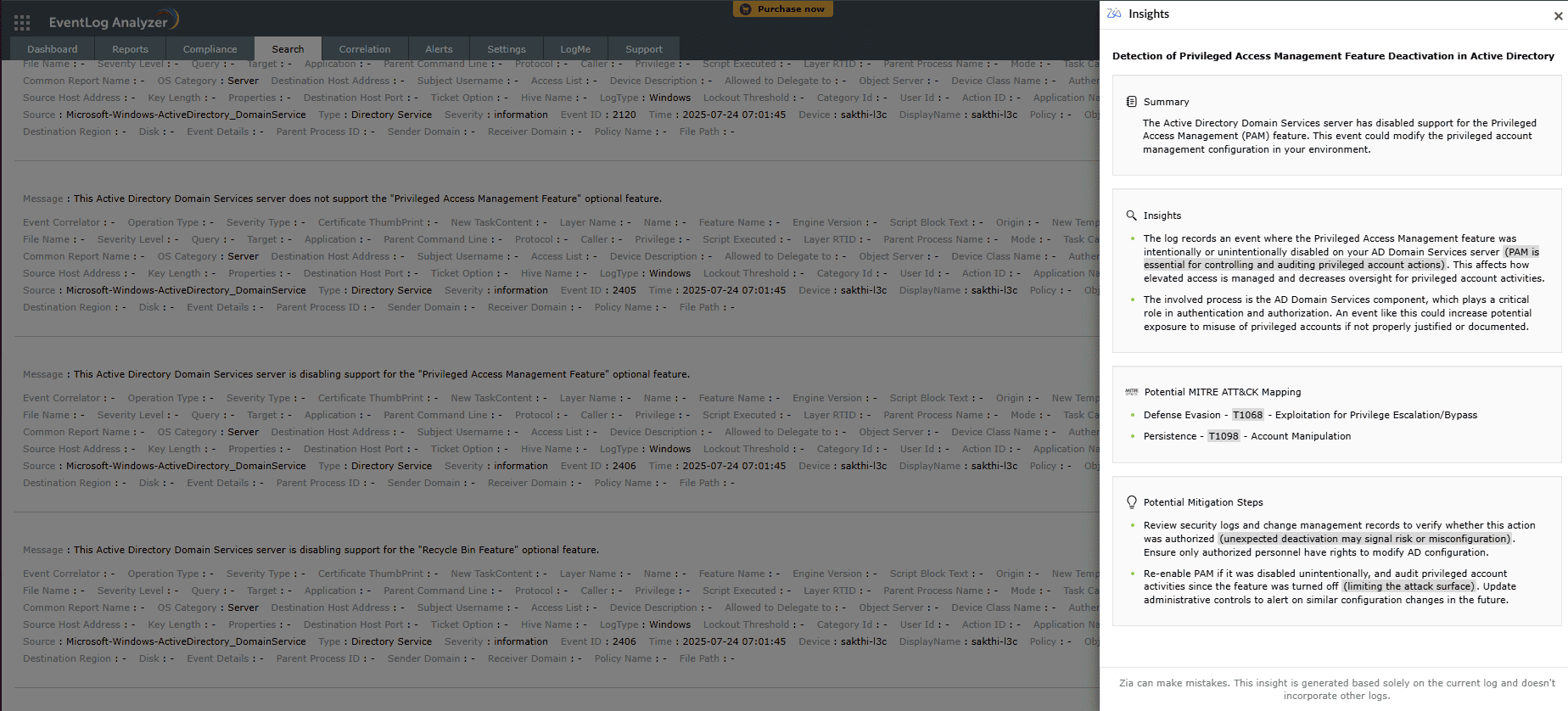 Figure 2: Zia Insights generated for the selected log
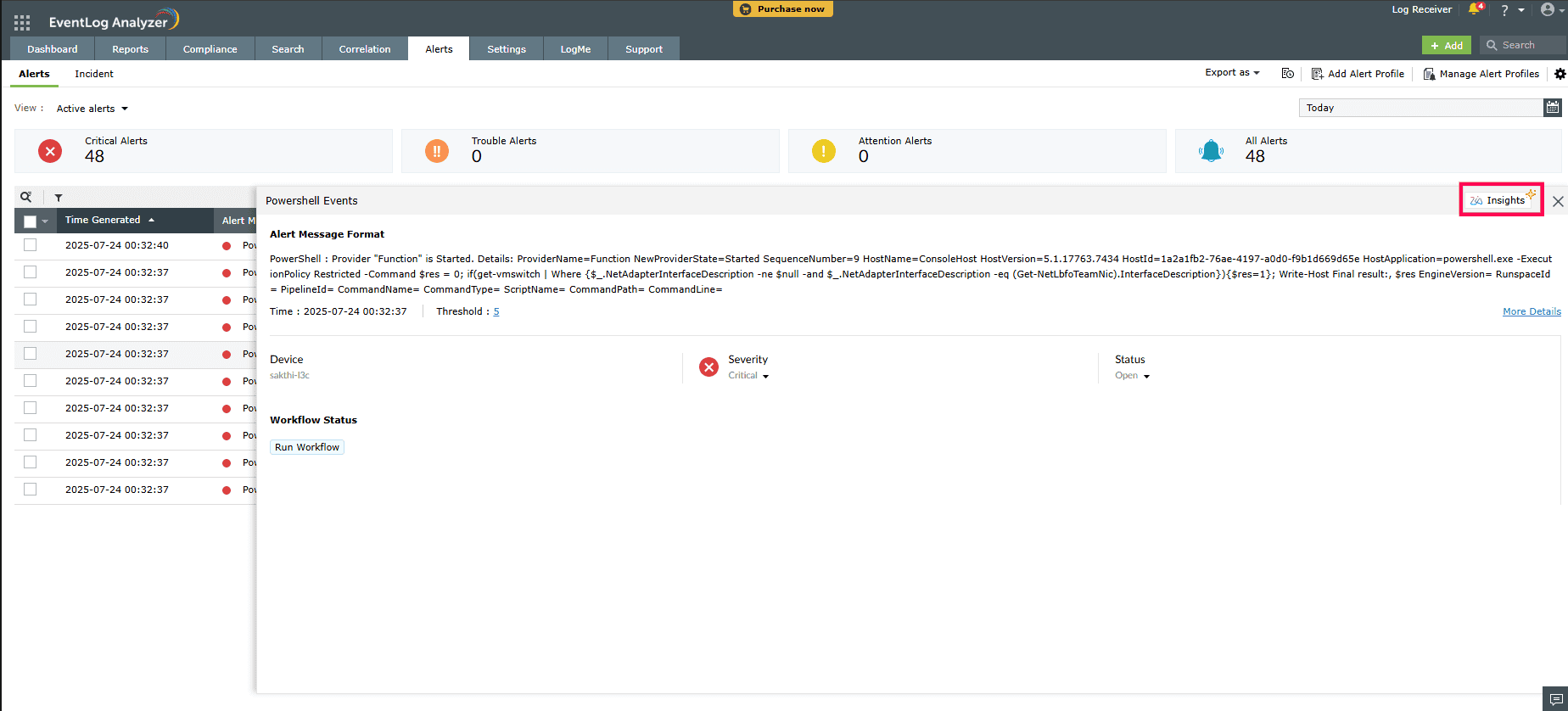 Figure 3: Invoking Zia Insights from Alerts of ManageEngine EventLog Analyzer
For alerts, Zia Insights provides contextual summary, attack timeline, relevant MITRE ATT&CK® techniques (if applicable), and mitigation steps based on the alert data.
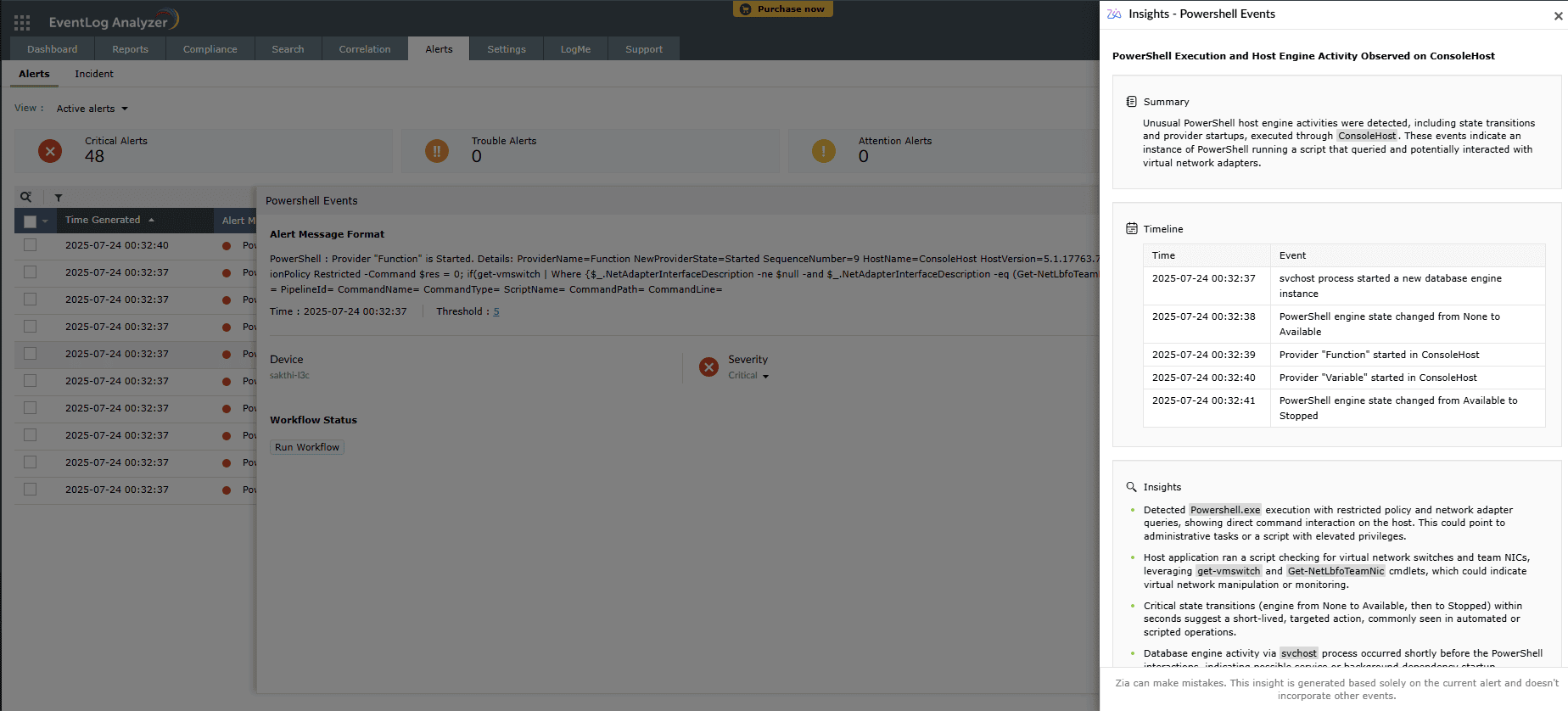 Figure 4: Zia Insights generated for Alerts
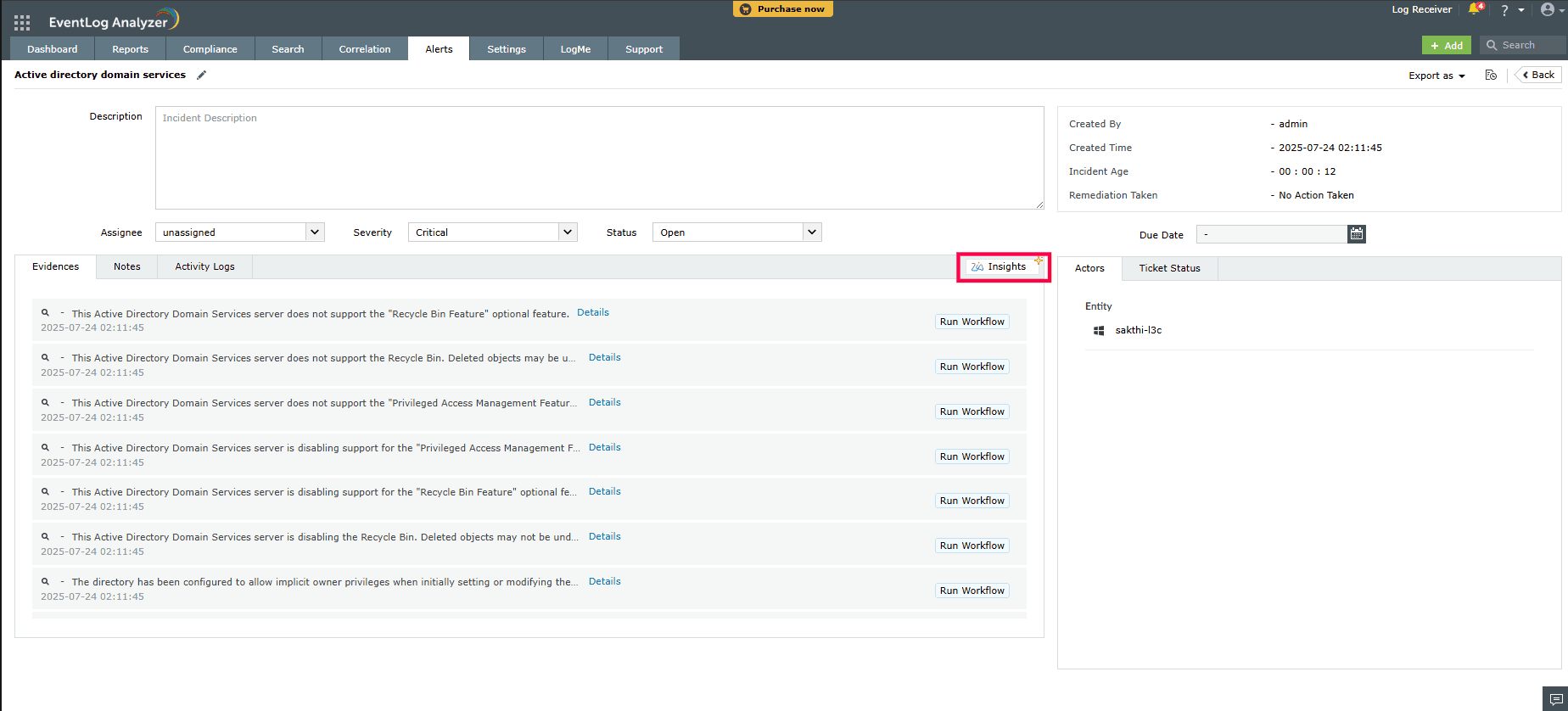 Figure 5: Invoking Zia Insights from Incidents of ManageEngine EventLog Analyzer
When invoked from the Incident console, Zia Insights provides details on involved actors, a chronological evidence timeline, evidence summary, and relevant MITRE ATT&CK® techniques based on the incident data.
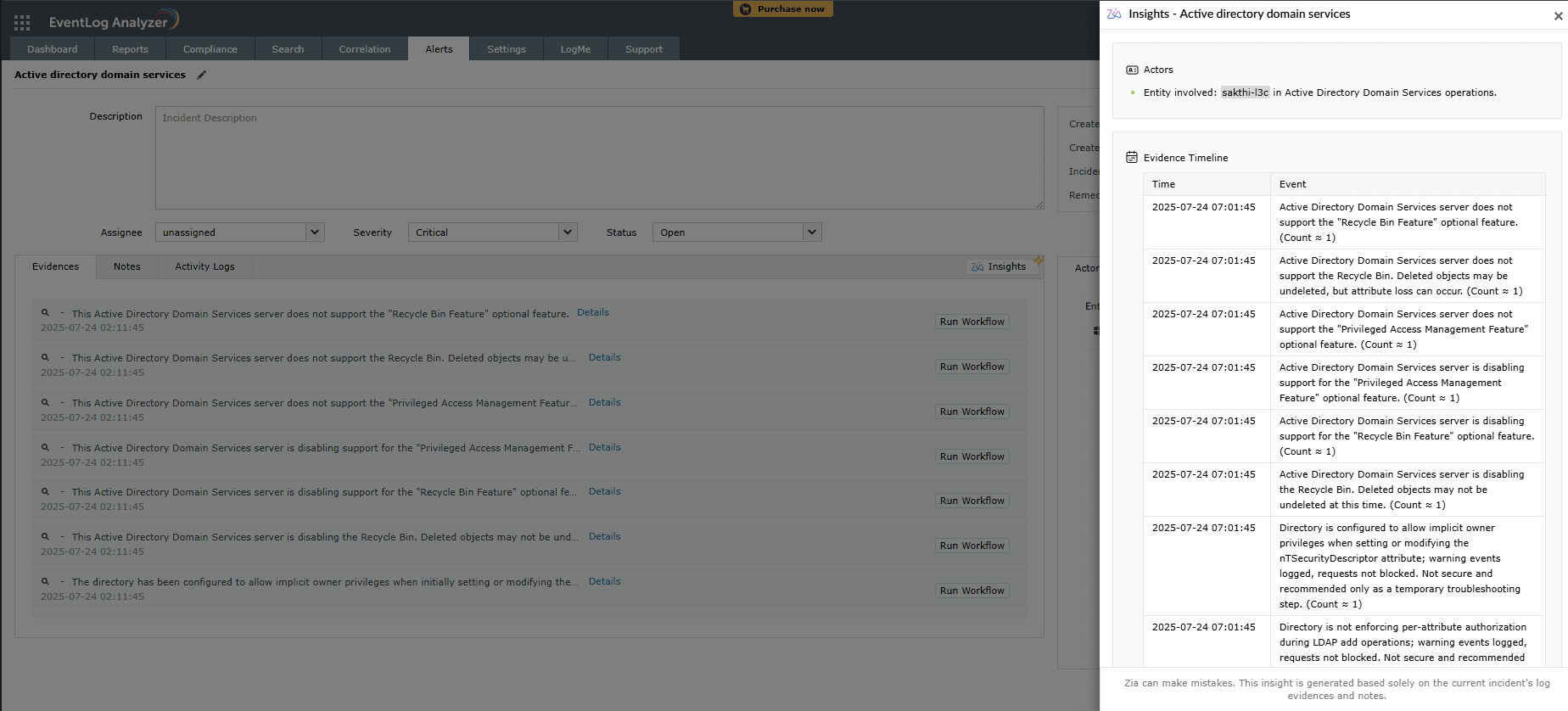 Figure 6: Zia Insights generated for Incidents
Read also
This document explained how to access Zia Insights from Search, Alerts, and Incidents within ManageEngine EventLog Analyzer to generate AI-powered security insights. For a comprehensive overview of Zia Insights and instructions on how to leverage its capabilities effectively, refer to the following articles:
Copyright © 2020, ZOHO Corp. All Rights Reserved.
 Download PDF