
Audit, analyze, and monitor Microsoft Internet Information Services (IIS) server

logs to identify security threats using powerful IIS log analyzer software

  • Conduct performance and health auditing for IIS servers to quickly identify potential issues.
  • Closely track and analyze configuration changes made to IIS servers to maintain strong security posture.
  • Detect and block attempts to inject malicious scripts into webpages to prevent theft of sensitive data.

Start your 30-day free trial *No credit card required.

  •  
  • *
     
  • *
     
  •  
  • By clicking 'Submit' you agree to processing of personal data according to the Privacy Policy.

Thank you for downloading!

Your download should begin automatically in 15 seconds. If not, click here to download manually.

Over 280,000 organizations across 190 countries trust ManageEngine to manage their IT.

Key Product Features

 
  • Perform complete IIS log file management with ease

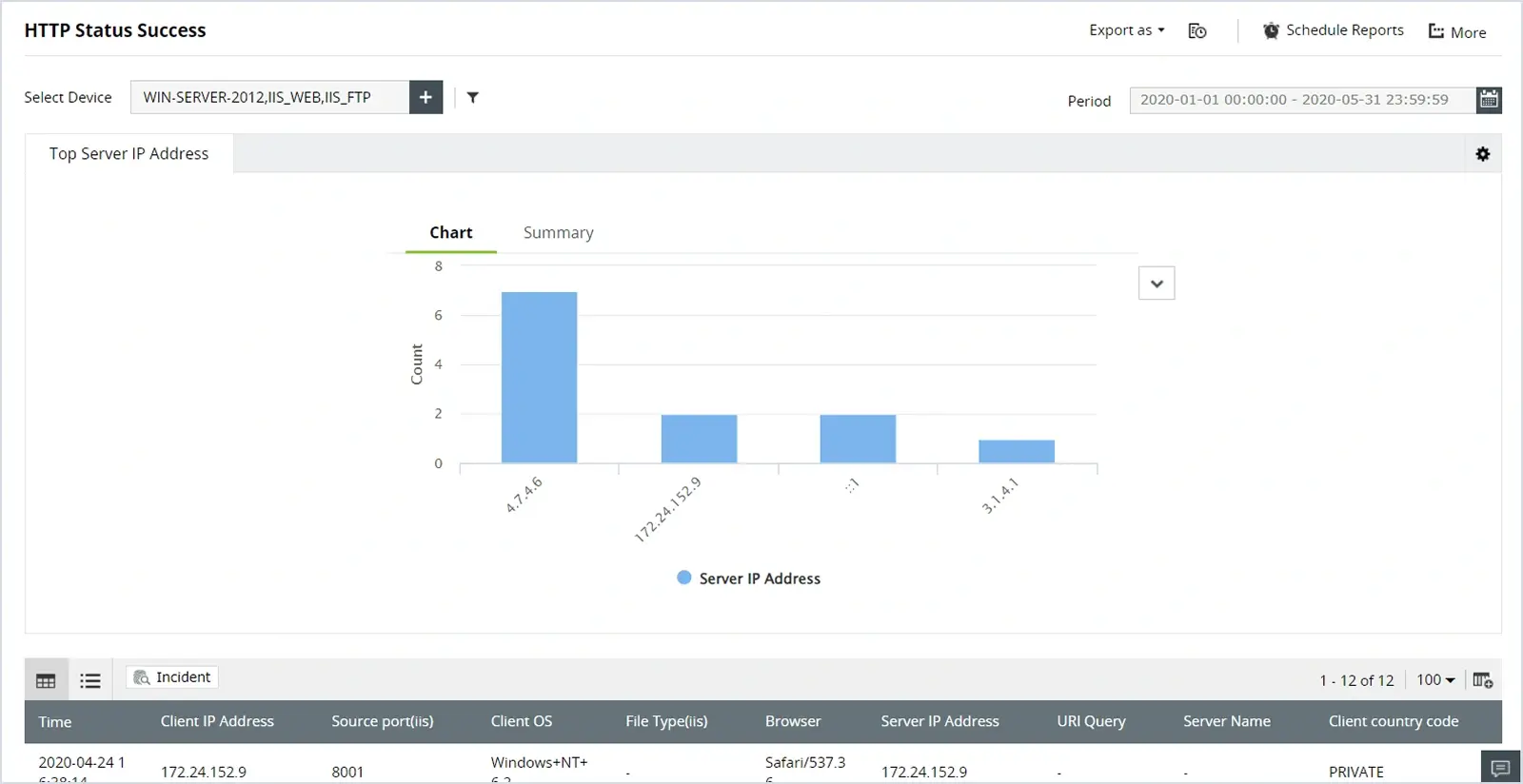
    Conduct real-time IIS log monitoring and identify errors that users experience while trying to access the websites hosted on your IIS web servers, such as failed user authentication, bad HTTP requests, HTTP request entities being too large, or gateway timeouts.
    Perform complete IIS log file management with ease
  • Gain insights on security attacks on your IIS web servers

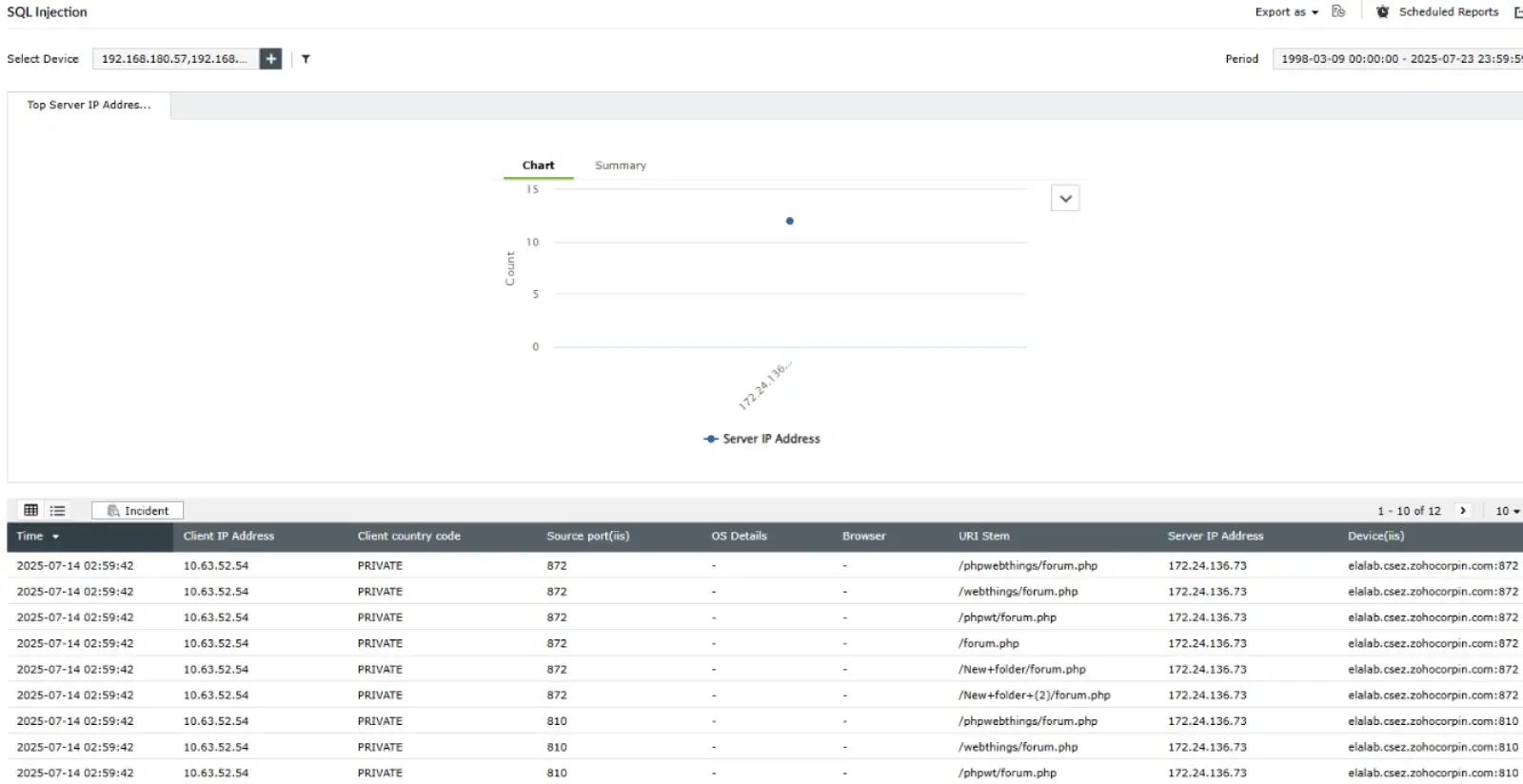
    EventLog Analyzer's server attack reports provide information about attacks detected in your IIS web servers, such as SQL injection or DDoS attacks. This IIS log monitoring tool comes with prebuilt alert profiles that can notify you in real time when such attacks are detected. It also offers exclusive reports that provide information on the users who most frequently access your server along with server activity trends.
    Gain insights on security attacks on your IIS web servers
  • Parse and index IIS W3C extended format logs

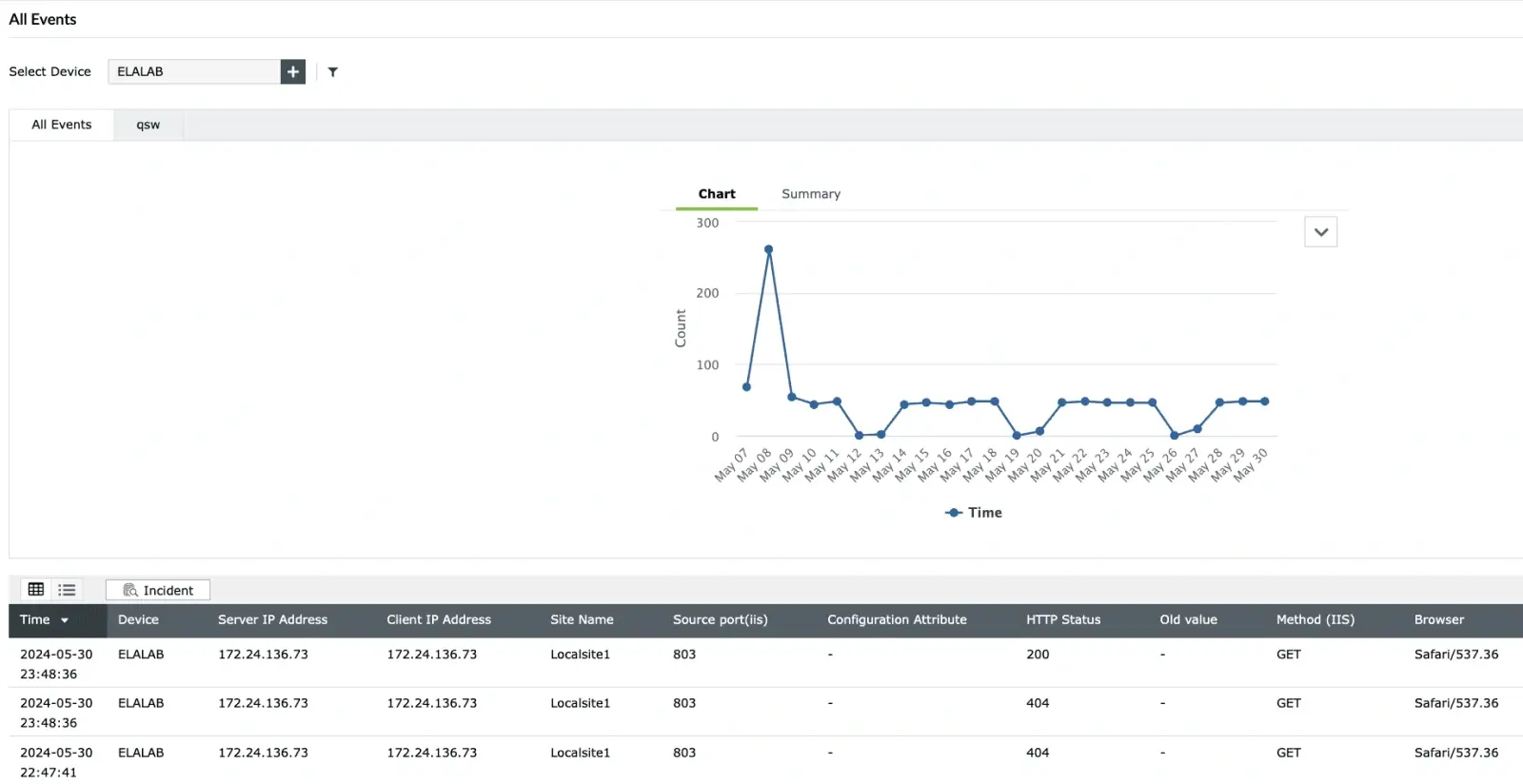
    An IIS log parser like EventLog Analyzer can extract information out of all the logs in your IT environment. The solution aids in parsing IIS logs into the following fields: the date and time of the event, the IP addresses of the client and server, the server port number, the server computer name, and the client-server URI query and stem. You can also utilize the custom log parser to pull a new field from a log by training the parser to spot and extract that particular field.
    Parse and index IIS W3C extended format logs
  • Track web traffic for abnormal events

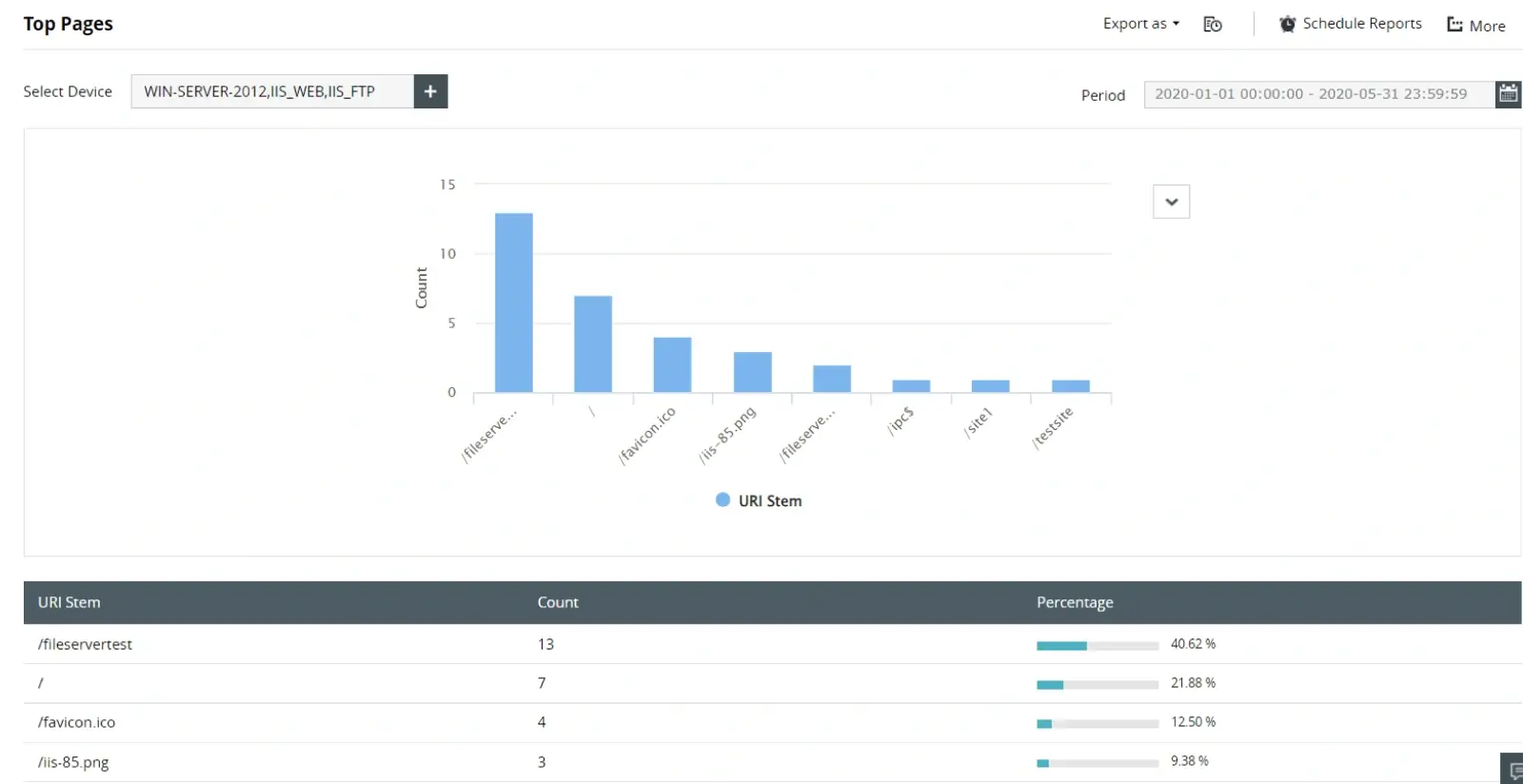
    Analyzing IIS logs can help you identify the areas in your website that get the most traffic, the region where most of your users are from, the browsers from which your site is accessed, and more. You can also easily identify patterns in your web traffic and discover potential attacks.
    Track web traffic for abnormal events
  • Mitigate attacks on your IIS web servers

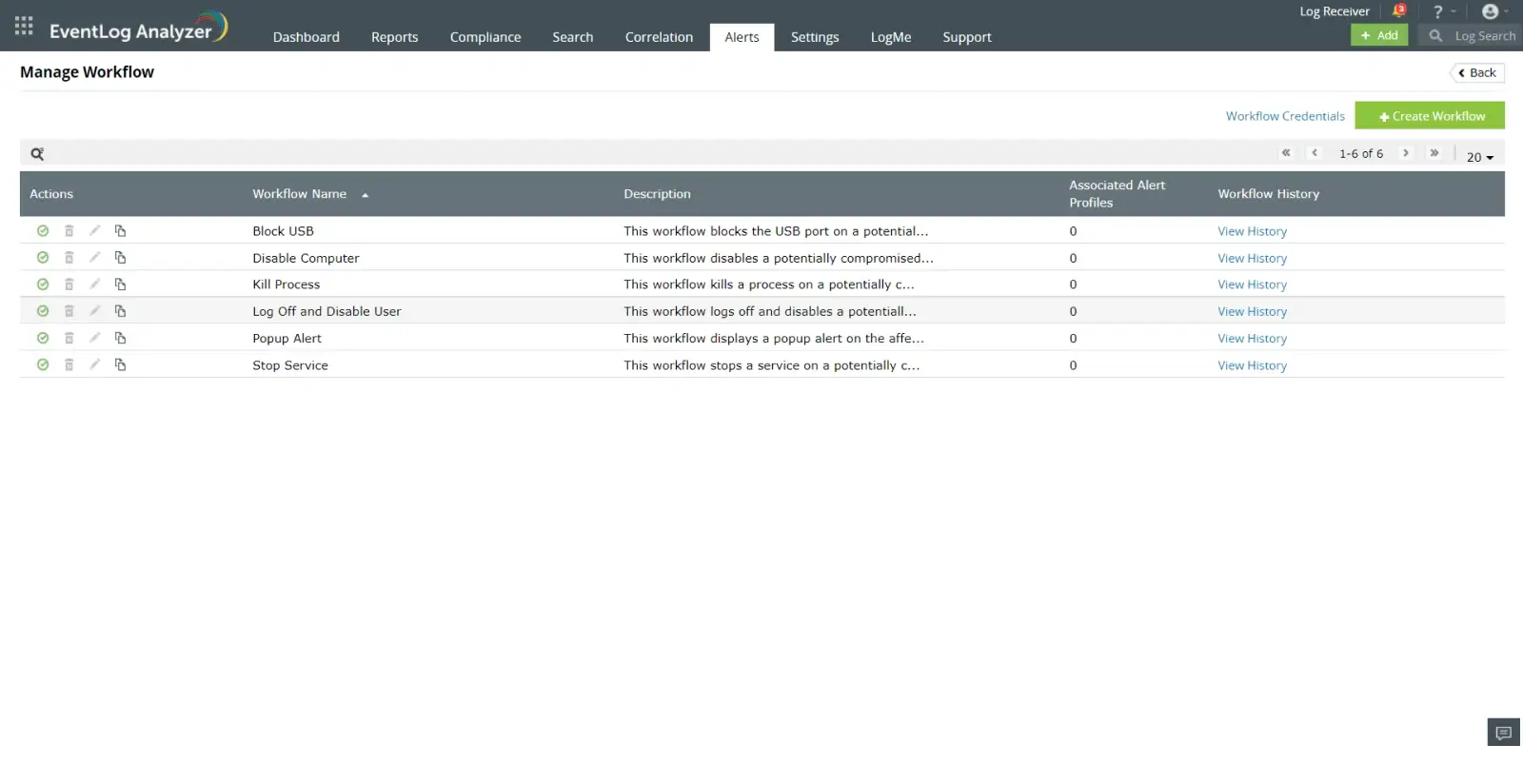
    Automate responses to critical security events, such as a potentially compromised user account, by configuring incident workflows. Responding quickly to security events is crucial to protect your server's confidential data and prevent your site from going down.
    Mitigate attacks on your IIS web servers

Perform complete IIS log file management with ease

Conduct real-time IIS log monitoring and identify errors that users experience while trying to access the websites hosted on your IIS web servers, such as failed user authentication, bad HTTP requests, HTTP request entities being too large, or gateway timeouts.

Perform complete IIS log file management with ease

Gain insights on security attacks on your IIS web servers

EventLog Analyzer's server attack reports provide information about attacks detected in your IIS web servers, such as SQL injection or DDoS attacks. This IIS log monitoring tool comes with prebuilt alert profiles that can notify you in real time when such attacks are detected. It also offers exclusive reports that provide information on the users who most frequently access your server along with server activity trends.

Gain insights on security attacks on your IIS web servers

Parse and index IIS W3C extended format logs

An IIS log parser like EventLog Analyzer can extract information out of all the logs in your IT environment. The solution aids in parsing IIS logs into the following fields: the date and time of the event, the IP addresses of the client and server, the server port number, the server computer name, and the client-server URI query and stem. You can also utilize the custom log parser to pull a new field from a log by training the parser to spot and extract that particular field.

Parse and index IIS W3C extended format logs

Track web traffic for abnormal events

Analyzing IIS logs can help you identify the areas in your website that get the most traffic, the region where most of your users are from, the browsers from which your site is accessed, and more. You can also easily identify patterns in your web traffic and discover potential attacks.

Track web traffic for abnormal events

Mitigate attacks on your IIS web servers

Automate responses to critical security events, such as a potentially compromised user account, by configuring incident workflows. Responding quickly to security events is crucial to protect your server's confidential data and prevent your site from going down.

Mitigate attacks on your IIS web servers

What makes EventLog Analyzer stand out from
the native tools present today

ManageEngine EventLog Analyzer
Native IIS log tools
Supports both agent-based and agentless log collection, with real-time processing rates up to 25,000 logs per second. Can be configured for specific sites and filters.
Allows site-level or central logging in text-based (W3C) or binary formats, with customizable fields and log retention settings.
Handles multiple IIS log formats (i.e, W3C, NCSA, ODBC), supports heterogeneous environments, and allows custom log parsing for new fields.
Microsoft provides a command-line log parser utility that enables querying and analysis of IIS logs using SQL-like syntax. It is flexible but requires scripting knowledge and manual operation.
Provides in-depth error, security, and usage reports, including visual dashboards, scheduled reports, and compliance-ready templates.
Native tools do not offer automated log analysis, reporting, or alerting. All analysis must be performed manually or with scripts.
Integrates with other applications, supports incident management, and can correlate events across diverse sources for broader security insights.
Visualization and event correlation must be set up by configuring the logs to be sent to a log management tool, as native tools lack dashboards and advanced analytics.

To assist your evaluation we offer

  • 30-day fully functional free trial.
  • No user limits.
  • Free 24*5 tech support.

EventLog Analyzer parses and analyzes logs from
over 750+ log sources

Database Platforms

  • Microsoft SQL Servers
  • Oracle On-premises Databases

Web Servers

  • Apache HTTP Server
  • Microsoft IIS

Routers and Switches

  • Cisco
  • Hewlett-Packard

Hypervisors

  • Microsoft Hyper-V
  • VMware

Linux and Unix Systems

  • Linux
  • IBM AIX
  • HP UX
  • Solaris

Vulnerability Scanners

  • Nessus
  • Nmap
  • Nexpose
  • OpenVAS
  • Qualys

Firewalls, NGFWs, IDS, and IPS

  • Barracuda
  • Check Point
  • Cisco
  • SonicWall
  • Huawei
  • Juniper NetScreen
  • Palo Alto
  • pfSense
  • Sophos
  • Juniper
  • Cisco Meraki
  • Cyberoam
  • Fortinet
  • Watchguard
  • F5 firewall

Endpoint Security Solutions

  • ESET Antivirus
  • Kaspersky Antivirus
  • Microsoft Antimalware
  • Sophos Antivirus
  • Symantec Endpoint Protection
  • FireEye
  • Malwarebytes
  • McAfee
  • Norton Antivirus

What
Our Customers
Are Saying

 
  •  

    Credit Union of Denver has been using EventLog Analyzer for more than four years for our internal user activity monitoring. EventLog Analyzer provides great value as a network forensic tool and for regulatory due diligence. This product can rapidly be scaled to meet our dynamic business needs.

    Benjamin Shumaker

    Vice President of IT / ISO

  •  

    We found EventLog Analyzer easy to install and easier to use. That the product could automatically discover most types of devices in our network simplified our jobs. Before we even realized, it was up and running.

    Len Holloway

    IT security admin of Northumbria University

  •  

    We have slashed the time taken for AD administration tasks by 50%! This allows us to redistribute our manpower resources and manage our IT services efficiently.

    Philip Chua

    Head of IT

Looking for a log management solution? EventLog Analyzer is available in 3 editions

Free Edition

$0Never expires

Free Download
  • Supports up to 5 log sources only
  • Never expire
    1. Centralized log collection and archival
    2. Log search based reports
    3. Compliance reports
    4. Log forensic analysis capabilities

Professional

Starts at $795Year

Try Now
  • Pricing depends on the number of log sources (supports 10 to 1,000). Includes,
    1. Centralized log collection and archival
    2. Log search based reports
    3. Compliance reports
    4. Log forensic analysis capabilities
    5. Scalable environment
    6. Multi-geographical location monitoring
    7. Rebranding of the web client for client-specific views

Want to manage your logs in the cloud?

Click here for a detailed comparison between on-premise and cloud version.

Are you an MSSP? Checkout our EventLog Analyzer MSSP Edition

Learn more  

Manage logs
effectively and stay compliant

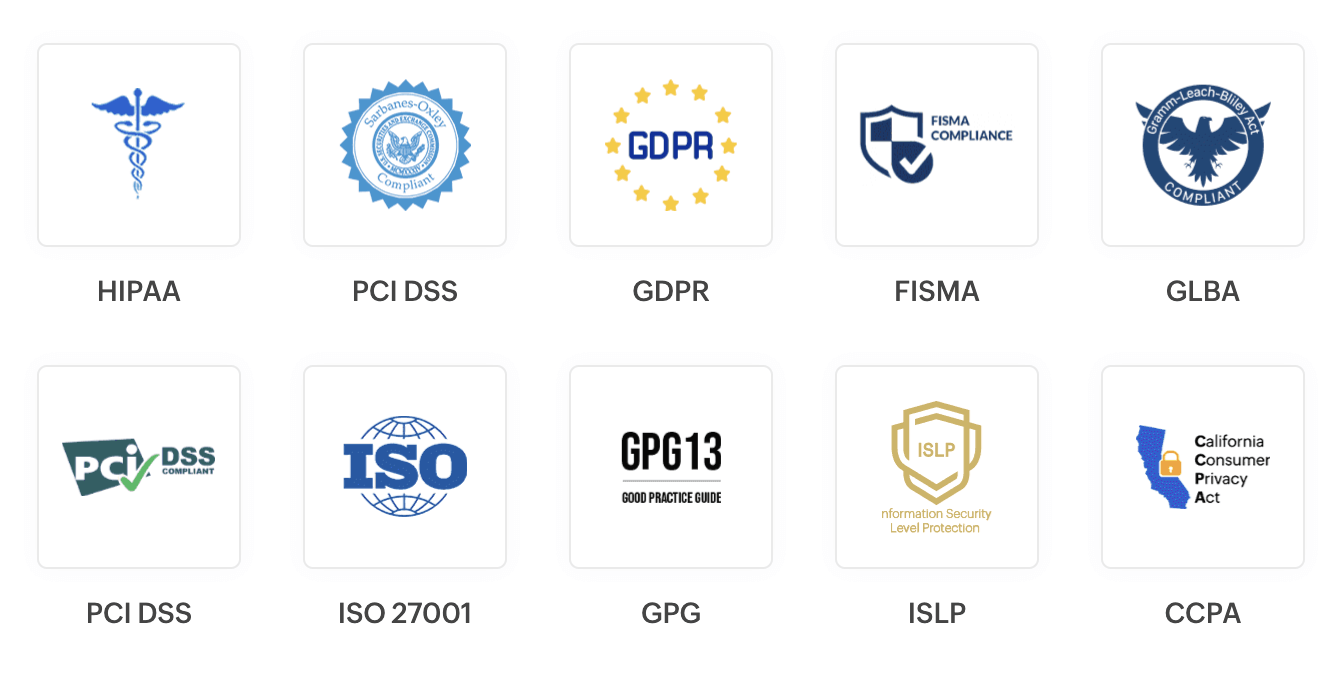
EventLog Analyzer helps you meet various regulatory mandates by auditing. managing, and analyzing logs.
Complete visibility into your IIS web server logs 

EventLog Analyzer's IIS log analyzer is designed to meet your specific needs
