*Fully functional 30-day free trial. No credit card required.
Protect sensitive, critical system configuration files and folders from unwanted modification, security threats, and breaches.
Generate detailed reports on the changes performed in the files, the user who made the changes, and the time of actions.
Get instant alerts when files and folders are created, deleted, and modified. You can also keep a tab on changes to security privileges such as permissions, ownership, and others.
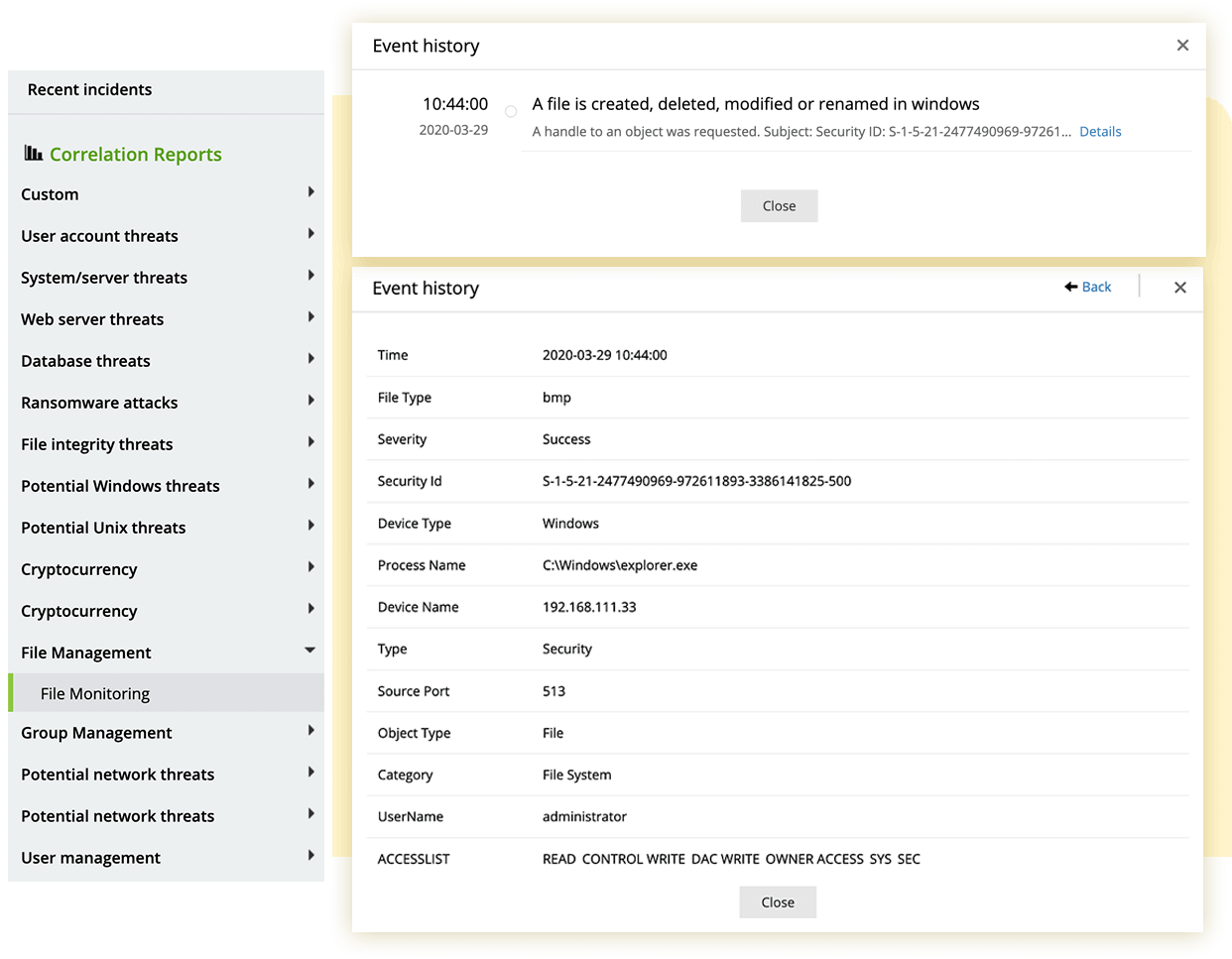
Monitor sensitive files and folders in your network systems in real time. EventLog Analyzer thoroughly audits your critical files and folders to record all the activities that unfold in them, so no critical changes go unnoticed. Our solution configures multiple devices simultaneously and installs the required FIM agents on these devices to enable real-time file monitoring. The associated audit policies, agent updates, and SACL settings are updated automatically on each device.
Monitor sensitive files and folders in your network systems in real time. EventLog Analyzer thoroughly audits your critical files and folders to record all the activities that unfold in them, so no critical changes go unnoticed. Our solution configures multiple devices simultaneously and installs the required FIM agents on these devices to enable real-time file monitoring. The associated audit policies, agent updates, and SACL settings are updated automatically on each device.
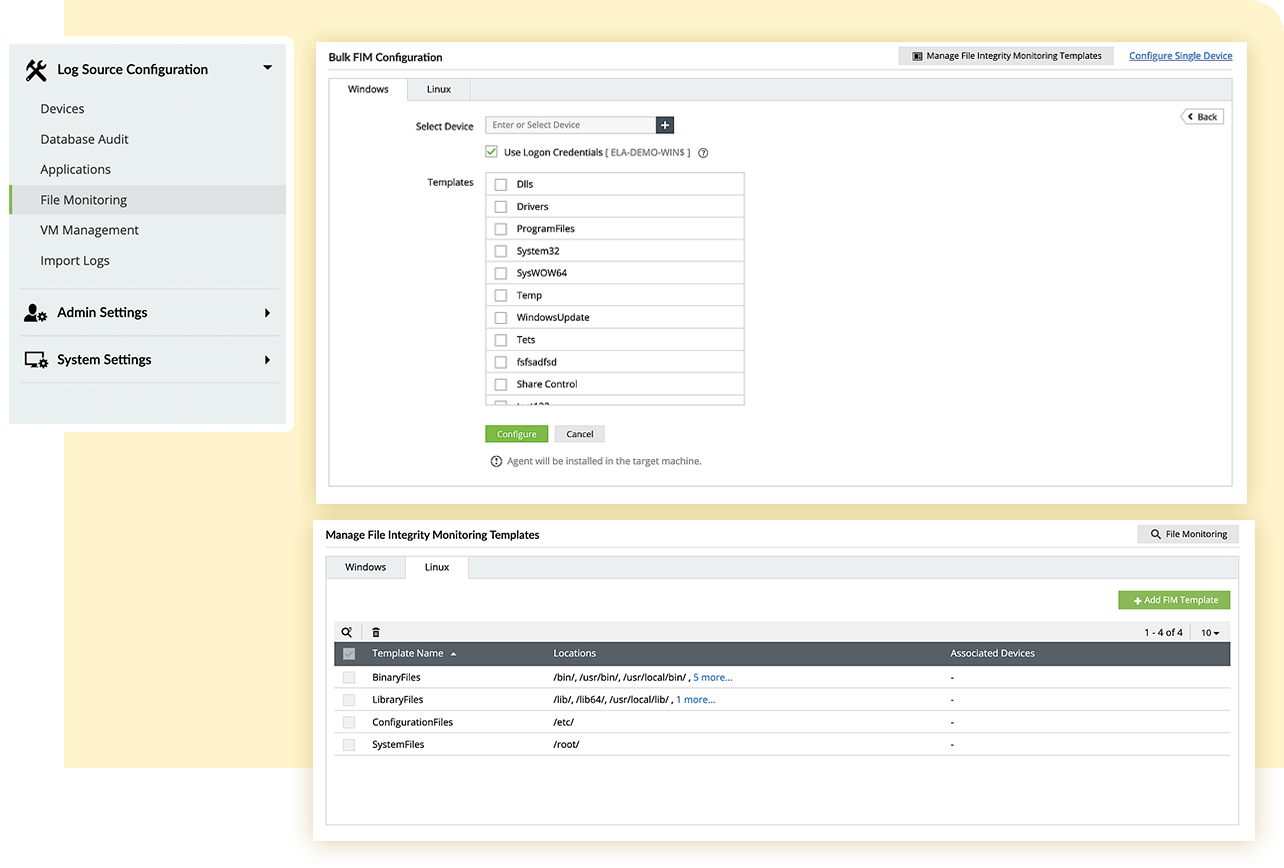
Establish control over how your files and folders are monitored with FIM templates and filters. EventLog Analyzer allows you to create templates to group file and folder locations across devices. Any modifications to the template will be reflected on all the selected devices. The filter option enables you to include or exclude specific subfolders, files, or file types.
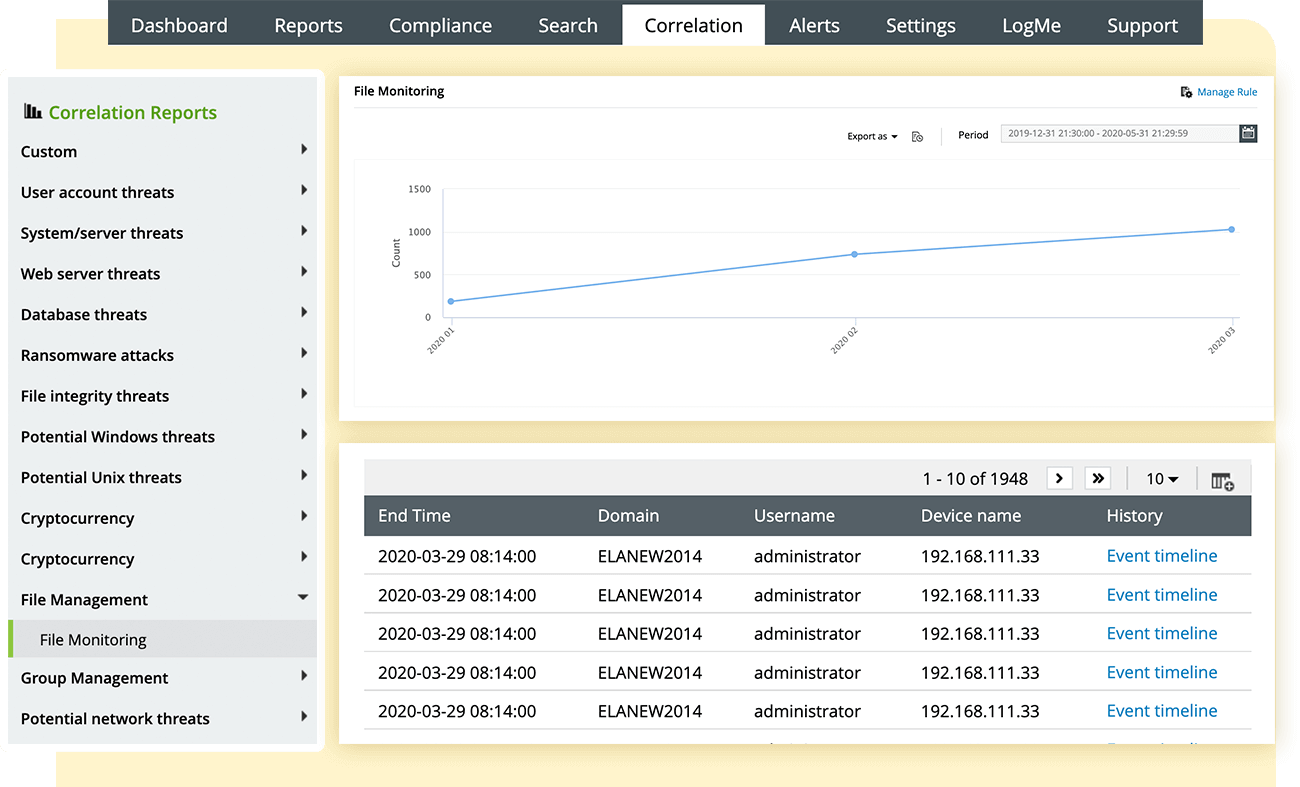
Get a complete audit trail of all the modifications to your system files. This includes executable files, folders, system configuration files, content files, zipped files, and zipped folders. EventLog Analyzer provides complete disclosure on what was modified, the user who made the change, the time it took place, and how the action was performed.
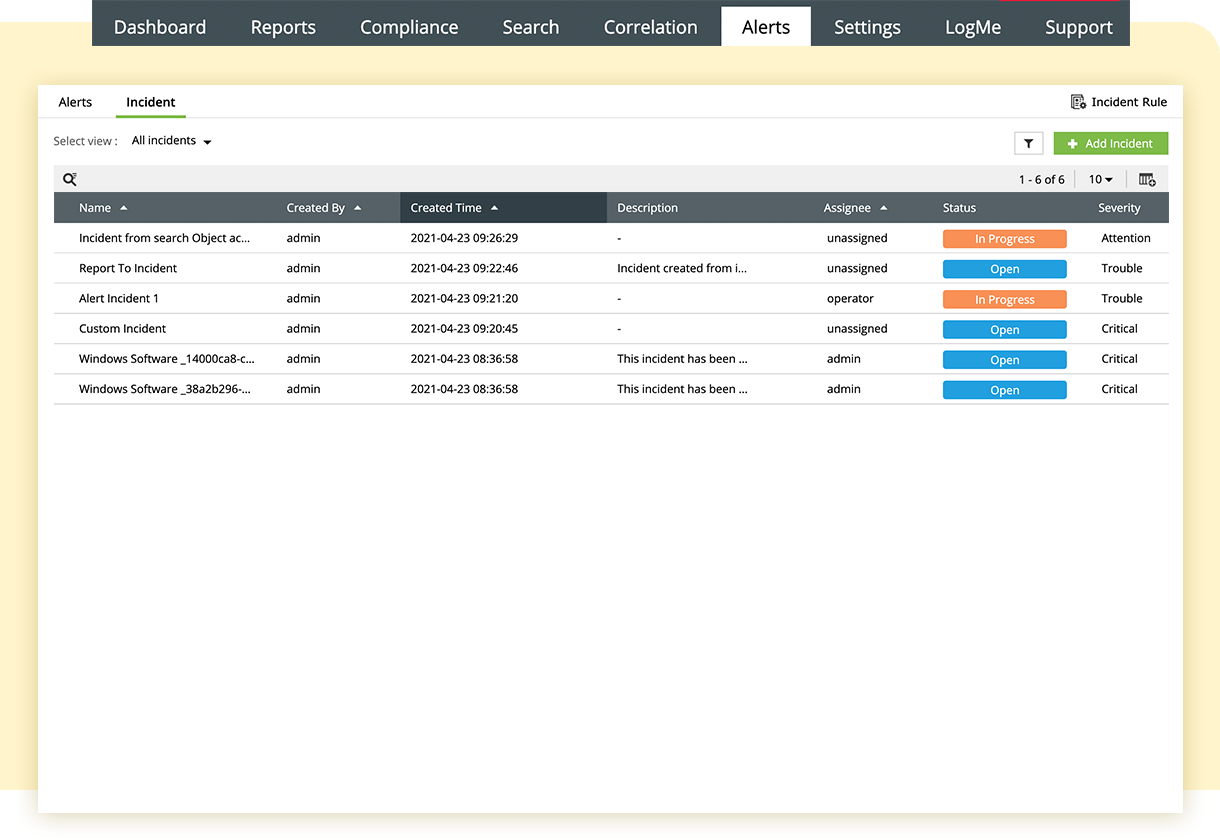
Obtain instant alerts on critical changes that take place in your files and folders. Our file access monitoring solution records when a sensitive file is created, modified, renamed, or deleted. You can also audit permission changes and failed attempts associated with any file actions. Unauthorized actions trigger alerts via SMS or email.
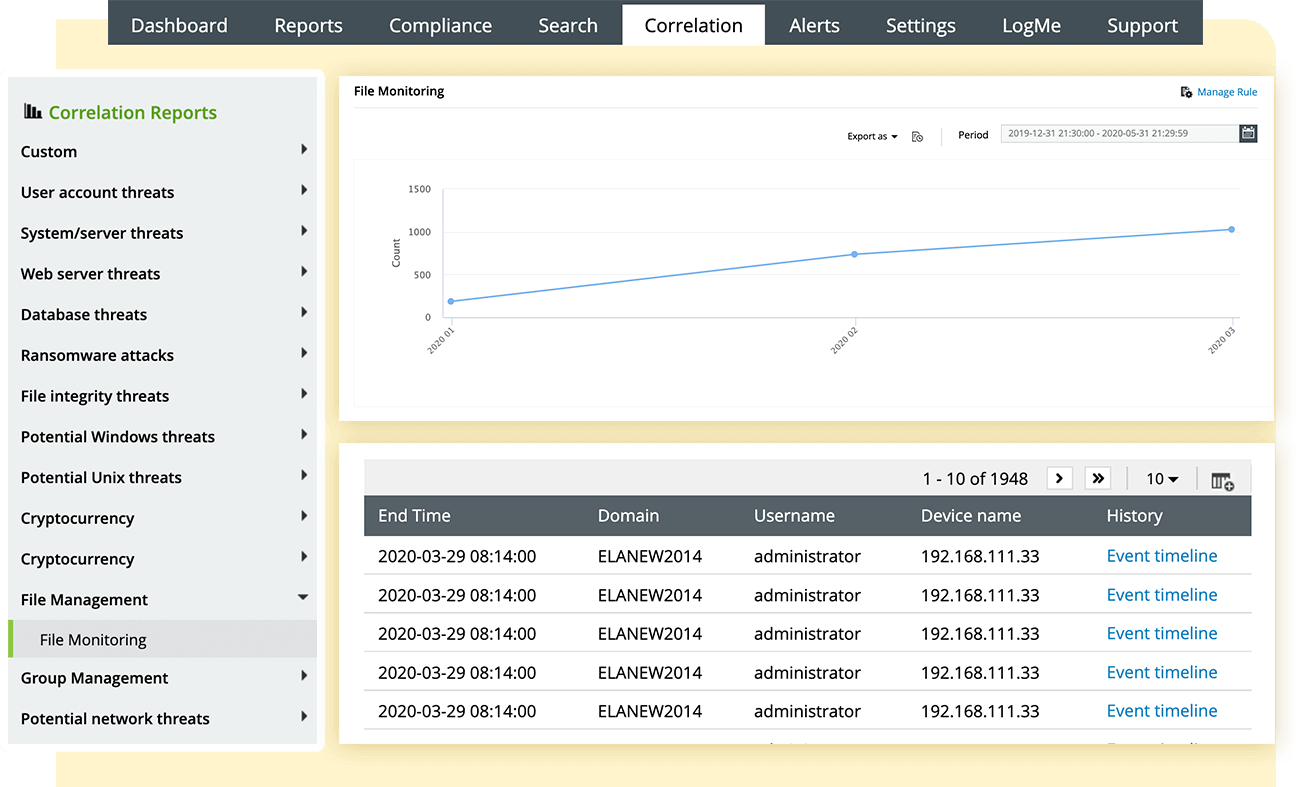
Generate in-depth reports with the precise integrity details of system files and folders. You can generate reports on file operations for all your files and folders, as mandated by compliance regulations. Our file monitoring solution also lets you schedule automatic reports at specific intervals in your preferred formats, such as PDF and CSV.
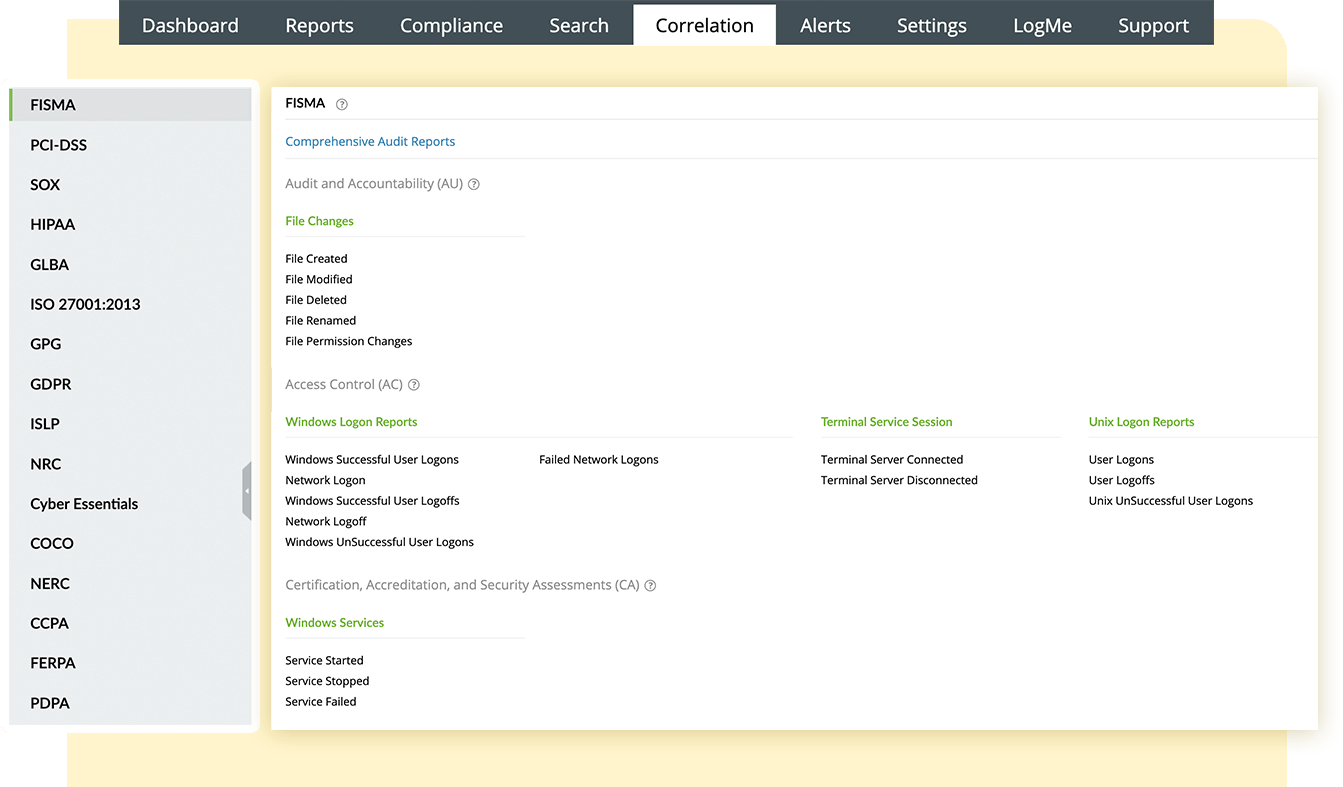
Easily meet critical compliance requirements to secure confidential information. EventLog Analyzer not only monitors sensitive files and alerts you about compliance violations in the network, but it also provides out-of-the-box compliance reports for prominent mandates, like the PCI DSS, SOX, HIPAA, and FISMA.
Easily meet critical compliance requirements to secure confidential information. EventLog Analyzer not only monitors sensitive files and alerts you about compliance violations in the network, but it also provides out-of-the-box compliance reports for prominent mandates, like the PCI DSS, SOX, HIPAA, and FISMA.
use EventLog Analyzer's File Integrity Monitoring (FIM) capabilities and pick sensitive files or folders in your system to monitor. Once selected, EventLog Analyzer will begin real-time monitoring of events surrounding them. When unauthorized changes or suspicious activities take place in these files, the solution triggers an alert to direct your attention towards them.
simplifies management of compliance regulations with built-in compliance management and file monitoring. The solution tracks all folder activities to gain extensive information on user activity, data access, privilege abuse, and more. The readily available compliance reports in standardized format make it easy to demonstrate compliance.
A file access monitoring tool tracks the network for unusual activity that poses a security risk. If found, a real-time alert will be sent to the admin, allowing them to respond quickly to security threats. Here are the steps involved in setting up the solution to identify anomalies.
FIM protects your organization's data from unauthorized and unwanted modification, cyberthreats, and data breaches. It tracks any changes made to files and folders in real time to detect security incidents quickly and notify network administrators. When an unusual activity that poses any degree of security risk is detected, a real-time alert is sent to the relevant team or employee to improve response time.
Compliance regulations mandate organizations to protect sensitive data and nurture a secure environment. A comprehensive log management solution like EventLog Analyzer addresses both their requirements by keeping a close eye on network activities, which includes real-time monitoring of system credentials and other confidential enterprise data. It also provides out-of-the-box reports for major compliance mandates, including:
. Zoho Corporation Pvt. Ltd. All rights reserved.

Your download should begin automatically in 15 seconds. If not, click here to download manually.