Instant Messaging reports
You can monitor the activities and settings of your Skype for Business Server Instant Messaging (IM) function. Navigate to the Reports tab → Skype Server → Instant Messaging to view the reports under this category.
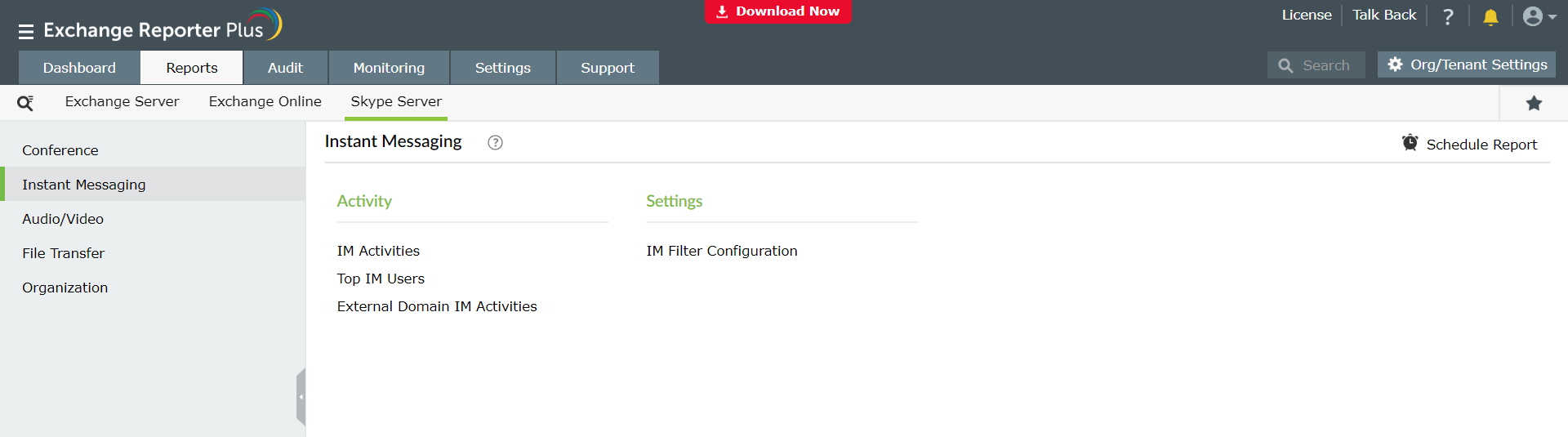
Preconfigured Instant Messaging (IM) reports
The reports available under this category are classified into two major subcategories:
Activities
- IM Activities: Shows the details of all instant messages between users.
- Top IM Users: Lists users with the highest number of IM sessions.
- External Domain IM Activities: Shows the details of all IMs with external users.
Settings
- IM Filter Configuration: Shows the IM link filters configured in Skype.