
 Live Demo
 Free Edition
 Download Now
Event ID 5016 – MS Exchange transport
| Event ID | 5016 |
| Category | MS Exchange transport. |
| Sub category | Connector issues. |
| Description | When Active Directory topology is unable to find a route to the connector in the routing table, Exchange throws this error. |
| Probable cause | Improper connector configurations. |
Event ID 5016:
The occurrence of event 5016 is an indicator that while trying to connect to a specific connector for mail transfer, Active Directory couldn’t find a route to that connector in the routing table. The connector shall never be used due to this reason. So it is prudent to keep a check on the status of all the connectors in Exchange. Exchange Reporter Plus helps you do that easily.
Why opt for Exchange Reporter Plus?
Exchange Reporter Plus is a reporting, monitoring and change auditing tool for Exchange servers, Exchange Online and Skype for Business servers. This tool offers pre-configured reports on connectors in your Exchange organization. It offers reports for both Exchange server and Exchange Online.
Steps to audit all connector activities:
- Go to the Audit tab on the top pane.
- Navigate to Exchange Server > Advanced Audit > Admin Audit Log
- Choose the Send and Receive Connector Changes report.
- Select the period and type of view for report generation.
Note: Navigate to Exchange Online > Connector > Connector Changes report(for Exchange Online report).
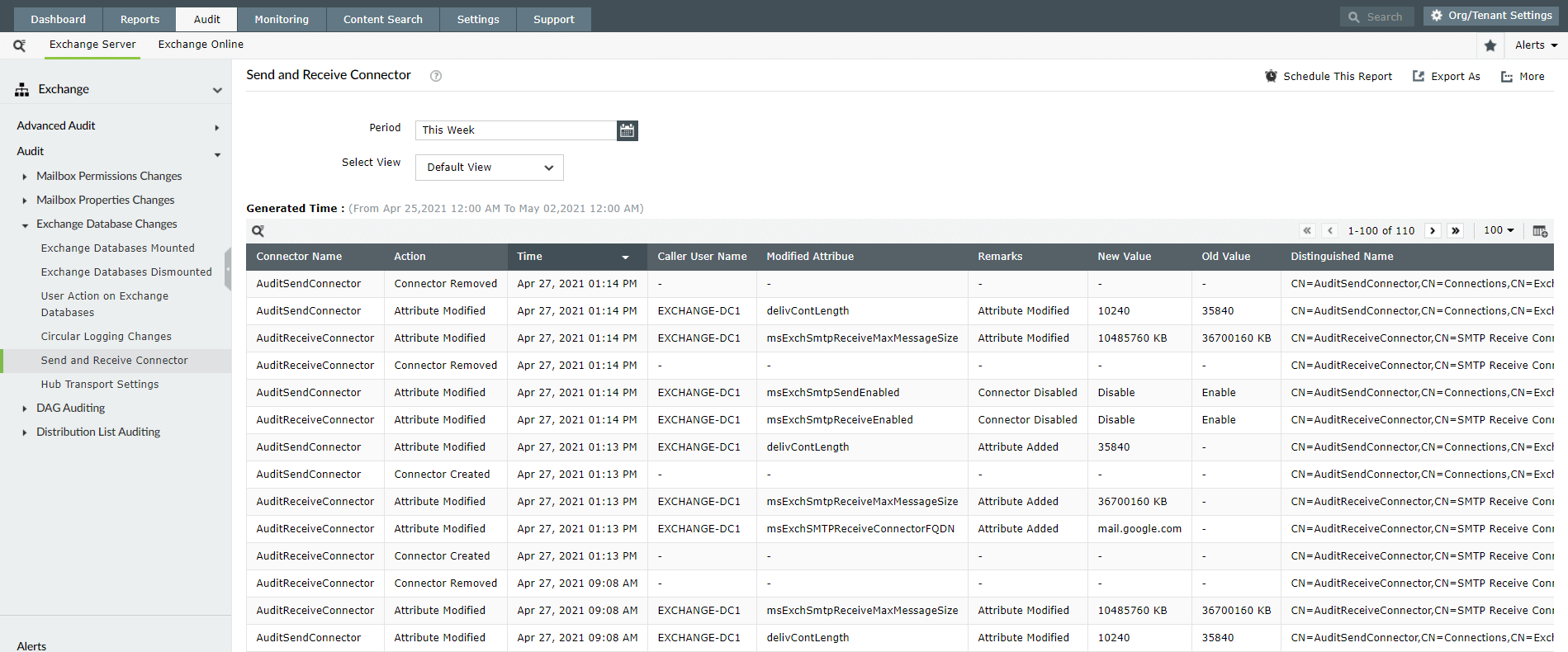
You can schedule these reports to get regular updates on the connector status and also export reports in four formats: HTML, CSV, PDF and XLS. You can add or remove columns from the report and customize them as you require. Exchange Reporter Plus also offers advanced filter options for the reports.
Thank you.
Thank you for registering with ManageEngine.
Stay informed about Exchange with Exchange Reporter Plus
- Related Products
- ADManager Plus Active Directory Management & Reporting
- ADAudit Plus Hybrid AD, cloud, and file auditing and security
- ADSelfService Plus Identity security with MFA, SSO, and SSPR
- EventLog Analyzer Real-time Log Analysis & Reporting
- M365 Manager Plus Microsoft 365 Management & Reporting Tool
- M365 Security Plus Microsoft 365 Auditing and Alerting
- RecoveryManager Plus Enterprise backup and recovery tool
- SharePoint Manager Plus SharePoint Reporting and Auditing
- DataSecurity Plus File server auditing & data discovery
- AD360 Integrated Identity & Access Management
- Log360 Comprehensive SIEM and UEBA
- AD Free Tools Active Directory FREE Tools