Free Edition
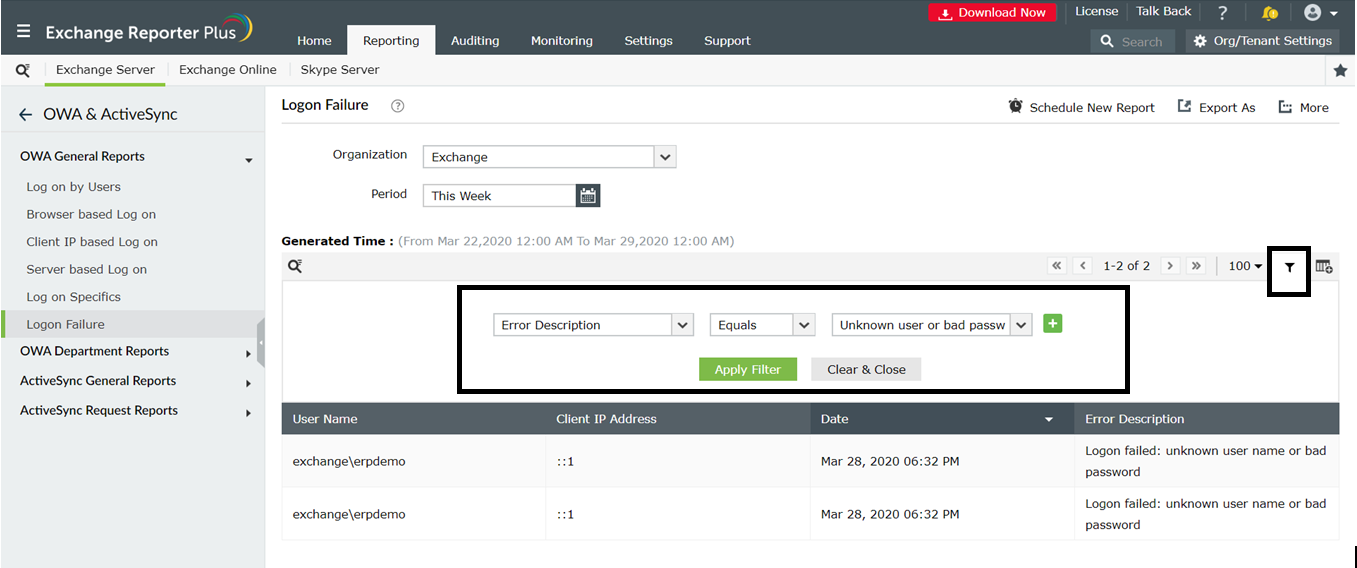
It is prudent to monitor and track all user logon activities in Outlook Web access (OWA). With increasing cases of information theft and security breaches, you must have in place proper tracking and monitoring tools for user logons and other related activities. Failed logons are generally an important indicator or initial sign of a possible malicious attack. Exchange Reporter Plus offers a detailed report on logon failures with information about the clientIP, browser information, date, time and type of errors because of which the logon failed, and more.
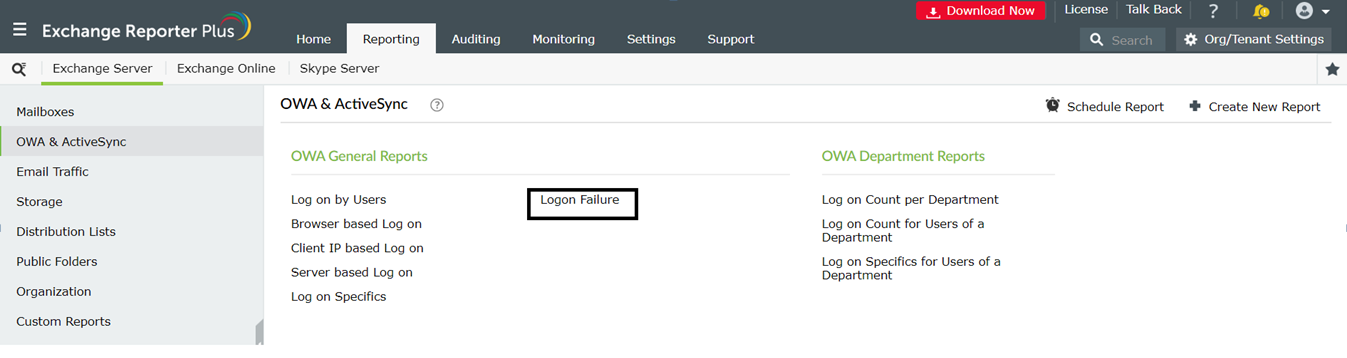
Follow the steps given below to generate the logon failure report:
Exchange Reporter Plus offers various built-in reports that give information on OWA user logons based on users, browsers, client IP, and more. This section elaborates the steps to generate such OWA reports. For illustration purpose, let's take Log on Specifics and failed logonreports. Follow the steps given below to generate this report.
Follow the steps given below to schedule the Logon Failure report to be automatically sent to your email IDs. You can thereby get email alerts for failed OWA logons in Exchange.
You can also use the filters available to scrutinize and customize the report generated as per your need. The OWA logon failures can be filtered based on error description, domain, server, routing group and administrative group. All you have to do in choose a suitable filter category enter the criteria and click on the Apply filter button. You can use the Export As option on the top-right corner to export this report to PDF, CSV, XLS and HTML formats.
To learn more about how Exchange Reporter Plus simplifies your Exchange Server, Online and Skype for Business server operations, click here .
Fill this form, and we'll contact you rightaway.
Our technical support team will get in touch with you at the earliest."