Free Edition
OWA is the web-based client application through which users can access their emails, calendars, contacts and all the other contents of their Exchange mailboxes. Often, users experience OWA logon errors and this could be due to various reasons. You might want to troubleshoot and fix this issue as soon as possible as they would affect the user's productivity.
This page discusses the questions you might ask before starting to troubleshoot and list all the possible reasons for logon error that helps you to spot the right reason and fix the issue instantly. Troubleshooting involves listing all possible reasons for an error, landing on the correct source of error and fixing it to save useful work hours.
For effective troubleshooting of OWA logon errors in Exchange Server, here are a few information you should know and confirm:
Exchange Reporter Plus, a comprehensive web-based Exchange reporting, auditing and monitoring tool offers exclusive reports on OWA logons that helps you troubleshoot errors. It is made possible by creating a task in the tool to fetch IIS logs from the Exchange Server using which OWA activities are tracked. It gives information about the failed logons and their respective error descriptions that act as a report for future references. You can look into the commonly occurring errors and have them fixed instantly.
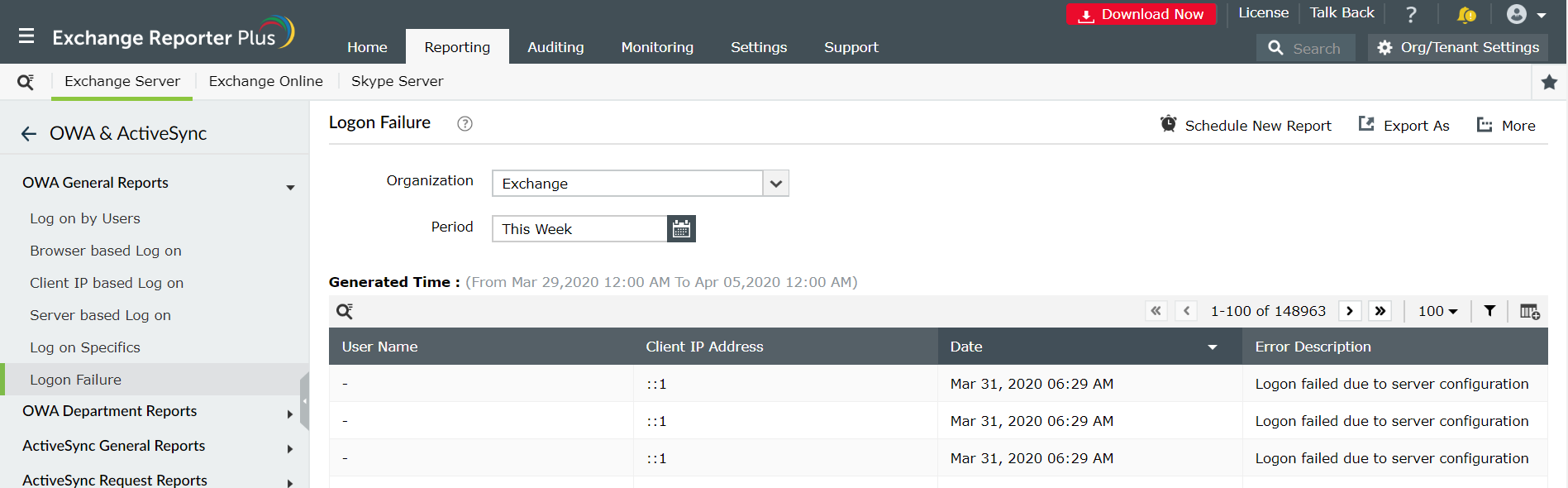
For any OWA logs related issues arising in Exchange Reporter Plus, refer to this document which guides you through various troubleshooting processes.
Fill this form, and we'll contact you rightaway.
Our technical support team will get in touch with you at the earliest."