MSSQL Server - Surface Area Configuration
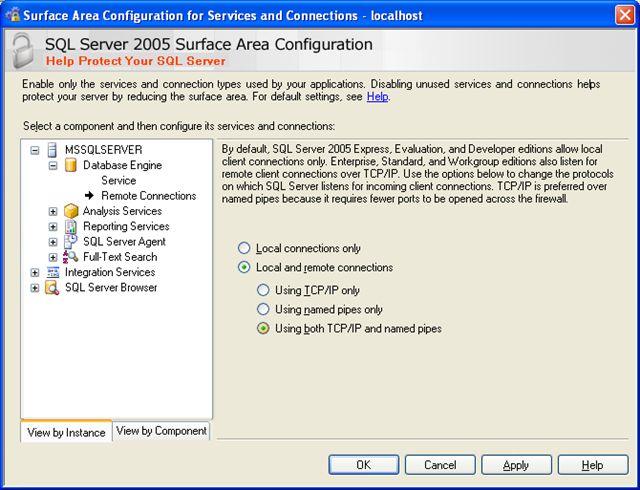
Carry out the procedure given below to enable the option Using both TCP/IP and named pipes in Remote Connections. This configuration is applicable for SQL Server 2005 & above.
- In the SQL Server 2005 Surface Area Configuration configuration screen, select MSSQLSERVER > Database Engine > Remote Connections component on the left side of the configuration screen.
- Select the Local and remote connections > Using both TCP/IP and named pipes option on the right side of the screen.
Refer the screen shot given below.