Firewall Analyzer - Inventory - Interfaces
The Interfaces tab shows the interfaces that have generated traffic via the added firewall device. By default, the interfaces are listed in table view, click on the view menu to change to list view. The interfaces can also be searched for using the search menu.
Click on the required interface and Edit Interface link.
- Edit interface: The uplink and downlink speed of the selected interface can be edited.
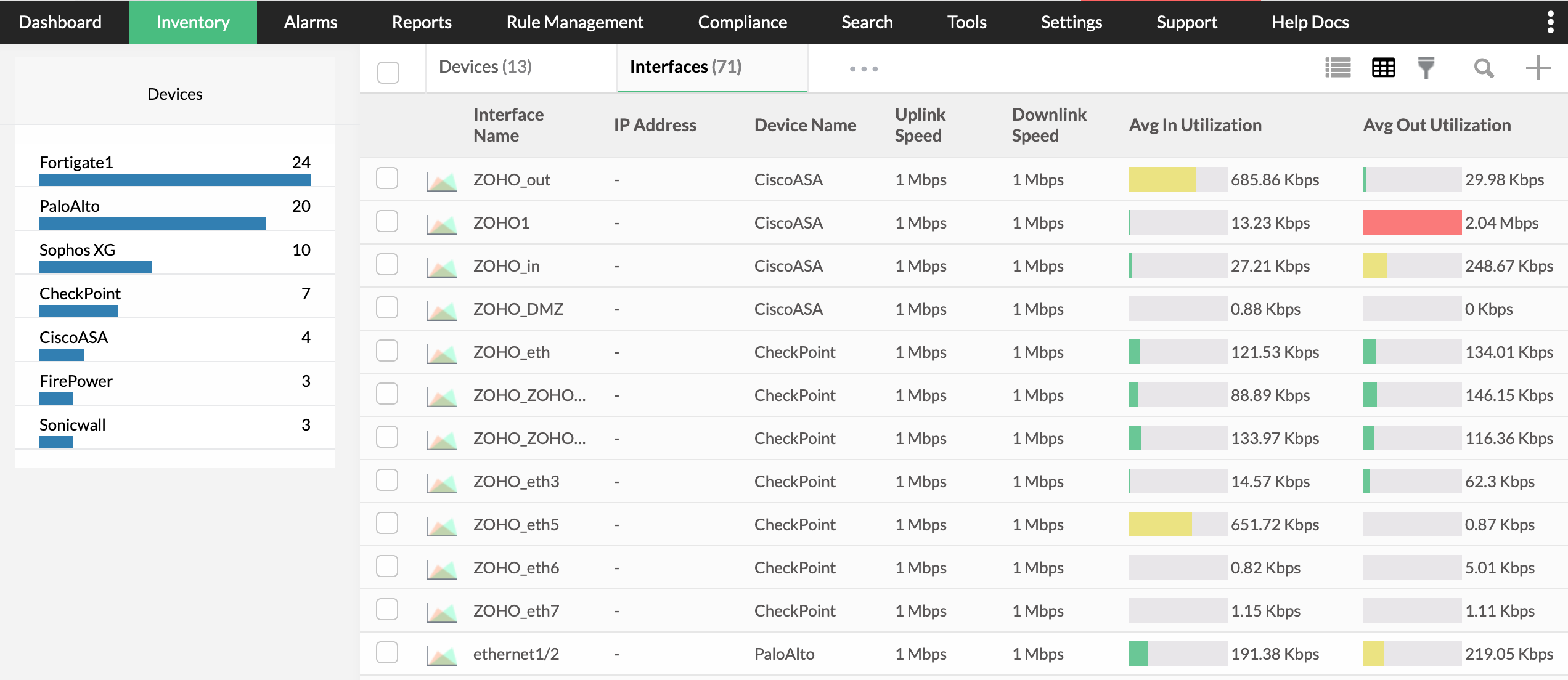
The following data is shown in the interfaces tab
| Interface Name | Name of the interface. |
| IP Address | The IP address in which the Interface is configured. |
| Device Name | The name of the device |
| Uplink Speed | The Uplink speed of the Interface. |
| Downlink Speed | The downlink speed of the Interface. |
| Avg In Utilizaton | The amount of data that comes into the Interface. |
| Avg Out Utilizaton | The amount of data that goes out of the Interface. |
On clicking on any one of the interface, a short summary for that live traffic is shown.
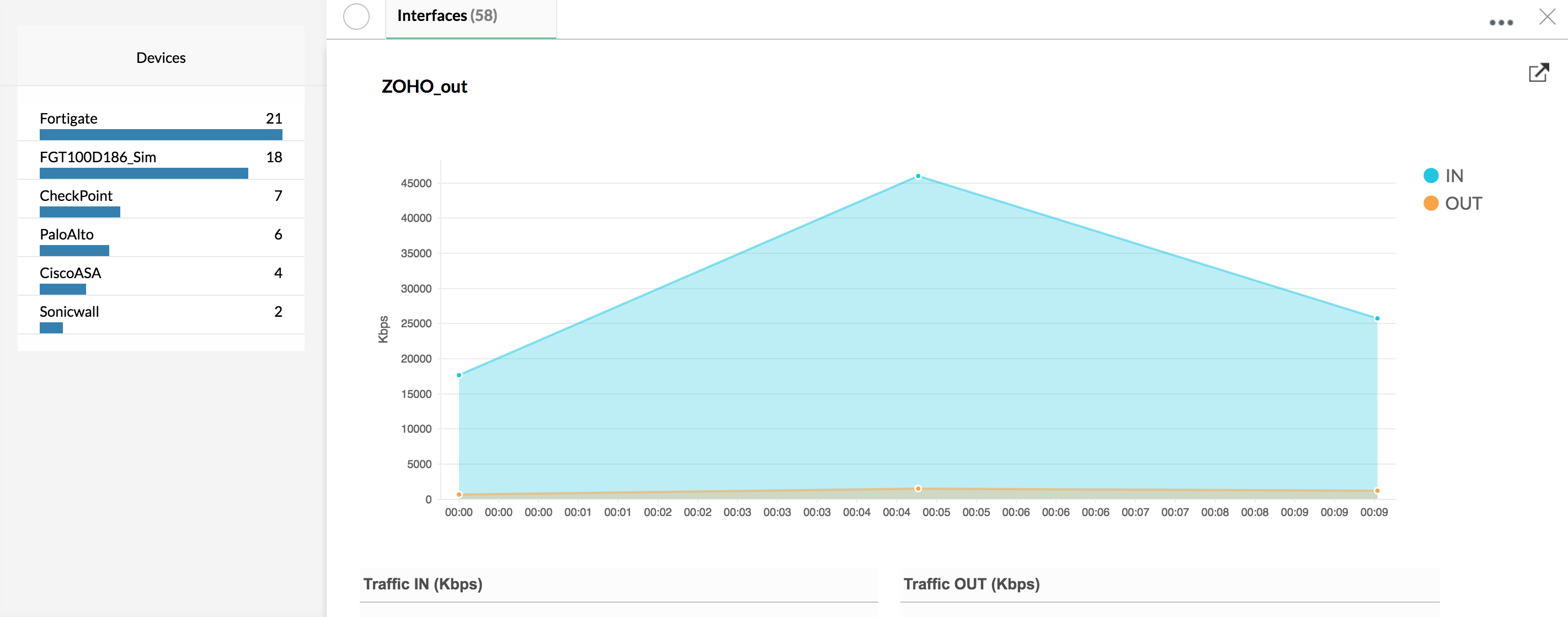
The short summary gives details on the traffic going through that interface, both Traffic In and Traffic Out.On clicking on the maximize button, the complete traffic conversation of the interface can be viewed.