
Run Program Notification Template


    You can configure Firewall Analyzer to execute a script or a command in the event of an alarm.

    • To create an Notification Template that runs a program when triggered, go to Settings > Others > Notification Template.
    • Select Add and choose Run Program.
    • Give the template a name.
    • In the Command Name field, specify the name of the program to be executed with the absolute path. Example C:profilestestprogram.bat.

    Note: Security advisory: When this Run Program Profile is triggered by test action or by an alarm, the configured command will be executed. The command will be executed as such from OpManager/bin directory and that will be similar to executing a command line from command prompt (CMD). So, it is the responsibility of the user to verify the integrity of the command before configuring the profile to prevent a security threat or vulnerability issue.
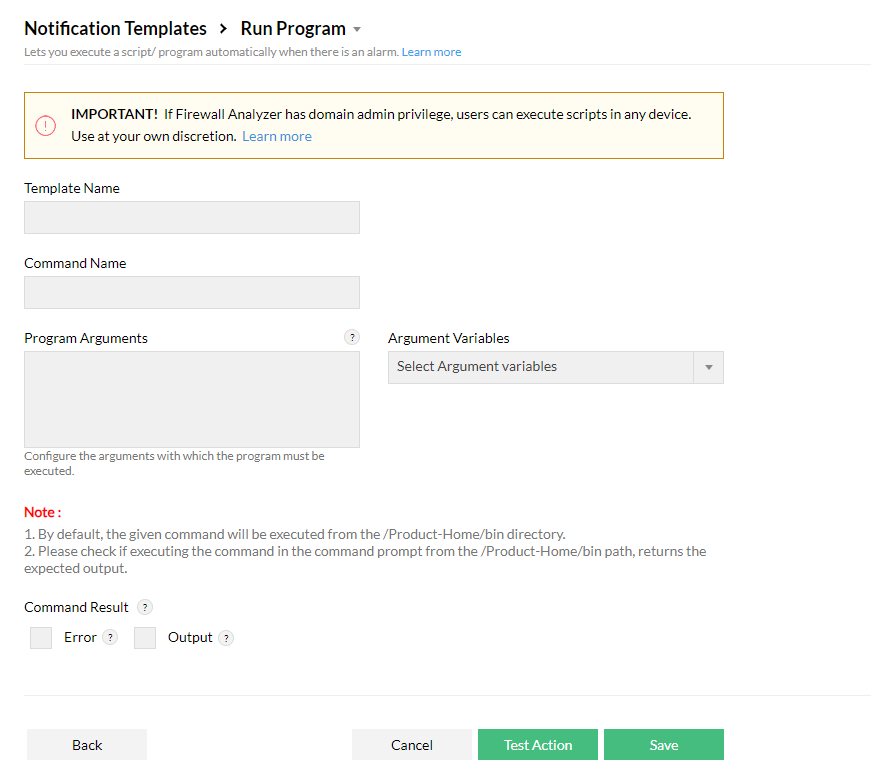
    • If the program requires some arguments, specify the Program Arguments.
    • Click Test Action to test the program or Save to save the template.

    Firewall-Analyzer-run-program-Notification-template

    Thank you for your feedback!

    Was this content helpful?

    We are sorry. Help us improve this page.

    How can we improve this page?
    Do you need assistance with this topic?
    By clicking "Submit", you agree to processing of personal data according to the Privacy Policy.