Action Log Viewer
Action Log viewer
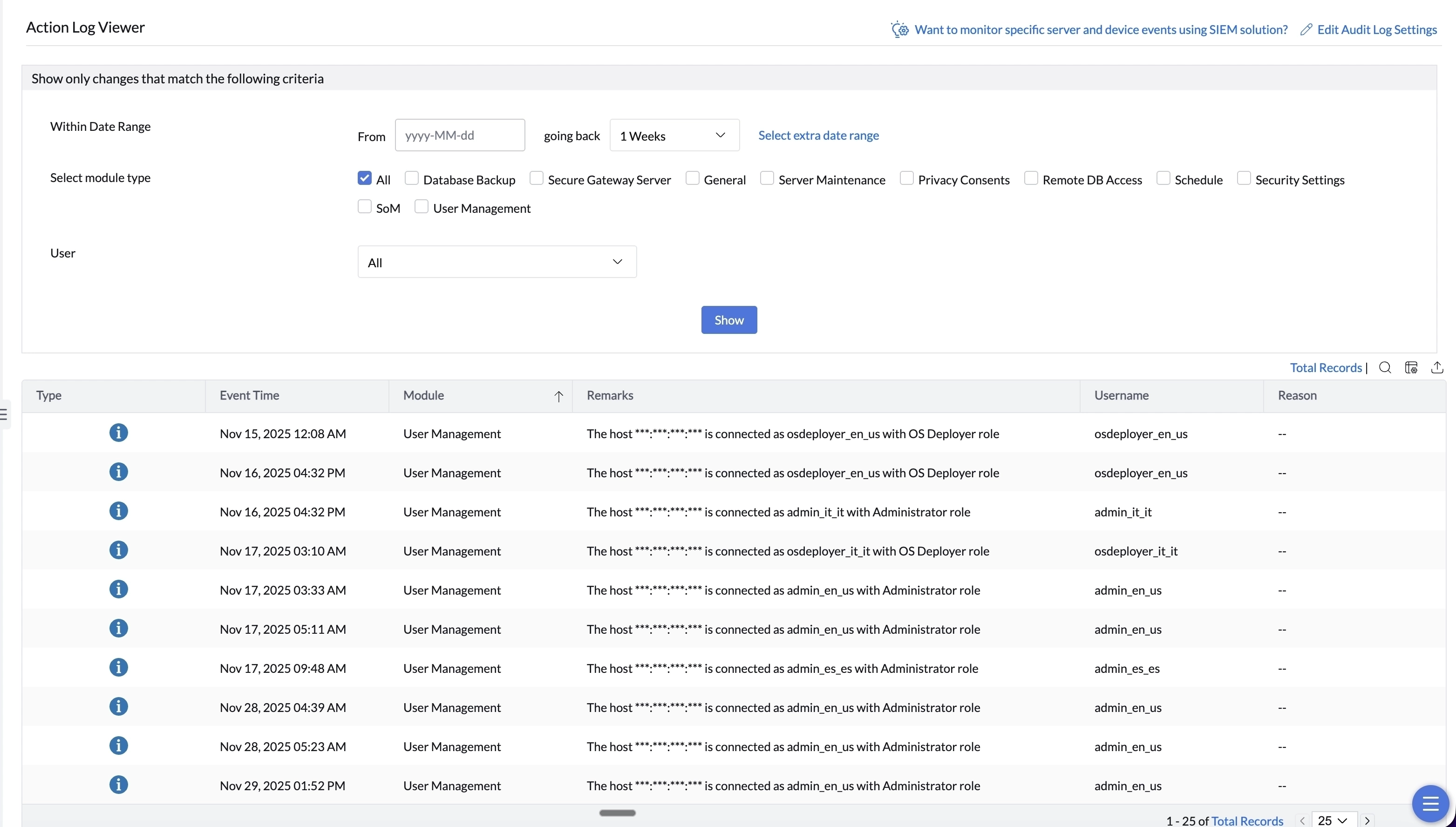
With the inclusion of role-based administration, it is more likely that different users will have different access levels in Central Server application. It is very important for the administrator to review the changes done by all the users periodically and ensure that everything is smooth. The Action Log Viewer logs every action performed by all the users along with date and time.
Configure Action Log Viewer:
The admin can filter the data into user-wise and module-wise for easier analysis. Here's how:
- The first step is to choose the Date Range. This date range is customizable.
- The next step is to choose the necessary modules. Modules can be filtered based on your needs. If you want to view the logs for all the modules, enable the checkbox for All.
- The last step is to choose the users. All the Central Server users will be listed in drop down. If you want to view the event logs for all users, select All from the drop down.
The logs will be maintained for specific number of days. The maximum number of days in 750. You can configure the action log settings by:
- Login to Central Server.
- Navigate to Admin -> Audit -> Action Log Viewer .
- Click on Edit Action Log Settings in the top-right corner.
Host Name Collection
This feature is not applicable for Cloud
The name of the device that is used to access the Central Server Console can also be tracked for auditing purposes. This can be done by configuring Central Server's Action log viewer. To enable this feature:
- Login to the Central Server Console.
- Navigate to Admin-> Audit -> Action Log Viewer.
- Click on Edit Action Log Settings.
- Toggle the collect host name button.
Alerts
Navigating to Admin -> Audit - >Alerts will display a list of Central Server alerts. It is determined by the alerts you have configured throughout the product at various locations. You can filter the alerts based on various parameters such as date range, module type, alert type and alert level.
To know more about alerts, click here.