Security and Privacy
The Security and Privacy tab lets you protect sensitive files and control the usage data that ADSelfService Plus shares. Use it to password-protect exported reports and database backup files, and to choose whether the product sends anonymous usage statistics to ManageEngine.
Configuration instructions
- Navigate to Admin > Product Settings > Security and Privacy.
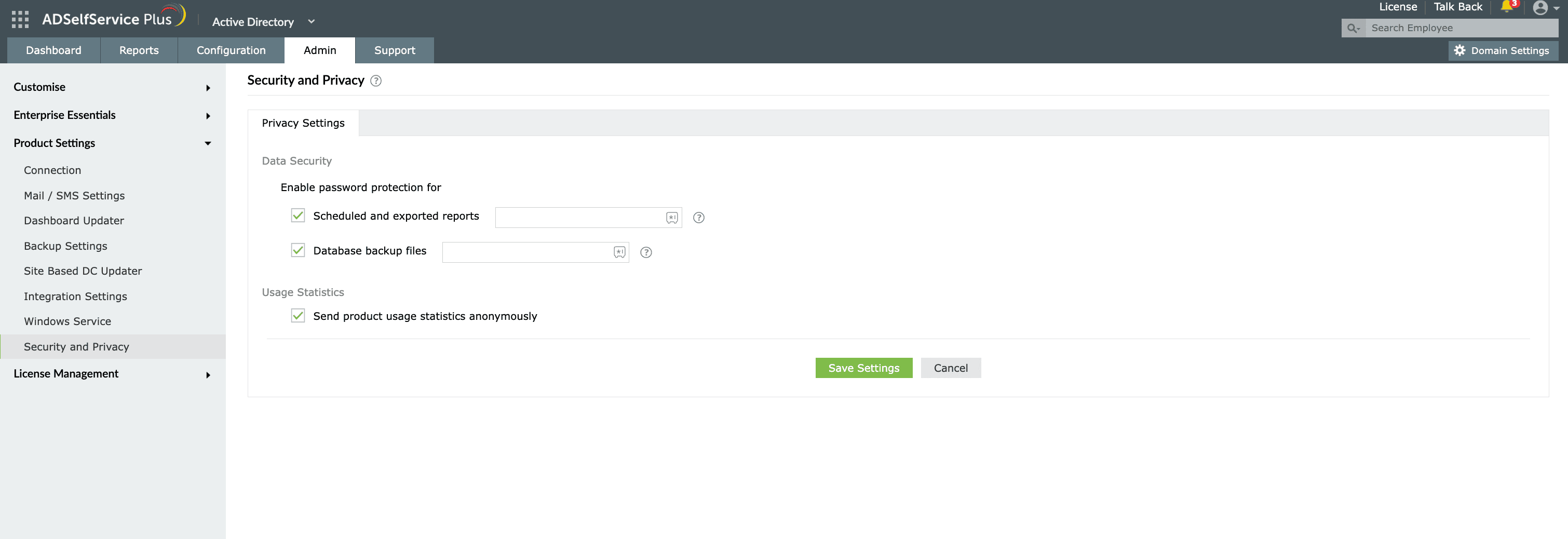
Fig.1: Security and Privacy Settings tab in ADSelfService Plus.
- Password-protect reports and backups
- Under Data Security, select the Scheduled and exported reports checkbox.
- In the password field next to it, enter a password.
- Select the Database backup files checkbox.
- In the password field next to it, enter a password.
- Click Save Settings
| Note: By default, the password for database backup (ZIP) files is the reverse of the filename. Setting a password here overwrites that default. |
|---|
Password requirements
Each password must:
- Be 8–16 characters long
- Include at least one uppercase letter
- Include at least one lowercase letter
- Include at least one number
- Include at least two special characters
- Not repeat any character more than twice in a row
- Not be a palindrome
- Not contain Unicode characters
| Important: Native File Explorer (formerly Windows Explorer) cannot open password-protected exported reports or database backup files. For File Explorer compatibility when unzipping these files, contact support@adselfserviceplus.com. |
|---|
- Manage usage statistics
- Under Usage Statistics, select Send product usage statistics anonymously to share anonymous usage data with ManageEngine.
Tips
- Enable password protection for scheduled and exported reports when those reports contain directory data and are emailed or stored outside the ADSelfService Plus server.
- Store the password you set in a secure location, because protected reports and backup files cannot be opened without it.