- User Attempts Audit
Report - Identity Verification
Failures - Soon-to-expire Password Users Report
- Password Expired Users Report
User Attempts Audit Report
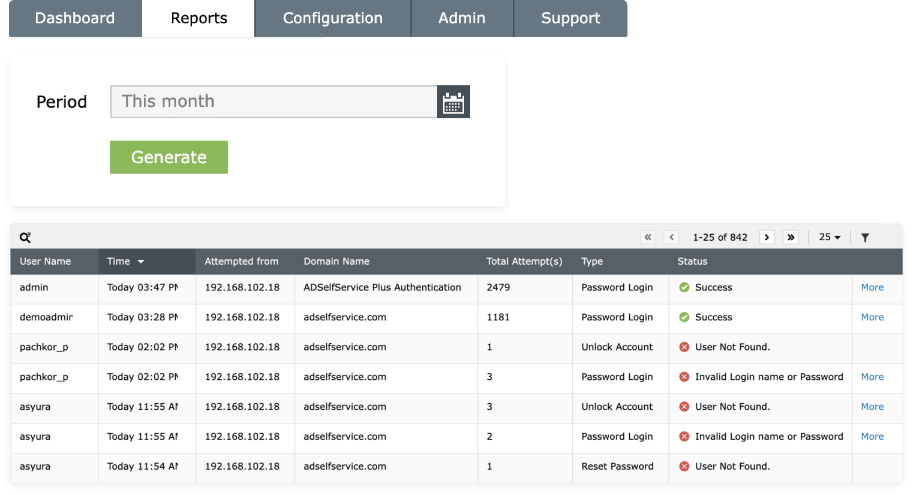
This report helps to determine why a user's account was locked out by providing details on:
- The number of attempts a user makes to log in to the ADSelfService Plus self-service portal using their Active Directory password.
- The date and time of the login attempts.
- The status of the login attempts.
- The machine and IP address from which the attempts originated.
Identity Verification Failures
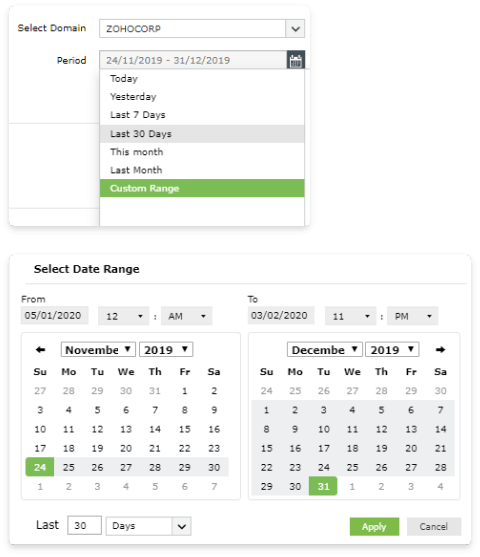
This screen provides details on:
- The number of unsuccessful attempts made by users while proving their identities.
- Users who have been locked out repeatedly within a fixed duration and subsequently blocked. Admins can unlock a user from the same report screen if needed.
Admins can view the above report for a default or custom duration.
Soon-to-expire Password Users Report
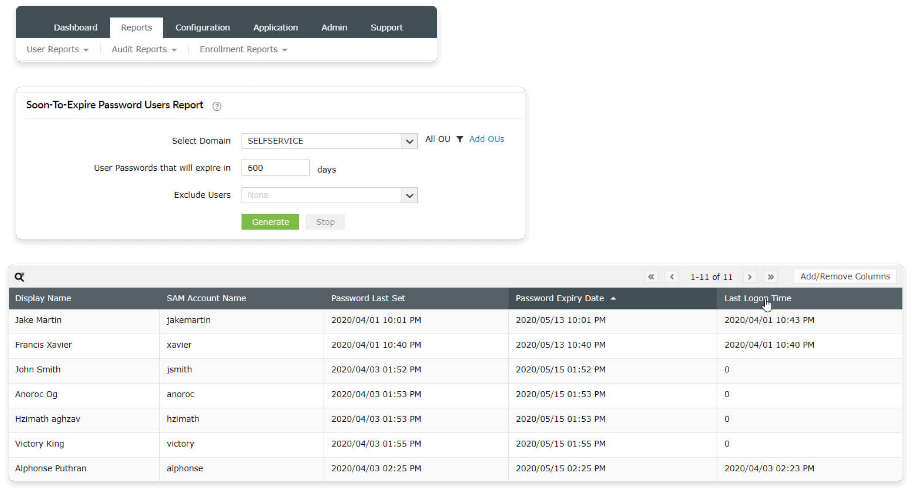
This report audits the following details:
- The display name and SAM account name of each Active Directory user with a soon-to-expire password.
- The date on which their current password was set.
- The date on which their current password will expire.
Password Expired Users Report
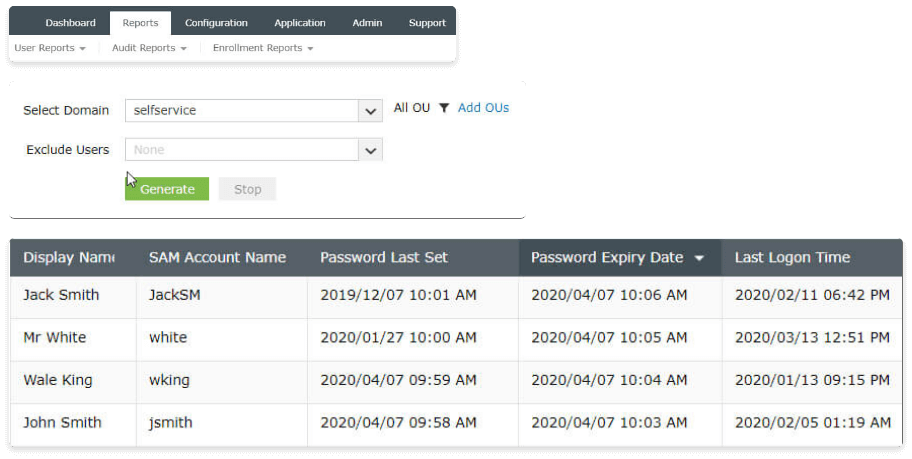
This report audits:
- The display name and SAM account name of each Active Directory user with an expired password.
- The date on which their expired password was set.
- The date on which their password expired.
Enforce strong password policies with ADSelfService Plus
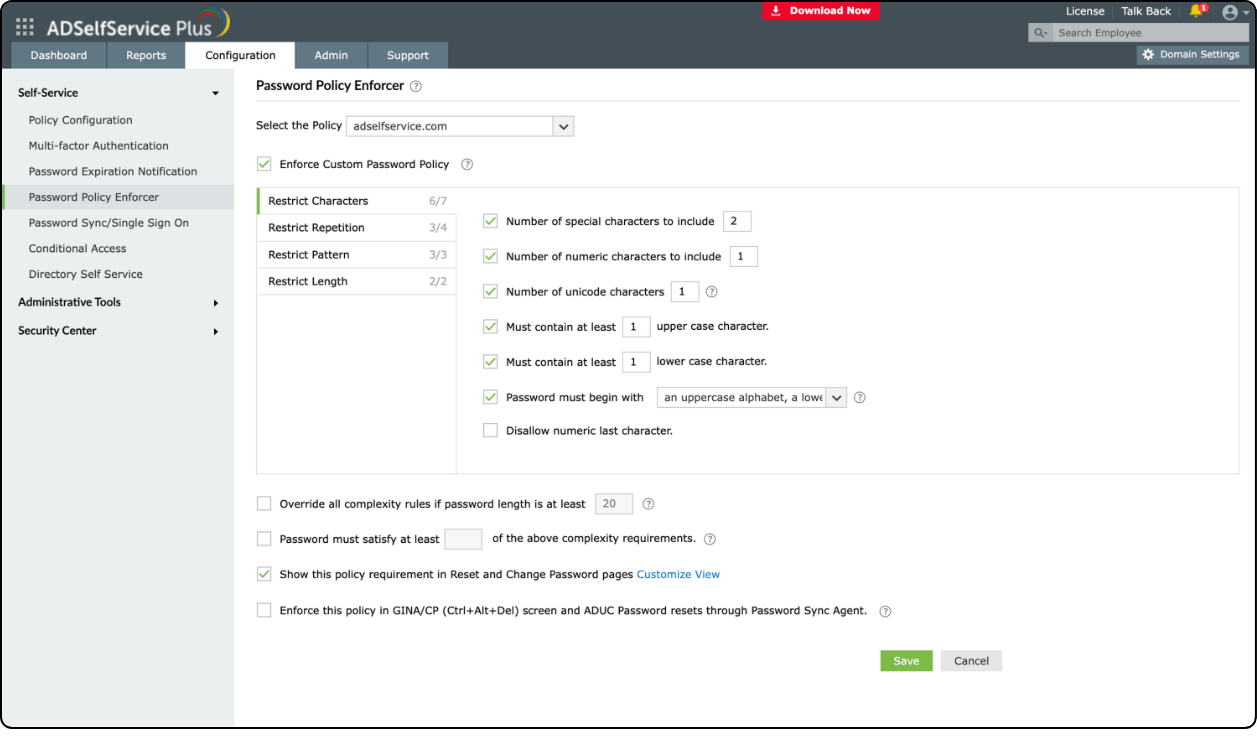
ADSelfService Plus offers the Password Policy Enforcer to help your users create tough and complex passwords during password resets and changes across their Active Directory domain and cloud application accounts. As an admin, you can create and enforce multiple custom password policies based on users’ organizational units or group memberships.
With ADSelfService Plus, you can:
- Restrict the number of special characters, numbers, and Unicode characters allowed in passwords.
- Enforce a password history check during password resets, and restrict the consecutive repetition of characters from the username (e.g. “Thomas123”).
- Restrict keyboard sequences, dictionary words, and palindromes.
- Specify the minimum and maximum password length.
- Offer visual feedback on a user's password strength during password resets and password changes.
Eliminate weak passwords using password audits and strong password policies
Get your free trialThank you for downloading!
Your download should begin automatically in 15 seconds. If not, click here to download manually.