Two-Factor
Authentication (2FA)
for Active Directory

Instantly secure your entire AD environment with 2FA that integrates seamlessly without disrupting your existing infrastructure.

  • Stop password-based attacks that bypass traditional security measures.
  • Satisfy compliance requirements instantly (SOX, HIPAA, PCI-DSS, ISO 27001).
  • Supports 20 authentication methods, including tokens and biometrics.
Download Now   Book a Free Demo  

*Fully functional 30-day free trial. No credit card required.

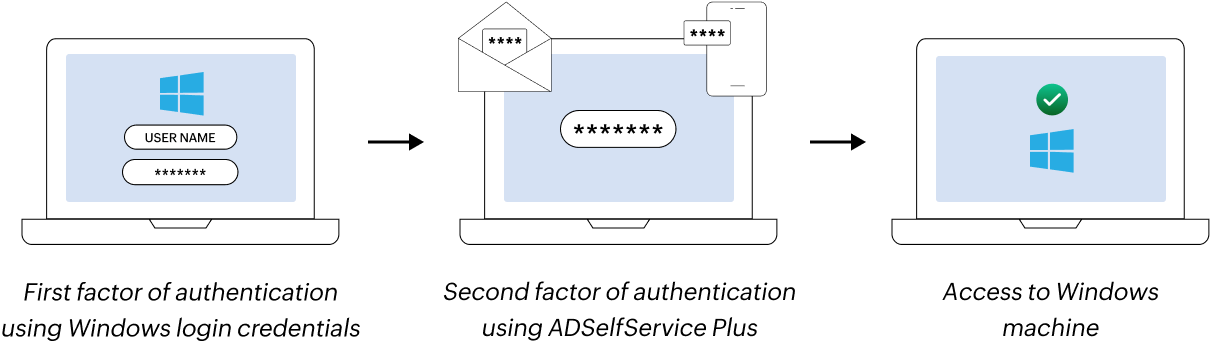
Multi-Factor Authentication (MFA) for Windows Login

ADSelfService Plus is trusted by organizations worldwide

 
Why windows login MFA
WHY

2FA for Active Directory?

  • Over 80% of breaches involve compromised credentials. Traditional passwords are insufficient against sophisticated cyberattacks like phishing and credential stuffing.
  • Microsoft Security Signals Report 2024 indicates that accounts with Active Directory two factor authentication are 99.9% less likely to be compromised than those relying solely on passwords.
  • Active Directory 2FA has become a baseline security requirement, not optional, for protecting enterprise identity management systems.

How does ADSelfService Plus 2FA secure AD?

  • Prevents unauthorized access: Active Directory two factor authentication makes stolen credentials useless by requiring a second authentication factor beyond passwords.
  • Protects critical resources: Secures endpoints, servers, VPN gateways, email services, and Active Directory 2FA-integrated applications safeguarding business data.
  • Adaptive security: Risk-based policies enforce stricter authentication for high-risk scenarios like remote access, privileged accounts, or suspicious locations.
How ADSelfService Plus secures Windows logins
  • ADSelfService Plus delivers comprehensive Active Directory 2FA across Windows, macOS, and Linux systems.
  • Active Directory two factor authentication integrates seamlessly with existing AD systems.

Active Directory two factor authentication capabilities


Comprehensive coverage

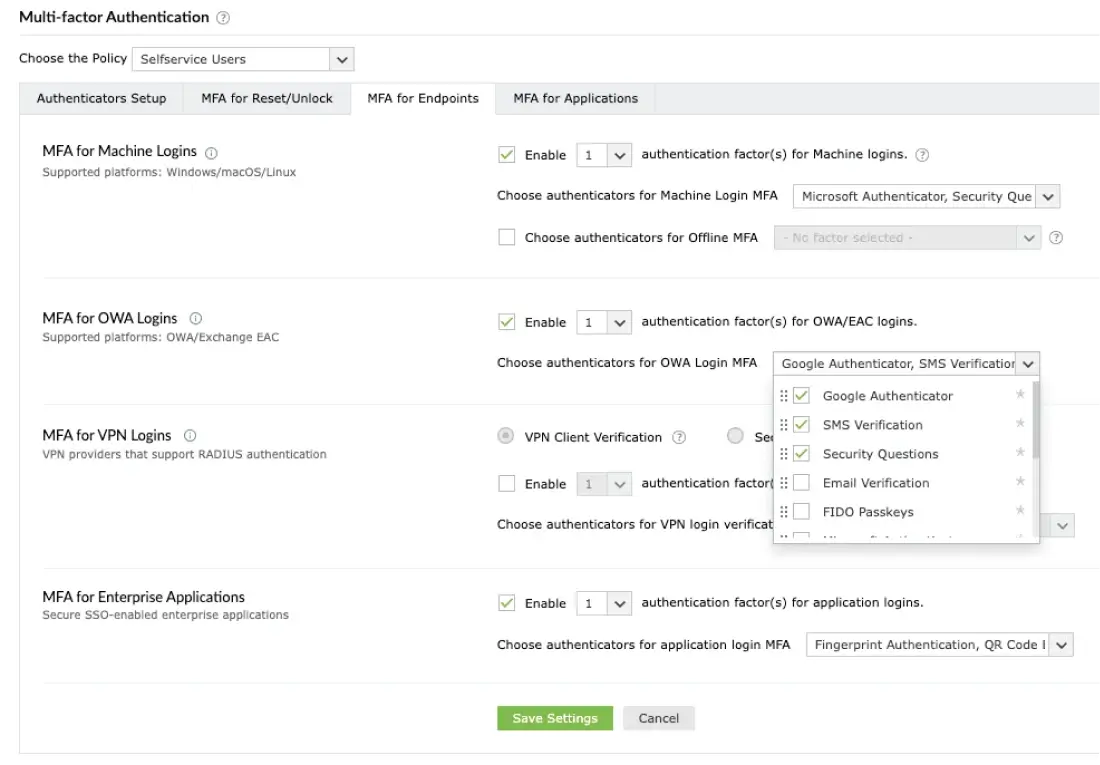
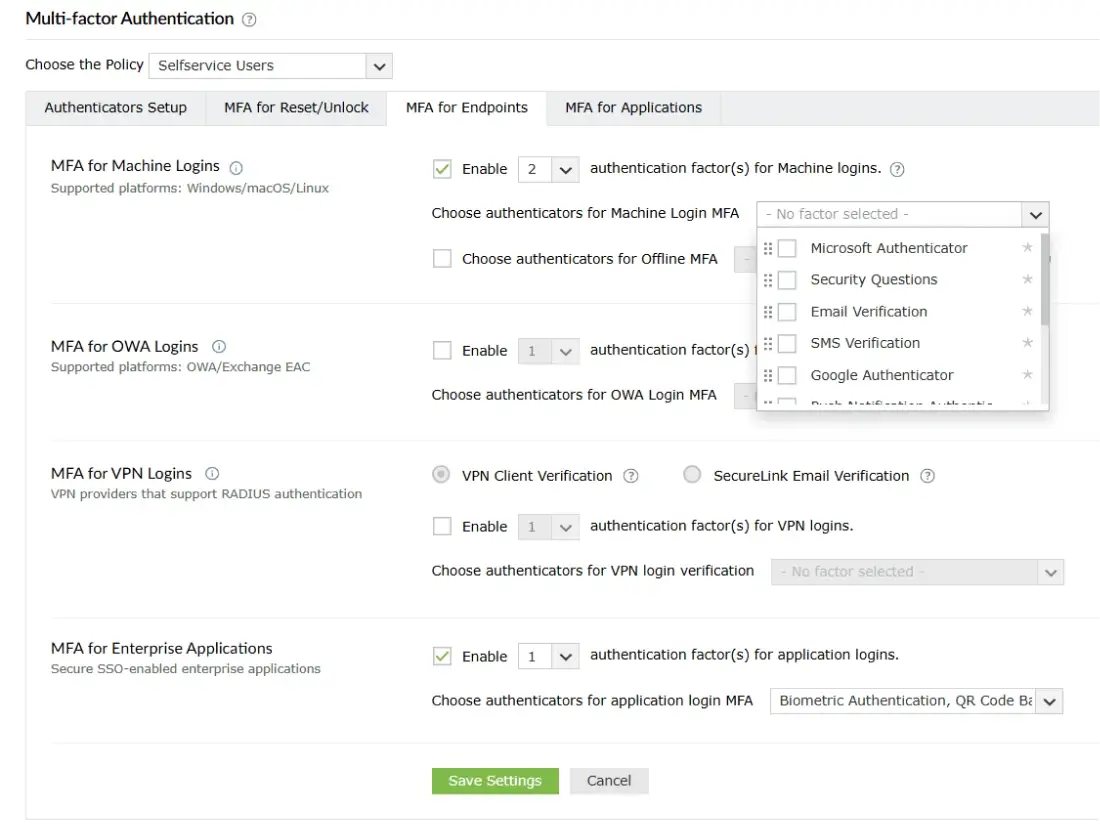
Enforce Active Directory two-factor authentication across Windows, macOS, and Linux logins, VPNs, OWA, RDP, password resets, SSO, and remote access.


Centralized policy management

Set granular Active Directory 2FA policies by user groups, with conditional access based on location, device, risk level, or time.


Flexible enrollment policies

Define how users enroll with ADSelfService Plus—automatically, on-demand, or during first login. Enforce mandatory enrollment for certain user groups while keeping it optional for others.


Compliance and audit

Detailed audit logs and reports support regulatory compliance requirements including the GDPR, HIPAA, and NIST standards.
How to setup Active Directory two-factor authentication (2FA)

Schedule Demo   Get Quote  
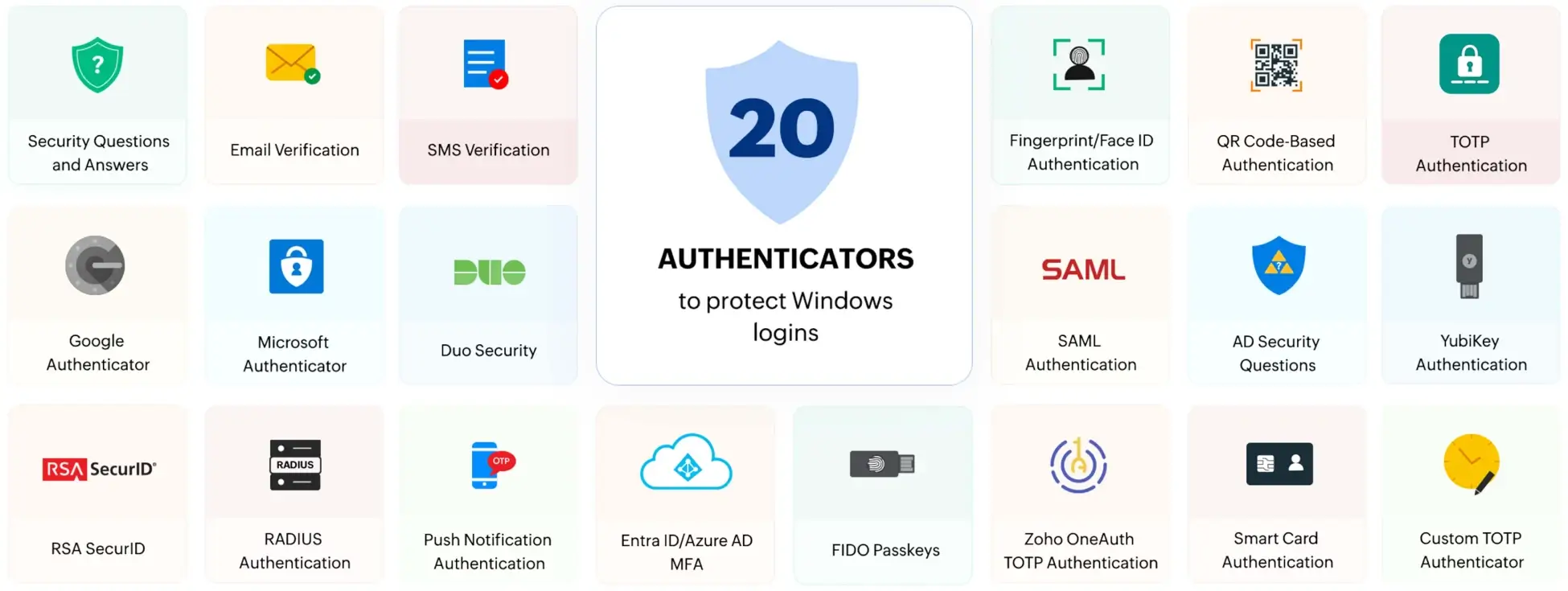
Email Verification Security Questions and Answers SMS Verification Microsoft Authenticator Google Authenticator Duo Security RSA SecurID RADIUS Authentication Push Notification Authentication
 

authenticators that ADSelfService Plus
supports to protect logins

Entra ID/Azure ADMFA FIDO Passkeys
QR Code-Based Authentication Fingerprint/Face ID Authentication TOTP Authentication AD Security Questions SAML Authentication YubiKey Authentication Zoho OneAuth TOTP Authentication Smart Card Authentication Custom TOTP Authenticator
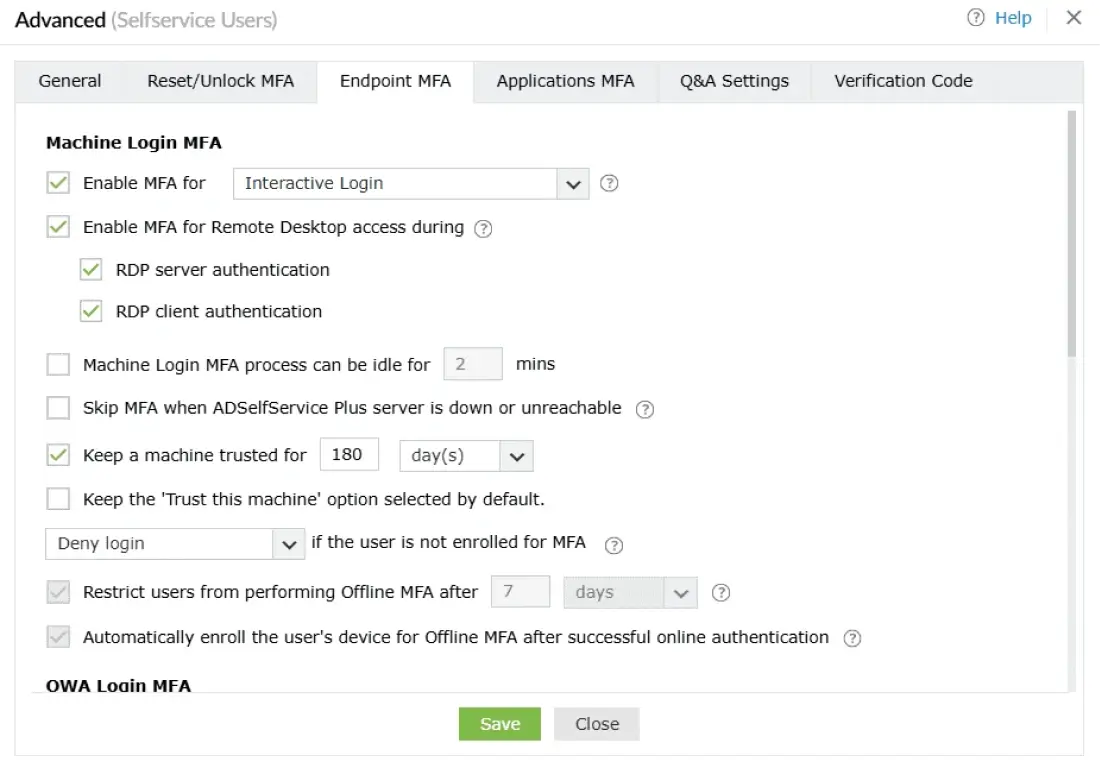
How to setup MFA for Windows login

MFA on all
connection types

  • MFA for Windows RDP & RD Gateway

    Apply MFA when users initiate RDP sessions to prevent lateral movement across the network.

    Learn more  
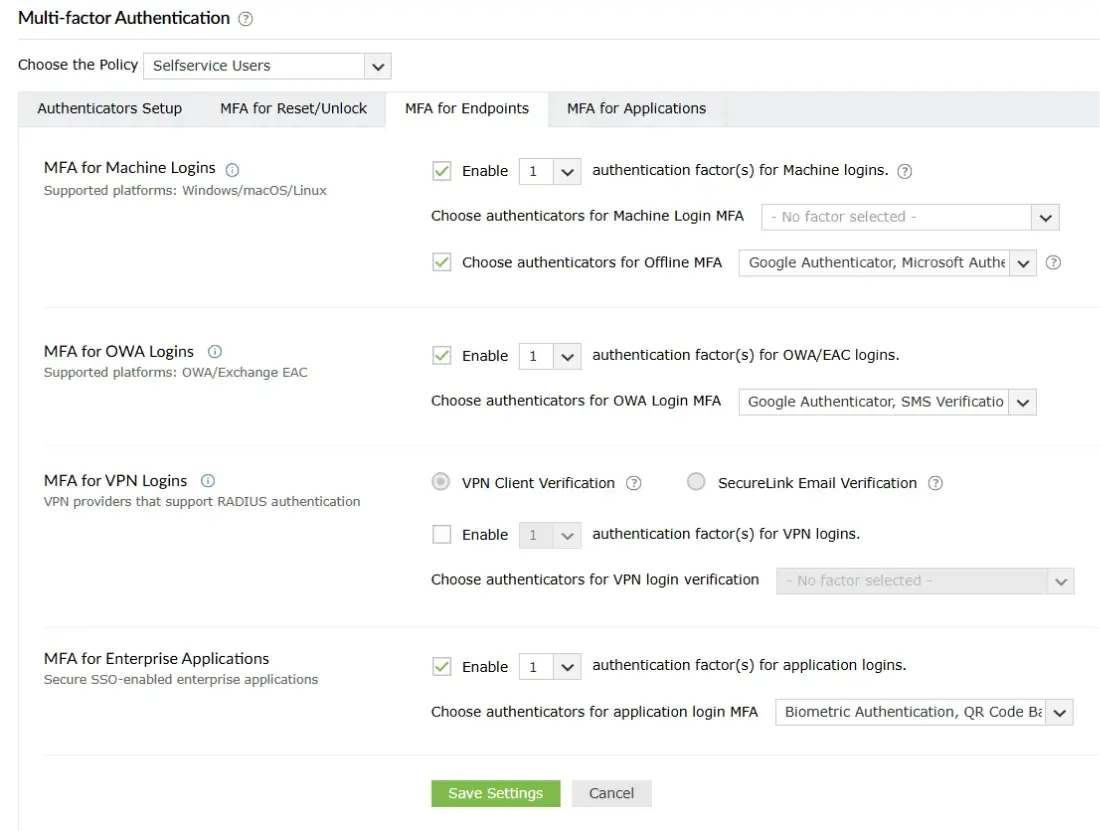
  • MFA for OWA logins

    Secure Outlook Web App and Exchange logins with MFA to protect email access.

    Learn more  
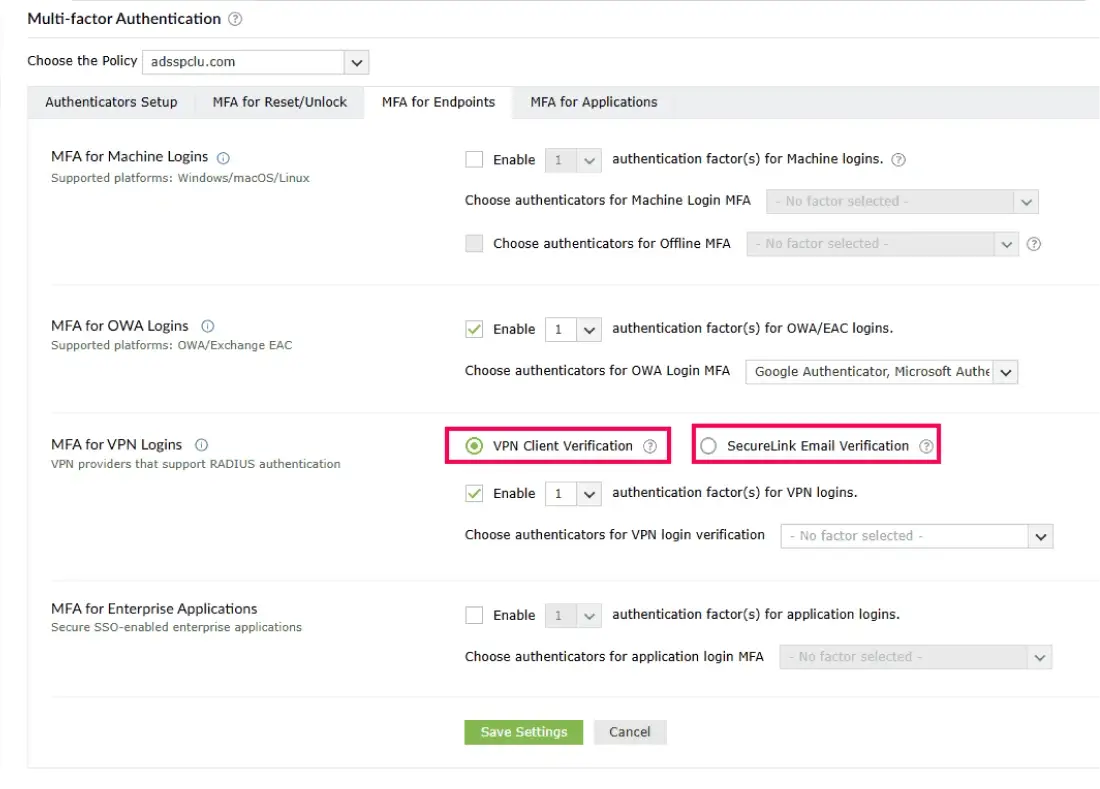
  • MFA for VPN Logins

    Add MFA to VPN logins by integrating with VPN clients like Cisco AnyConnect, Fortinet, and Palo Alto.

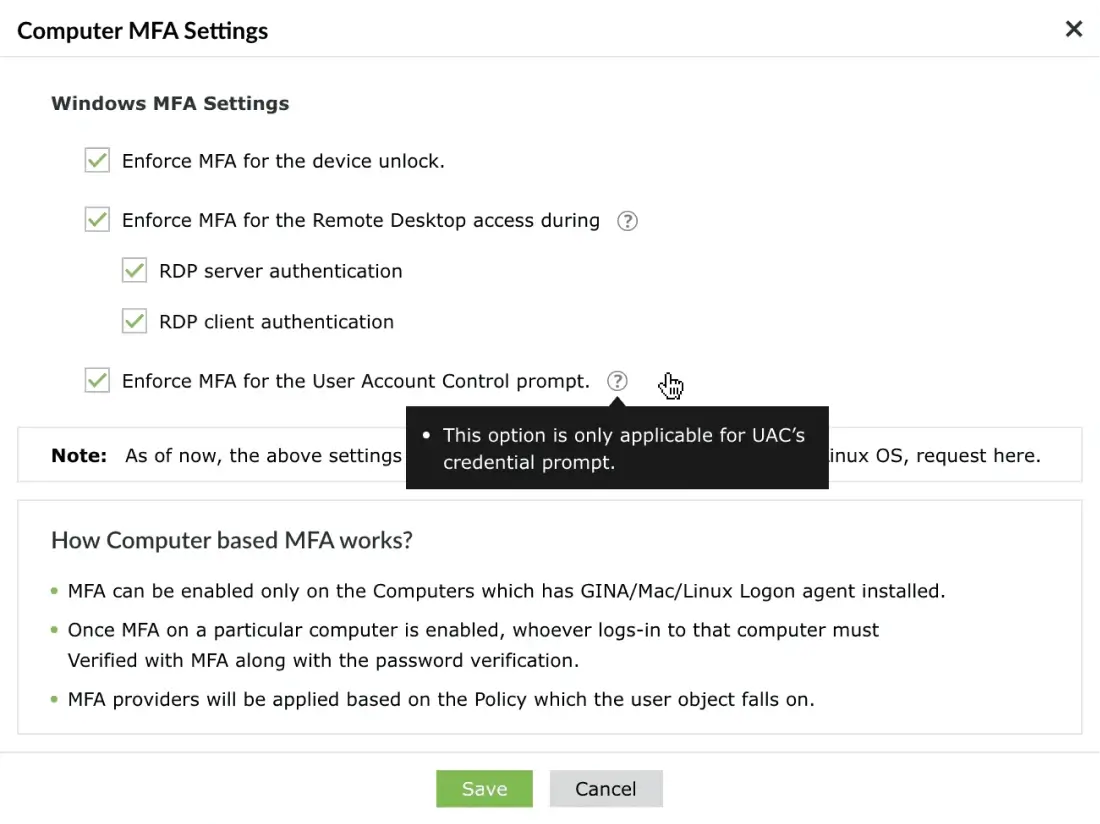
  • MFA for Windows UAC

    Prompt users for MFA during User Account Control elevation to secure privileged actions.

  • Windows server MFA

    Enforce MFA during local and remote Windows server logins to prevent administrator account takeover.

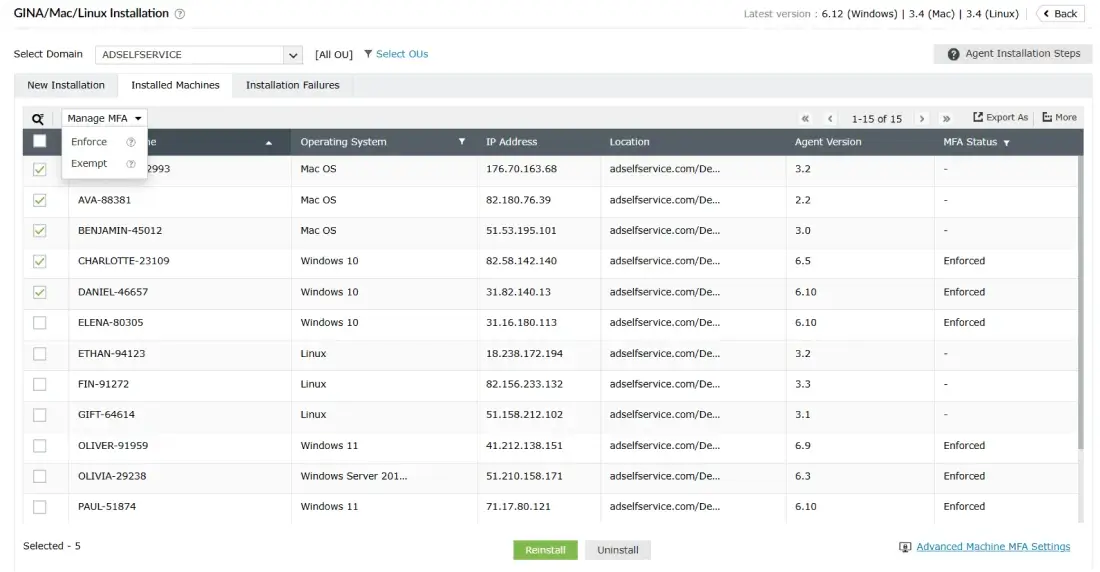
  • Machine-centric Windows MFA

    Enforce MFA at the machine level so that any user logging in must complete MFA, regardless of their account privilege or job role.

  • MFA for Windows offline logins

    Enforce MFA even when machines are disconnected from the internet or domain network.
ADSelfService Plus has
helped us become
Self-sufficient as users

  • I have used ManageEngine products before and was confident in getting a good working product. The deployment was simple and clean, and the instructions were clear. The technical support provided was prompt and helpful.
     
    Victor Palkaninec,
    IT Support Engineer, Time4Learning
  • Users have embraced the new system, and requests for password resets have almost vanished. Users are more aware their passwords are due to expire.
     
    David Earnshaw,
    IT operations, Cormar Carpets
Ratings

Still wondering what smarter security for Active Directory looks like? You’re just one step away.

Start free trial   Schedule Demo