AD password sync with Microsoft 365 and Azure
Remembering passwords for multiple accounts is a burden for users. But, as admins, you can save your users and yourselves the trouble of remembering and resetting passwords, by unifying passwords across accounts.
ADSelfService Plus offers automatic password sync, which lets you synchronize AD passwords with Azure AD, Microsoft 365 (formerly known as Office 365), and other enterprise applications. Users can log in to their Azure AD and Microsoft 365 accounts using their on-premises AD password.
Microsoft 365 password sync with other enterprise applications
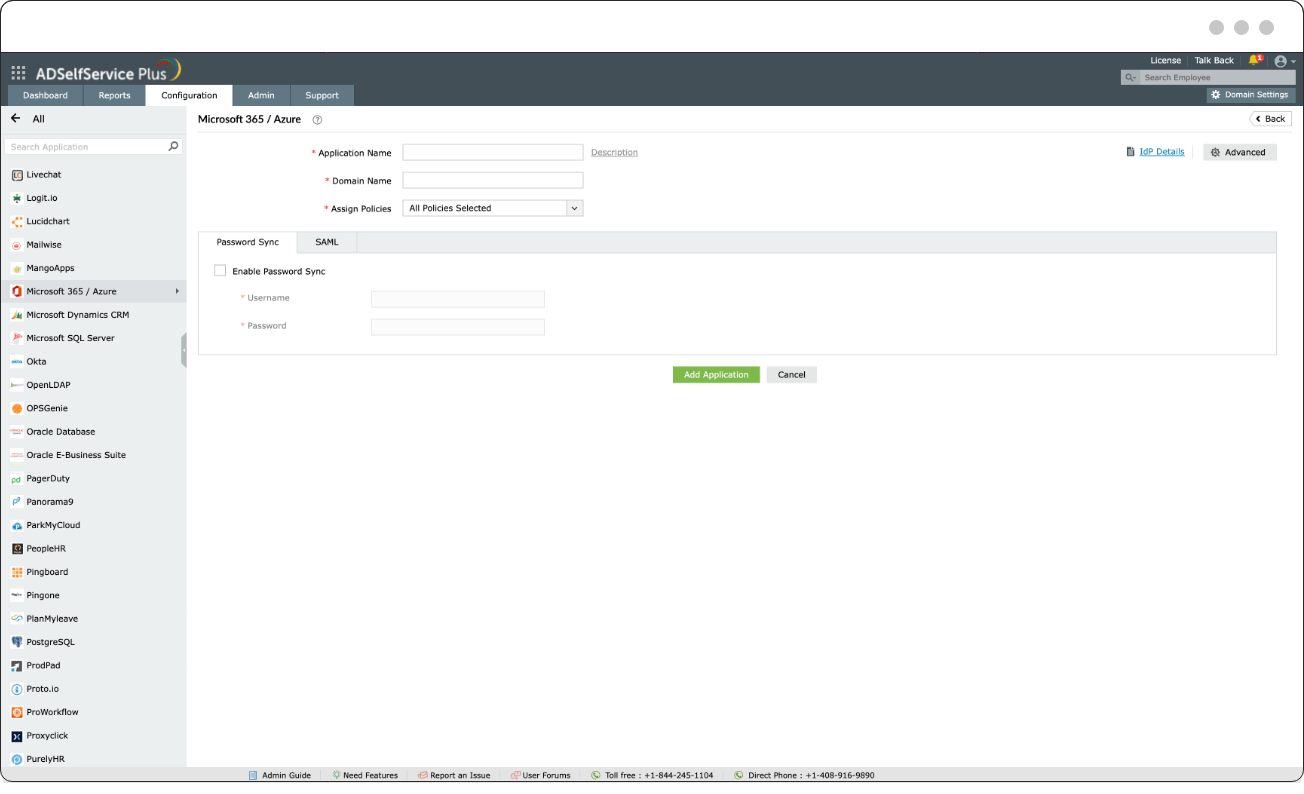
Easily enable password sync between AD, Microsoft 365, Azure AD, and other enterprise applications.
Easily enable password sync between AD, Microsoft 365, Azure AD, and other enterprise applications.
How password sync happens in ADSelfService Plus
ADSelfService Plus uses a password sync agent to synchronize AD passwords across platforms. When deployed, it automatically syncs web-based or native AD password changes in real time. Here's how:
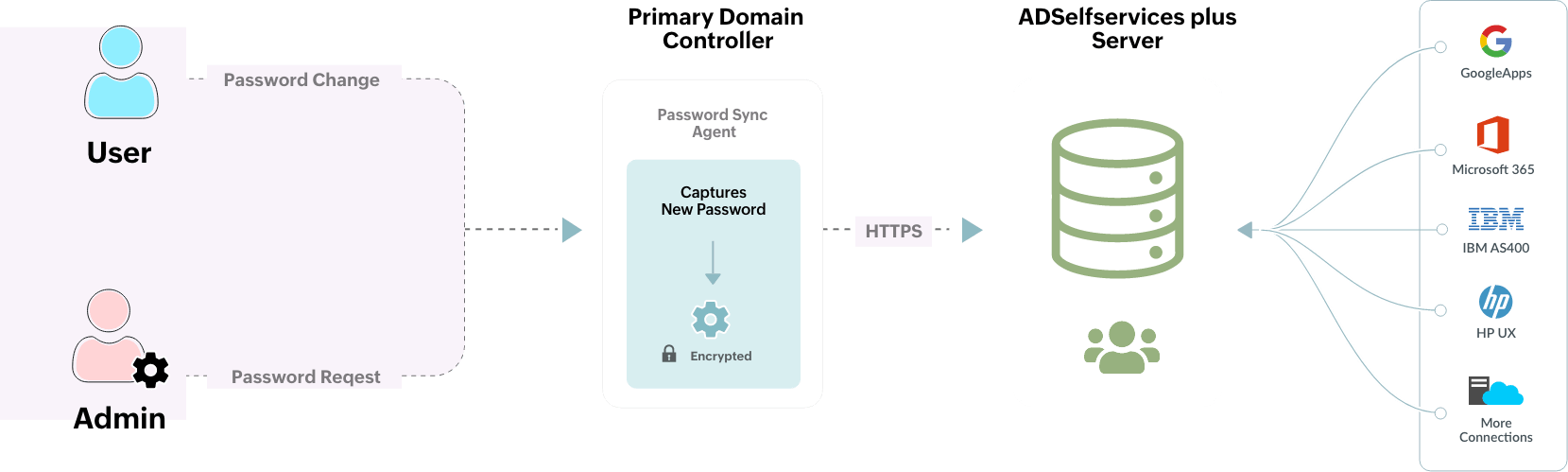
The password sync agent functions as a background service and continuously checks for password changes.
When a password change is detected, it is captured securely by the password sync agent and conveyed to the ADSelfService Plus server.
The user is notified through email, SMS, or push notification about their password change in linked accounts.
ADSelfService Plus then syncs the new password across all configured enterprise applications.
Why use ADSelfService Plus to synchronize and manage passwords?
- Self-service password management
for Microsoft 365 and Azure - Strong, unified password policies for
top-notch password security - Password-related notifications
to end users
Self-service password management for Microsoft 365 and Azure
ADSelfService Plus offers password self-service for Microsoft Azure and Microsoft 365 users that lets them reset their own passwords without help desk assistance. These self-service password resets are safeguarded using adaptive MFA, offering secure authenticators like biometrics, Google Authenticator, Microsoft Authenticator, and YubiKey.
-
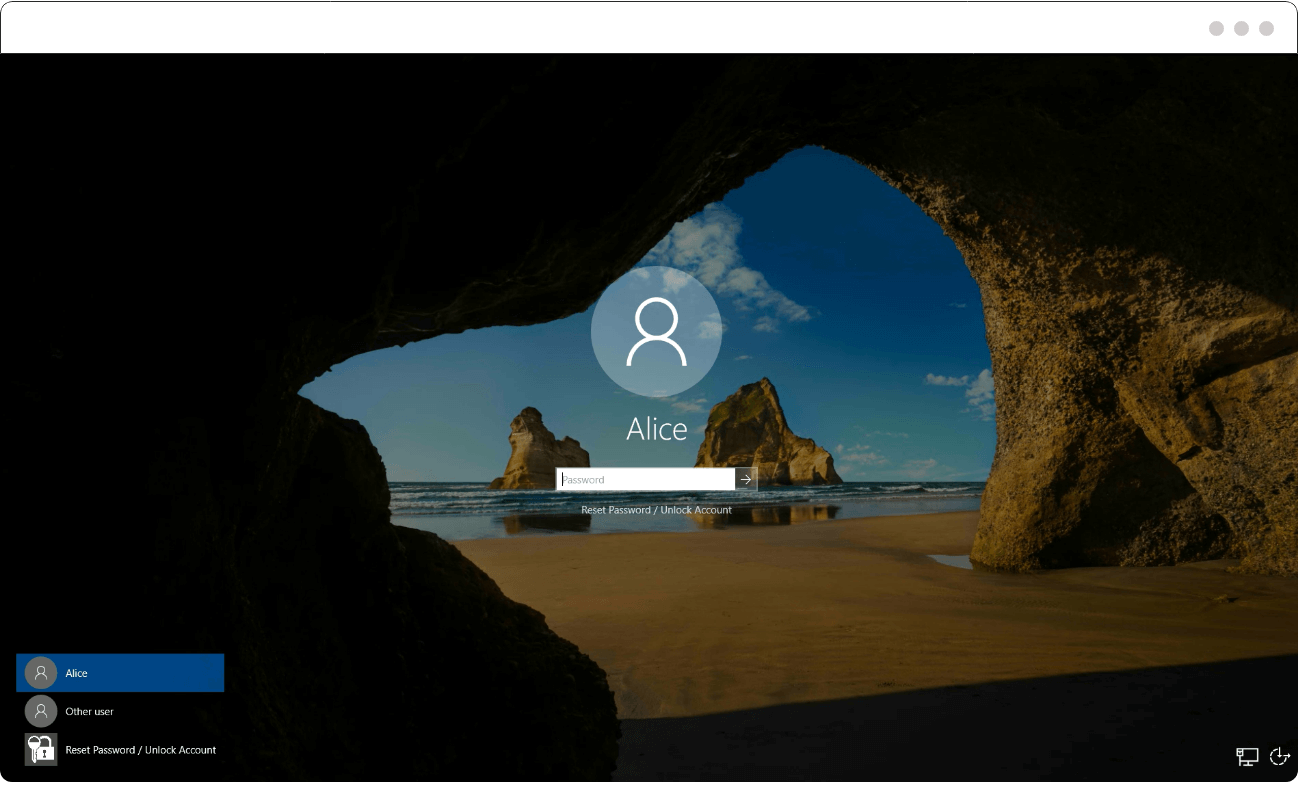
Let users reset their AD passwords from their logon screens without help desk assistance.
Let users reset their AD passwords from their logon screens without help desk assistance.

Strong, unified password policies for top-notch password security
ADSelfService Plus' Password Policy Enforcer deploys strong, custom password policies on top of AD password policies. These policies enforce rules concerning password length, pattern, repetition, and character usage to fortify passwords. All password changes happening through ADSelfService Plus for the various password-synced accounts are scrutinized against these password policies.
-
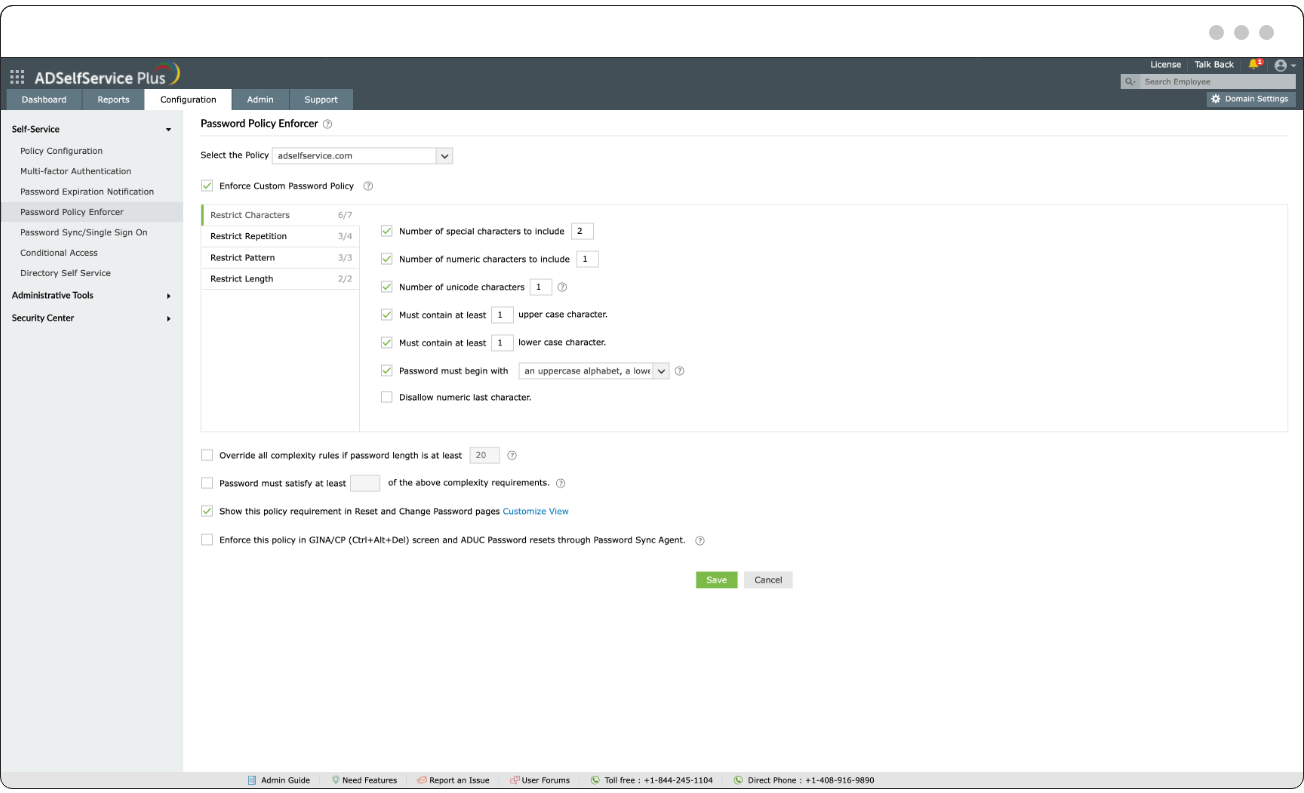
Require the use of alphanumeric characters in passwords.
Require the use of alphanumeric characters in passwords.
-
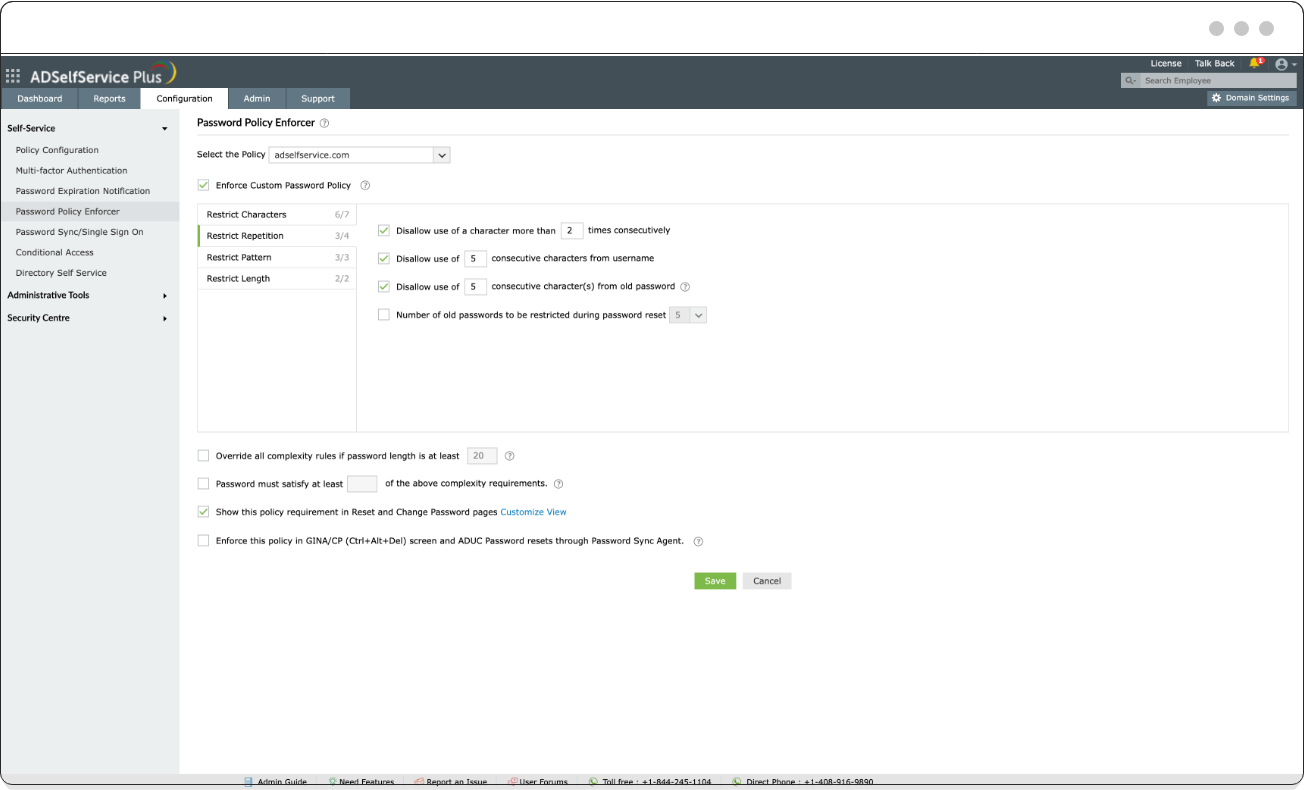
Restrict users from reusing their previous passwords during password creation.
Restrict users from reusing their previous passwords during password creation.


Password-related notifications to end users
ADSelfService Plus notifies users of their impending AD password expirations. Multiple, customized notifications can be sent to a user prior to their password's expiration, so that they can change it before it expires and locks them out. After a password change, the password sync agent syncs the new password across linked accounts automatically.
-
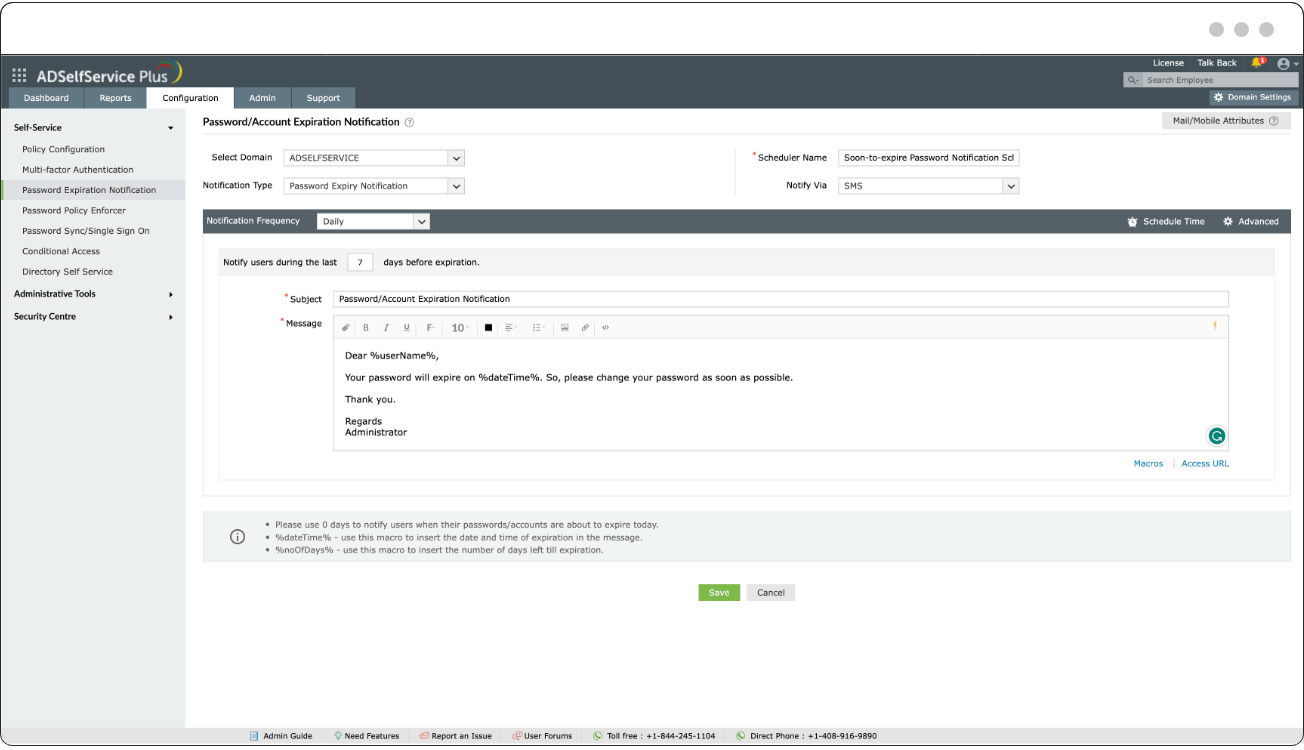
Configure password expiration notifications to be automatically sent out at specific time intervals or a set time during the day.
Configure password expiration notifications to be automatically sent out at specific time intervals or a set time during the day.

-
A unified identity
Implement AD password sync and free end users from having to remember multiple passwords.
-
Global password policy
Enforce strong password policies, which grant unyielding security for your users' synced AD passwords.
Benefits of AD password sync using ADSelfService Plus
-
Minimal help desk tickets
Curb unnecessary help desk tickets related to password resets by empowering your users to perform self-service password management for unified passwords.
-
Reduced password fatigue
Sync passwords so users don't have to remember multiple passwords for various accounts.
Sync AD passwords to Microsoft 365 accounts using ADSelfService Plus
Get your free trialThank you for downloading!
Your download should begin automatically in 15 seconds. If not, click here to download manually.