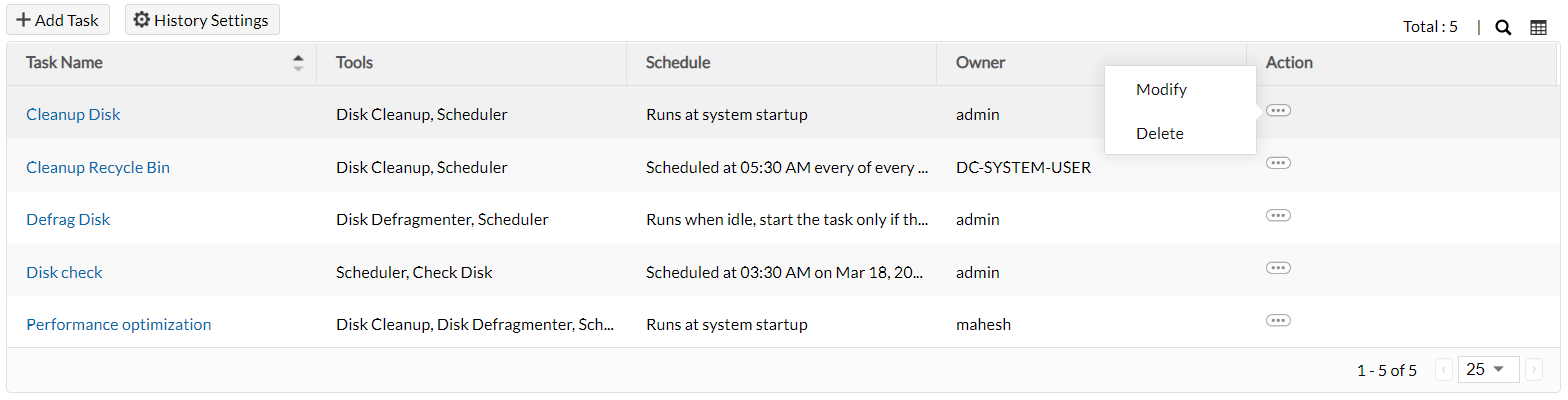
Schedule system maintenance
There might be handful of devices in small as well as large scale organizations. It is humanly impossible to physically reach every device and perform system maintenance regularly. So automate these tasks to happen without any human intervention by following these steps.
Hint: Disk defragmentation and clean-up might take time, hence schedule them during off-working hours.
- Navigate to Tools -> System Tools -> Add Task
- Specify a relevant task name and choose the system maintenance operations you would like to perform: Check Disk, Disk Cleanup, and Disk Defragmenter
Note: Windows has replaced the Disk Cleanup tool with another tool called
Storage Sense starting from Windows 10 version 1703. This tool can be configured to run every day, week, month, or only during low disk space situations. It helps clear temporary files, cache, and can auto-delete recycle bin or downloads folder content. For more details visit this
page.
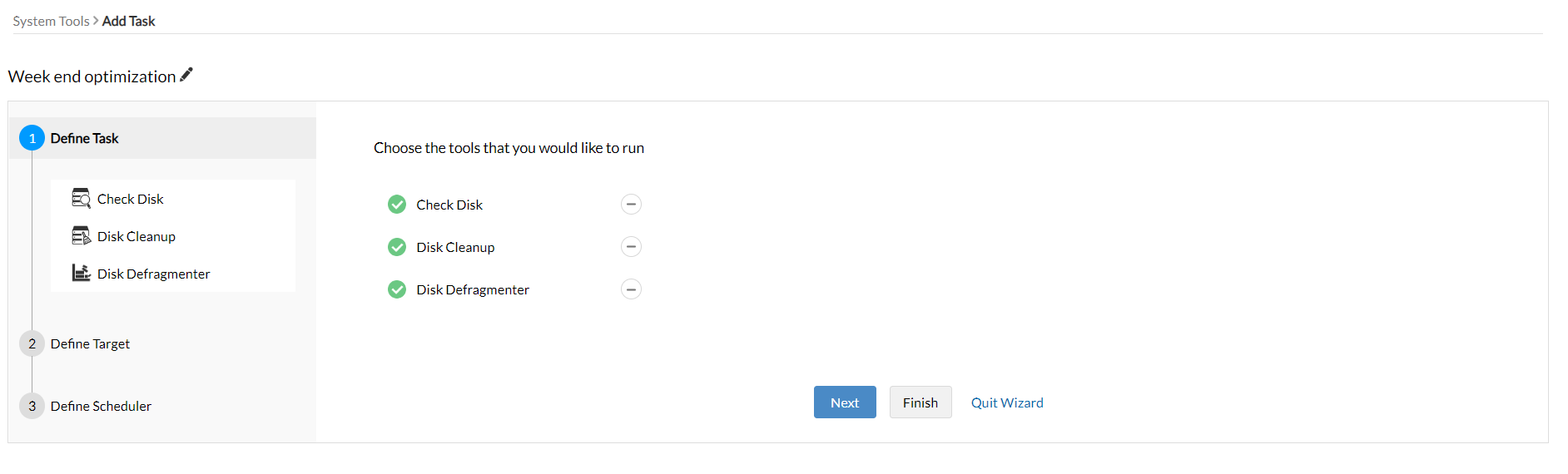
- Define the target computers on which you wish to perform regular maintenance. Learn how?
Now schedule when and how the task must be performed:
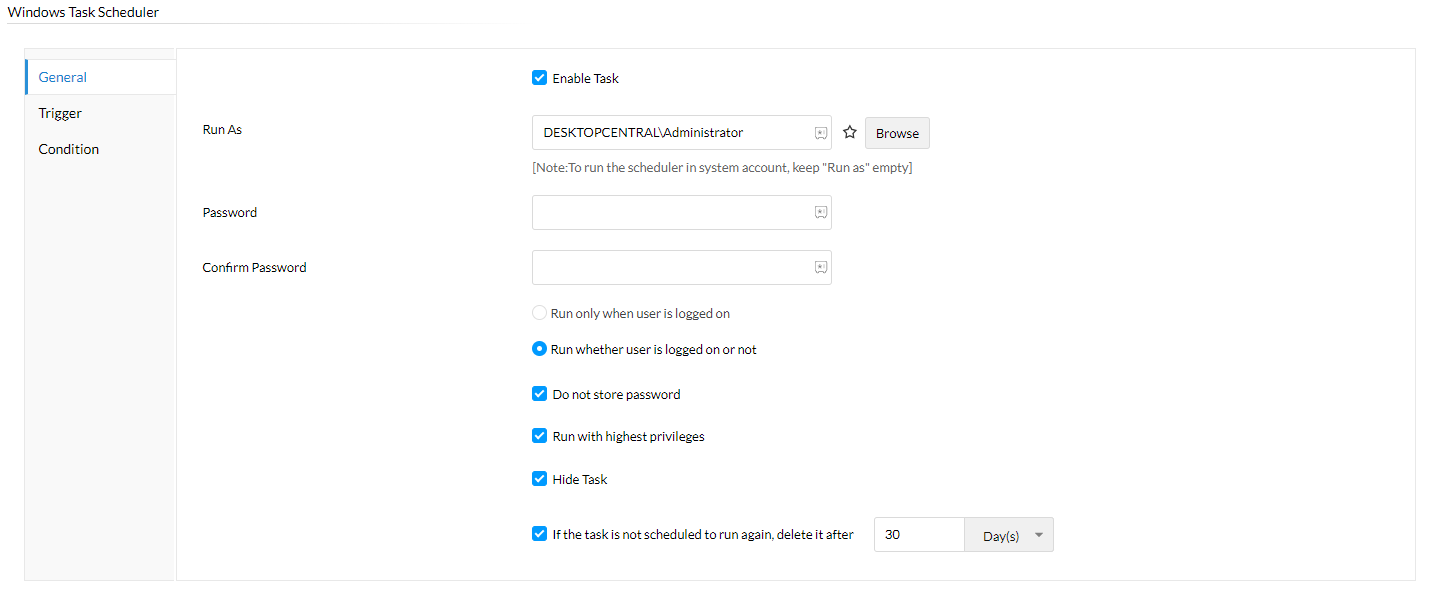
General: Basic privilege settings
- Specify as which user this task must be executed. Click the star icon to fetch dynamic variables.
- Choose if the task must run while the user is logged in or not.
- Delete the task if it is not executed for a specified period of time.
- Enable high privilege to run the task with highest priority.
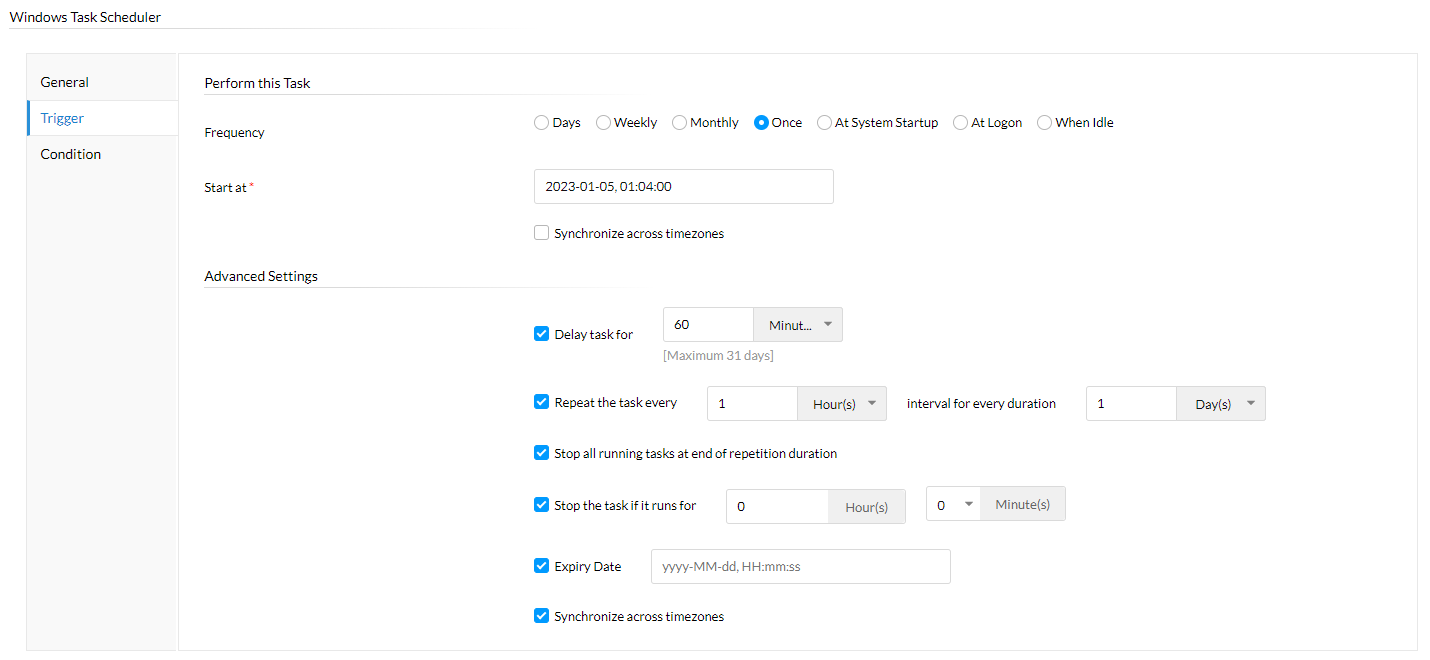
Trigger: Scheduler and advanced settings
- Specify if the task must run on particular days, weeks, months, once, or during system start-up, logon, or idle state.
- If endpoints are in different time zones, enable the time synchronization button.
- You can set an expiry date, delay the task, or schedule repeated execution at regular intervals.
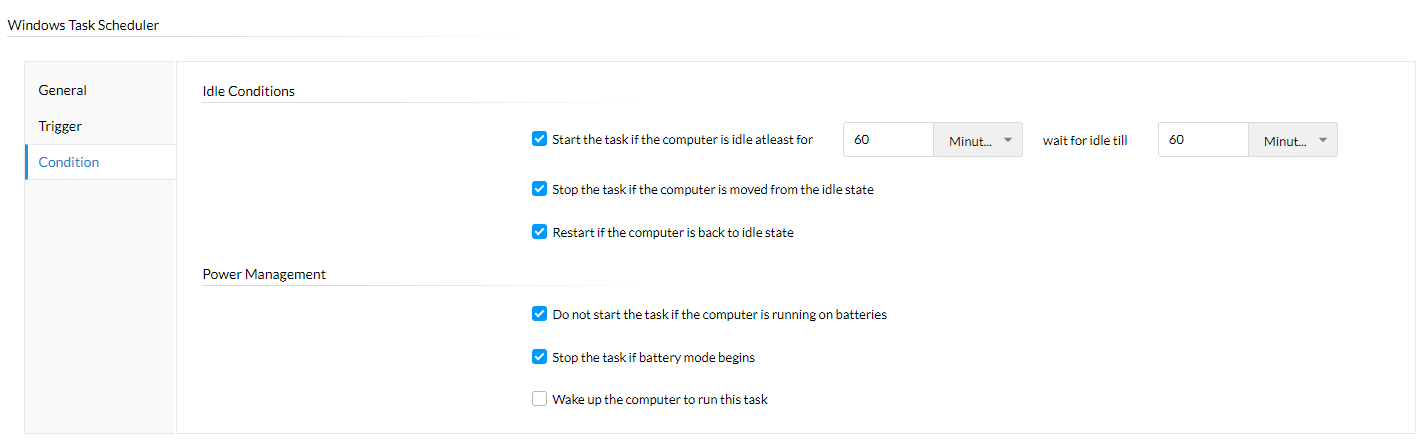
Condition: Power management and idle device specifications
- Recommended to perform tasks when the user is inactive.
- Start the task if idle for a specified period; stop if user becomes active again.
- If sleeping or shut down, wake the device to perform maintenance.
- Ensure the task does not run on low battery.
System maintenance task report
Get a full report on task execution, status, and details for audit purposes by following these steps:
- Configure History Settings to maintain a list of system tool tasks executed on a device for a specified time period.
- Click the task name listed under the System Tools tab to see the list of computers where it was executed.
- Click the computer name to view all system maintenance tasks performed on that device.
- Click View Task Details to analyze scheduler info, targets, and chosen actions.