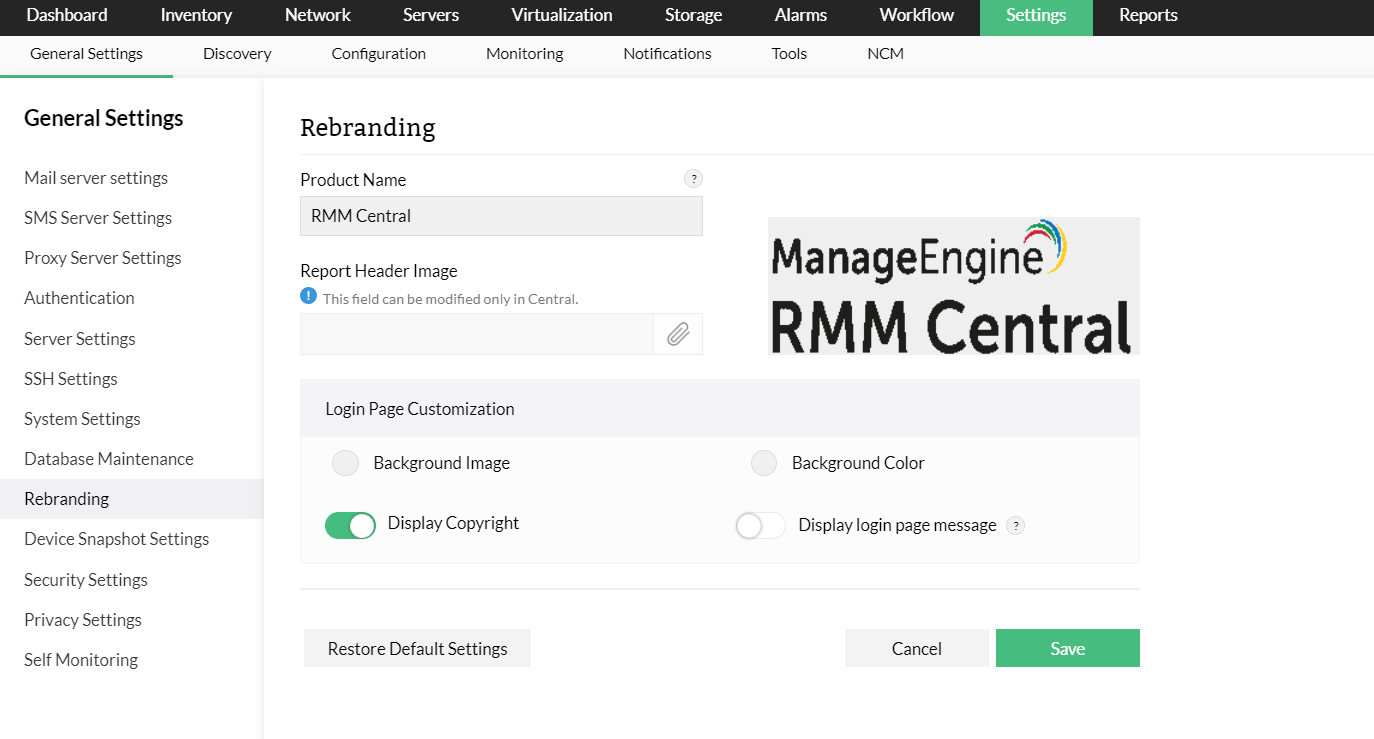
You can choose to rebrand RMM Central's server, probe and agent components. This feature will allow you to use your MSP's logo and name, instead of RMM Central's logo and name. You can also modify the logo and name to be customer specific for devices being monitored and managed by RMM Central.
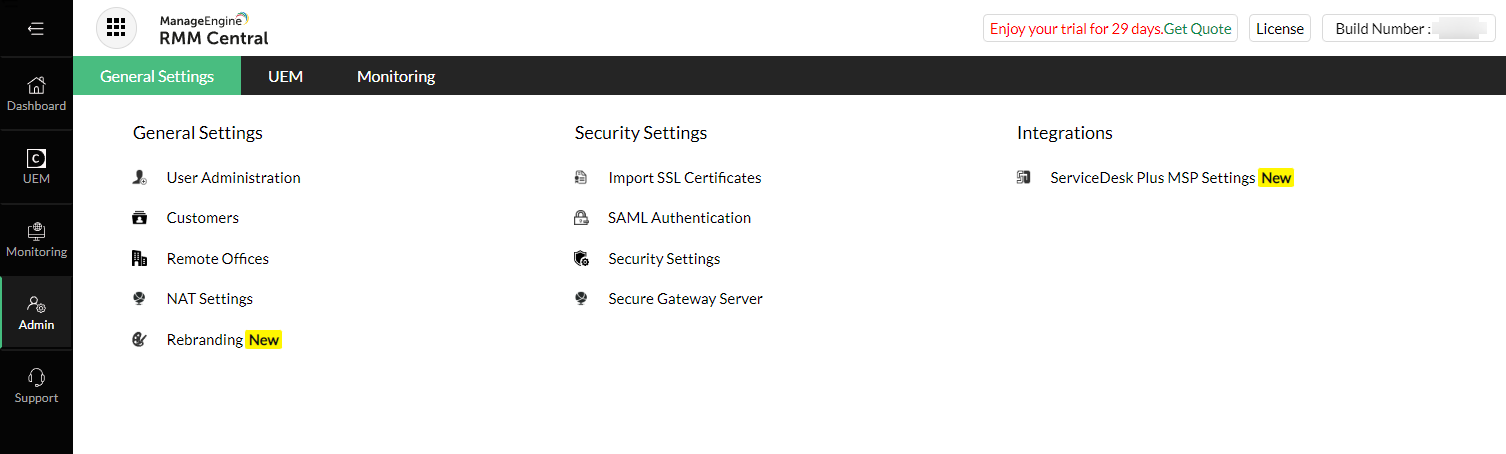
To rebrand RMM Central with your MSP's logo and name globally across all probes, agents, server and managed endpoints you need to navigate to:
Admin > General Settings > Rebranding and follow instructions on screen for rebranding.
To rebrand RMM central probe and agent for a particular customer, you need to:
Admin > General Settings > Customers > Modify > Rebranding and follow instructions on screen for rebranding.
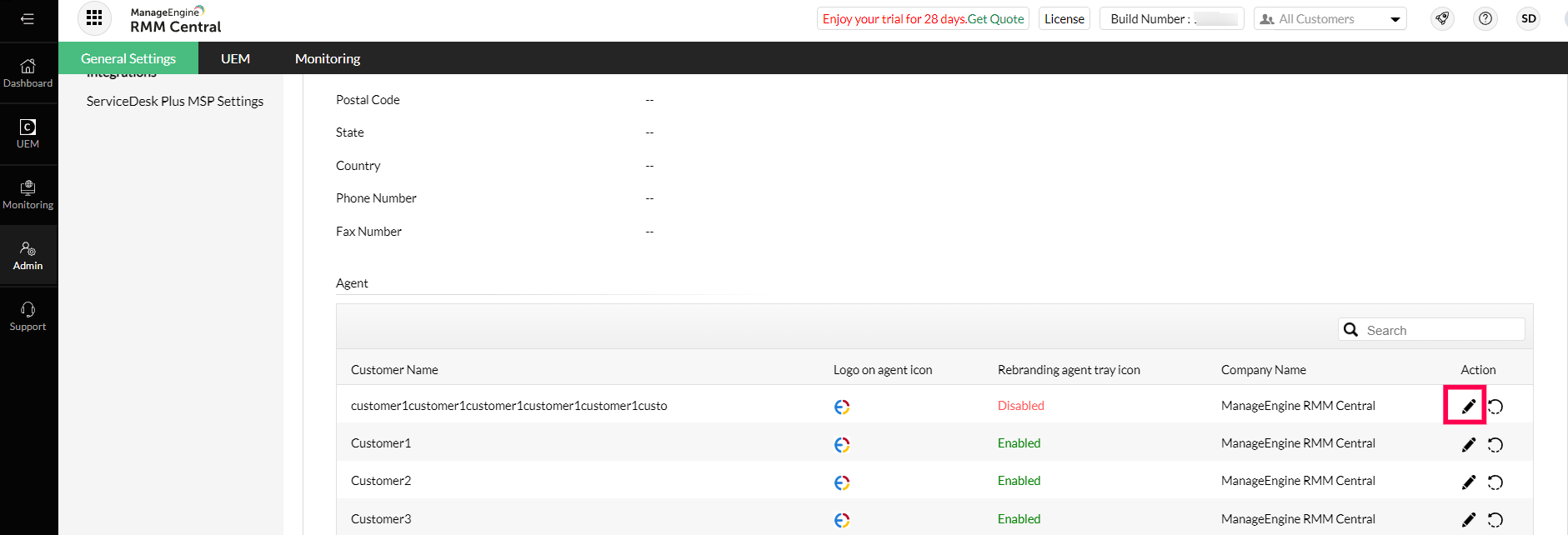
The changes will reflect in your customer's devices from their next logon.
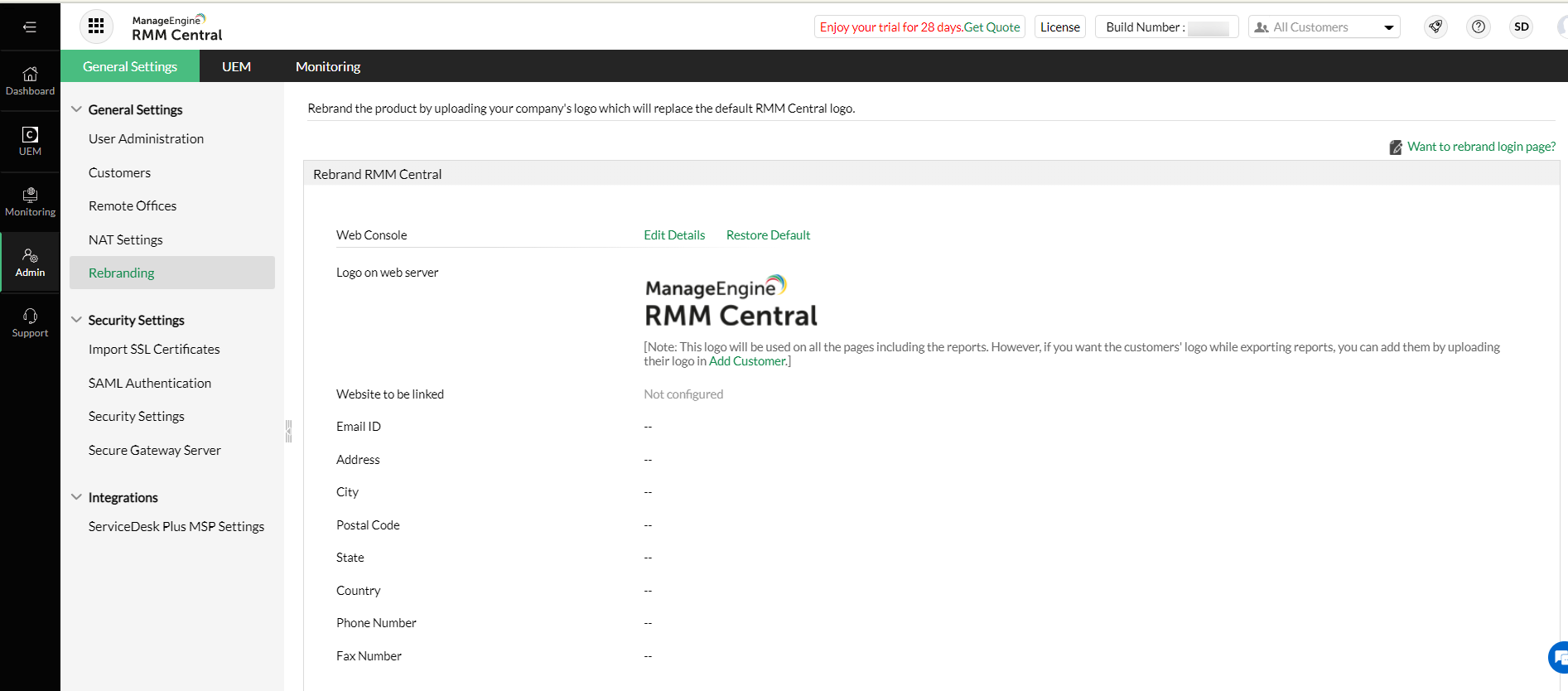
You can rebrand the Central server component by providing a product logo and the company name. You can also choose the web link, and the copyright details which can be modified. These changes will impact the users on their next login.
Whenever a report is being generated from the product server, the details on the report will also contain the rebranded details of the company. When the product server and the agents are rebranded, the end-user will not be able to identify the product as RMM Central. on the server UI, however the text within the product would contain the name of the product as RMM Central. For example, the installation wizard, product name in the installation directory and messages within the product will remain the same.
You can choose to rebrand the product agent on the managed computers. You will have to provide a logo and the name that should appear on the managed computer's agent. The Rebranded image and product name will be used while displaying notifications on the managed endpoint. For example, when a patch/software application is deployed via RMM Central, the user will receive a notifications on the computer where the product name will contain the rebranded name and logo.
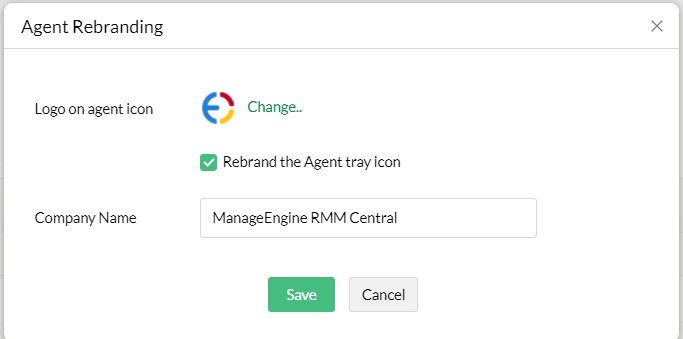
When you choose to rebrand the logo globally or for a specific customer, the probe will reflect the changes automatically.
RMM Central gives you the flexibility to change the product name, company name and copyright details and also allows you to customize the appearance of your RMM Central monitoring probe login page.
To replace RMM Central's logo with your Company's logo in the monitoring probe login page and reports, follow the steps given below after logging onto the monitoring probe.