
-
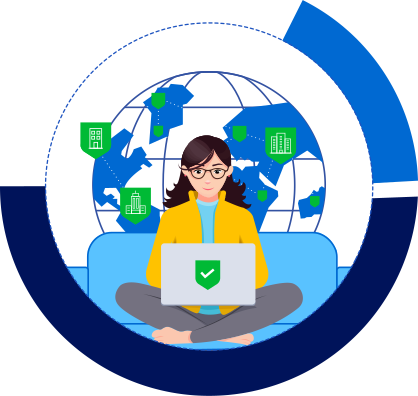
Remote
work enablementTimely solutions to help you kick-start and adapt to the remote work culture while sustaining productivity
-
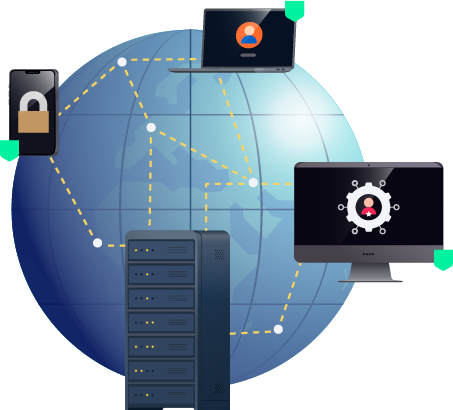
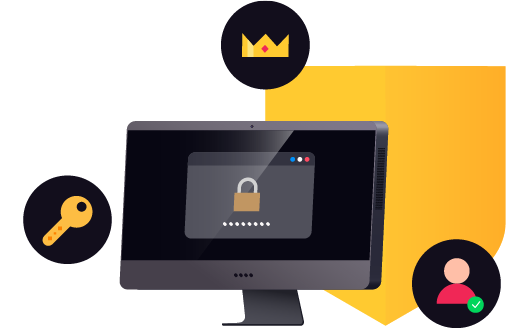
Remote
access and securityHub of essential security solutions to protect your remote endpoints and enable secure access and administration to your remote systems
-
Remote
task automationFull-stack ITSM solutions to effectively manage service-level agreements (SLAs), automate workflows, and streamline customer requests seamlessly to ensure quick incident response, remediation, and support while working remotely
-
Remote
IT service monitoringIntegrated solutions for monitoring and managing all aspects of network performance to ensure zero application downtime and maintain efficiency while working remotely
-
Remote
work monitoringTrack productivity, user activity, and the availability of devices and configurations in real time while ensuring compliance
Remote work enablement
-
Transform to remote infrastructure
Reconfigure multi-vendor switches, routers, firewalls, and other
devices across different locations from a centralized console
to support changing business priorities without experiencing
downtime. -
Self-manage passwords
Allow users to manage their domain passwords from the
mobile app or the computer login screen while in the office, at
home, or on the go. -
Reach IT while on the move
Manage service delivery while working remotely by
streamlining processes across various business functions like
HR, facilities and legal. -
Uninterrupted endpoint connectivity
Manage endpoints effectively, irrespective of whether they are
in a local network or in remote offices, through a virtual private
network (VPN) or just with internet access.Endpoint CentralEndpoint Central
Admin-friendly solution with multi-OS support to manage enterprise endpoints effectively from a remote central console
RMM CentralRMM Central
Unified RMM solution to help clients in digitally transforming their organizations' network structure
MSP CentralMSP Central
Proactive endpoint management capabilities that ensure all managed devices maintain continuous network access, facilitating uninterrupted operations and user productivity.
Remote access and security
-
Endpoint security
Use effective security controls to protect organization-owned
devices, including browsers and corporate data stored in
personal devices, from breaches, even when users are away
from the office.UEM SuiteUEM Suite
All-in-one endpoint management suite to keep your endpoint management and security routines unbroken while you transition to remote work
RMM CentralRMM Central
Holistic RMM solution for MSPs to proactively plan the IT security for every client network structure.
Endpoint DLP PlusEndpoint DLP Plus
Automate the discovery and classification of sensitive endpoint data and proactively eliminate insider threats by enforcing rules for secure usage and transfer.
MSP CentralMSP Central
A robust framework to protect all client endpoints from cyberthreats, safeguarding data, and ensuring client integrity.
-
Approval-based access
Authorize privileged users to access the desktop, network, and
systems based on the device owner's approval, and remote into
network devices and servers based on an advanced release
control workflow.Endpoint CentralEndpoint Central
Integrated solution to manage remote enterprise endpoints through remote desktop sharing based on user privileges
Password Manager ProPassword Manager Pro
Secure password management for remote devices with constant supervision of password access and unauthorized operations
-
Sensitive AD changes only on approval
Combat the shortcomings in managing sensitive Active
Directory changes by implementing a request approval
workflow. -
Multi-factor authentication
Add an extra protective layer for user authentication to ensure
that only the right people have access to sensitive resources.Endpoint CentralEndpoint Central
Integrated desktop management software enabled with two-factor authentication (2FA) to avoid unauthorized users from accessing critical business management data
Password Manager ProPassword Manager Pro
Secure vault to store and manage privileged accounts with 2FA capabilities
-
Enterprise remote access
Enable administrators to securely connect and control endpoints anywhere in the world, and provide technical assistance
irrespective of operating system. -
Privileged session management
Regulate privileged access to remote systems, like the network,
servers, and applications, through a secure channel from a unified
console, with total visibility into all privileged access usage. -
AD/M365 delegated access
Authorize non-administrative users, like help desk technicians
and frontline officials, to access and manage only the
delegated tasks in Active Directory and M365 with appropriate
authentication from a web console.M365 Manager PlusM365 Manager Plus
Delegate tasks to users without losing control of your Microsoft 365 setup by receiving alerts for critical activities
ADManager PlusADManager Plus
Web-based Active Directory Management and reporting software with appropriate authentication and authorization controls that dramatically reduce the work load on the AD administrator
-
Single sign-on
Allow users to seamlessly log in to SAML-enabled cloud
applications with just one identity without compromising
security, while also enhancing user the experience.
Remote task automation
-
IT automation
Orchestrate and automate preset routine tasks like checking
connectivity, restarting devices, and file/folder operations-,
either during network faults or as ongoing maintenance-using
a flexible, code-free workflow builder.OpManagerOpManager
Integrated network monitoring solution offering code-free IT workflow automation with L1 troubleshooting
RMM CentralRMM Central
Regulate and automate routine tasks by discovering, managing, monitoring and securing all managed devices from a one-stop RMM solution
MSP CentralMSP Central
Leverage intelligent systems to automate routine IT operations to enhance service delivery efficiency and scale their managed services.
-
Active Directory and Microsoft 365 automation
Relieve AD and M365 administrators from time-consuming,
repetitive activities-like monitoring inactive objects,disabling or
deleting them,and automating user,group mailbox management-through scheduled tasks.ADManager PlusADManager Plus
Active Directory management and reporting tool to automate and schedule crucial routine Active Directory tasks with real-time status updates
M365 Manager PlusM365 Manager Plus
Comprehensive Microsoft 365 reporting, auditing, monitoring, and management solution that offers user and mailbox management automation
-
Automate backup and restore processes
Overcome disruption caused by accidental changes by granularly
backing up AD, Exchange (on-prem or online), SharePoint Online,
OneDrive for Business, and network device configurations, and
restore previous versions.RecoveryManager PlusRecoveryManager Plus
Complete Active Directory and Exchange (on-premises and Exchange Online) backup and restoration solution
Network Configuration ManagerNetwork Configuration Manager
Network management suite that helps automate configuration backup, enable change detection, and trigger configuration backups
-
IT service desk automations
Smartly automate various repetitive help desk tasks
throughout the ticket life cycle, like updating tickets based on
preconditions, auto-assigning tickets, and managing SLA
escalations.ServiceDesk PlusServiceDesk Plus
Full-stack ITSM suite to automate remote workflows, auto-assign SLAs, and streamline help desk requests
MSP CentralMSP Central
Automate routine service desk tasks and workflows, optimizing ticket management and accelerating issue resolution for enhanced client support.
-
Automate patch management
Block the most common entry point of attackers by automatically
deploying approved patches to vulnerable systems, even while
working remotely.Endpoint CentralEndpoint Central
Comprehensive solution that offers a unified console to manage, secure, and patch remote endpoints with multi-OS and third party application support
Patch Manager PlusPatch Manager Plus
All-in-one patching solution that lets you automatically test, package, stage, and deploy patches to thousands of systems in minutes
Vulnerability Manager PlusVulnerability Manager Plus
Integrated threat and vulnerability management suite with a built-in patch management module offering customizable patching automation
RMM CentralRMM Central
Regulate and automate routine tasks by discovering, managing, monitoring and securing all managed devices from a one-stop RMM solution
MSP CentralMSP Central
Systematically identify, deploy, and verify patch updates and security patches across all endpoints with minimal manual intervention.
-
Automate software deployment
Overcome the challenge of distributing software across your
organization based on changing business needs by simply
allowing users to self-install published software from the self-
service portal.Endpoint CentralEndpoint Central
All around self-service suite for remote deployment of critical software and disk imaging across enterprise endpoints
RMM CentralRMM Central
Regulate and automate routine tasks by discovering, managing, monitoring and securing all managed devices from a one-stop RMM solution
MSP CentralMSP Central
Streamline automatic installation, updating, and removal of software across all managed endpoints.
-
Automate privileged password reset
Reset the passwords of privileged accounts automatically after every
use, or schedule the reset on a wide range of targets based on the
defined password complexity, to eliminate password sharing and
maintaining the same password forever. -
Automate analytics
Identify patterns and anomalies through powerfully visualized
automated reports and dashboards from various data sources,
including ManageEngine applications and SQL, Oracle Database, Amazon RDS,
Azure SQL, and Google Cloud SQL, etc.
Remote IT service monitoring
-
Network and server performance
Proactively monitor devices and bandwidth performance to
ensure uninterrupted connectivity, and get notified about any
anomalies while on the move.OpManager NexusOpManager Nexus
Integrated solution to proactively monitor and offer in-depth visibility and real-time control over network bandwidth and connectivity
RMM CentralRMM Central
Comprehensive solution to provide MSPs end-to-end, in-depth visibility into clients' IT networks and fix performance issues in real time
MSP CentralMSP Central
Monitor and optimize the health and efficiency of network infrastructure and servers, ensuring maximum uptime and optimal application delivery.
-
Application performance
Spot application performance degradation by monitoring
all layers of the app's dependent service components to maintain
SLAs.
Remote work monitoring
-
Monitor access and track productivity
Keep a close eye on employee work hours, and gain visibility on all changes made and privileged access on your network’s IT devices, Active Directory, Exchange, M365, and applications to stay on top of user productivity and compliance.
ADAudit PlusADAudit Plus
User behavior analytics (UBA)-driven software that helps monitor, audit, and secure Active Directory, Windows servers, file servers, Azure AD, EMC/NetApp/Synology storage devices, and workstations
Log360Log360
Enterprise log management and security information and event management (SIEM) solution with user behavior analytics (UBA) capabilities to mitigate external and internal threats
-
Firewall policy and VPN monitoring
Gain insights from vendor-agnostic firewalls on configuration
changes, the usage and effectiveness of rules, VPN and proxy usage
(including internet usage),and much more -
Network configuration monitoring
Improve accountability while working remotely by tracking
configuration change activity and maintaining configuration
versions with changes included. -
Bandwidth capacity monitoring
Plan bandwidth capacity effectively by monitoring traffic
utilization against your expectations by leveraging different
flow export technologies. -
Monitor remote access
Videotape sessions to ensure compliance, identify suspicious
activities, or conduct a forensic investigation.Endpoint CentralEndpoint Central
Integrated desktop and mobile device management solution to securely initiate, manage, and control remote desktop connections from a central location
Remote Access PlusRemote Access Plus
Agent-based enterprise remote access software for endpoints and servers that allows for careful supervision of remote sessions by recording them
Password Manager ProPassword Manager Pro
Comprehensive password management solution with provisions tomonitor privileged sessions that can be recorded, archived, and played back to support forensic audits
RMM CentralRMM Central
360-degree remote monitoring and management tool to track and manage devices real-time from a single console
MSP CentralMSP Central
Continuously track and log all remote connections, enhancing security oversight and detecting unauthorized or suspicious access attempts.
IT best practices for remote work
ManageEngine product experts share strategies and best practices for IT teams to adapt to a
remote work plan without compromising on access security.
-
Endpoint Security For Dummies
-
Combating endpoint management and security challenges in the COVID-19 era
-
Ransomware: COVID-19 caused mutations and the ultimate guide for protecting your remote workforce
-
Protect your remote workforce from emerging email threats
-
“The State of ITSM in the COVID-19 Pandemic” survey report
-
Manage and secure your remote workforce
-
Tips to overcome cybersecurity challenges
-
Run a service desk right from your kitchen with ServiceDesk Plus
-
Monitoring critical business applications while working remotely
-
Securely execute a BYOD policy for your remote employees
-
Working from home? Be sure to follow these security best practices
-
Managing VPN connections will help businesses face today’s adversity as well as prepare for tomorrow’s opportunity
-
COVID-19: Remote patch management struggles and solutions to secure remote users
-
Best practices to ensure data security while working remotely
-
Secured access to business-critical resources for your remote workforce
-
Remote troubleshooting and IT administrators
e-learning
sessions for working remotely
ManageEngine product experts share strategies and best practices for IT teams to adapt to a
remote work plan without compromising on access security.