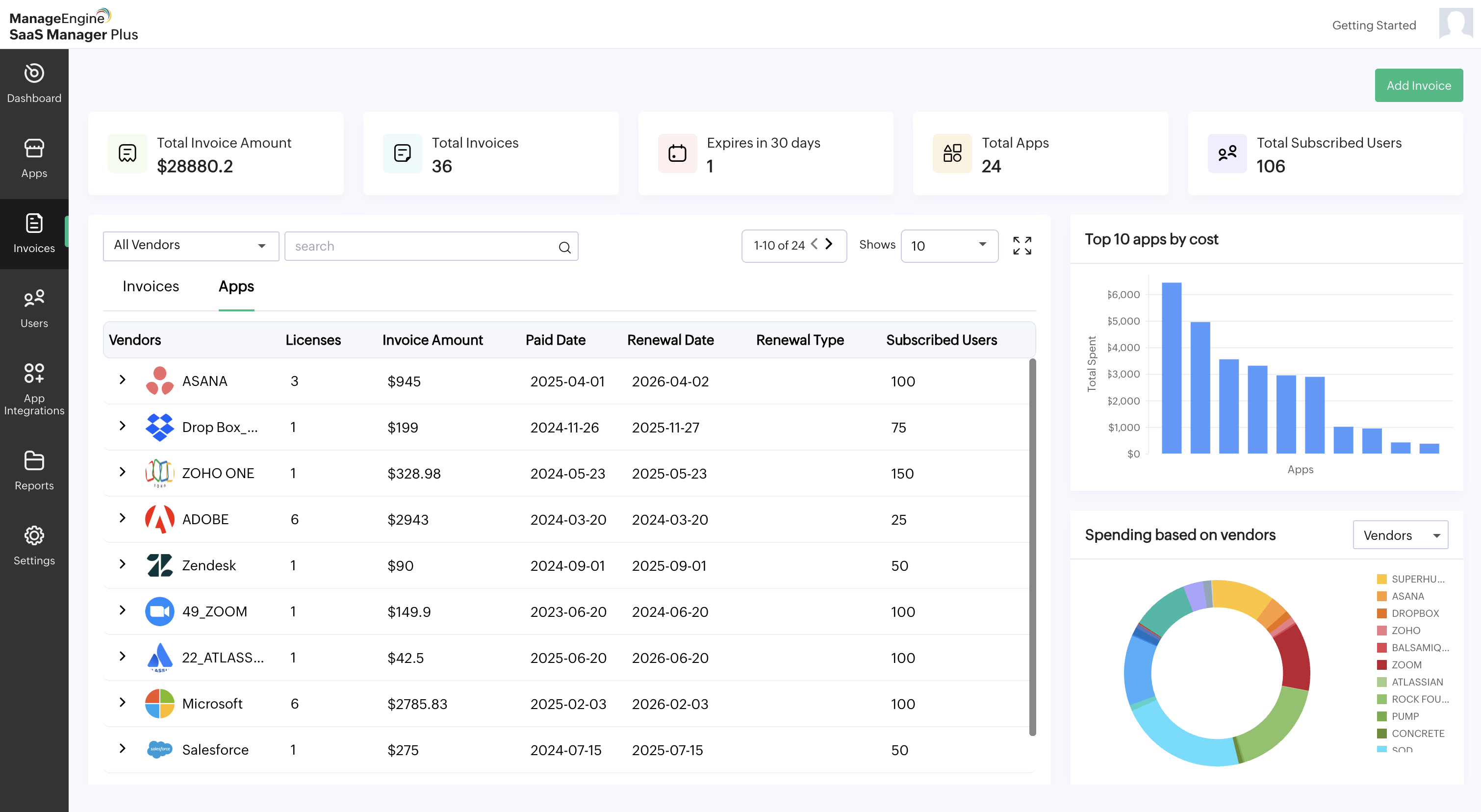
Invoices
The Invoices tab contains the following:
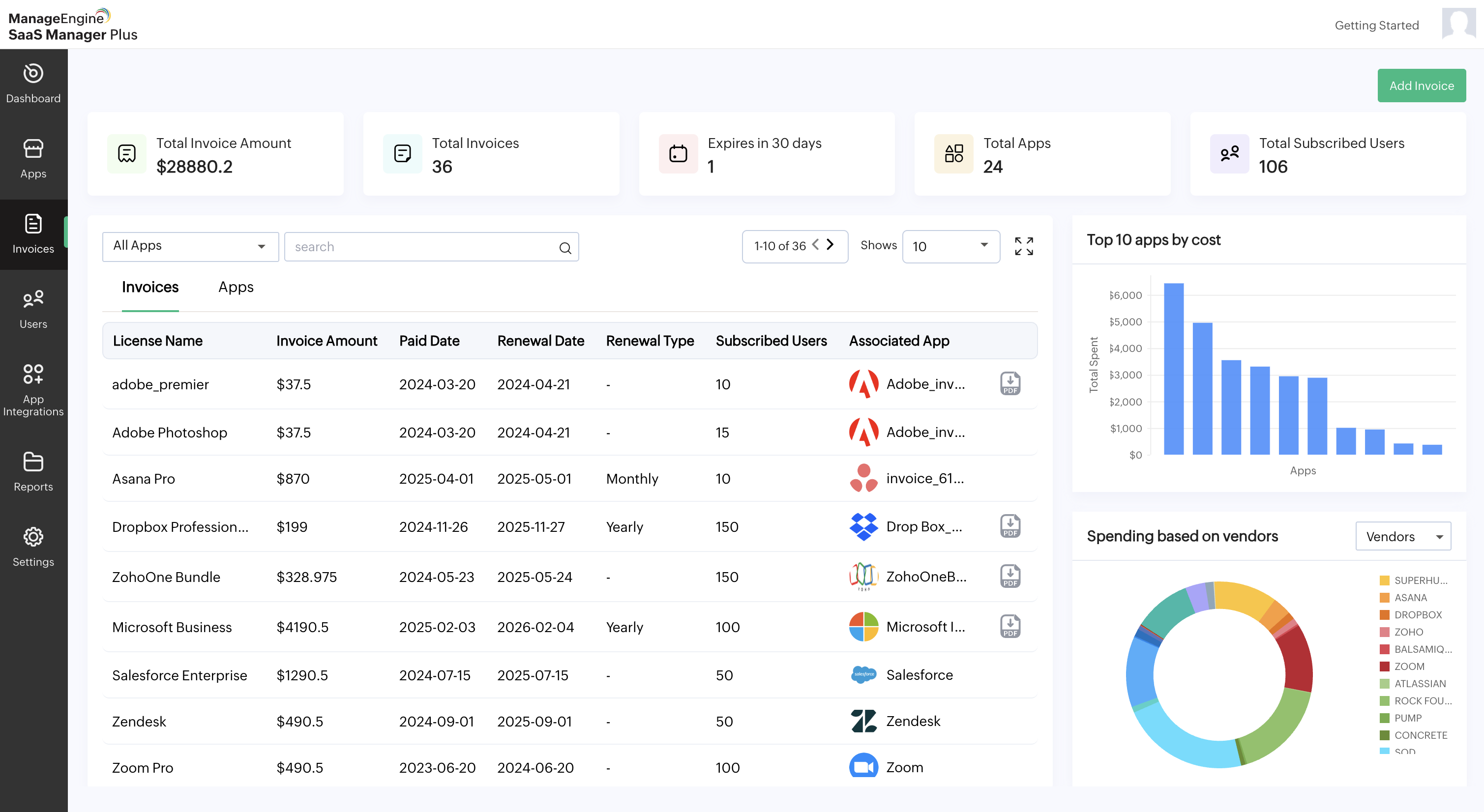
- Total Invoice Amount: The total invoice amount for all apps added to SaaS Manager Plus.
- Total Invoices: The total number of invoices added to SaaS Manager Plus.
- Expires in 30 days: The apps that will expire in the next 30 days.
- Total Apps: The total number of apps available in SaaS Manager Plus.
- Total Subscribed Users: The number of users subscribed to all apps added to SaaS Manager Plus.
- Top 10 most spent apps: The top 10 apps by amount spent.
- Spending based on vendors or apps:Displays the total spending based on the selected criteria.
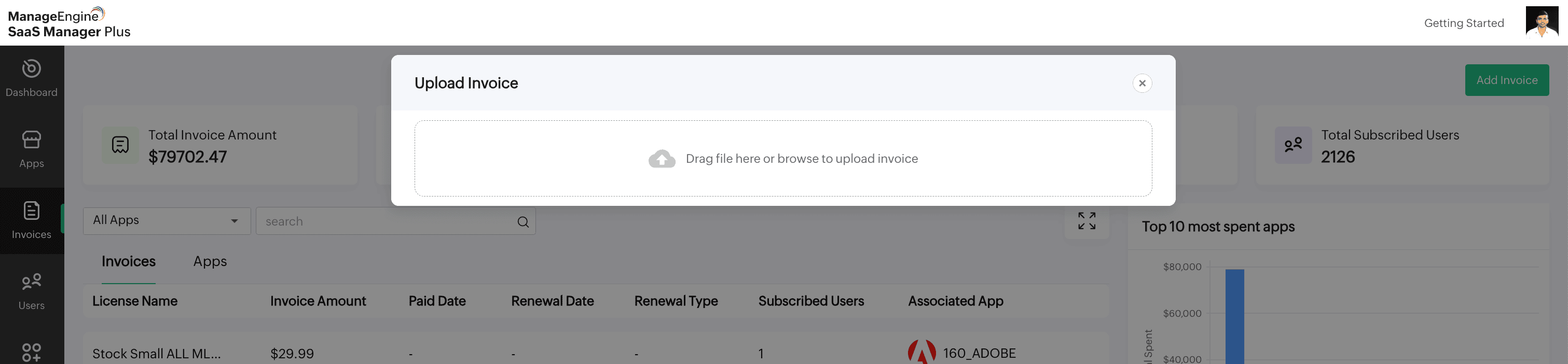
- Add Invoice: This button is available in the top-right corner. Use it to upload an invoice manually.
Note: Only CSV format is allowed when adding invoices manually.
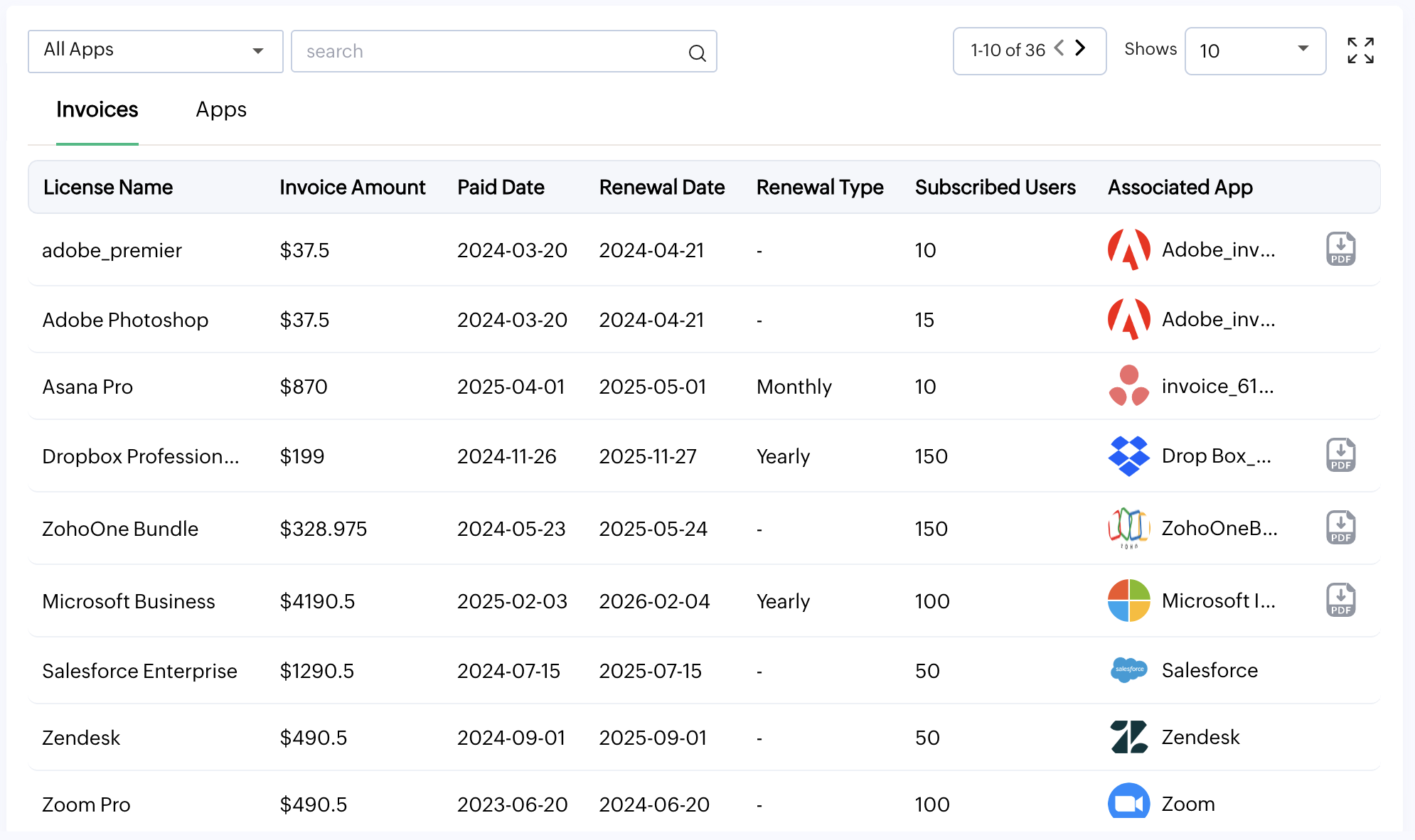
Invoices:
This section contains information on License Name, Invoice Amount, Paid Date, Renewal Date, Renewal Type, Subscribed Users, and Associated Apps.
You can also search for a specific app in the search box.
Apps:
This section contains a list of Vendors, Licenses, Invoice Amount, Paid Date, Renewal Date, Renewal Type, and Subscribed Users.
You can also search for a specific vendor in the search box.