Microsoft365
Microsoft 365 is a cloud-based service that enables you to meet your organization's needs for enhanced security, reliability, and user productivity.
Required user roles for Microsoft365
Application administrator
Reports reader
Microsoft365 authentication method
The required authentication method is OAuth (OAuth 2.0).
Required account type
Accounts in any organizational directory(Any Microsoft Entra ID tenant - Multitenant)
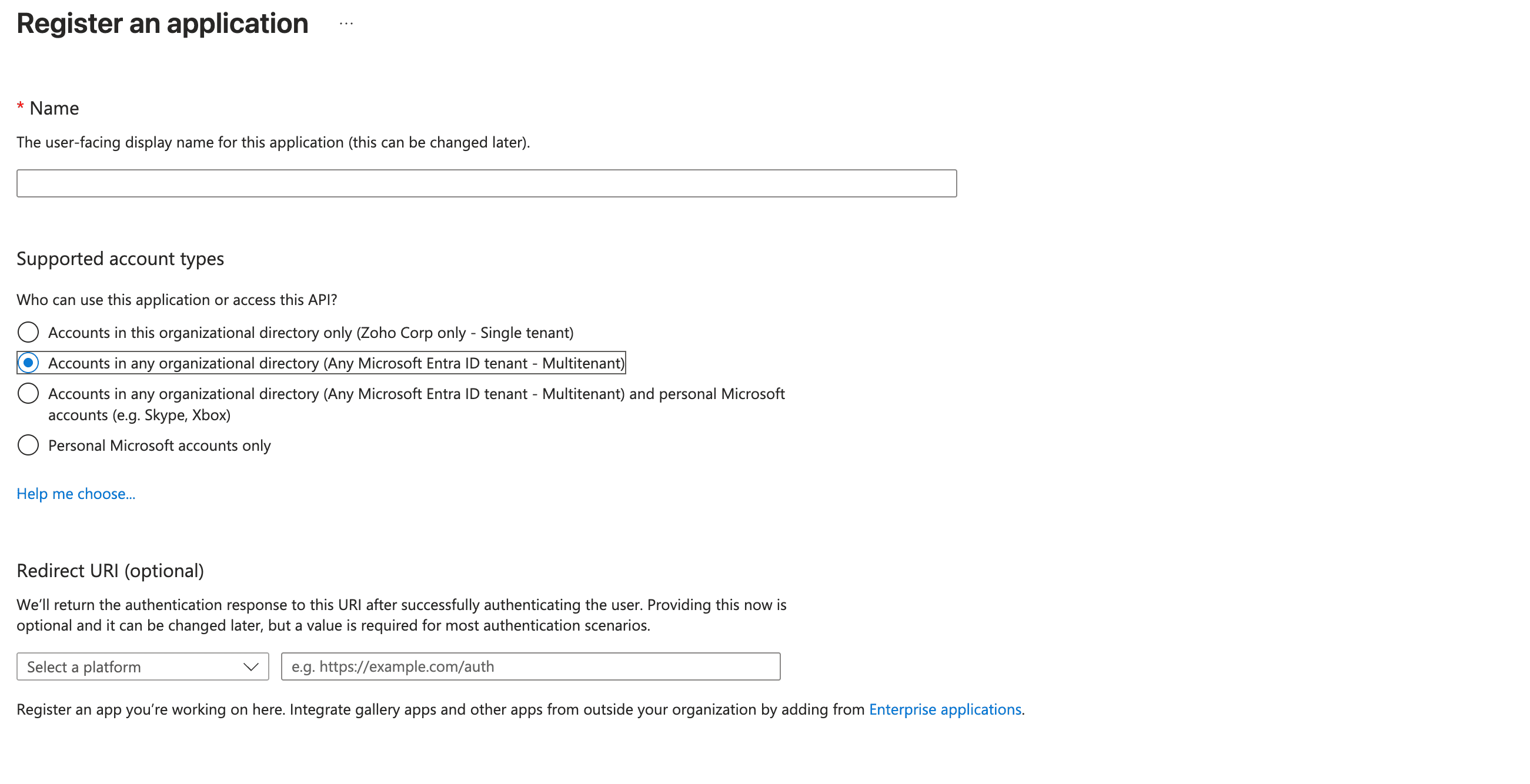
Required Microsoft365 credentials
The following credentials are required:
- Username
- Password
Integrate with Microsoft365 using the following methods:
- Automatic integration
- Manual integration
Automatically integrate Microsoft365 with SaaS Manager Plus
Refer to this section
To manually integrate Microsoft365 with SaaS Manager Plus:
- Click App Integrations available in the left pane and click Microsoft365 from the applications list.
- Provide the connection name, client ID, and client secret.
- Click Authorize, and you will be redirected to the Microsoft365 sign in page.
- On the Microsoft365 sign in page, enter your admin username and password.
- Click Authorize.
To create a client ID and client secret
Visit learn.microsoft.com/en-gb/azure/active-directory/develop/quickstart-register-app
Get the redirect URL from this link
Required Microsoft365 scopes
graph.microsoft.com/Directory.ReadWrite.All
graph.microsoft.com/Directory.AccessAsUser.All
graph.microsoft.com/User.ReadWrite.All
graph.microsoft.com/Reports.Read.All
graph.microsoft.com/ReportSettings.ReadWrite.All
graph.microsoft.com/Organization.ReadWrite.All
management.azure.com/user_impersonation
Stored Microsoft365 information
Users:
- User ID
- First name
- Last name
- Active date
- Assigned licenses
Microsoft365 API endpoints
graph.microsoft.com/v1.0/users
graph.microsoft.com/v1.0/subscribedSkus
graph.microsoft.com/beta/reports/getOffice365ActiveUserDetail
NOTE: API access availability varies by vendor plan and subscription tier.