Download failure of Meta Files causing Patch Database Sync failure - Certificate Validation Failure
Description
You are trying to download meta files from patch database and the download fails. The reason for the failure could have been due to network blocking and latency issues, as well as an incorrect certificate sent from the server machine for validation when initiating the Patch DB sync. You can see the error message Unable to download meta files from patchdb.manageengine.com. Ensure the proxy SSL certificate is trusted.
Resolution
Follow the steps given below to resolve this issue:
- Open https://patchdb.manageengine.com in browser and set the same proxy configuration as the configured to EC server.
- Navigate to Not secure -> Certificate is not valid.
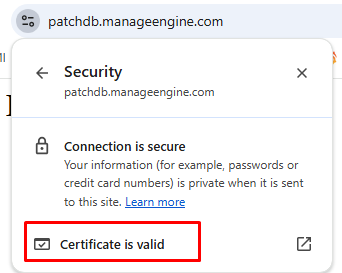
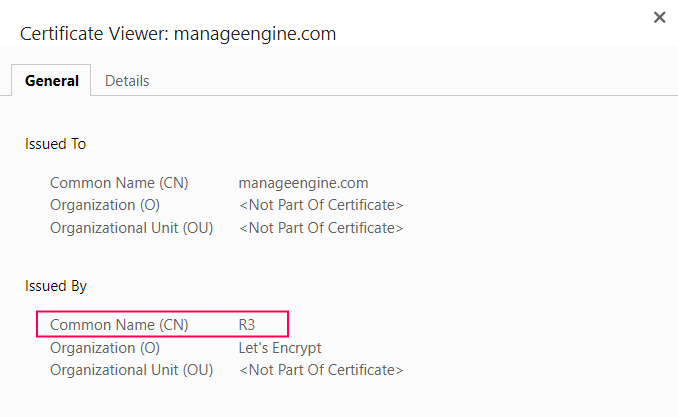
- The issuing authority should consistently be either R3 or Sectigo. Any other common name listed in the issuer section will result in certificate validation failure, which in turn disrupts the synchronization process.
- To ensure smooth and uninterrupted downloading of sync meta files, we recommend whitelisting the relevant authorities in the server's proxy and firewall configurations.
If the issue persists even after following the above-mentioned resolutions, please feel free to contact support.