Get cumulative reports
Cumulative reports help you view all the events that occur across an entire farm or tenant on a single report. You can narrow down the search by specifying the time and the site collection.
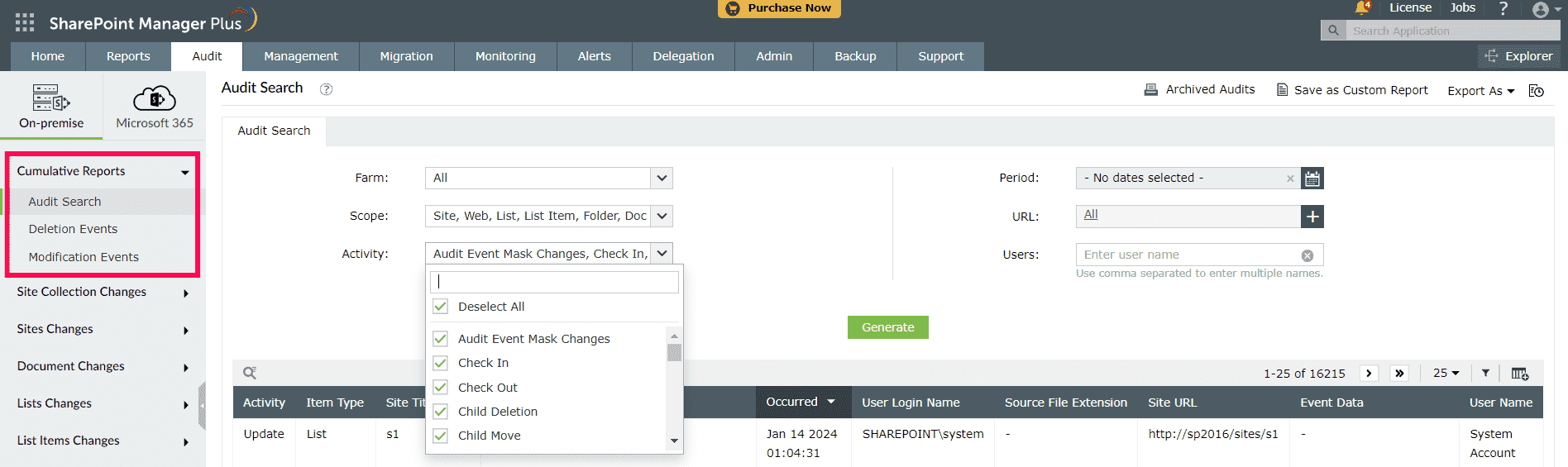
Audit Search
Audit Search allows you to specify which objects and their activities you would like to audit.
- Select the farm under which you want to perform the audit search using the Farm drop-down.
- Use the Scope drop-down to select the objects.
- Use the Activity drop-down to specify the activities of the objects.
Deletion and modification Events
These reports list all the deletion and modification events that have occurred across an entire farm or tenant.
- Use the Period field to specify the period for the audit.
- Add site collections for the audit by clicking the
 icon.
icon.