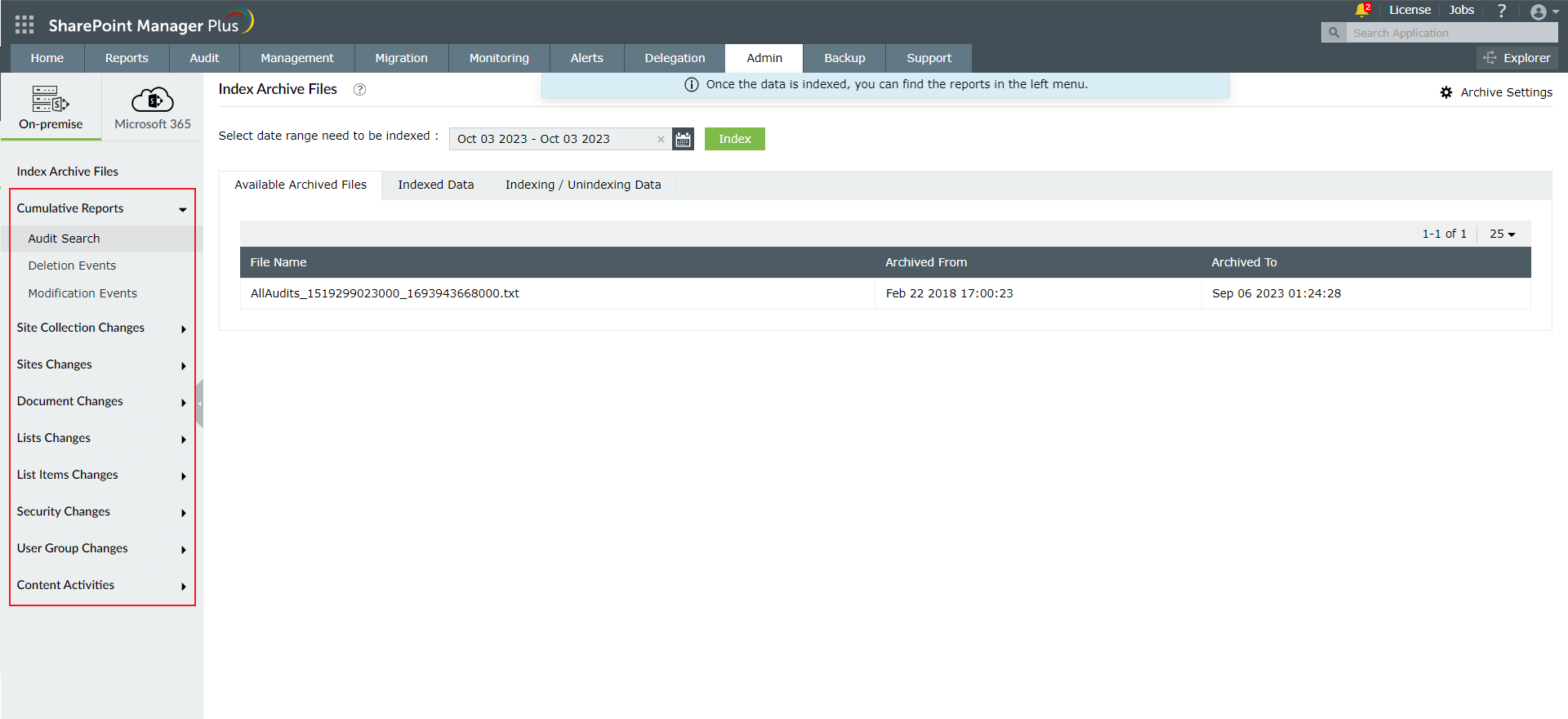
Archive File Search
The Archive File Search feature in SharePoint Manager Plus allows you to retrieve and analyze historical audit data that has been archived. By indexing archived files, you can make past audit information readily available for reporting and compliance needs without impacting the performance of live data.
Follow the below steps to index and view the archived audit report.
- All the archives created during daily Audit archive schedule will be listed in "Available Archived Files".
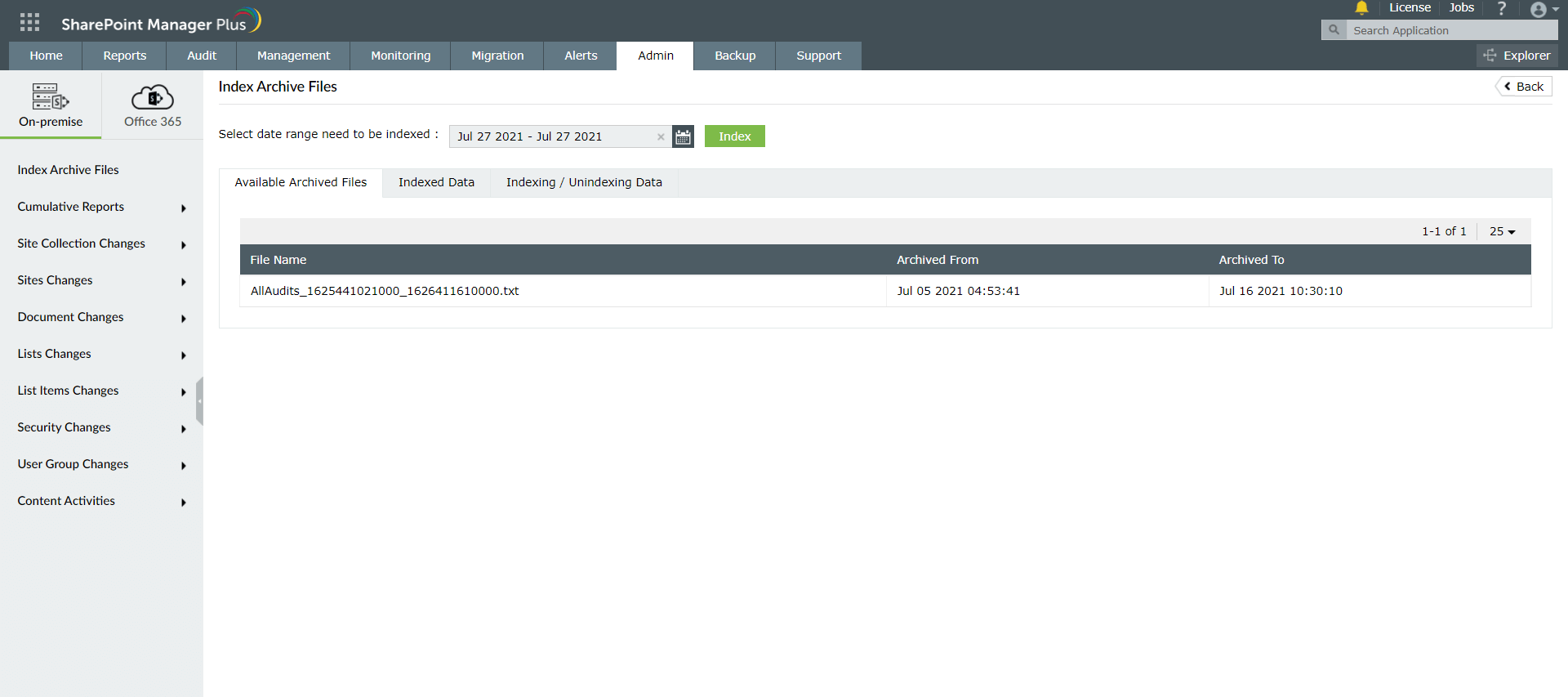
- In order to see the data from archive, select the date range in date picker and click on "Index" button.
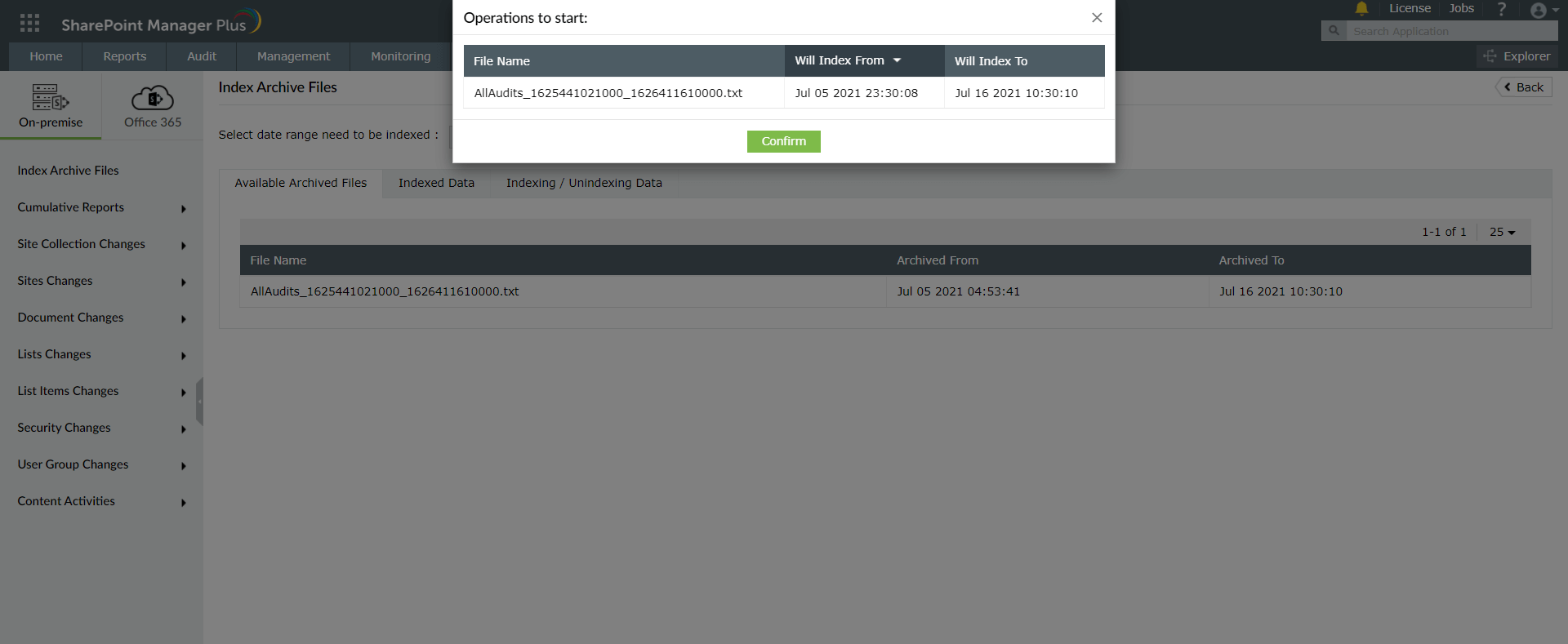
- Click on the "Confirm" button to start indexing.
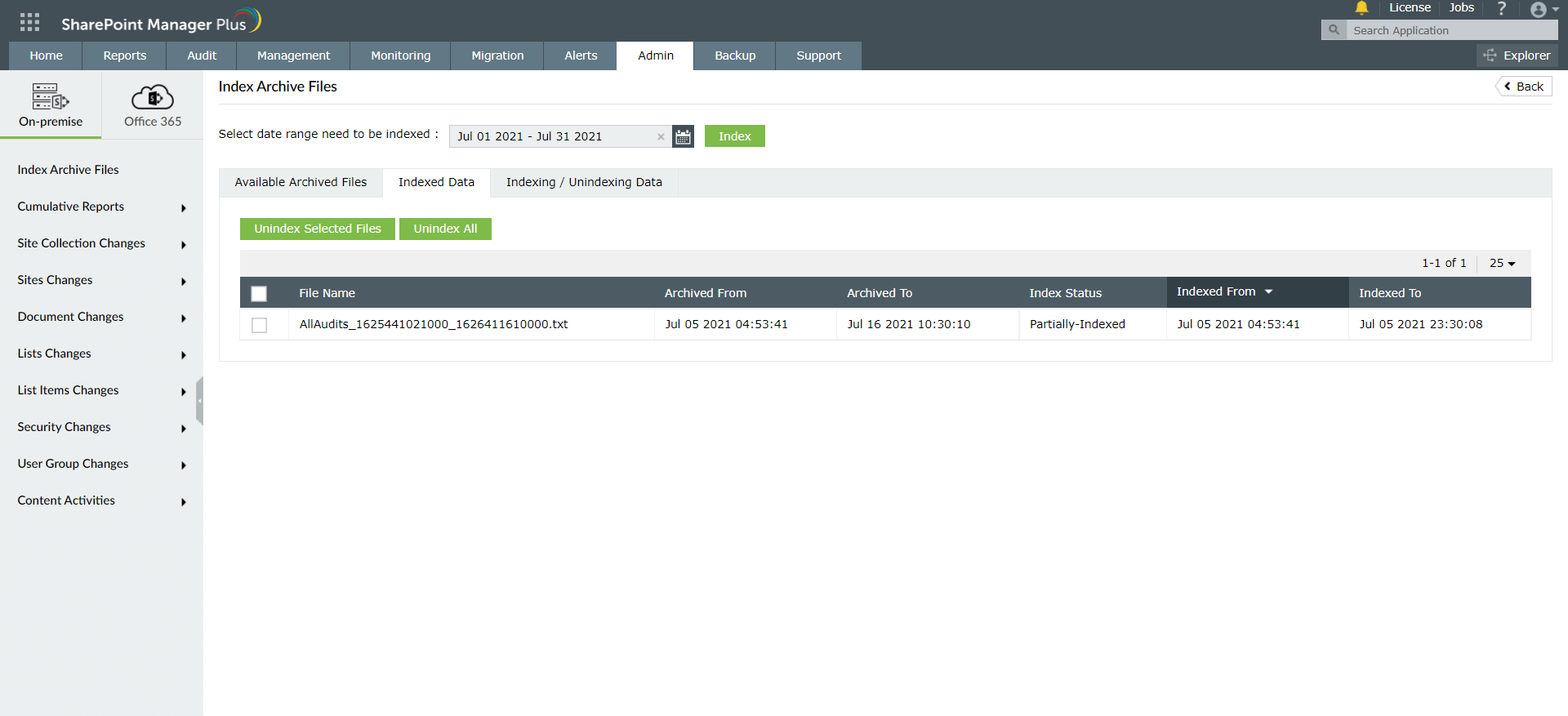
- Indexed files details will be listed in "Indexed Data" tab.
- After viewing the reports, indexed data can be unindexed from this tab.
- Once particular date range is indexed, those audits can be seen in the reports listed in the Left hand side.