SharePoint Online Monitoring
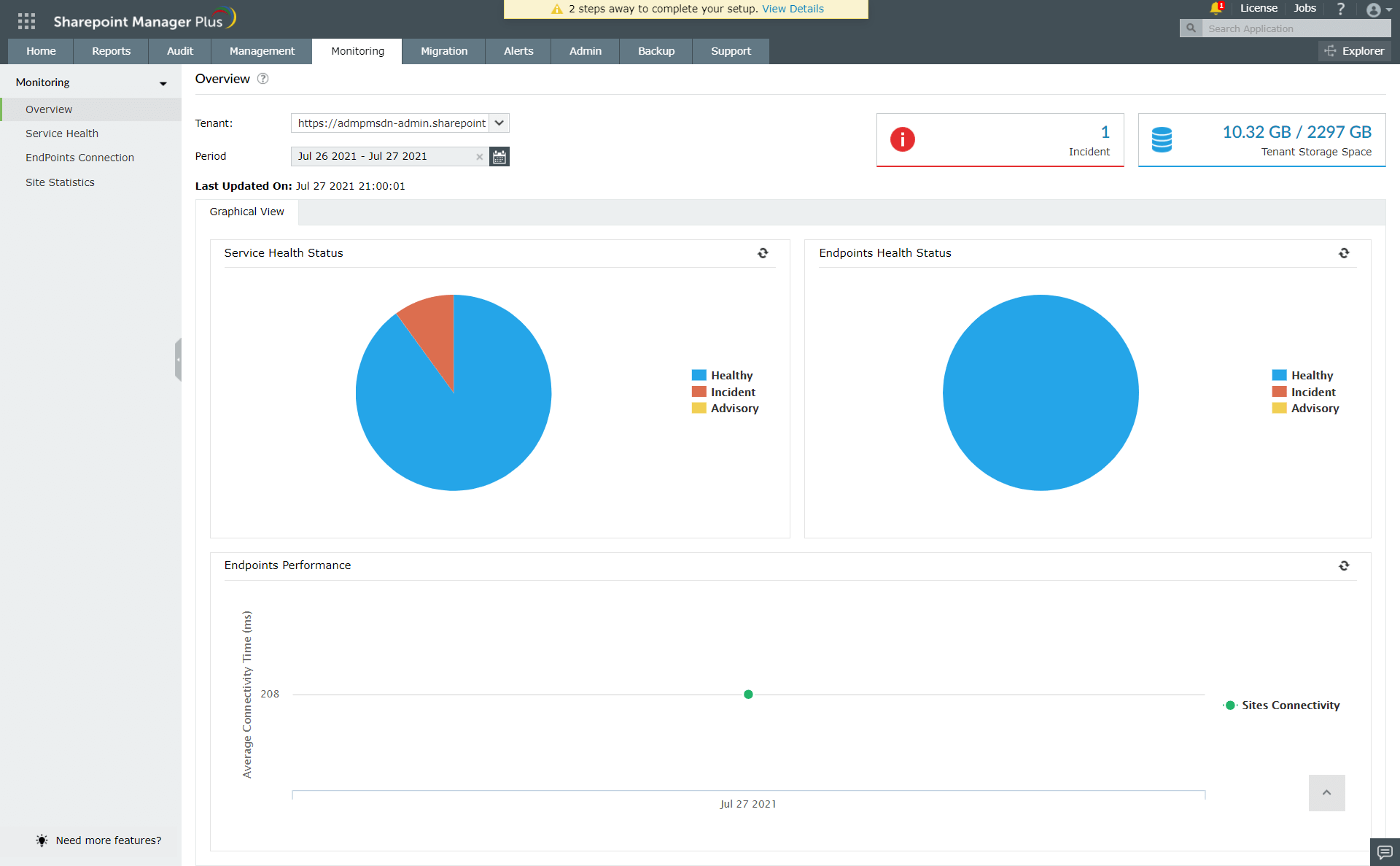
Overview
- The Overview page shows the current Service Health status of the selected tenant.
- If an incident or advisory message is displayed, clicking on it will give further insights into service degradation.
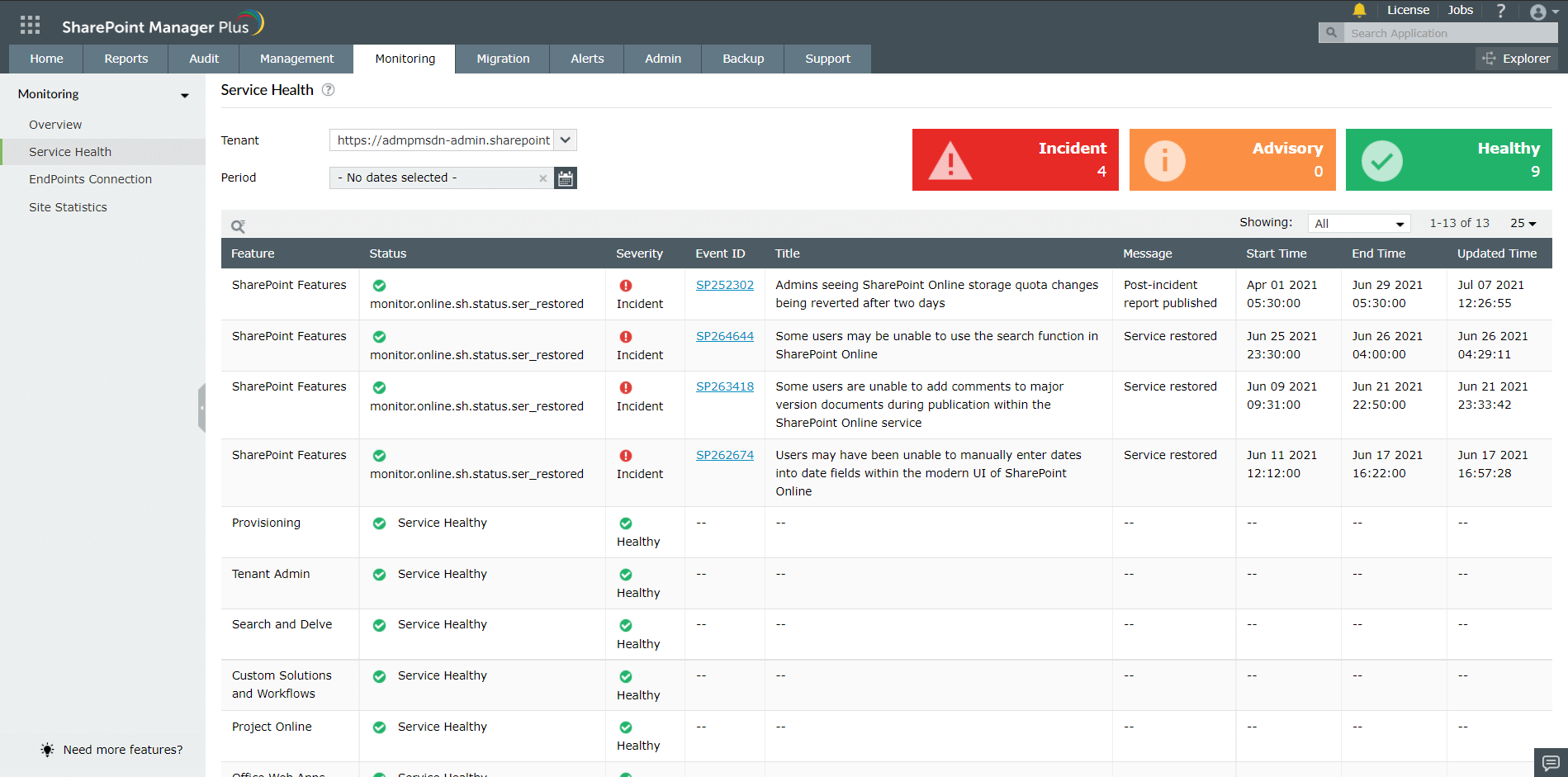
Service Health
- The Service Health page shows the health of all SharePoint online features for the selected tenant.
- If any of the service is degraded, details like impact, started time, root cause, and status can be seen in the Service Health report.
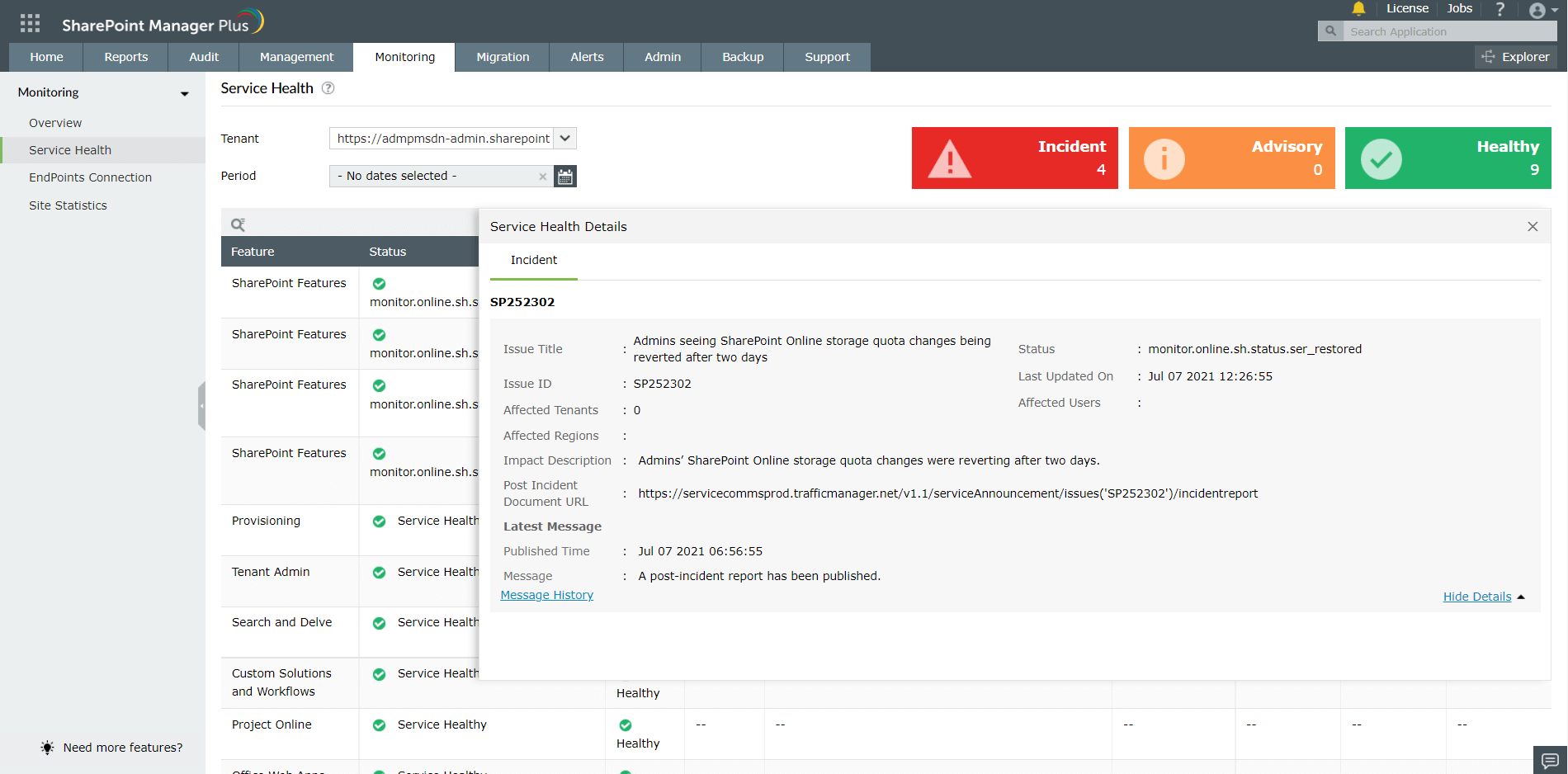
- Clicking on the Event ID will show details of the degraded service as shown below.
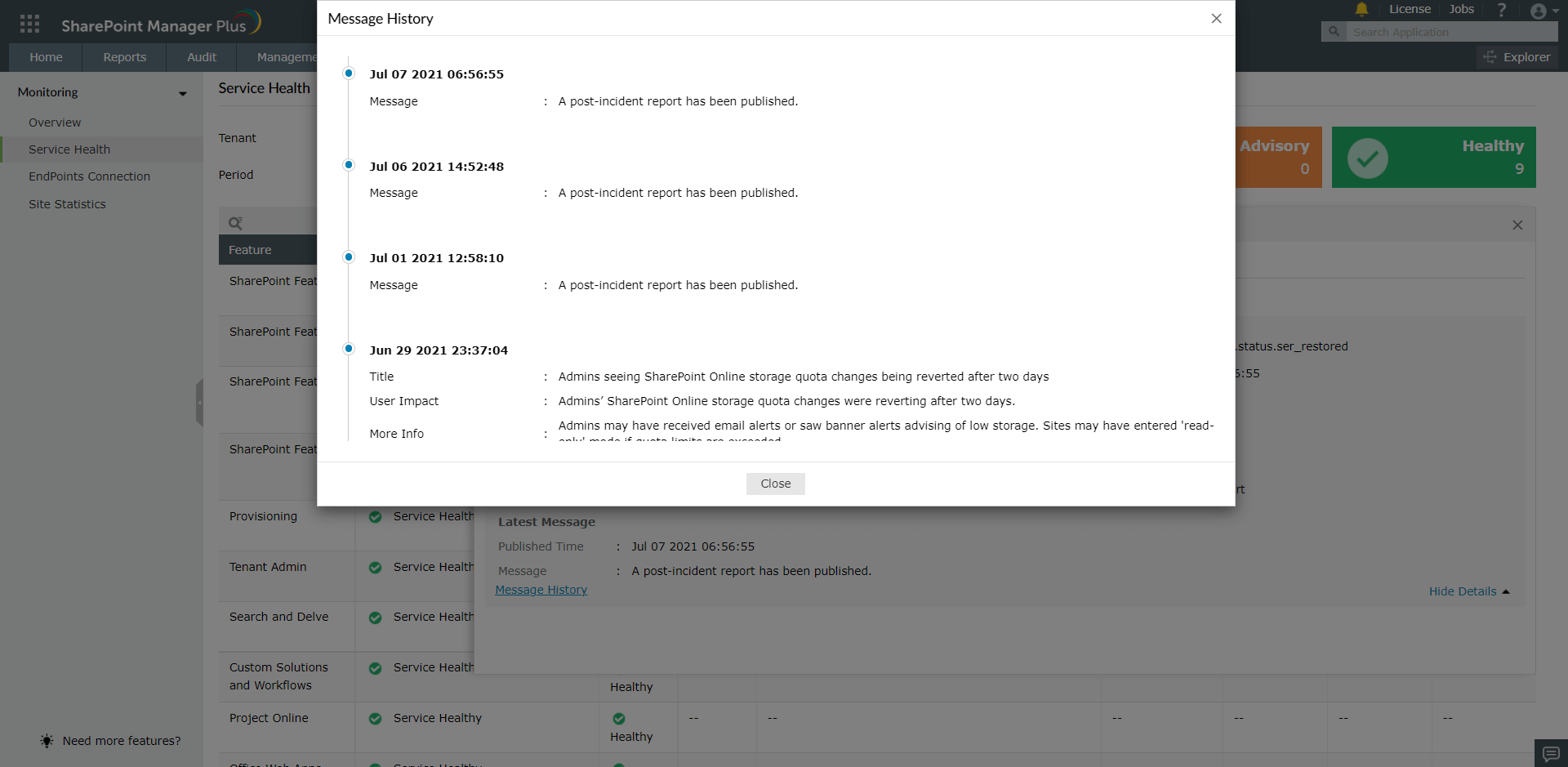
- Clicking on Message History will show chronological updates of the degraded service as shown below.
Endpoints Connection
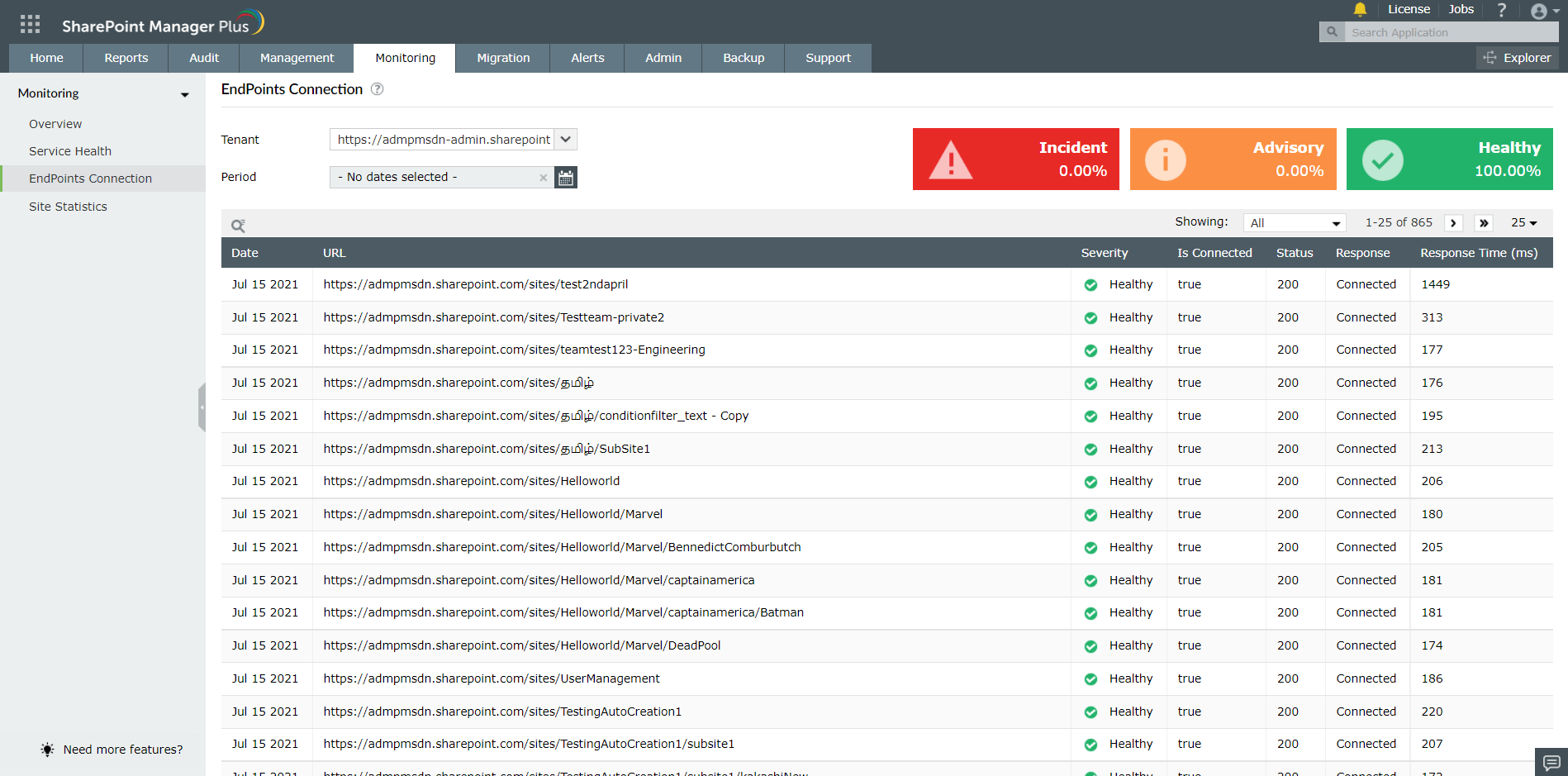
- For Site Collections and Sites, connectivity time is calculated and shown in this report.
- If there is no connection, it is categorized as an Incident. If connection time is greater than 1500ms, it is categorized as an Advisory.
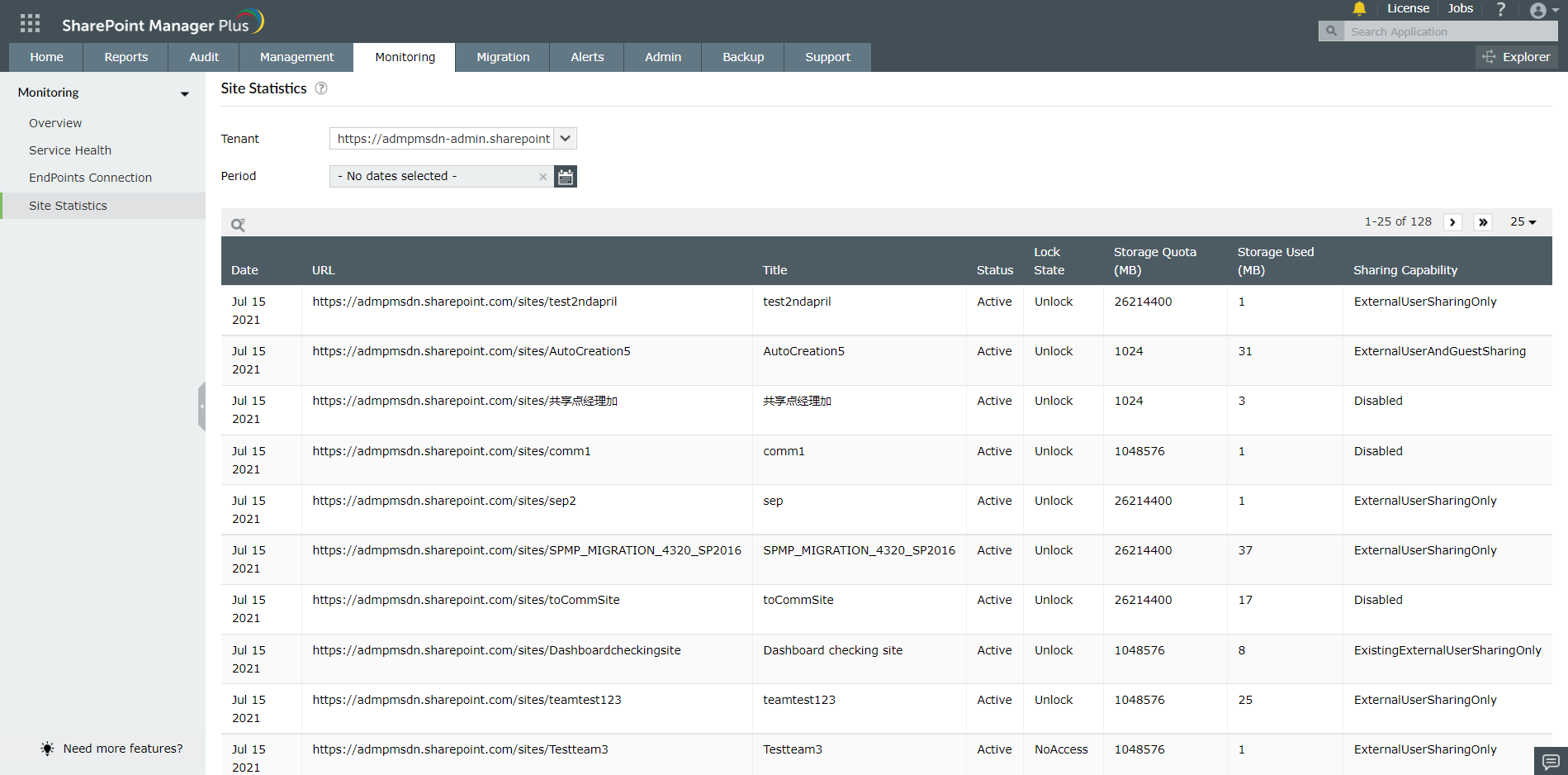
Site Statistics
- The Site Statics report shows various site statistics such as Storage Quota, Storage Used, Sharing Capability, Lock State, and Content Modified Date.