OneDrive and SharePoint site reporting tool
SharePoint Manager Plus provides in-depth reporting for SharePoint and OneDrive sites, helping you gain visibility into permissions, file activity, storage, and sharing beyond what native reports offer.
Complete
visibility into
OneDrive sites
- View storage usage and quota across OneDrive for Business sites.
- Monitor external sharing and anonymous access to OneDrive content.
- Track file and folder activity, including creation, modification, and access.
- Review file- and folder-level permissions for OneDrive sites.
- Identify inactive OneDrive sites and stale files consuming storage.
- Export reports for audits and compliance in different formats.
Thank you for downloading!
Your download should begin automatically in 15 seconds. If not, click here to download manually.
Start your 30-day free trial
Key OneDrive reporting capabilities
- OneDrive Site Insights
- OneDrive Document
- Permission and Sharing Governance
- Usage Analytics
- Report Customization
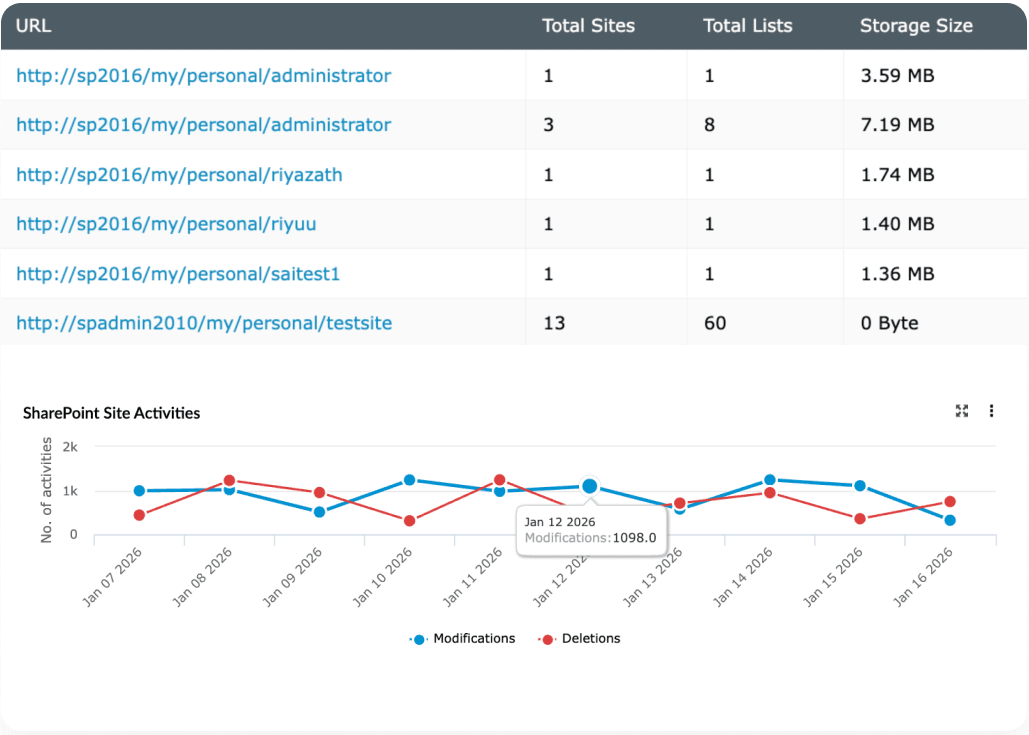
OneDrive Site Insights
- OneDrive sites: View all OneDrive for Business sites with site owner details, last activity time, and storage quota usage.
- Users: Identify active, inactive, orphaned, external, and deleted users across SharePoint and OneDrive sites.
- Storage overview: Analyze total storage consumed versus allocated, identify the largest OneDrive sites, and compare storage growth over time.
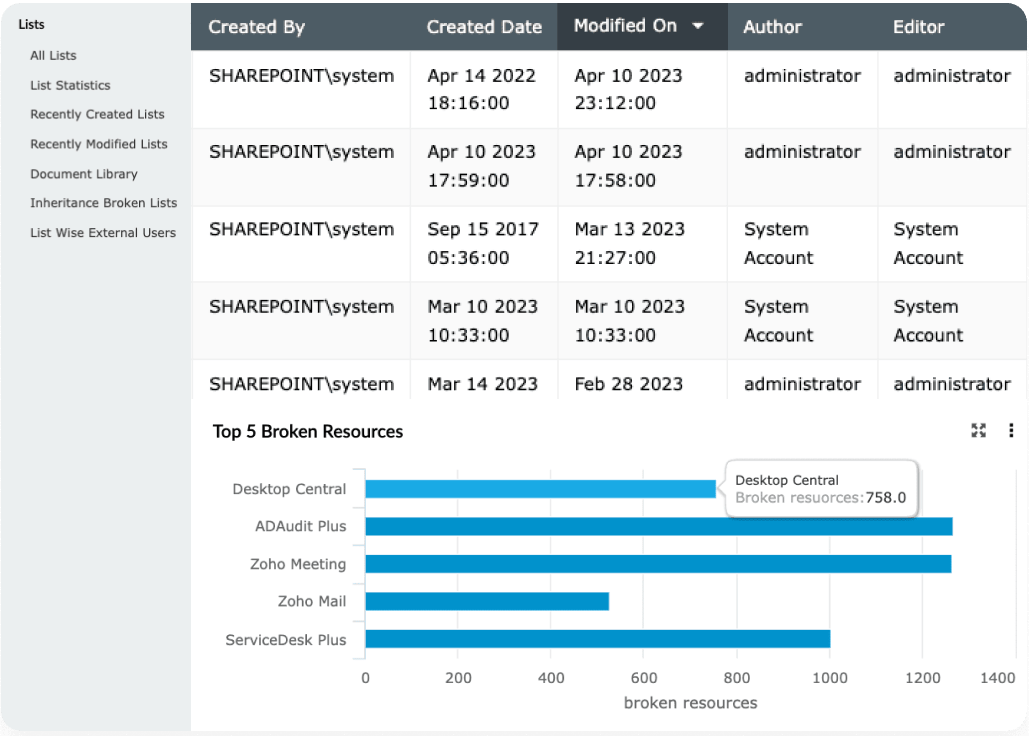
OneDrive Document
- Files: View file-level details such as file type, size, owner, and creation or modification timestamps across OneDrive sites.
- Folders: Analyze folders, storage contribution, and modification history within OneDrive sites.
- Lists: View document libraries, lists, and list items that were created and modified in your OneDrive sites, with details on inheritance and external users.
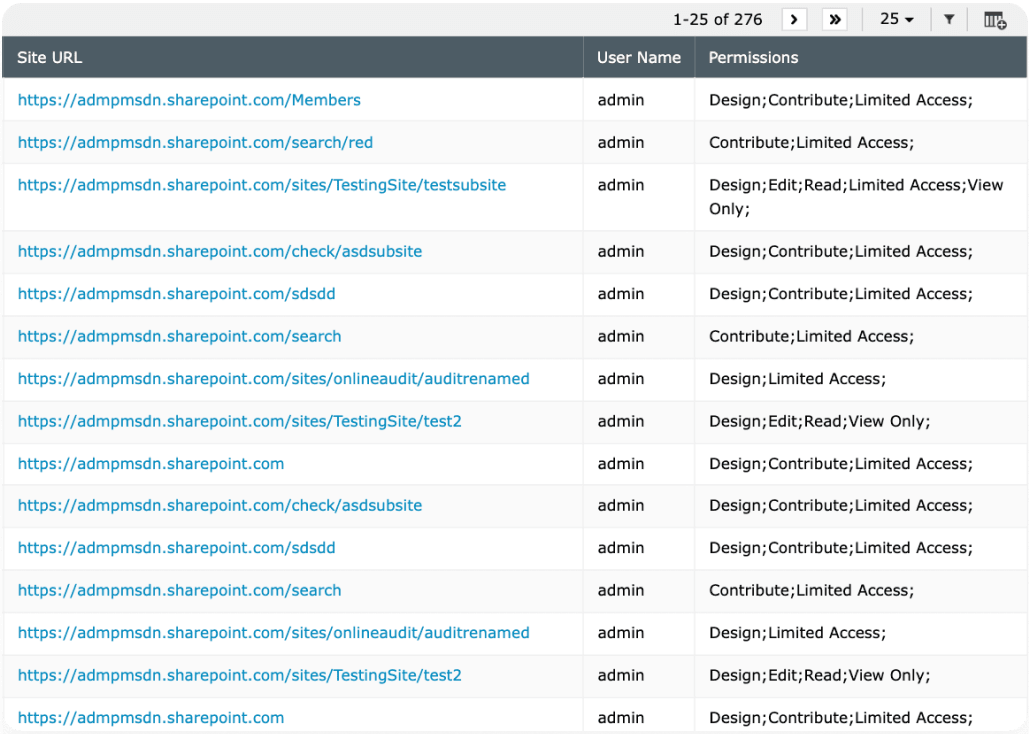
Permission and Sharing Governance
- Permissions: Review site-, file-, and folder-level permissions, including direct user access and permissions inherited through groups.
- External sharing: Monitor files shared externally, including guest users and anonymous access links.
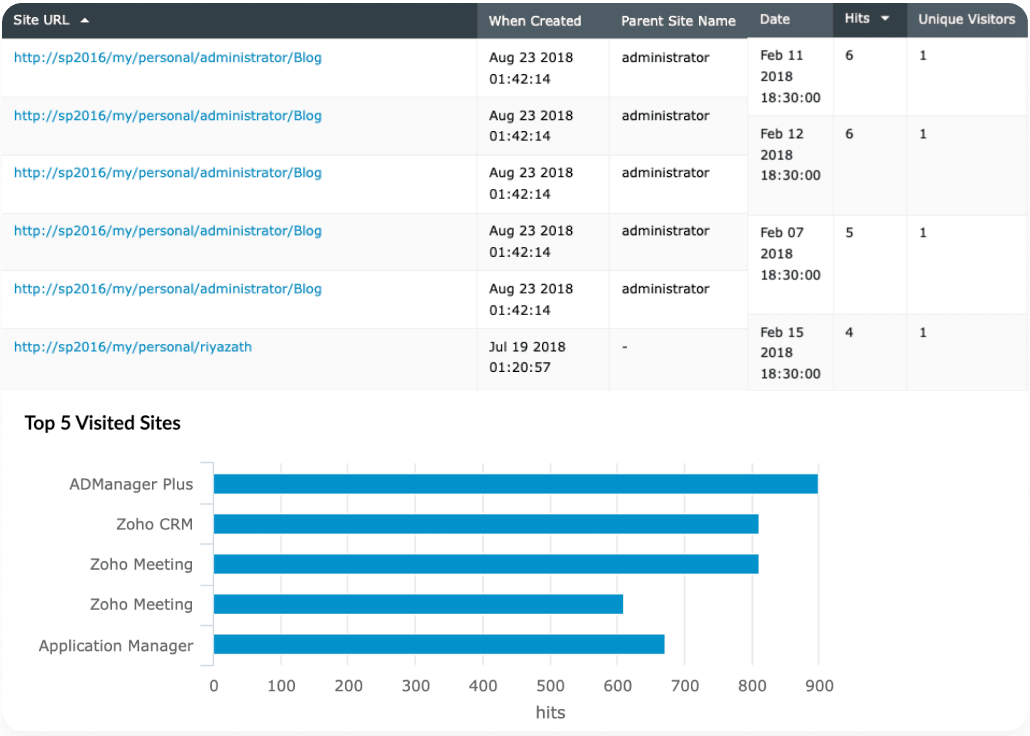
Usage Analytics
- Activity reports: Track user actions on OneDrive sites, such as creations, modifications, deletions, and sharing events.
- Traffic reports: See how many users, including unique visitors, have opened your sites daily and monthly.
- Statistical reports: Get an overview of site, list, and document library counts; user and group distribution; and storage usage across OneDrive sites.
Report Customization
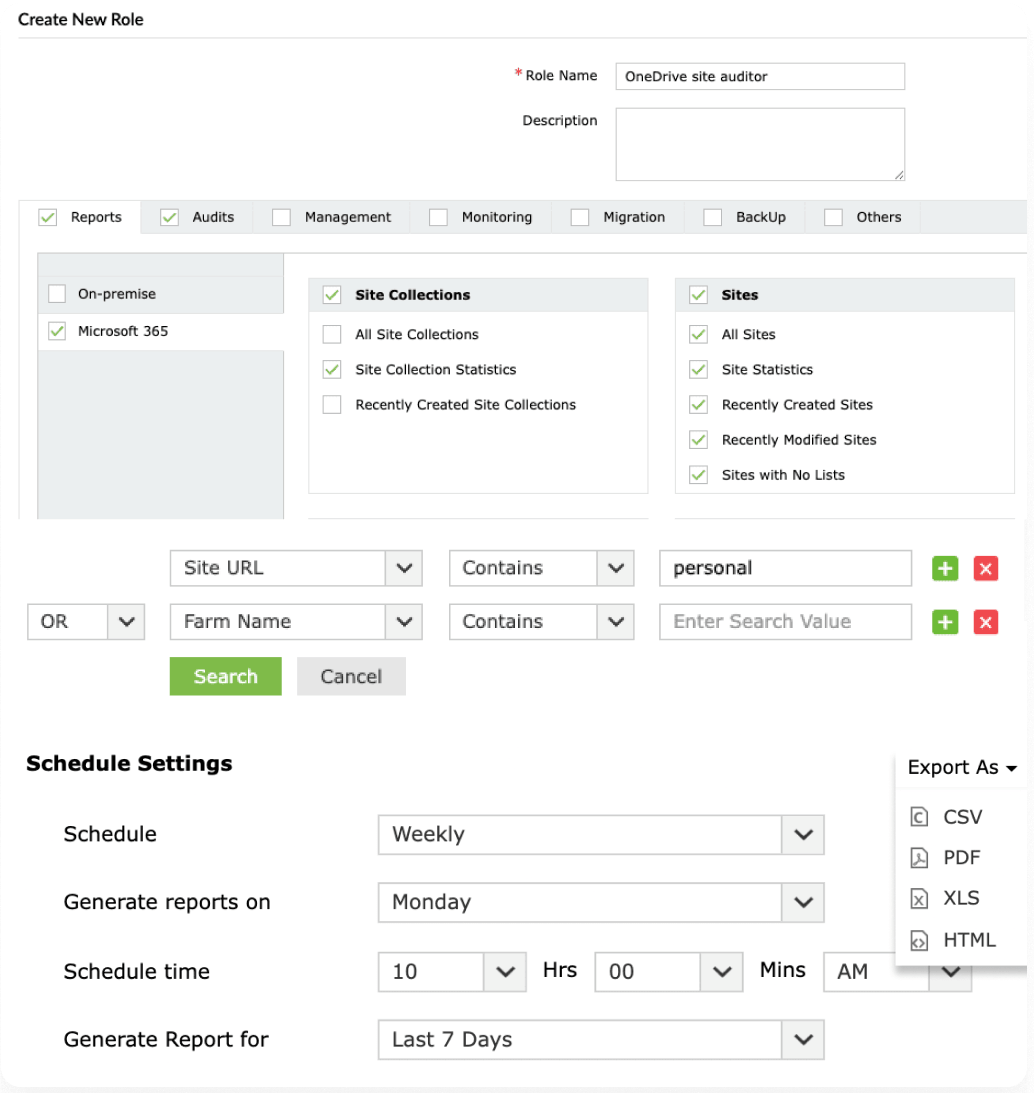
- Customized reports: Build tailored reports with your preferred fields and filters saved for quick access to the information you need.
- Multiple formats: Export reports in different formats, like CSV, PDF, XLS, and HTML.
- Report scheduling: Configure schedules to get OneDrive reports sent to email addresses of your choice.
- Secure delegation: Provide non-IT staff and HR access to OneDrive reports without exposing the entire reporting console.
Benefits of OneDrive reporting with SharePoint Manager Plus
Unified visibility
Get a consolidated view of OneDrive for Business sites alongside SharePoint sites, making it easier to monitor everything from a single console.
Improved governance
Identify external sharing, anonymous access, and excessive permissions across OneDrive sites to reduce data exposure and support internal audits.
Script-free insights
Get detailed reports that go beyond native SharePoint and OneDrive reporting without complex scripts.
Time-saving reporting
Customize reports once, schedule them for automatic delivery, and export them in multiple formats—reducing manual effort and repetitive admin tasks.
Features that make SharePoint Manager Plus a one-stop tool for your SharePoint needs
Access governance
Manage site and file permissions for SharePoint users and groups to ensure least privilege, and control group memberships in bulk using point-and-click operations.
Change auditing
Audit SharePoint events and user activities. Track site access, site activity, changes to site permissions, and archive log data for forensic analysis as required by IT regulations.
Instant alerts
Get critical change email notifications, prioritize tasks with severity categories, and access detailed information on when, where, and by whom the change occurred.
Back up and restore
Automate and back up SharePoint on-premises data. Restore your SharePoint environment to a previous version at any time.
Seamless migration
Copy contents from a site or file server to a new or existing environment with ease. Also migrate existing sites, folders, or files between SharePoint or OneDrive sites separately.
Granular delegation
Delegate tasks to non-administrative users (technicians) to ease the load on managing the entire SharePoint environment.
Frequently asked questions
1. How is OneDrive different from SharePoint, and why is reporting needed?
While OneDrive and SharePoint serve different collaboration needs, OneDrive for Business is built on SharePoint Online. Reporting helps administrators understand how OneDrive SharePoint sites are being used, shared, and accessed—something native tools provide only limited visibility into.
2. Why should I use SharePoint Manager Plus to report on OneDrive for Business sites?
Native reporting provides limited visibility into how OneDrive for Business sites in SharePoint are being used, while scripting demands strong technical knowledge and is prone to errors. SharePoint Manager Plus provides a user-friendly GUI for deep insights into storage, file activity, permissions, and sharing, enabling admins to spot inactive sites, control external sharing, optimize storage, and ensure compliance effortlessly.
Hundreds of organizations trust SharePoint Manager Plus with their SharePoint environments
Zoho Corporation Pvt. Ltd. All rights reserved