SharePoint replaces shared network drives with a real document management system: Files live in libraries, carry metadata, version automatically through major and minor versions, and respond to role-based permissions at the site, library, and item level. However, keeping SharePoint healthy at scale is a different job. Version history bloats storage, since every version is stored as a full copy. Metadata falls out of use. Check-outs quietly block collaboration when the file owner is unavailable.
Native controls handle each of these one library at a time, and PowerShell scripting isn't a fit for non-technical staff and is prone to errors. SharePoint Manager Plus provides bulk SharePoint management controls that run across sites, libraries, and tenants from a single console, without any scripts.
SharePoint Manager Plus offers the following features for SharePoint document management:
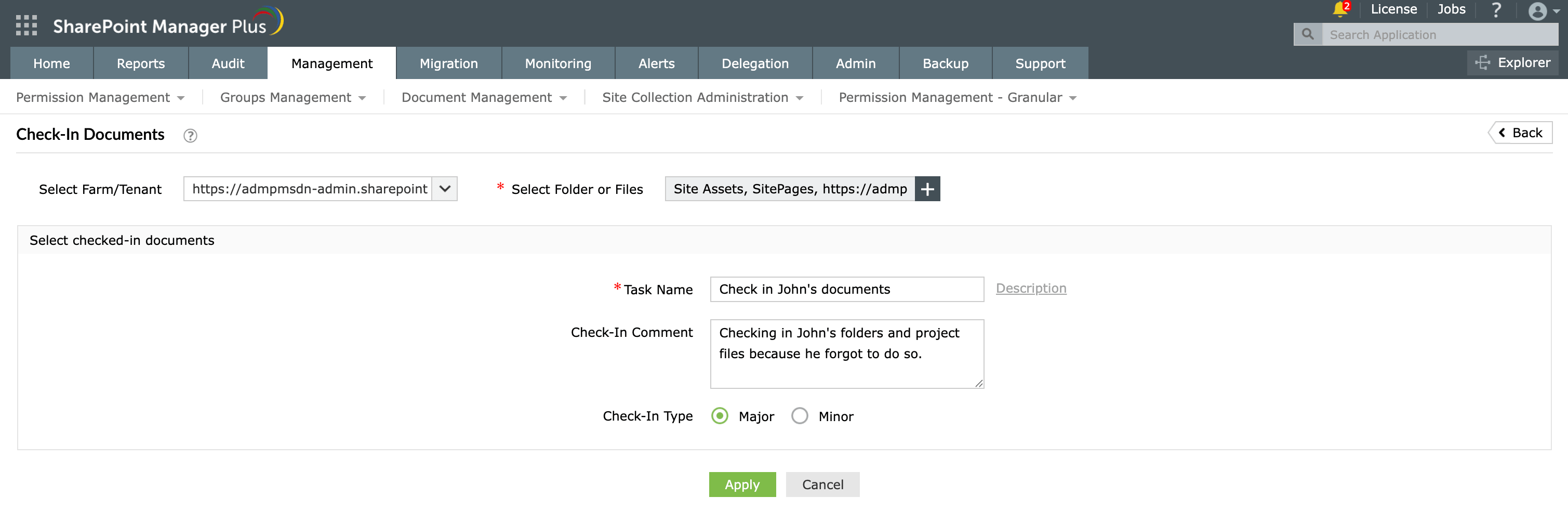
Check-In Documents
Bulk-release documents that colleagues left checked out, and force check in files locked by other users, even when they're out of office. Set the version type as major or minor, record an audit comment, and check in files across many libraries and tenants from one console.
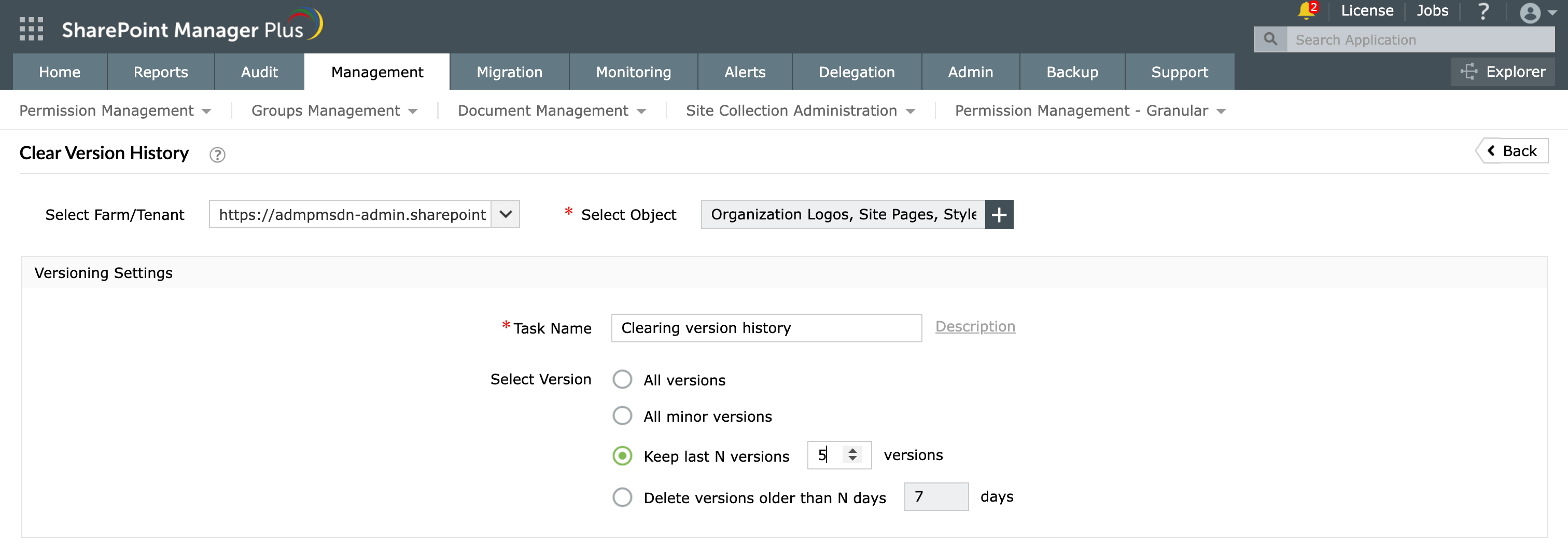
Clear Version History
Reclaim storage by clearing old versions in bulk. Trim across a site, list, or specific documents, keep the last few versions, delete versions older than a specified date, or remove minor versions only. Run cleanup on demand or on a recurring schedule, with email notification on completion.
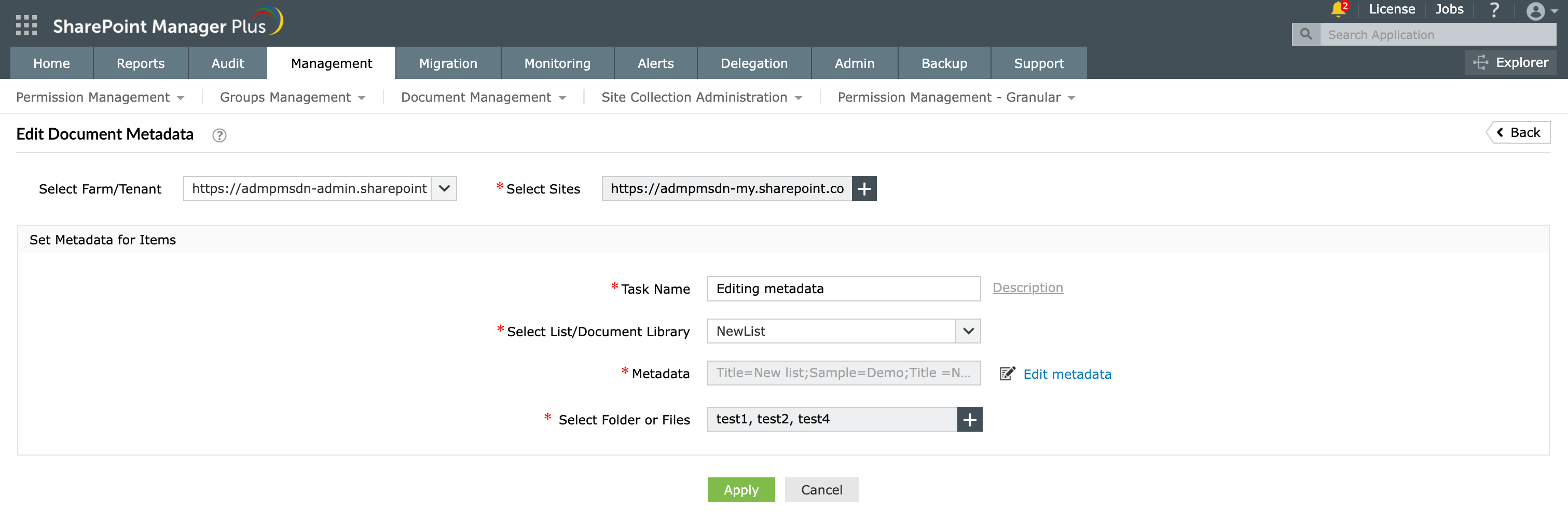
Edit Document Metadata
Fix inconsistent metadata across an entire library in one go, no file-by-file edits and scripting. Set column values across selected folders and files, or import them from a file for large and repeatable updates.
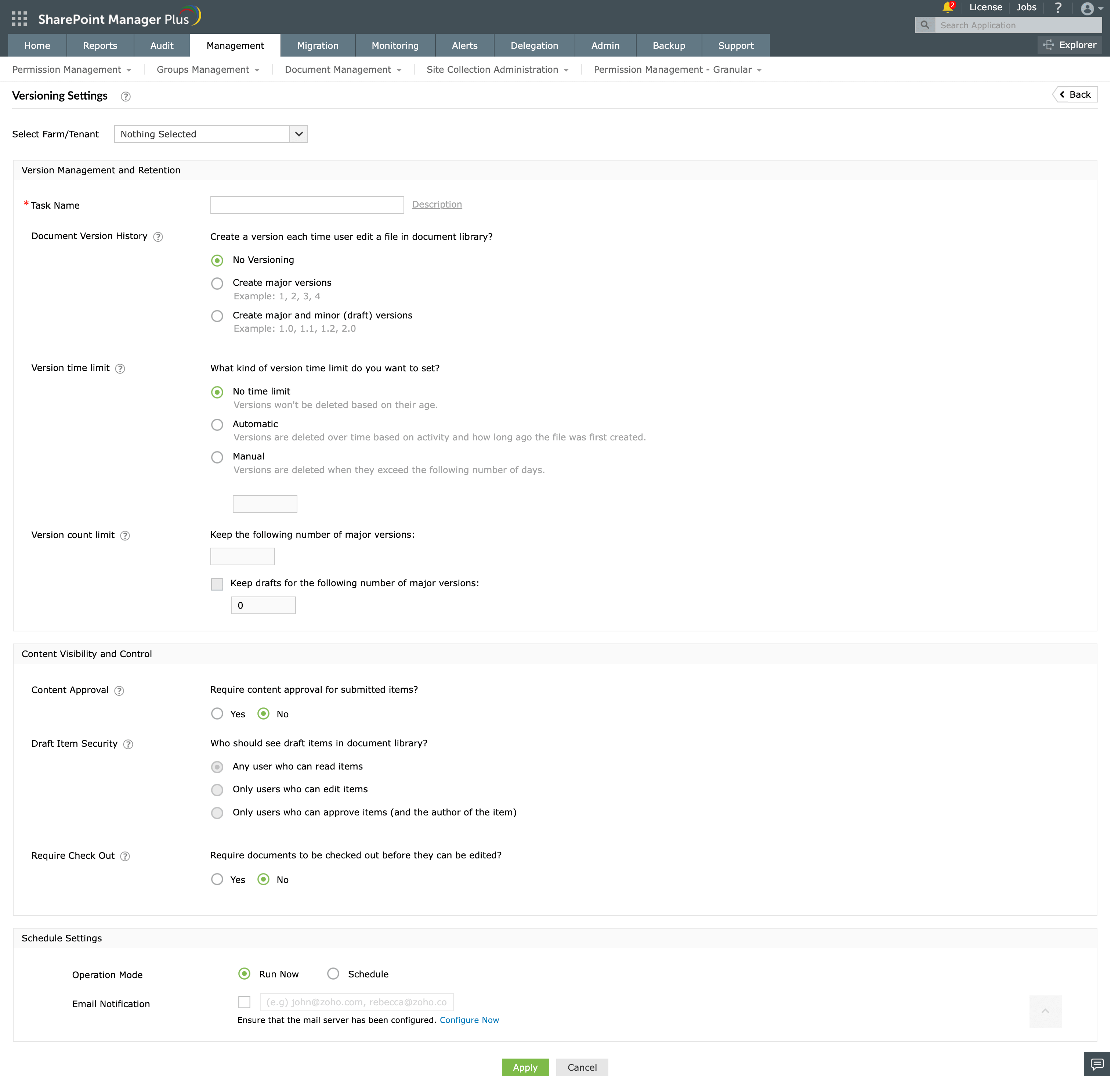
Versioning Settings
Configure version type, retention limits, content approval, and more, consistently across libraries and tenants. Roll out one policy tenant-wide and schedule the task so new libraries and edited settings are brought back in line automatically.
Benefits of SharePoint Manager Plus' document management
- Hybrid control: Manage documents in SharePoint Online and on-premises SharePoint (Server 2019, 2016, 2013, and Subscription Edition).
- Bulk operations: Apply check-ins, version cleanup, metadata updates, and versioning settings across many libraries and sites in one task, instead of library by library.
- Scheduled enforcement: Version cleanup and versioning configuration run on a recurring schedule, so storage and governance don't drift between reviews.
- No PowerShell required: Everything runs through a point-and-click GUI with no cmdlets to write, test, or maintain.
- Granular delegation: Empower non-admin users to handle document management tasks without elevating their native privileges.
- Auditable by design: Every operation is a named task with an optional description, tying each change to an operator.
Other features of SharePoint Manager Plus
- SharePoint management: Grant, remove, or copy SharePoint permissions, and manage group members in bulk without relying on complex scripts, simplifying your SharePoint administration.
- SharePoint reporting: Access over 140 prebuilt and custom reports for SharePoint—including permissions, site usage, content inventory, and security insights—all from a centralized dashboard.
- SharePoint auditing: Maintain a comprehensive, searchable audit trail of all activities across your SharePoint environment, including user actions, permission changes, and content modifications.
- SharePoint alerting: Get real-time alerts on critical events such as permission changes, suspicious user activities, site access anomalies, and policy violations.
- Delegated administration: Empower help desk technicians with granular, role-based access to perform specific SharePoint administrative tasks, without elevating native privileges.
- SharePoint migration: Simplify SharePoint migration by enabling seamless content and permission migration across sites and tenants, with minimal downtime and full visibility into migration progress.
Frequently asked questions (FAQs)
Both. SharePoint manages web content and pages like a CMS while storing, versioning, and securing files like a document management system. Most enterprises run it as their DMS backbone and treat the CMS features as a bonus.
Map sites and libraries to business functions, apply content types for consistent metadata, and use library views instead of deep folders. Keep folder depth shallow and let metadata do the sorting.