Configure Mac Pre-requisites
Before deploying an application control policy to Mac endpoints, two system-level permissions must be granted: a System Extension approval and Full Disk Access for the Application Control driver.
Configure prerequisites manually
Follow these steps on each Mac endpoint if you are not using an MDM solution to push the permissions profile.
Step-by-step: System Extension and Full Disk Access
When a policy is deployed to a Mac endpoint, a pop-up listing the required prerequisites appears automatically on the device.
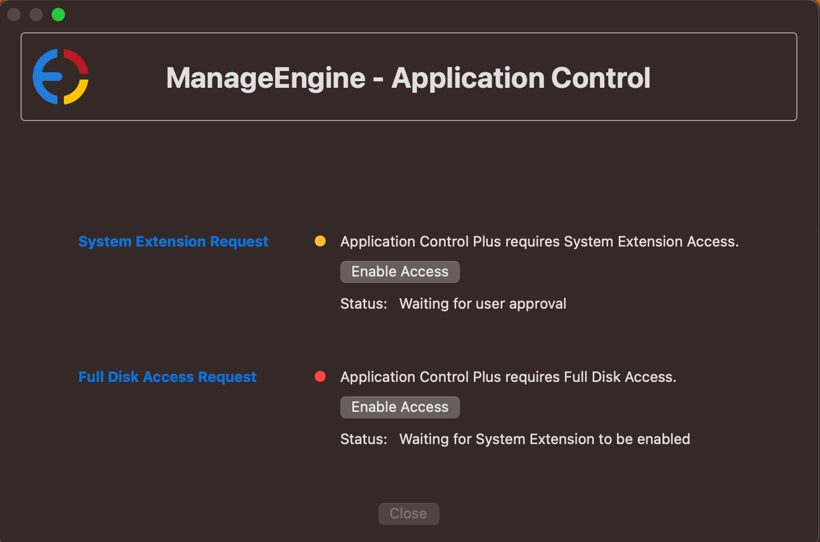
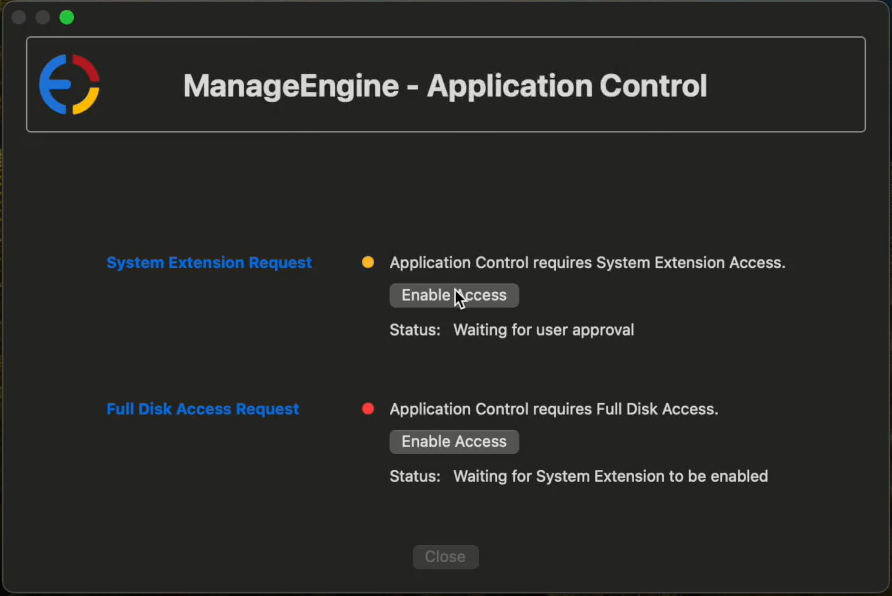
- In the pop-up, tap Enable Access next to System Extension Request, then select Open System Settings.
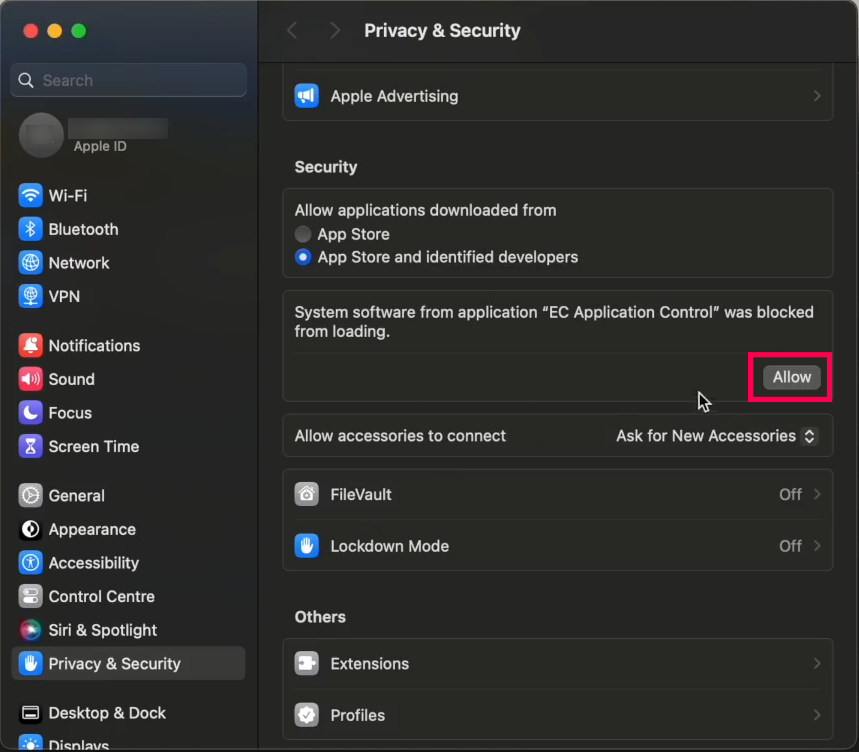
- In the Privacy & Security section, tap Allow to load Application Control from system software.
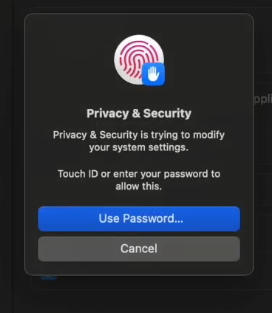
- Enter your credentials when prompted to authorize the change.
- The System Extension Request is now enabled.
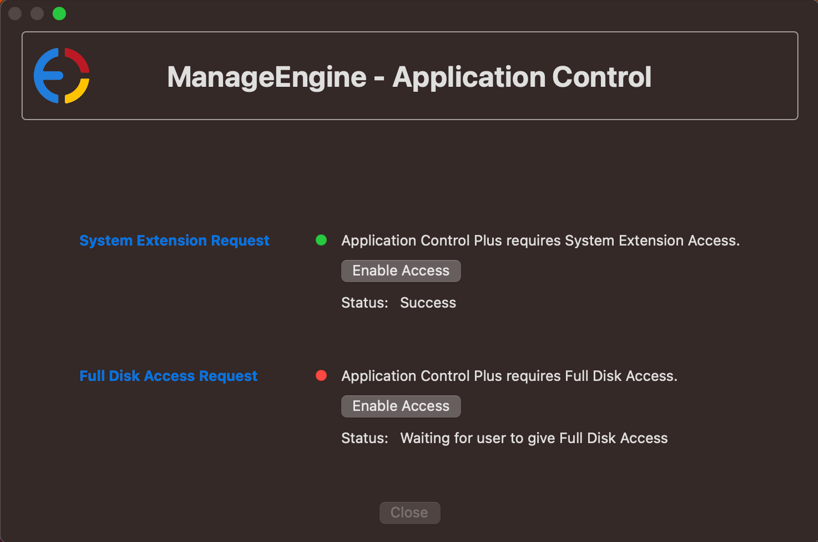
- Back in the pop-up, tap Enable Access next to Full Disk Access Request. A list of applications requiring access appears.
- Enable access for Application Control Driver from the list.
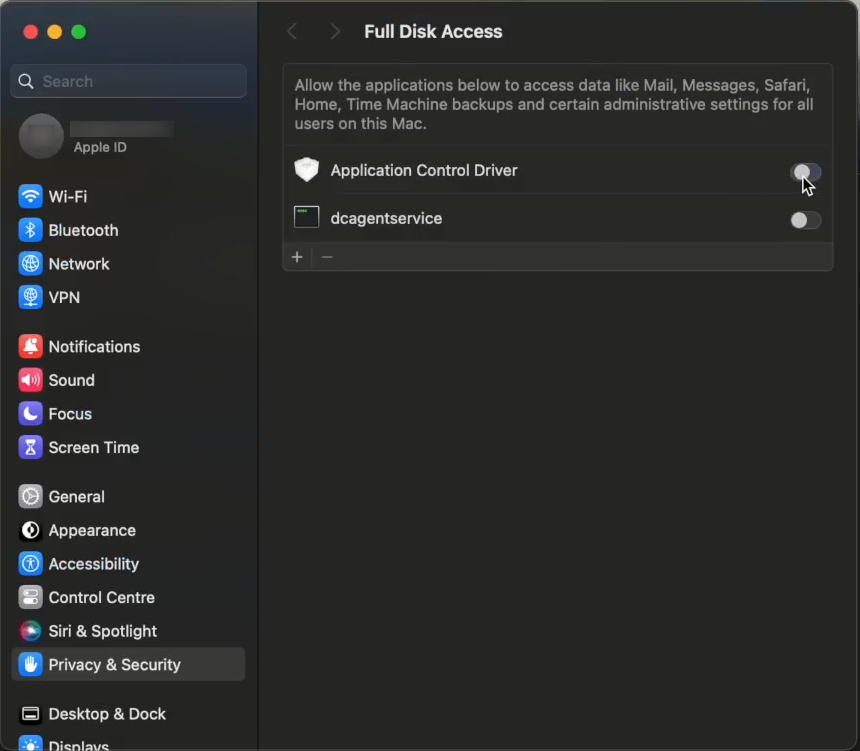
- Enter your credentials when prompted to authorize the change.
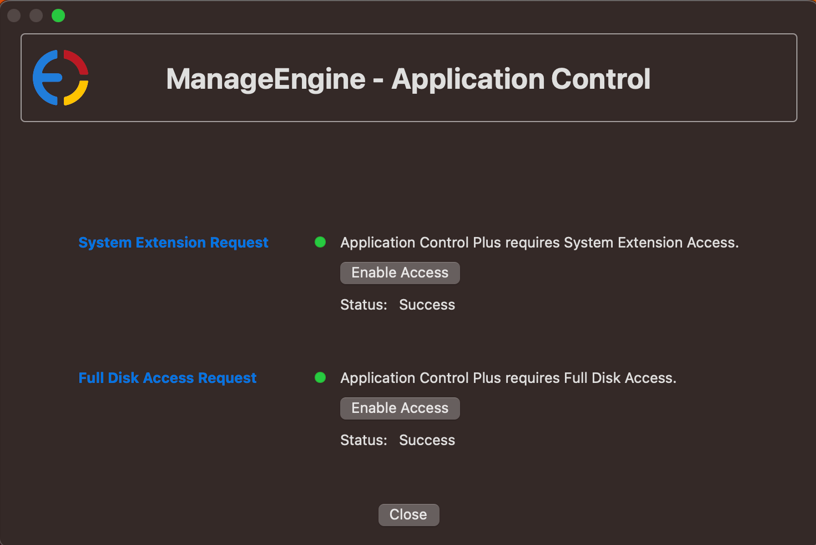
- The Full Disk Access Request is now enabled. Both prerequisites are complete.
Configure prerequisites using an MDM solution
If you manage Mac endpoints through a Mobile Device Management (MDM) solution, deploy the pre-configured profile instead of configuring each device manually.
Deploy the pre-configured profile
Download the pre-configured profile and deploy it to the Mac endpoints that will be managed through Application Control Plus.
System extension request — MDM configuration values
- Allowed Extension Categories —
Endpoint Security extension - Team Identifier —
TZ824L8Y37 - Extension Bundle Identifier —
com.manageengine.appctrl.driver
Full disk access request — MDM configuration values
- Identifier Type —
Bundle ID - Identifier —
com.manageengine.appctrl.driver - Static Code Validation —
Yes - Code Sign Requirement —
anchor apple generic and identifier "com.manageengine.appctrl.driver" and (certificate leaf[field.1.2.840.113635.100.6.1.9] /* exists */ or certificate 1[field.1.2.840.113635.100.6.2.6] /* exists */ and certificate leaf[field.1.2.840.113635.100.6.1.13] /* exists */ and certificate leaf[subject.OU] = TZ824L8Y37)
Preventing users from disabling the Endpoint Security Extension (Optional)*
- NonRemovableSystemExtensions
- Key -
TZ824L8Y37 - Value -
com.manageengine.appctrl.driver
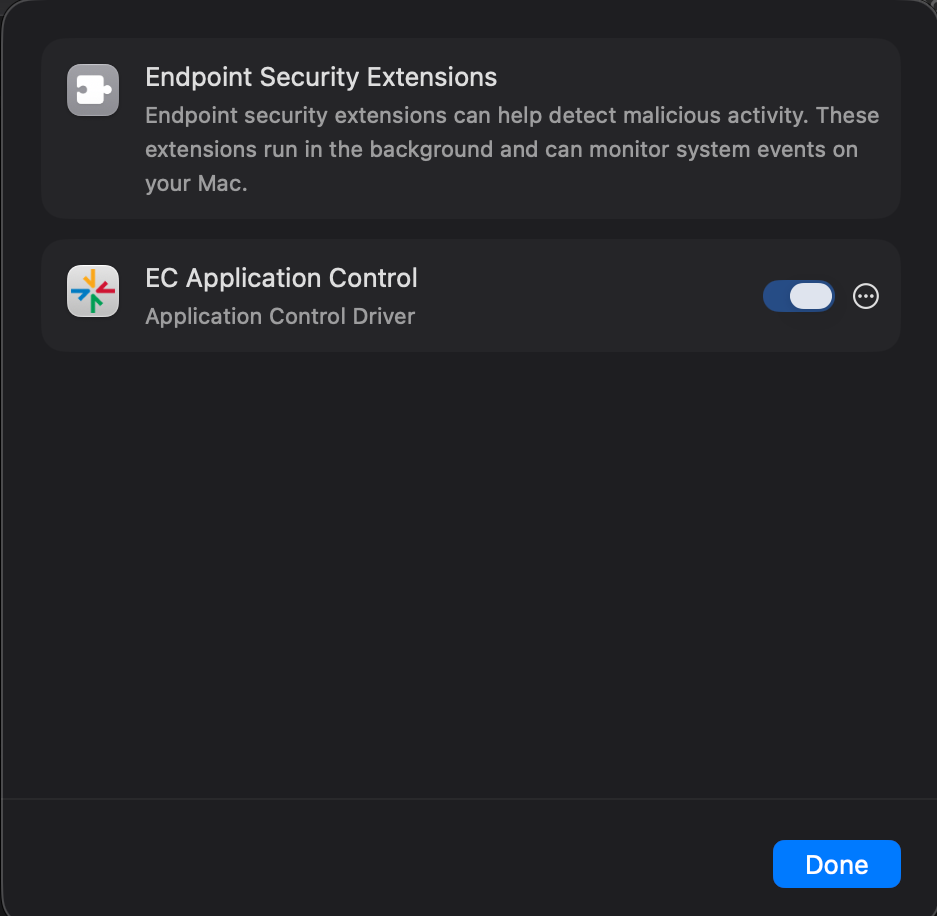
* Supported on macOS 15 Sequoia and later.