Domain scavenging
Domain scavenging, more commonly known as DNS scavenging, refers to the process of cleaning up stale DNS records that dynamically register themselves over time in the DNS database. This mechanism is typically used in conjunction with Dynamic DNS (DDNS) to automatically remove outdated records, such as those for IP addresses no longer in use, and can help prevent DNS-related issues such as name resolution conflicts and bloat in the DNS database. This practice is essential for maintaining an accurate and efficient Domain Name System, particularly in environments where IP addresses and host configurations frequently change.
Here's an overview of domain scavenging:
- Purpose: Scavenging helps remove stale resource records from DNS, which might no longer be valid due to changes in network configuration, such as decommissioned servers, expired DHCP leases, or devices that are no longer part of the network.
- Automated Cleanup: The scavenging process is often automated. DNS servers are configured to periodically scan the DNS records and remove those that are outdated or no longer in use.
- Aging and Refresh: Scavenging relies on two key concepts: the aging of records and the refresh of these records. When a DNS record is created or updated, it’s given a timestamp. If this record is not refreshed or updated within a certain period (the aging time), it's considered stale.
- Scavenging Interval: Administrators set a scavenging interval, which is the frequency at which the DNS server checks for stale records. If a record is older than the aging period by the time of this check, it will be notified to the user through scavenge reports.
- Prevents DNS Bloat: Regular scavenging prevents the DNS database from becoming bloated with unnecessary records, which can slow down DNS query responses and lead to inefficiencies in network operation.
- Dynamic DNS Environments: Scavenging is particularly important in dynamic DNS environments where DHCP is used to assign IP addresses. As clients come and go, their DNS records need to be updated or removed to reflect their current status.
- Careful Configuration: Incorrectly configured scavenging can lead to the premature deletion of active DNS records. It’s important to set appropriate aging and scavenging intervals to avoid disrupting network services.
- Improves Network Security: By removing outdated records, scavenging can also enhance network security. Stale DNS entries can be a security risk, as they may point to unused IP addresses that could be exploited by malicious actors.
Domain scavenging is a crucial maintenance activity for any network that uses DNS and DHCP. It helps ensure that the DNS database remains up-to-date and free from clutter, enhancing both the performance and security of the network.
Configuring domain scavenging in DDI Central
To configure Domain scavenging in DDI Central:
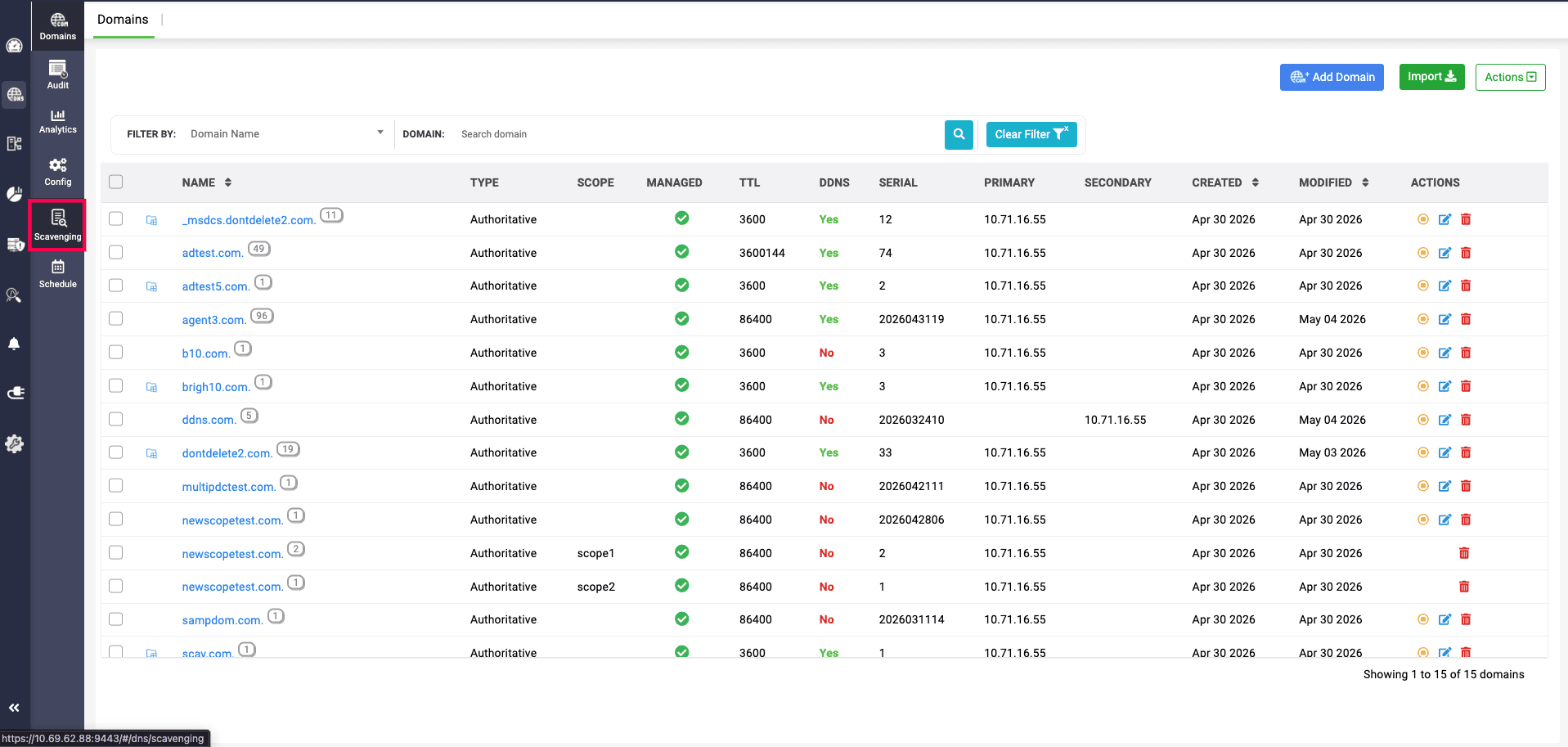
- Select the DNS menu from the menu bar along the left side of the screen. From the submenus that appear, choose Scavenging.
- Here, there are two different types of scavenging can be configured and implemented for automated scheduled scavenging in domains: DDI Scavenging and Native Scavenging.
- Stale DNS records can be cleaned up in two fundamentally different ways depending on where the cleanup actually executes — at the protocol layer (the Windows DNS / AD server itself) or at the management-plane layer (the DDI Central console, acting across all servers). Both are valid. They solve different problems, operate on different scope, and give the admin different levels of control.
- Native Scavenging: Cleanup performed by the Windows DNS server itself, using its own dynamic-update timestamps. The scavenging logic lives inside Windows.
- DDI Scavenging: Cleanup orchestrated by the DDI Central console, on a schedule the admin defines centrally. The scavenging logic lives inside DDI Central and operates across servers from a single pane.
DDI Scavenging
Provide the values for configuring and implementing DDI Scavenging in the application under the Scavenging section.
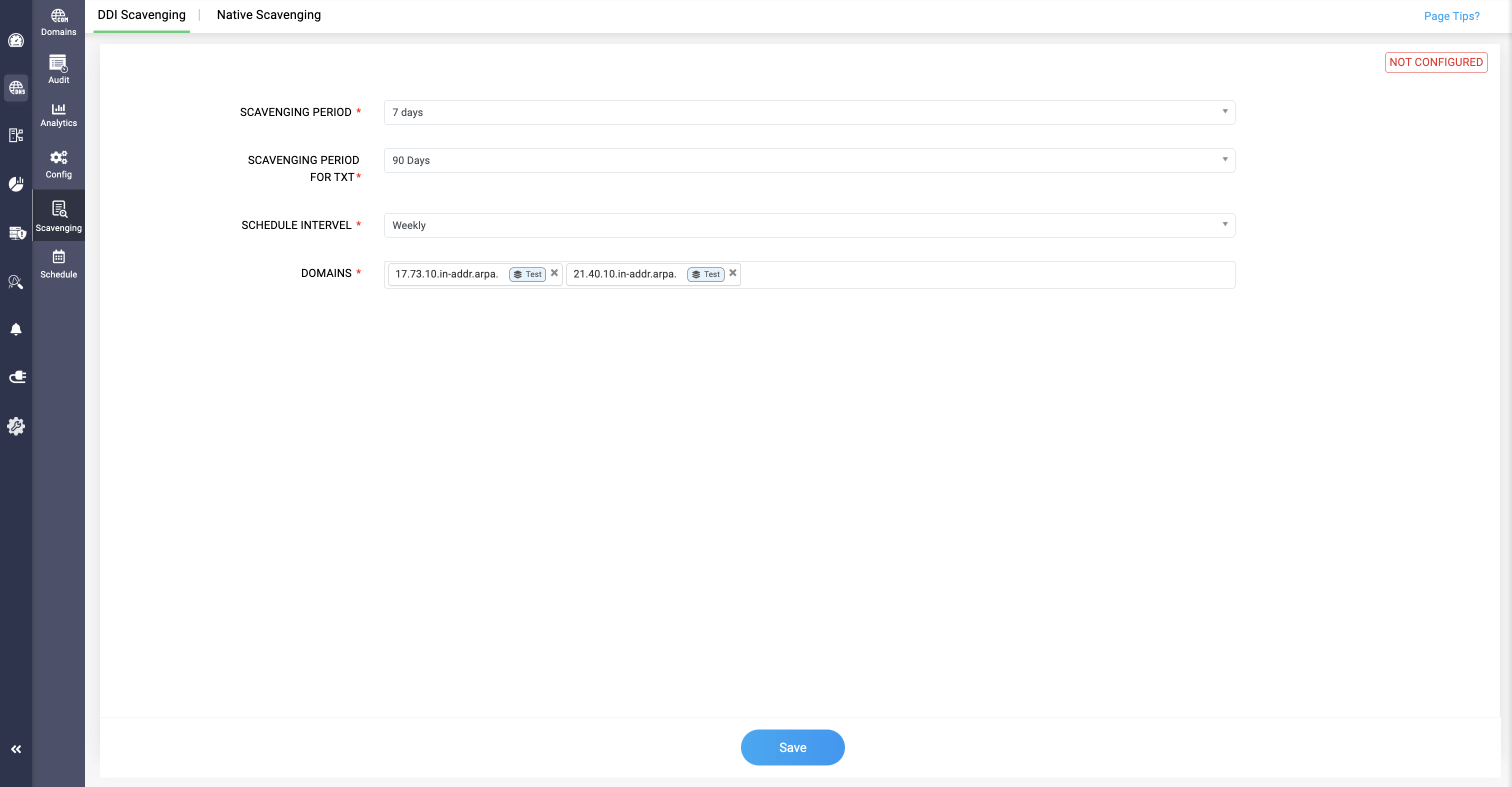
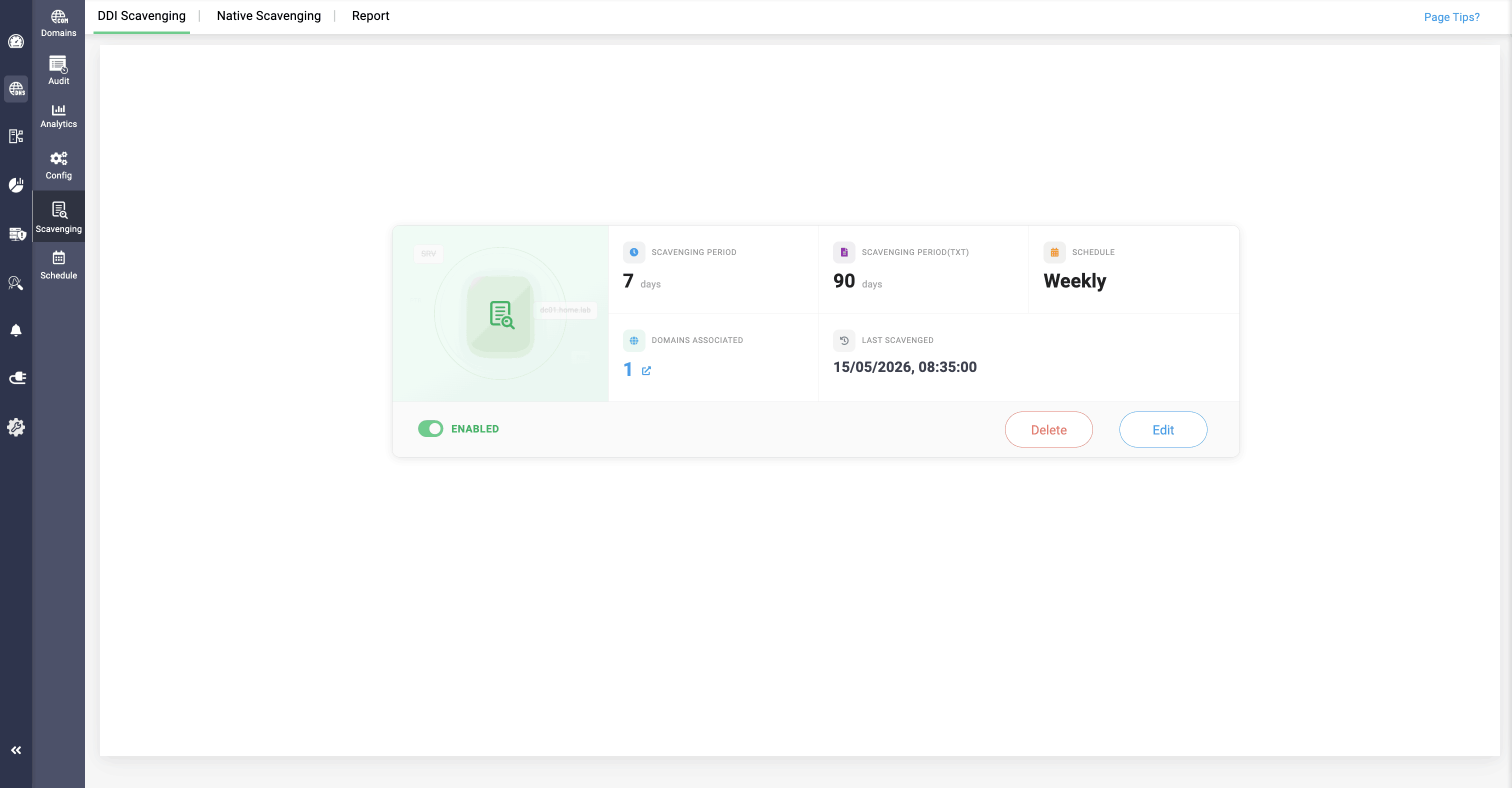
- SCAVENGING PERIOD:
Select the duration after which a DNS record becomes eligible for scavenging if it has not been refreshed. This field is meant for all the A, AAAA. CNAME, PTR of the domains selected.
If the DNS record still remains un refreshed after this period, DNS server considers the record stale and eligible for deletion and put up in the report for the user to delete or reclaim it.
- SCAVENGING PERIOD FOR TXT: Select the duration after which a TXT record becomes eligible for scavenging if it has not been refreshed.
- SCHEDULE INTERVAL: This dropdown menu allows the user to select how often the scavenging process should be scheduled to run. The options could range from daily to monthly intervals.
- DOMAINS: Here, you can specify which domains are subject to the scavenging process. After configuring all the fields, click Save.
- After configuring, you can view the scavenging for all the normal domains configured in the Windows clusters here.
- If you want to edit the values after implementing the scavenging, Click on the Edit option to configure them.
Native Scavenging
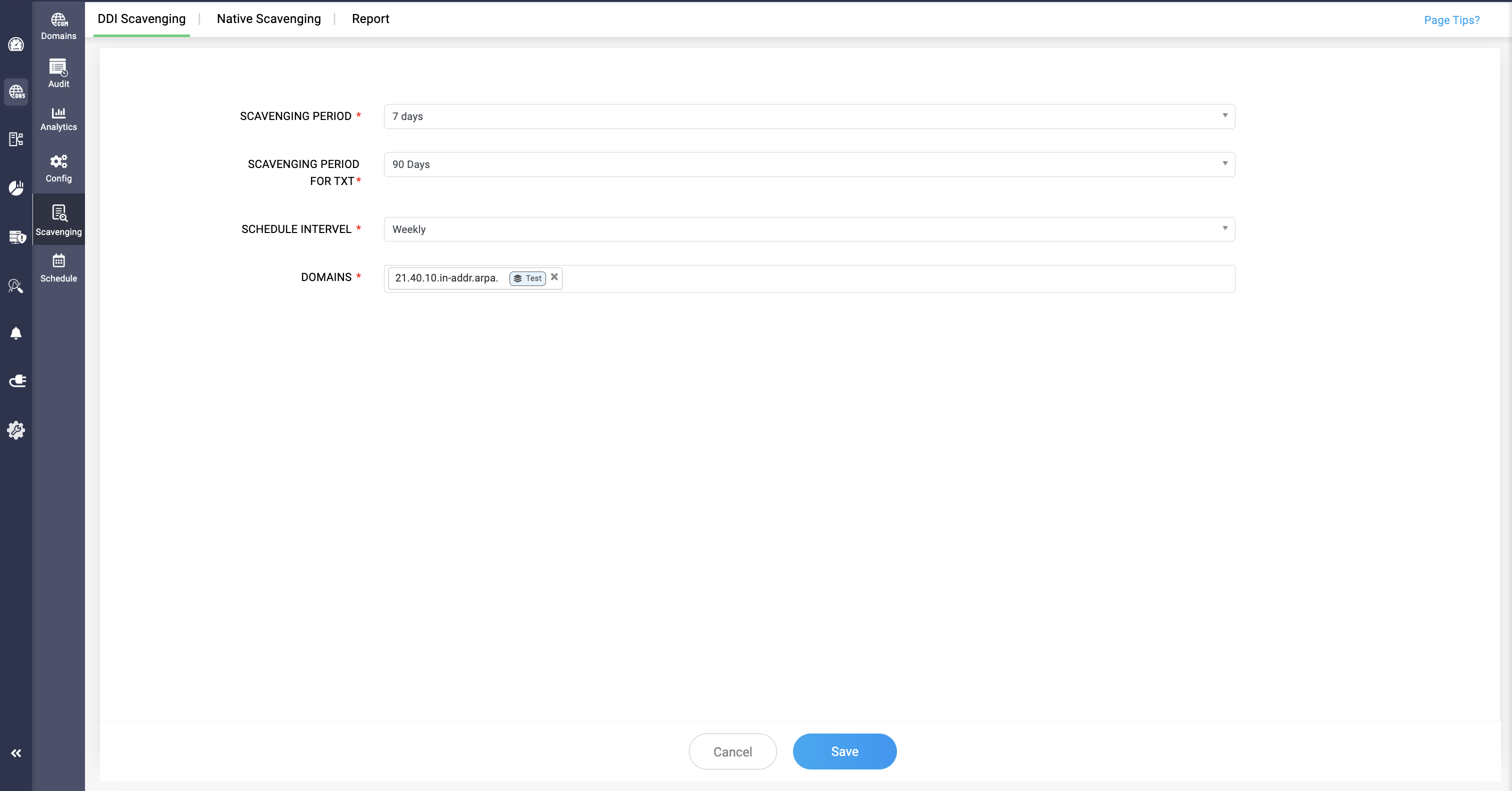
Select the Native Scavenging option and provide the fields for configuring Native scavenging for the domains.
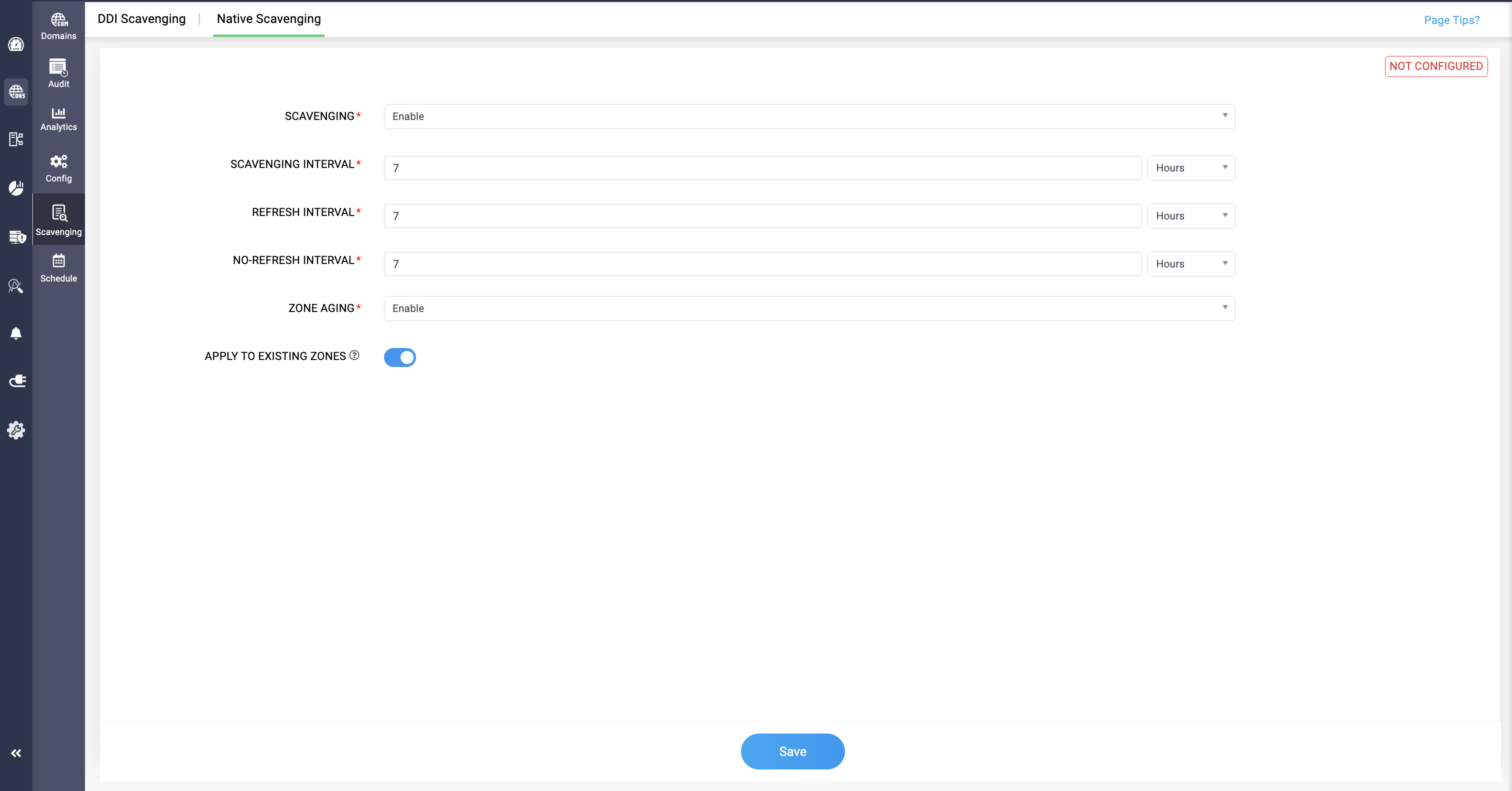
- SCAVENGING: You can enable or disable the scavenging process for the given domains based on your requirements.
- SCAVENGING INTERVAL: Provide the time interval for the scavenging to be implemented on stale DNS records of selected domains.
- REFRESH INTERVAL: Here, you can provide the time interval until which changes can be made for the scavenging configurations of the selected domains.
- NO REFRESH INTERVAL: Here, you can provide the time interval until which changes cannot be made for the scavenging configurations of the selected domains.
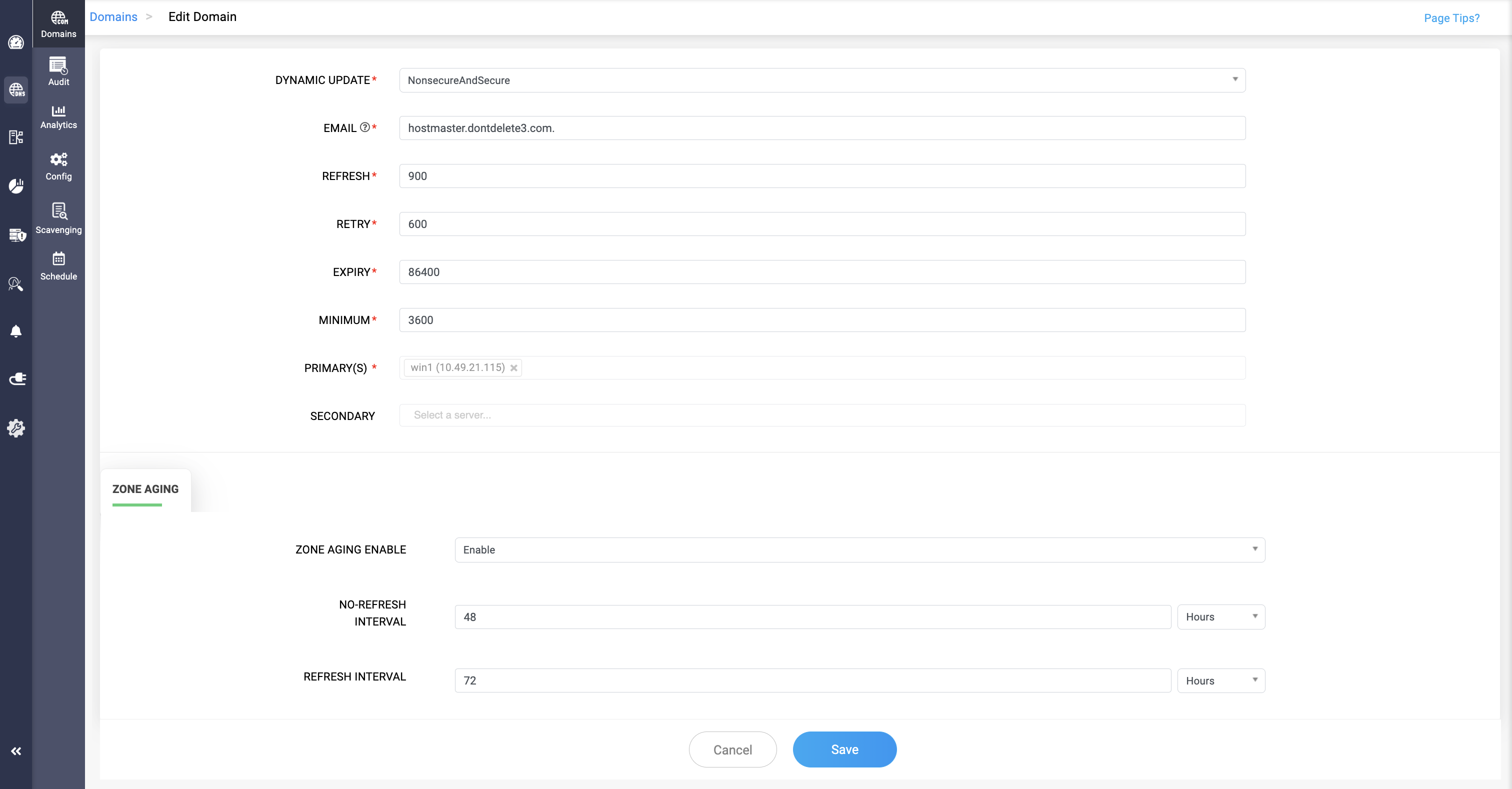
- ZONE AGING: Enable this field by toggling for DNS records of the selected domain to become stale and scavenging to get implemented.
- APPLY TO EXISTING ZONES: Enabling by toggling this allows you to apply configurations to all the existing AD domains in the Windows cluster.
- Here, you can view the scavenging of the DDNS + AD configured domains in the Windows cluster.
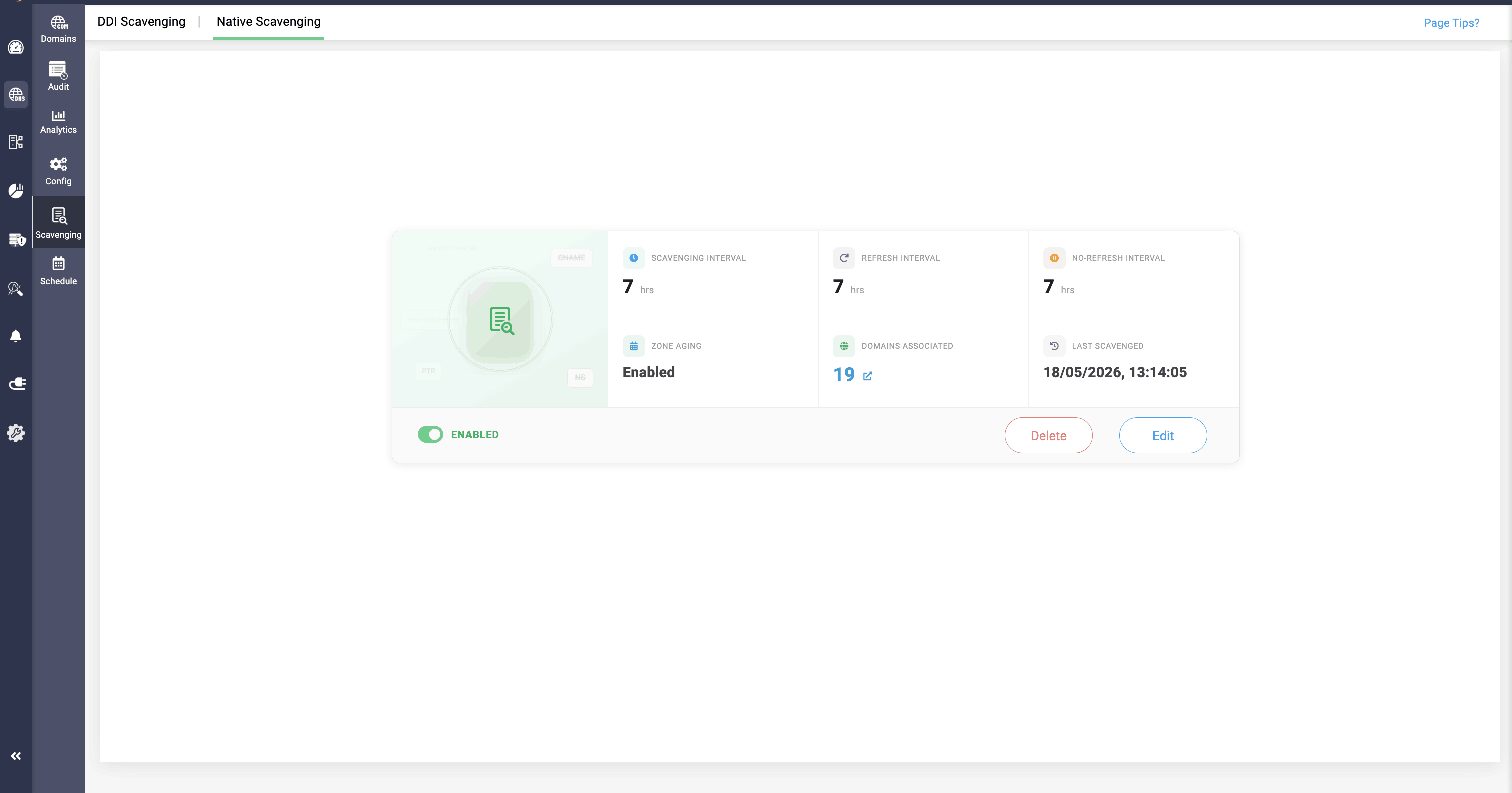
DDI Central provides separate visibility for both normal domains and DDNS plus AD configured domains in the Windows cluster, for narrowed down management over stale DNS records scavenging
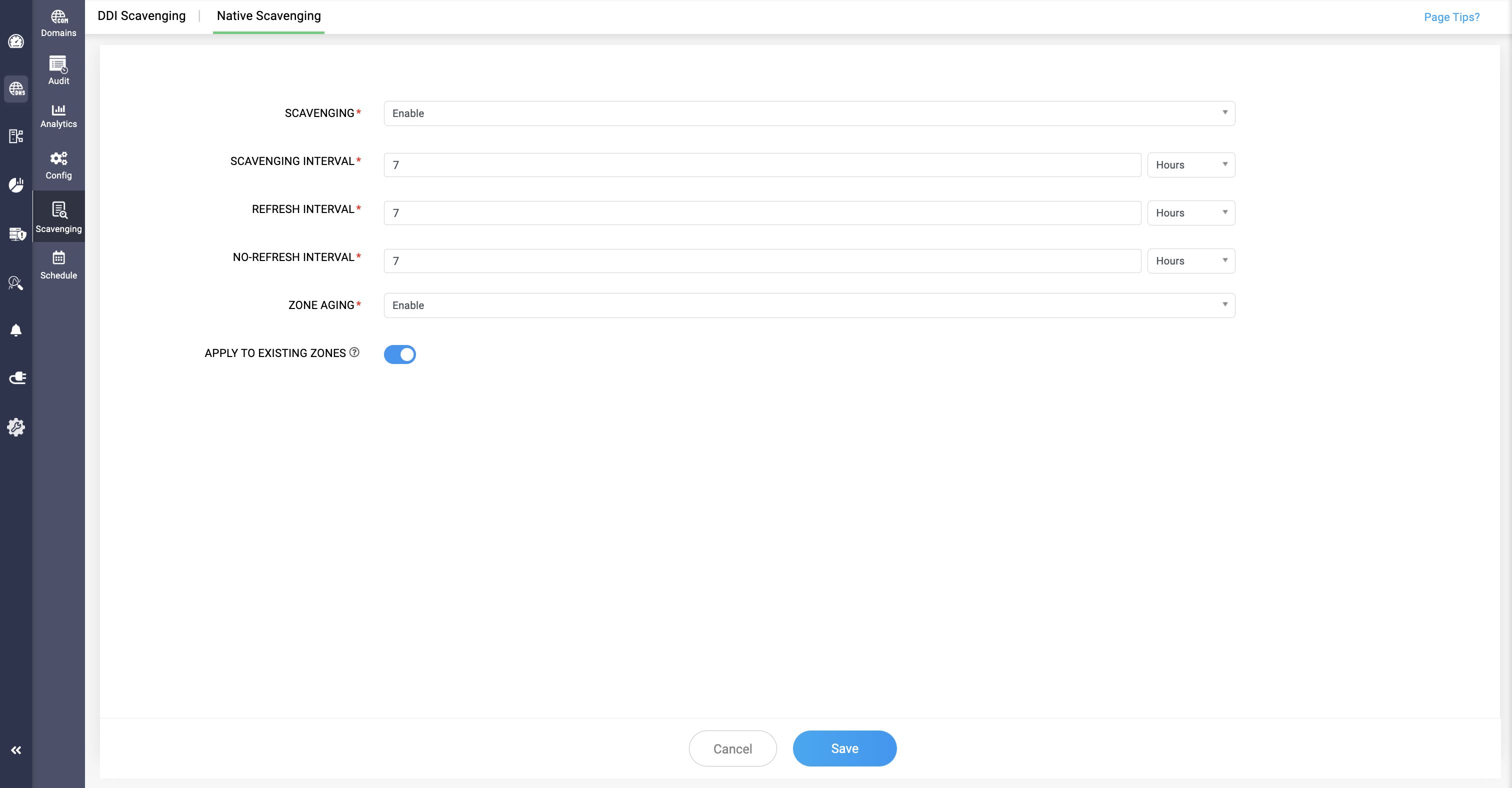
Zone Aging can also be enabled for individual AD and DDNS domains through the Edit Domain option.
Side by side comparison
| Dimension | Native Scavenging | DDI Scavenging |
|---|---|---|
| Where it executes | On the Windows DNS server itself | From the DDI Central console |
| Who drives it? | The Windows DNS / AD service, using its built-in scavenging engine | DDI Central, acting as the central orchestrator across all managed DNS servers |
| Layer of operation | Protocol / server layer | Management-plane layer |
| Mental model | In-place cleanup — each server cleans itself | Orchestrated cleanup — one console drives cleanup across the entire DNS estate |
| Scope of cleanup | Limited to the specific Windows cluster or server it is configured on | Spans the overall DNS estate — all clusters and servers managed under DDI Central |
| Zones supported | All zones that receive dynamic updates, including Active Directory—integrated zones and Windows DHCP server—regulated DDNS-enabled zones | All standard DNS zones — including those without dynamic updates, which native scavenging cannot reach |
| What triggers cleanup | Dynamic-update timestamps written by the DNS protocol itself (no-refresh and refresh intervals) | Admin-defined schedules configured centrally in DDI Central |
| Configuration model | Per-server / per-zone configuration on each Windows DNS server | Single, centralized policy applied across all managed servers |
| Cleanup behavior | Automatic — stale records are deleted by the Windows DNS service without admin involvement | Reviewed — stale records are consolidated on schedule and reported to the admin; the admin decides whether to reclaim or purge |
| Admin control | Low — once configured, cleanup happens silently | High — every cleanup cycle produces a report, and the admin retains the final decision |
| Auditability | Limited to native Windows event logs | No dedicated audit logs for scavenging. In Roadmap. |
| Risk profile | Risk of unintended deletion if intervals are misconfigured, with no review step | Lower risk — the human review gate prevents accidental purges of legitimate records |
| Best suited for | Environments where dynamic updates are well-behaved and silent cleanup is acceptable | Environments where governance, accountability and centralized control matter — especially across multi-server, multi-zone, or hybrid estates |
When Zone Aging is disabled, DDI Scavenging can manage stale record cleanup for both Windows AD-integrated and standard domains in the cluster, provided the AD domains need to be explicitly specified in the DDI Scavenging configuration, and any AD domains not listed there will not be scavenged.
However, once Zone Aging is enabled, Native Scavenging takes over scavenging for Windows AD-integrated domains and DDI Scavenging no longer applies to them.
How the two work together
The two mechanisms are not mutually exclusive. DDI Central extends what native scavenging already covers; it does not replace it.
- Native Scavenging continues to handle the zones it was designed for — AD-integrated zones and DDNS-enabled zones managed by Windows DHCP — using the protocol's own timestamps.
- DDI Scavenging covers everything outside that boundary — standard zones without dynamic updates — and overlays a consistent, console-driven cleanup policy across the entire managed DNS estate.
Together, they ensure no zone is left without a cleanup strategy, and no cleanup happens without the level of oversight the environment requires.
When to use which
Reach for Native Scavenging when:
- Your zones are AD-integrated or fed by Windows DHCP dynamic updates.
- You're comfortable with silent, automatic cleanup.
- The scope of cleanup is limited to a specific Windows cluster.
Reach for DDI Scavenging when:
- Your zones are standard (non-dynamic) and native scavenging cannot touch them.
- You manage DNS across multiple servers or clusters and need a single, consistent cleanup policy.
- You need an audit trail and a human review step before stale records are removed.
You want cleanup decisions tied to admin-defined rules and schedules rather than per-server timer configurations.
Scavenging Report
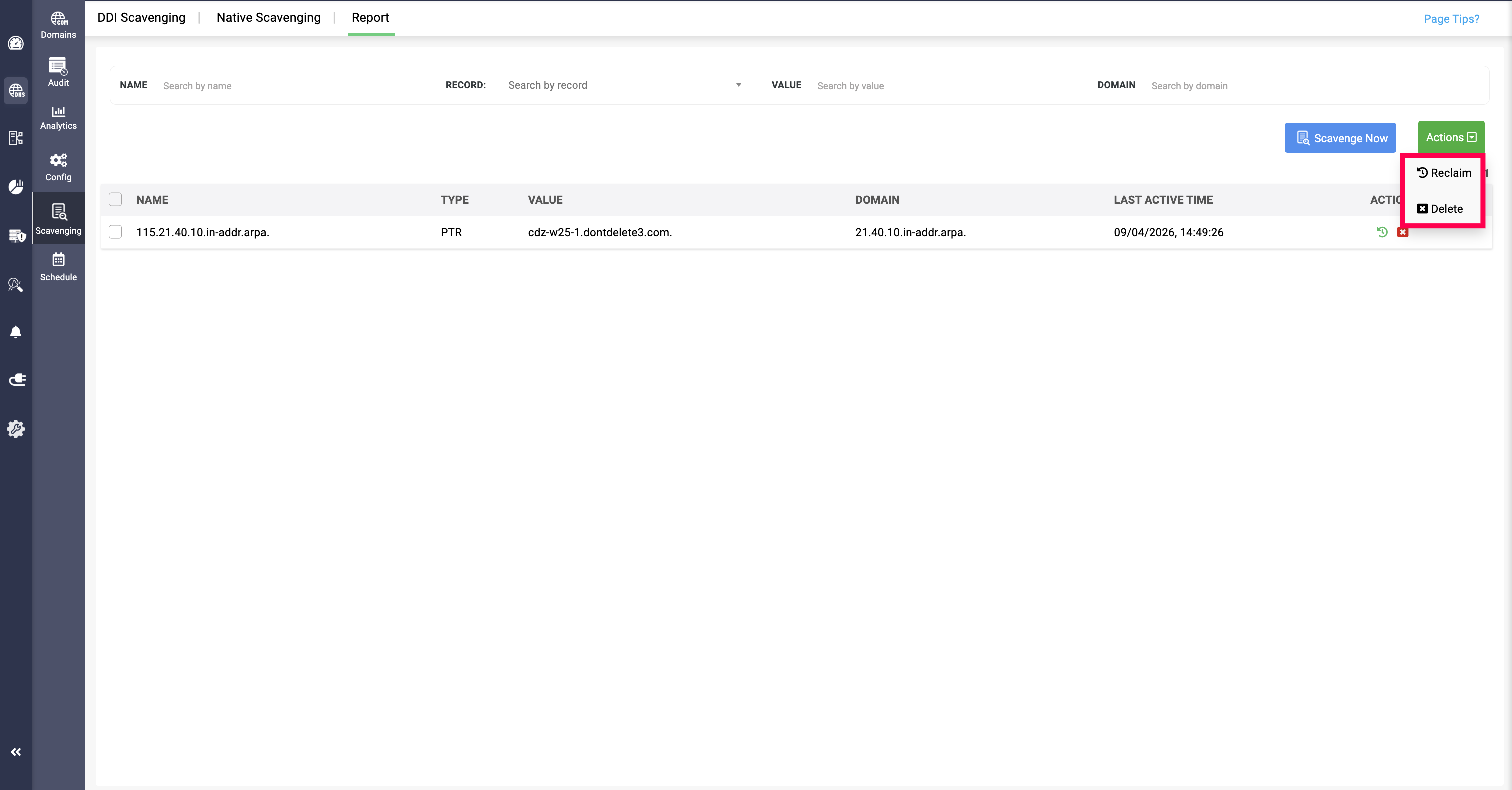
The DNS scavenging report logs and audits all the DNS scavenging that occurred in the past time period, which can be filtered and viewed based on DNS zone name, record type, IP value, and domain name.
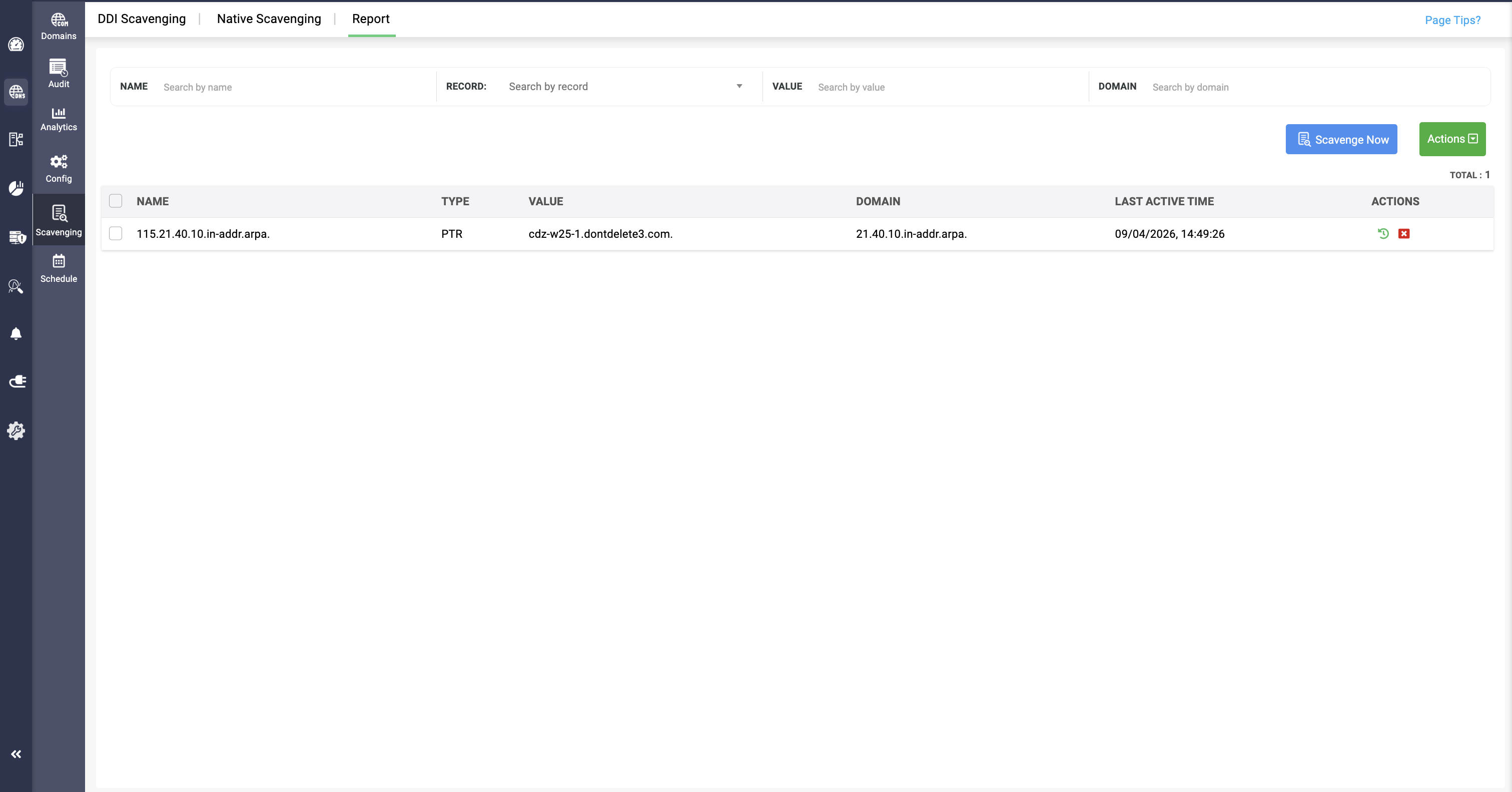
Clicking on the Scavenge now will scavenge all the configured domains in the cluster immediately after confirmation.
You can reclaim or delete individual DNS record from the scavenging report by clicking on the Green Reclaim icon and Red Delete icon.
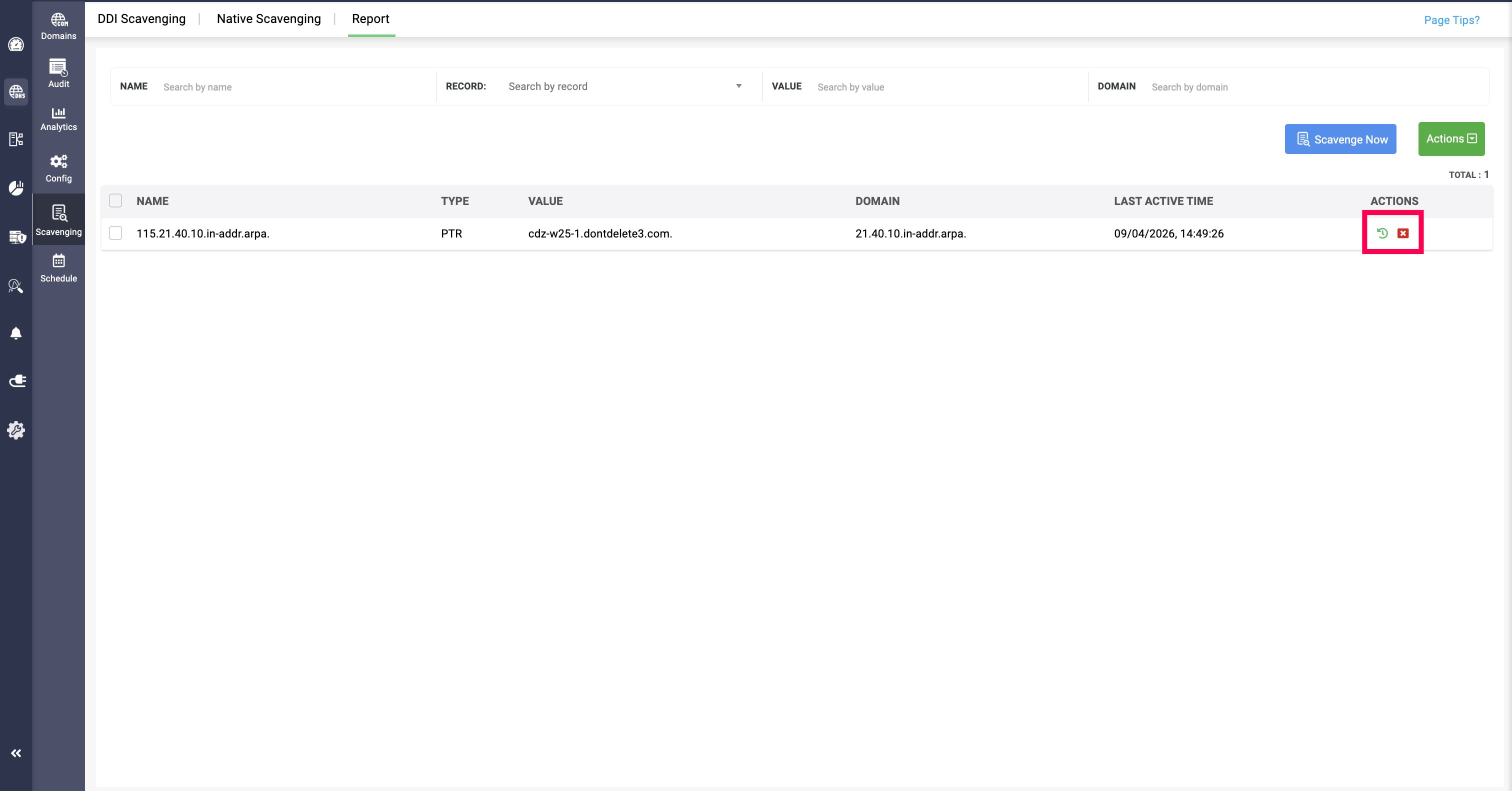
Or you can select multiple DNS records from the report and you can Delete or Reclaim the record by going through the Actions option.