Steps to integrate Microsoft Azure Cloud Native DNS Services with DDI Central
Step 1: Getting required credentials from Azure
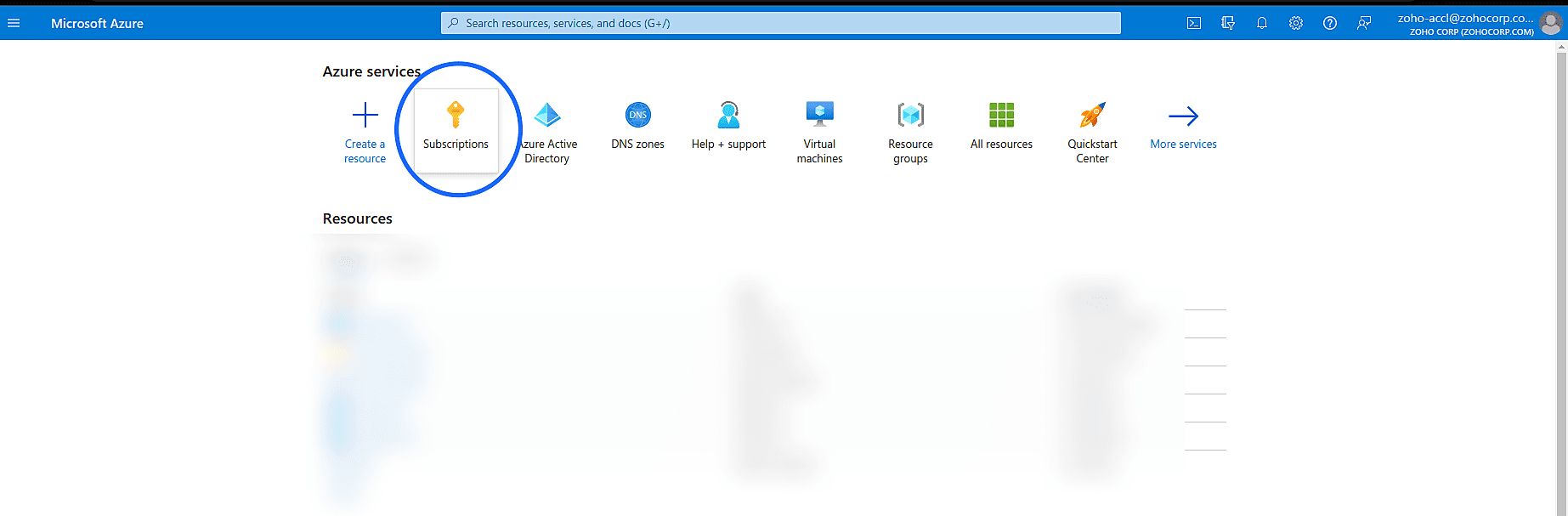
- Login into your Azure account and to get Subscription ID, click 'Subscription ID' and copy the 'Subscription ID' from the table.
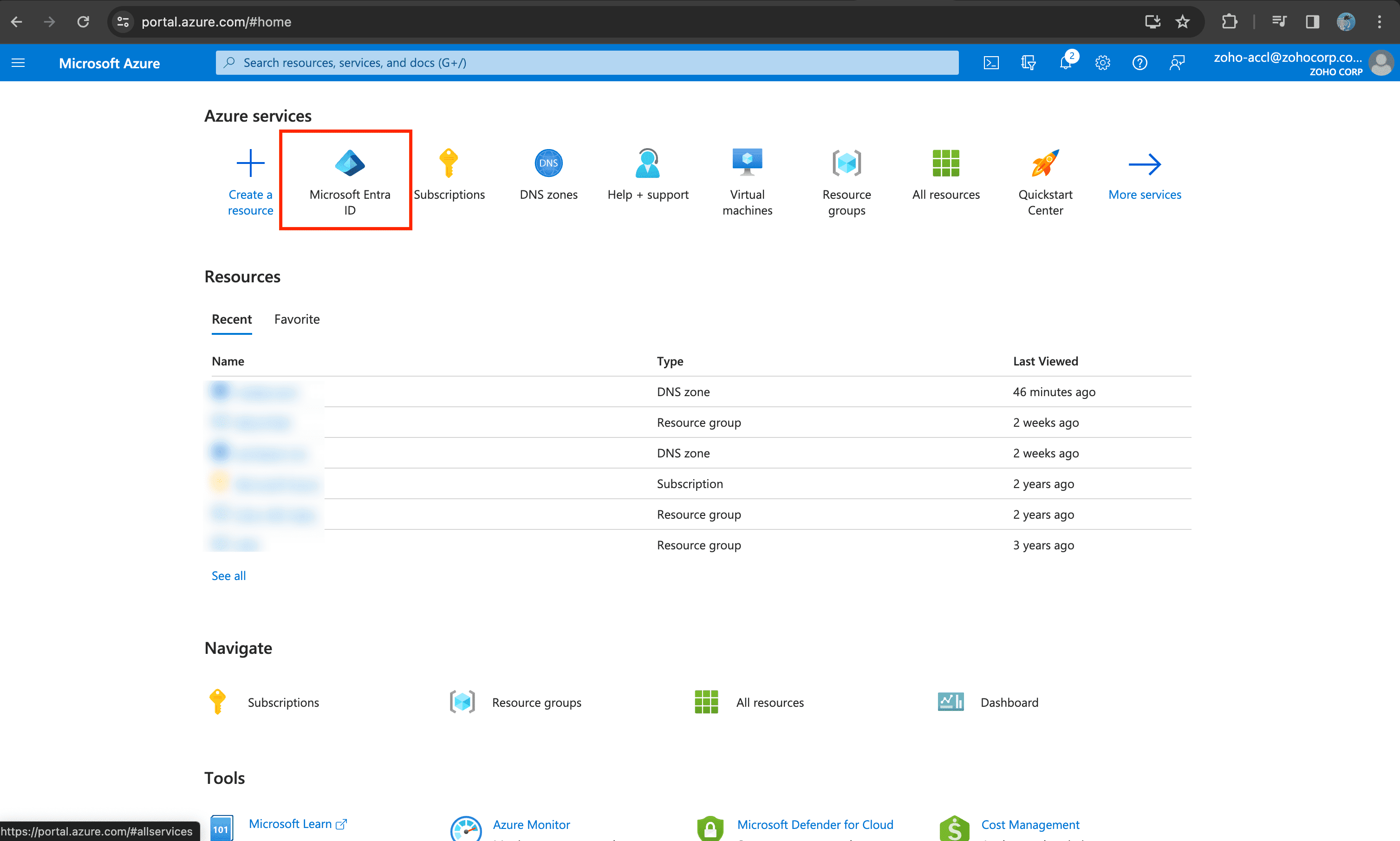
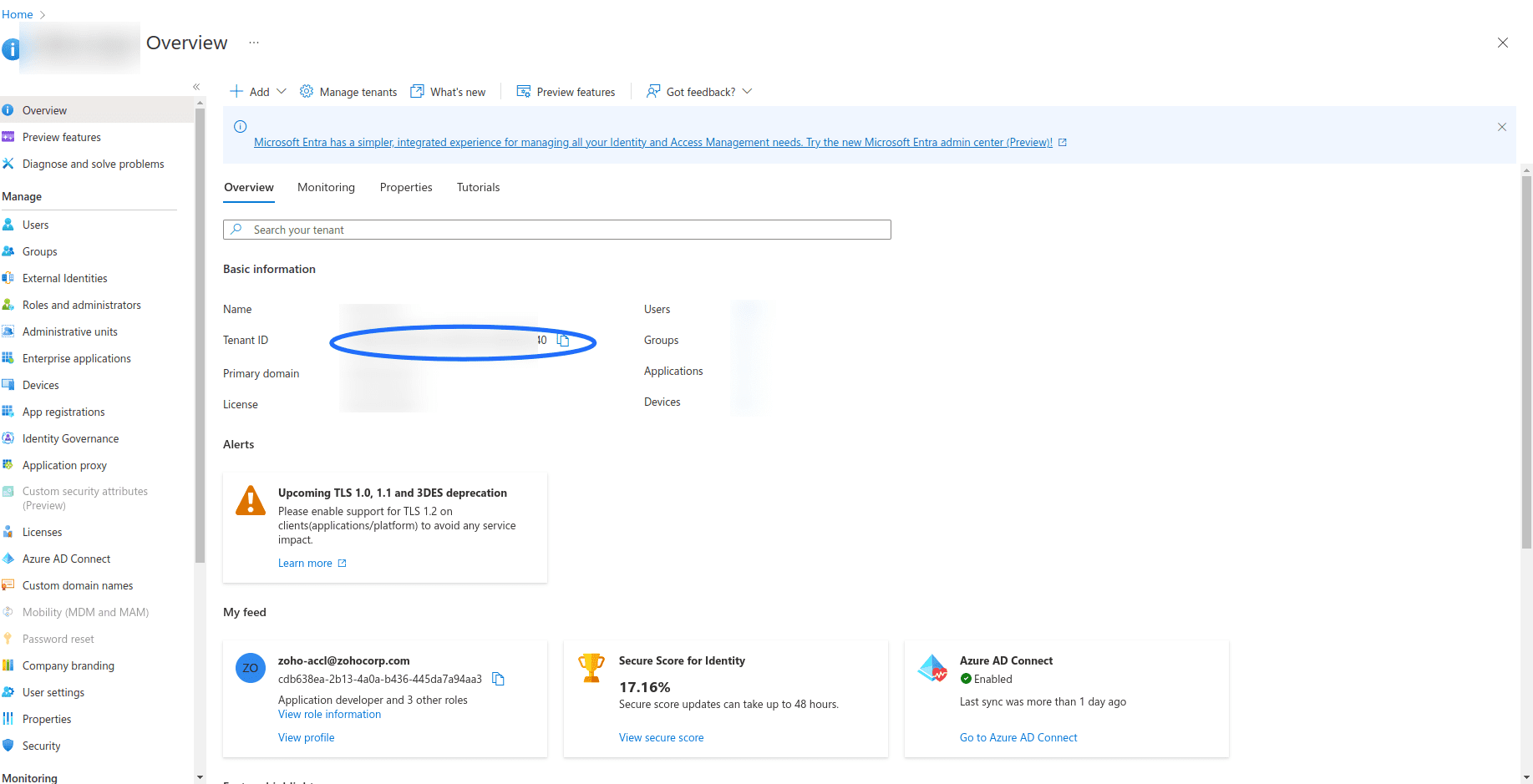
- For Tenant ID, navigate to Microsoft Entra ID-> Overview previously known as Azure Active Directory and copy the Tenant ID
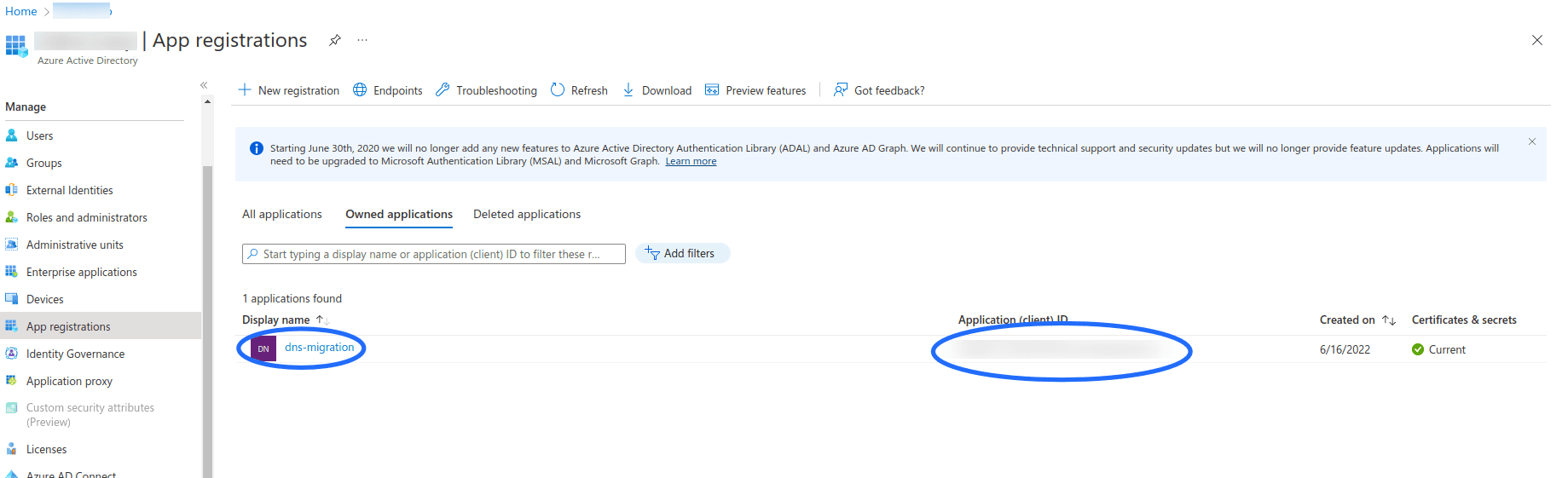
- To generate Client ID and Secret ,navigate to Azure Active Directory -> App registrations, If an app had been registered click on it or register a new application. Application (Client) ID in the table is the Client ID required to migrate.
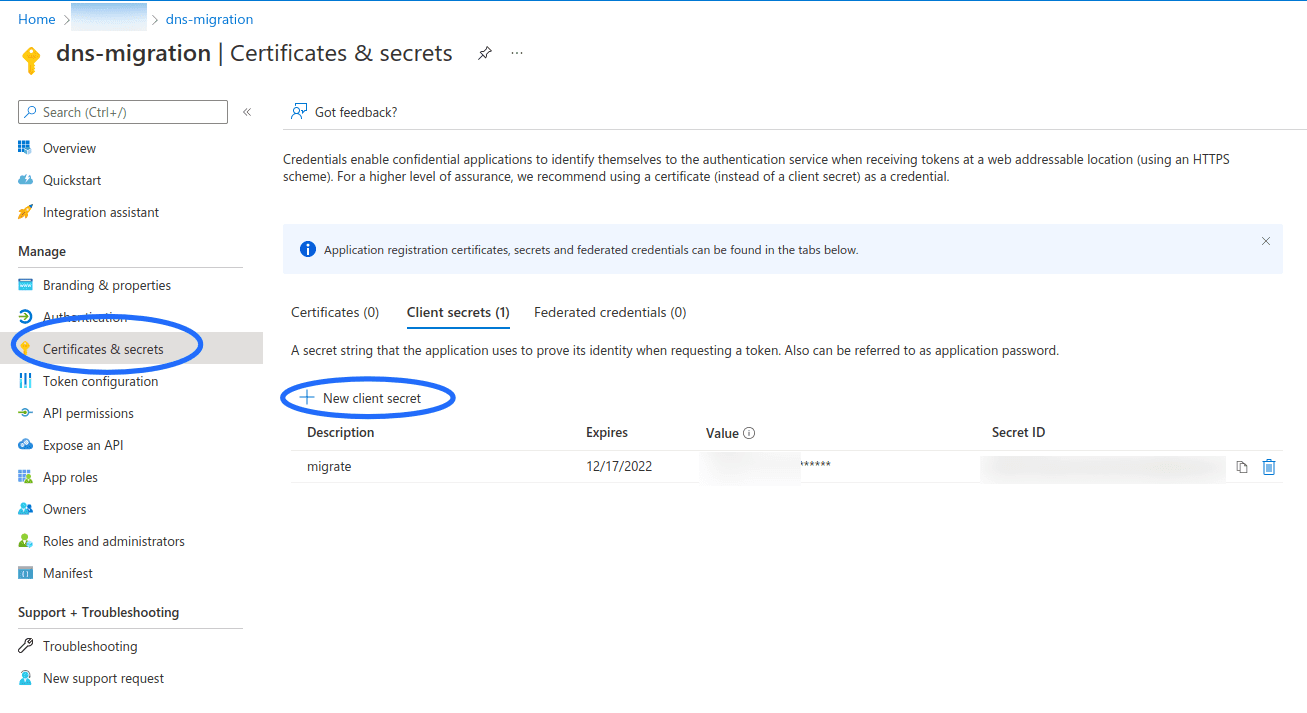
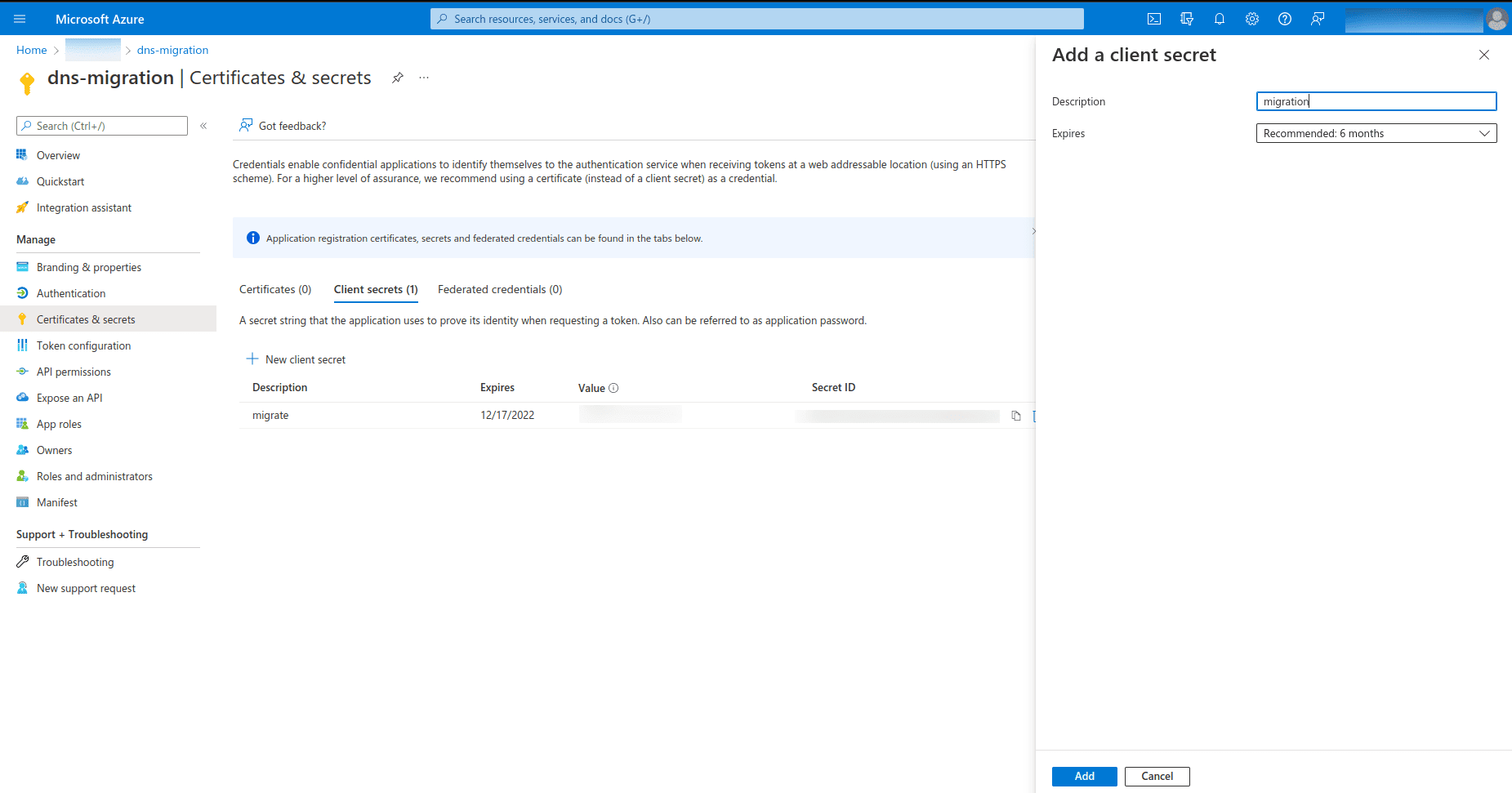
- Now for Client Secret, navigate to 'Certificates and secrets' and click on 'Client secrets' tab and click on 'New client secret'.
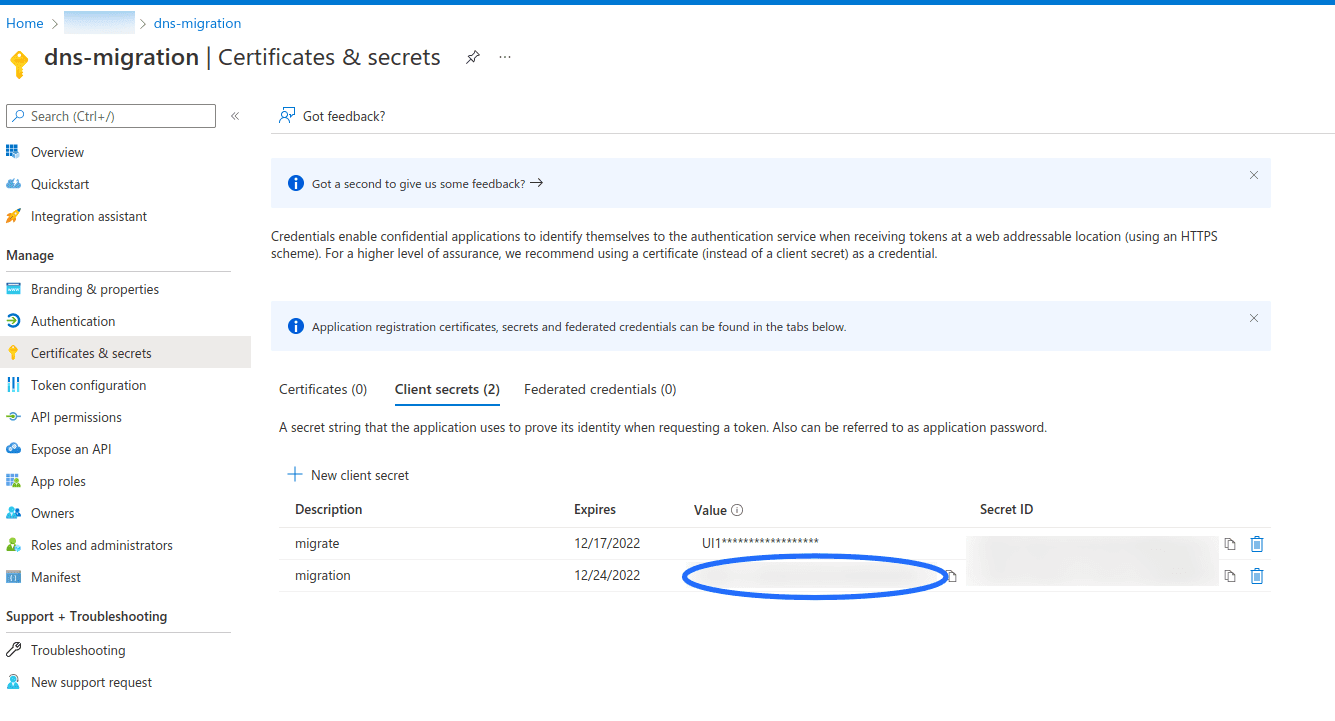
- Once the secret is created, Copy the Key in the 'Value' column, which is the required Client Secret. Once you exit this screen in the Azure interface, you will not be able to retrieve that key again.
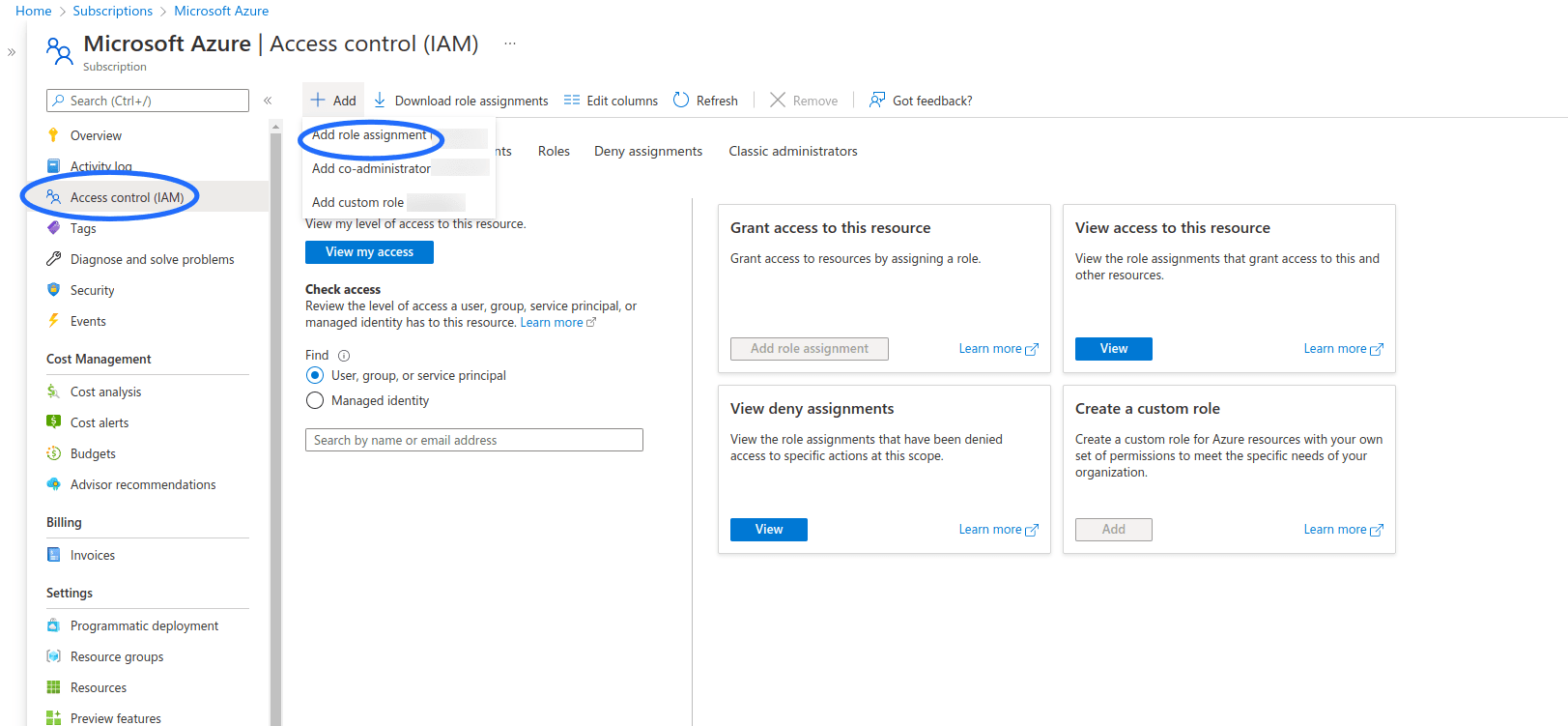
- Now you will have to configure the correct permissions on Azure App created. To do this, navigate back to the Home page in your Azure account and click on Subscriptions. Then select your subscription and navigate to IAM & Services.
- Now click 'Add' and select 'Add Role Assignment'. Select Contributor as the role. Then type in the name of your App in the Select field and save.
Step 2: Configurations to be made in DDI Central
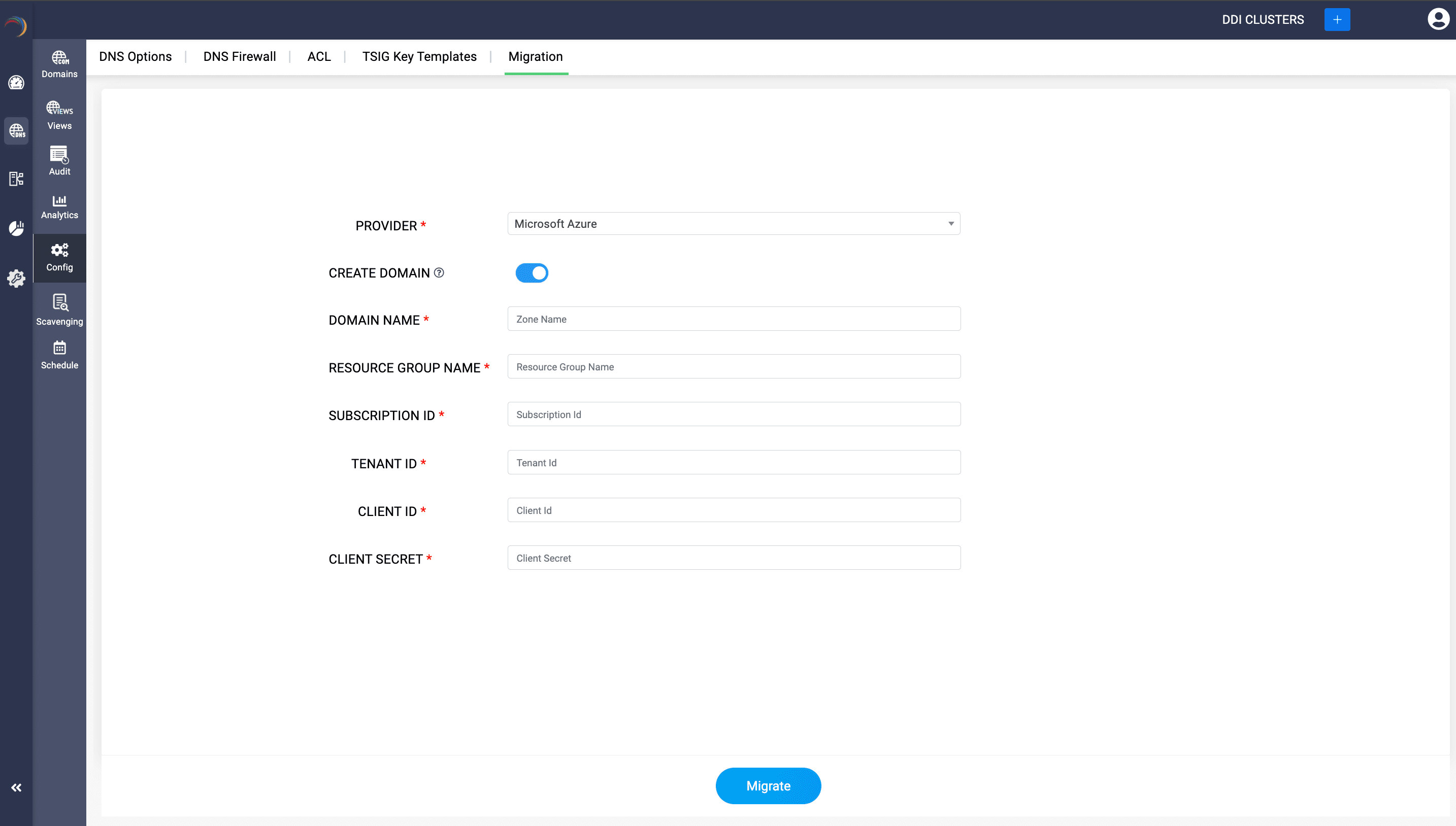
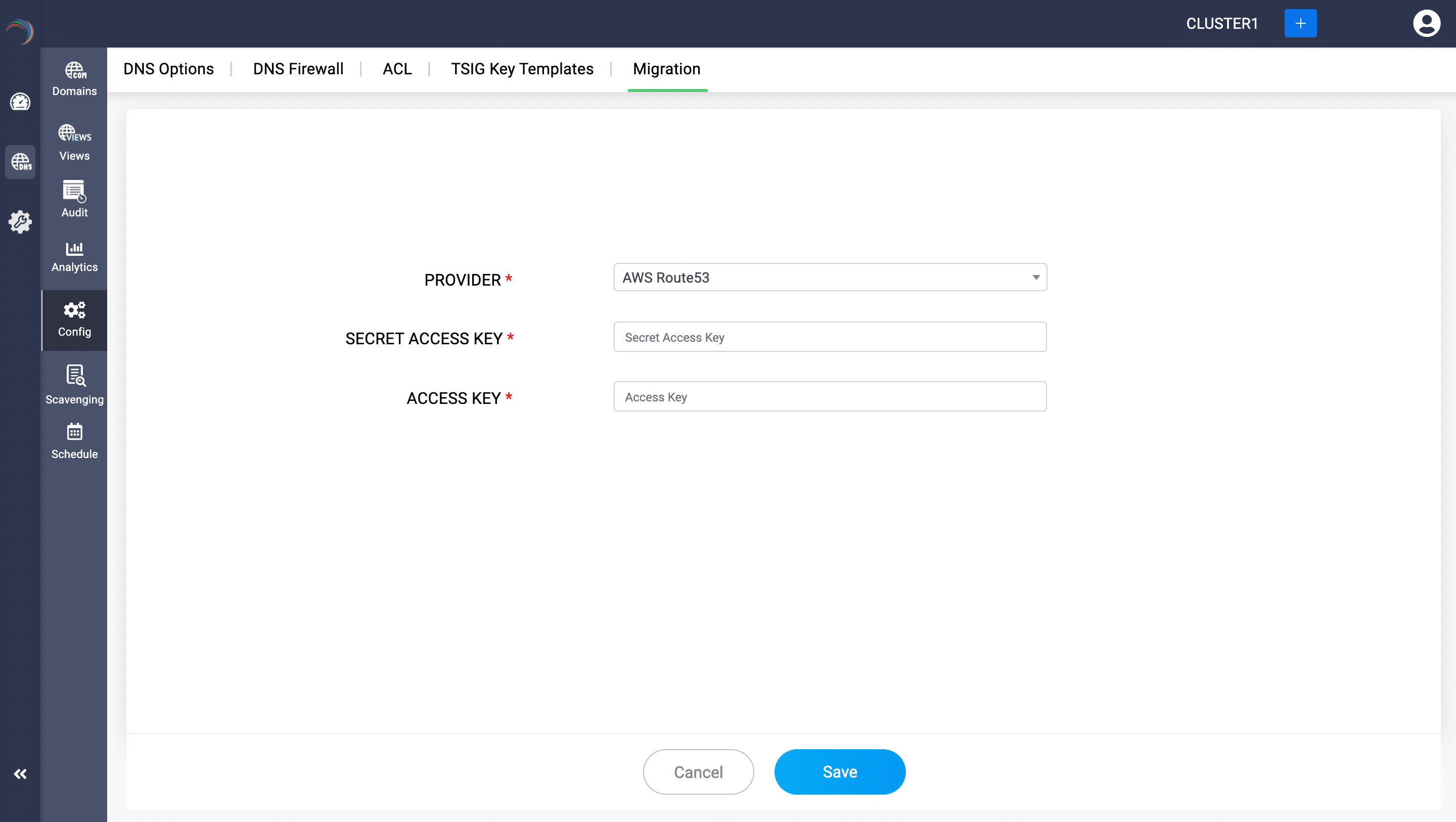
- Once you have the required credentials from Azure, log into DDI Central and navigate to DNS-> Config -> Migrations. Select Azure as the provider.
- On successful authentication with Azure, DDI Central lists all the active domains with Azure. Select the relevant domains and then click Migrate.
- On successful migration, you can see all your current domains you got to select from Azure under the Domains page within the DNS module.
- You can further easily add and manage the configurations of zones under each domain directly using DDI central Zone editing tool.
- Click through a domain name and access the DNS records associated with the zones under that domain name.