
UKG Pro is a HCM solution designed to help organizations streamline their HR processes and manage their workforce. It offers advanced analytics capabilities and other features, including: payroll, benefits management, time tracking, talent acquisition, and employee engagement.
Integrating UKG Pro with ManageEngine Identity360 allows you to import and sync user accounts from UKG Pro.
Import and synchronize user accounts from UKG Pro into Identity360 to manage their identities in the Universal Directory. This enables admins to oversee all user-related actions from a single console.
The following steps will help you import and sync UKG Pro users into Identity360.
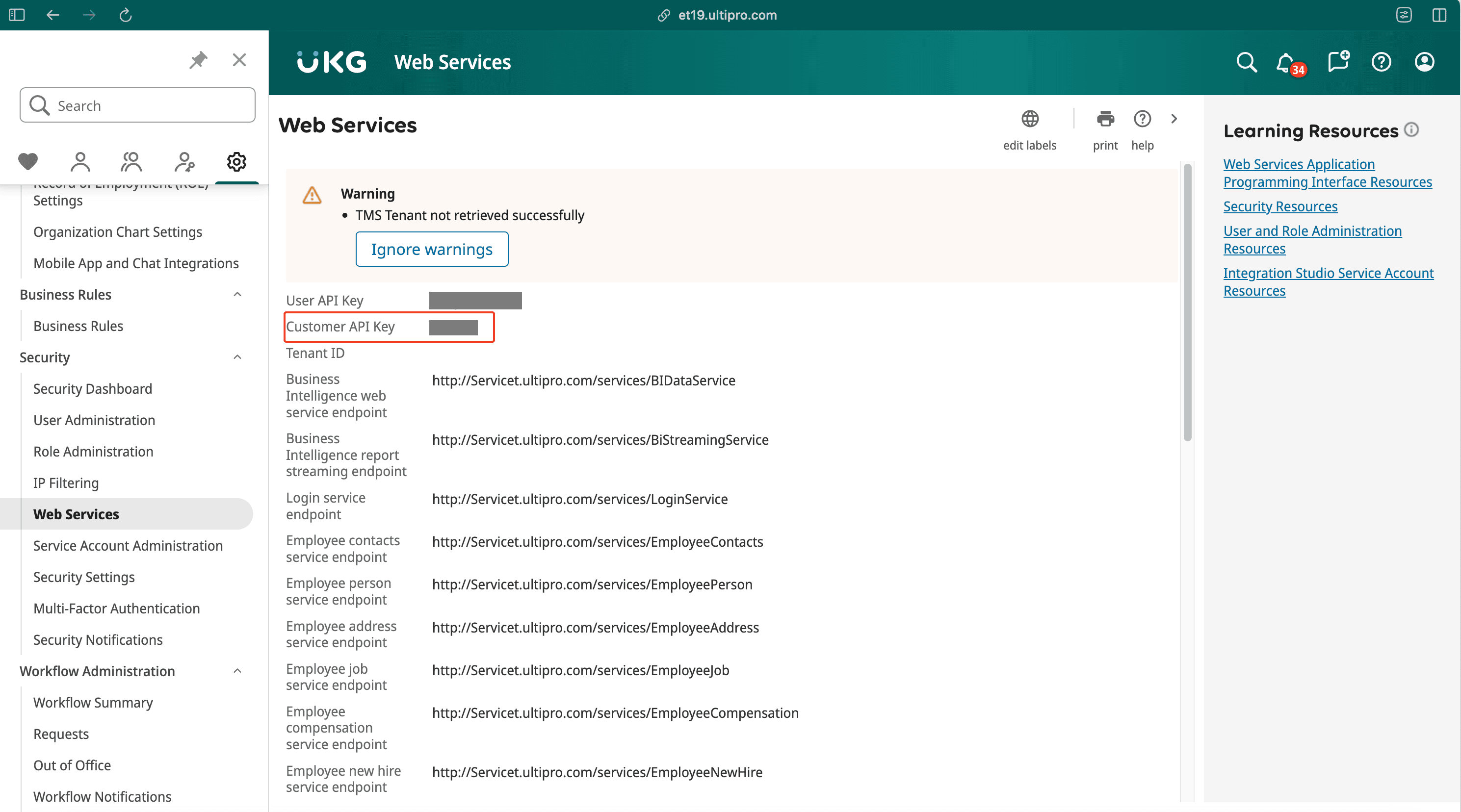 Image showing the Web Services tab in Admin portal of UKG Pro.
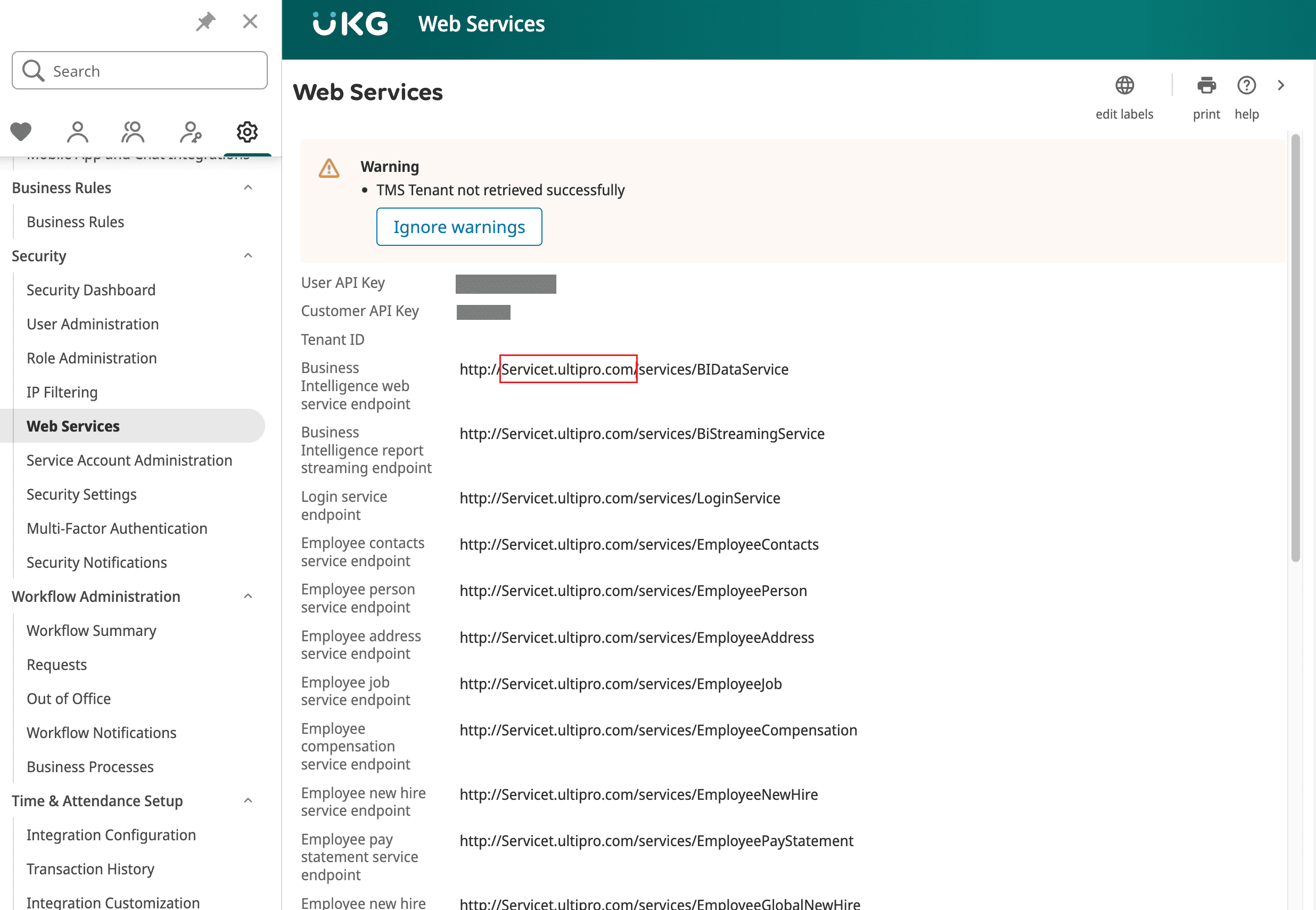 Image showing the service endpoint URLs of UKG Pro.
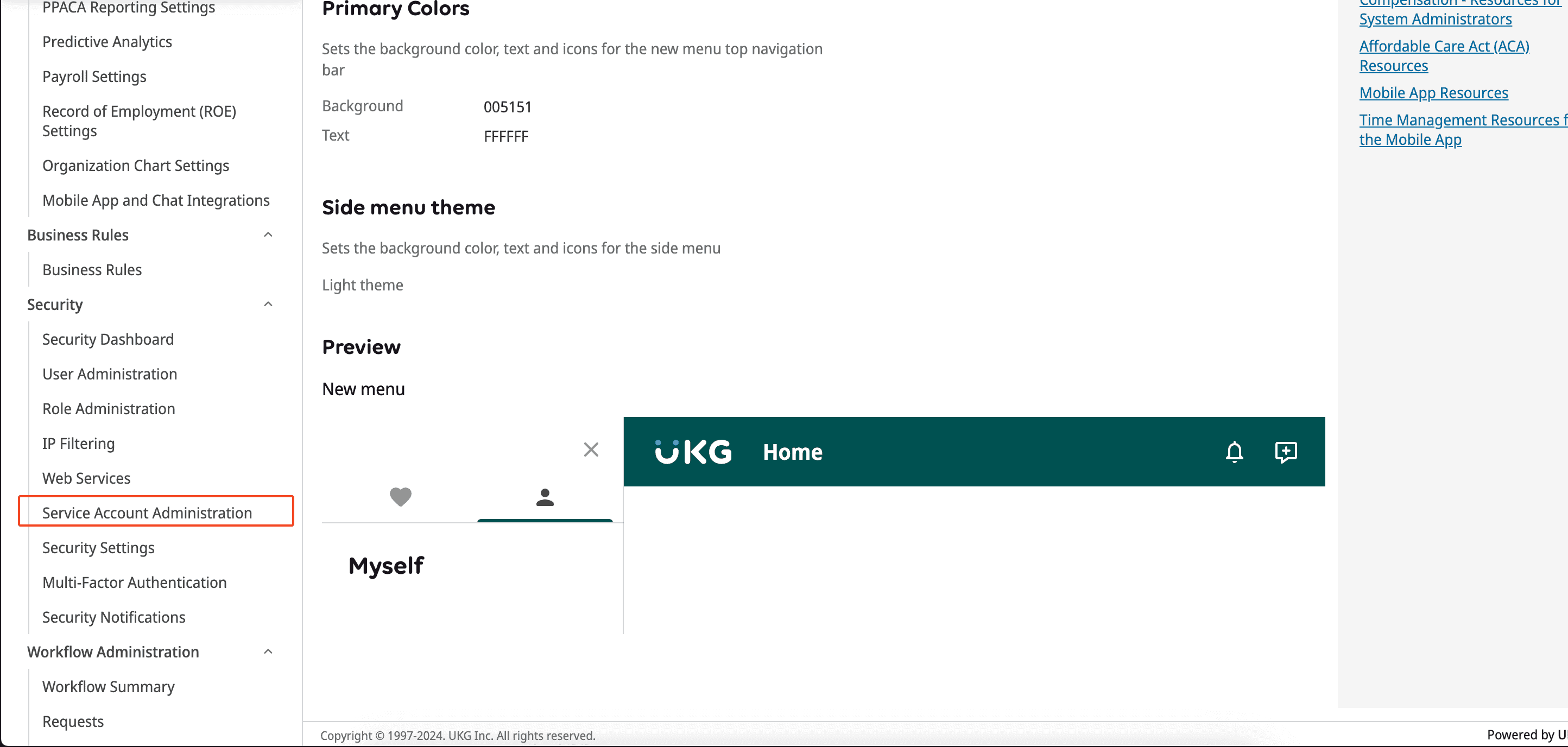 Image showing the Admin portal of UKG Pro.
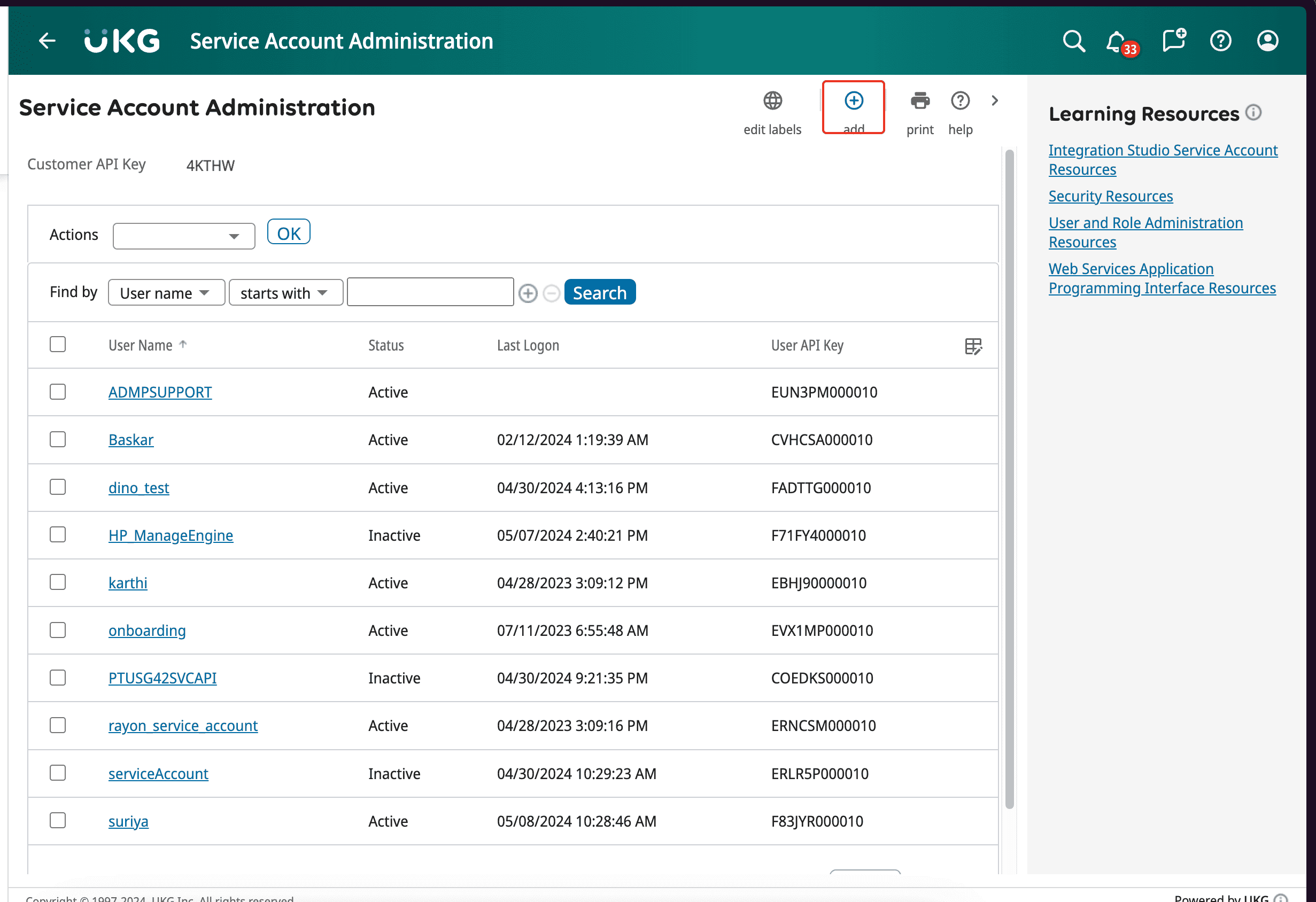 Image showing the Service Account Administration of UKG Pro.
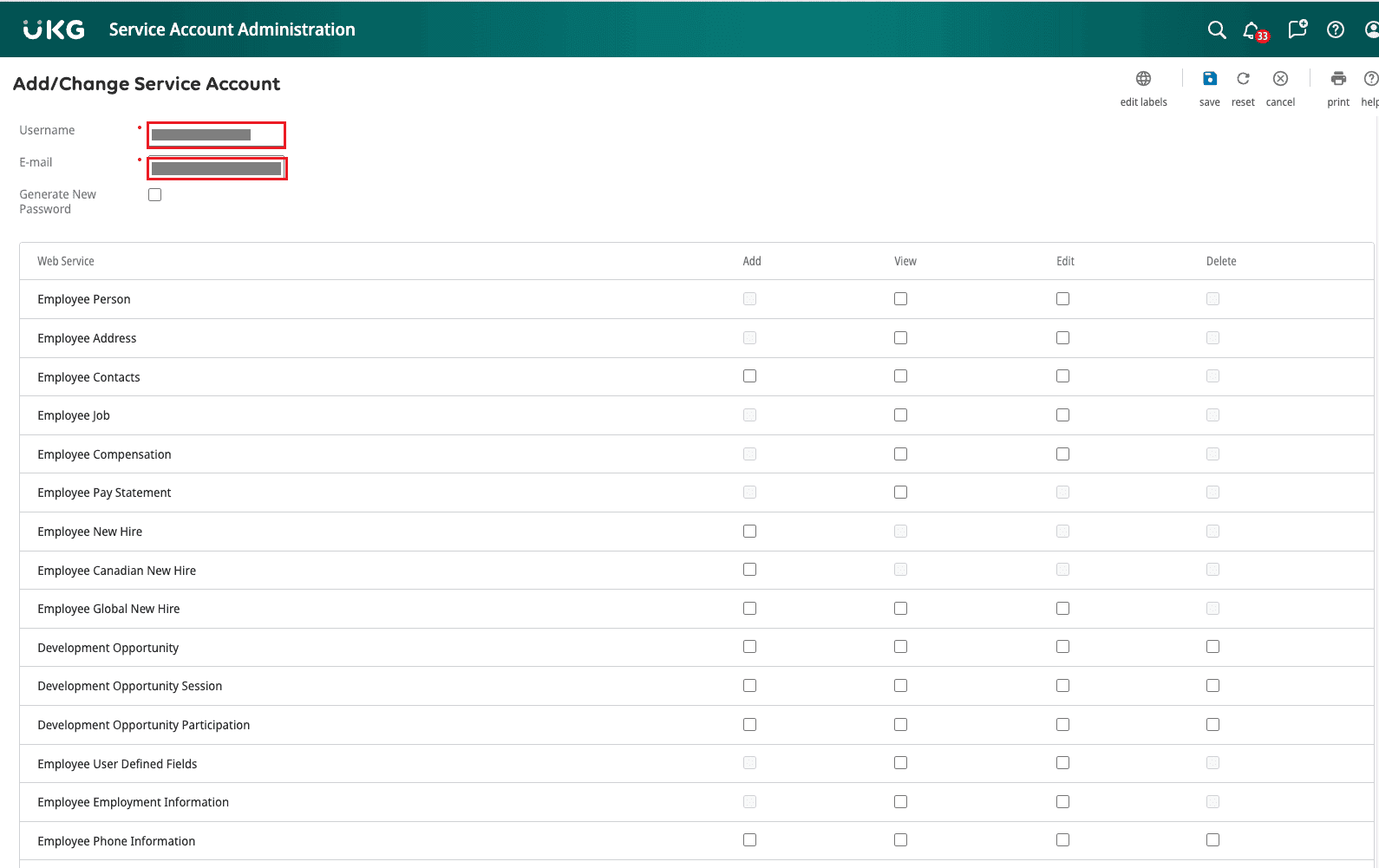 Image showing the configuration of service account in UKG Pro.
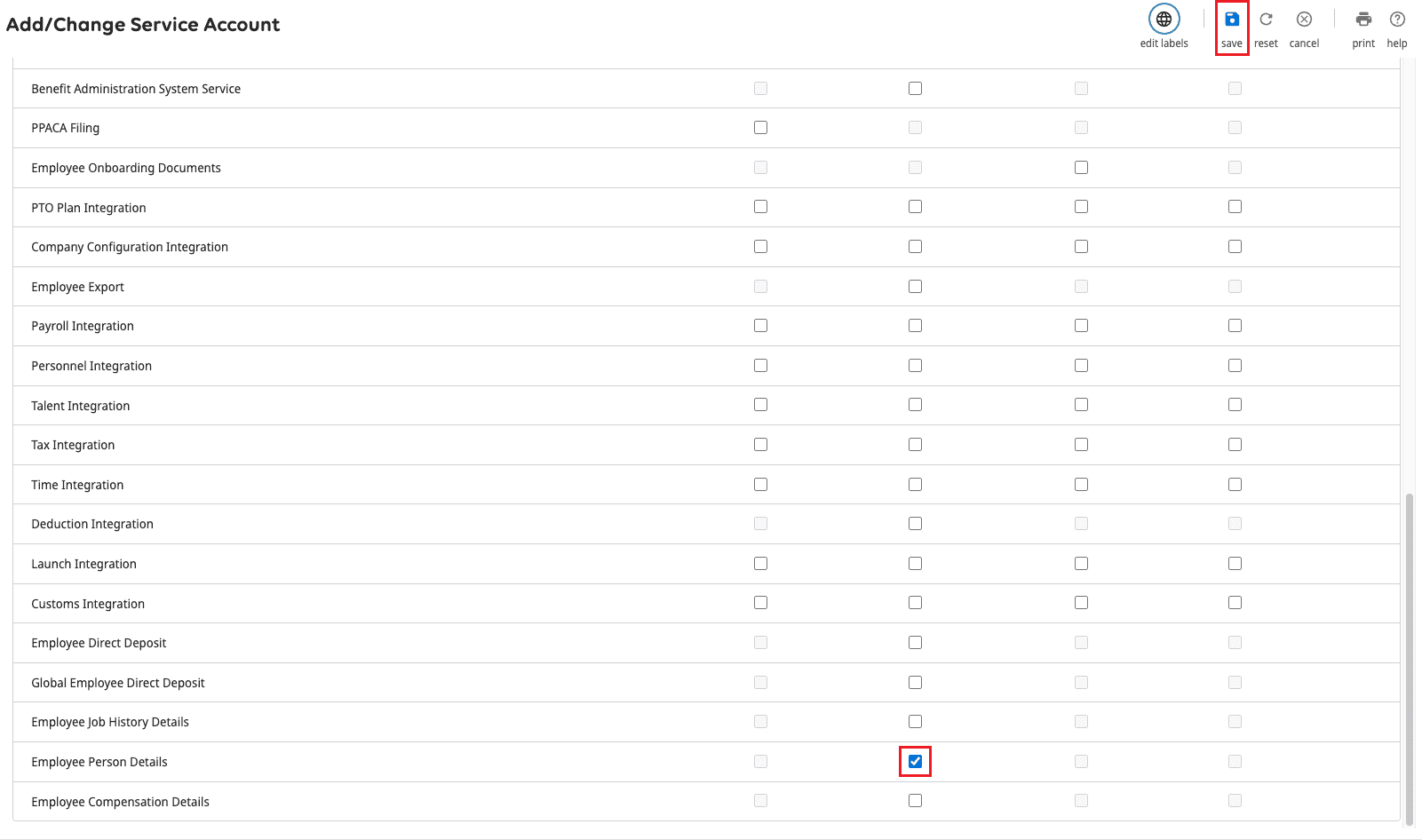 Image showing the completion of service account configuration in UKG Pro.
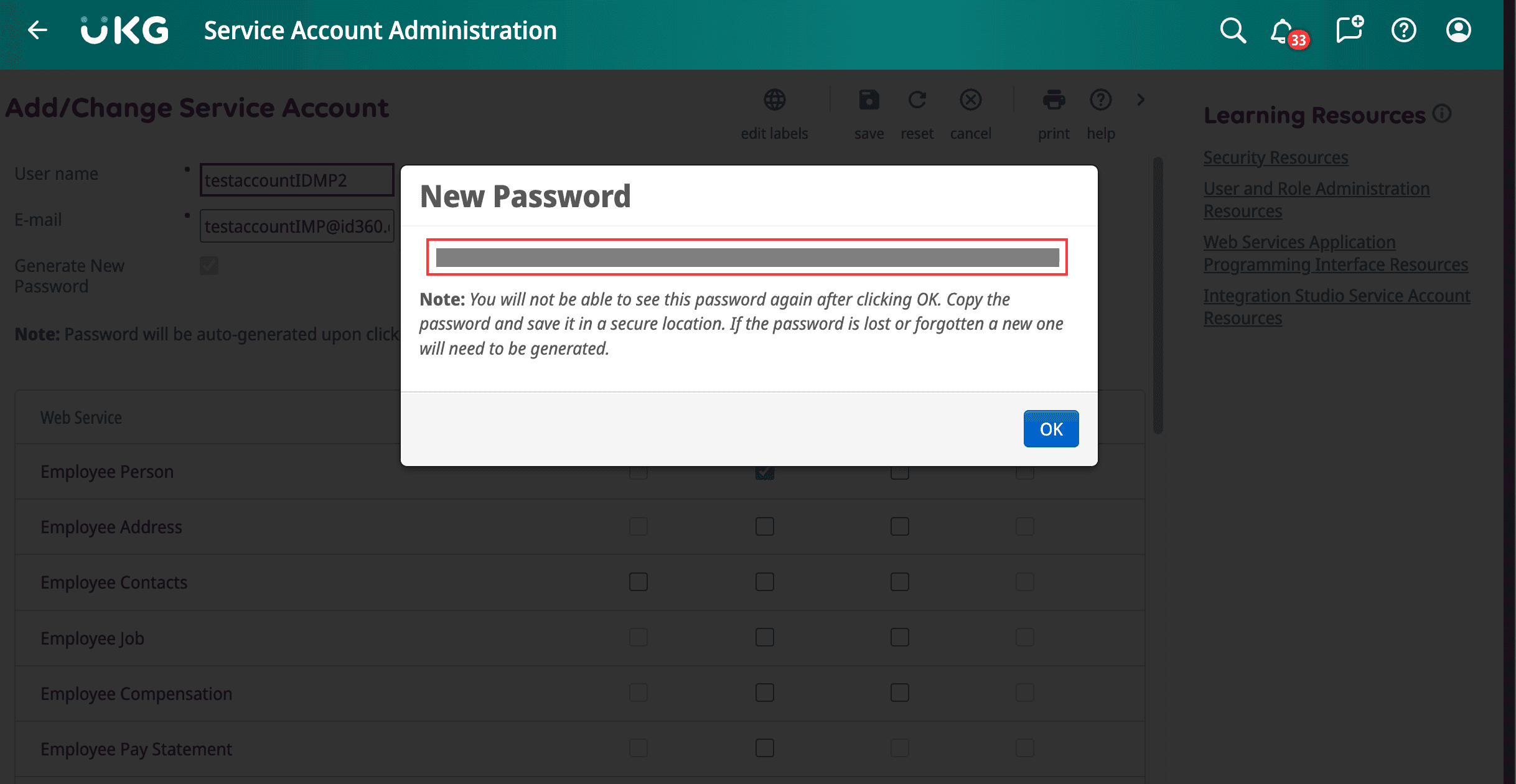 Image showing the new password for the service account in UKG Pro.
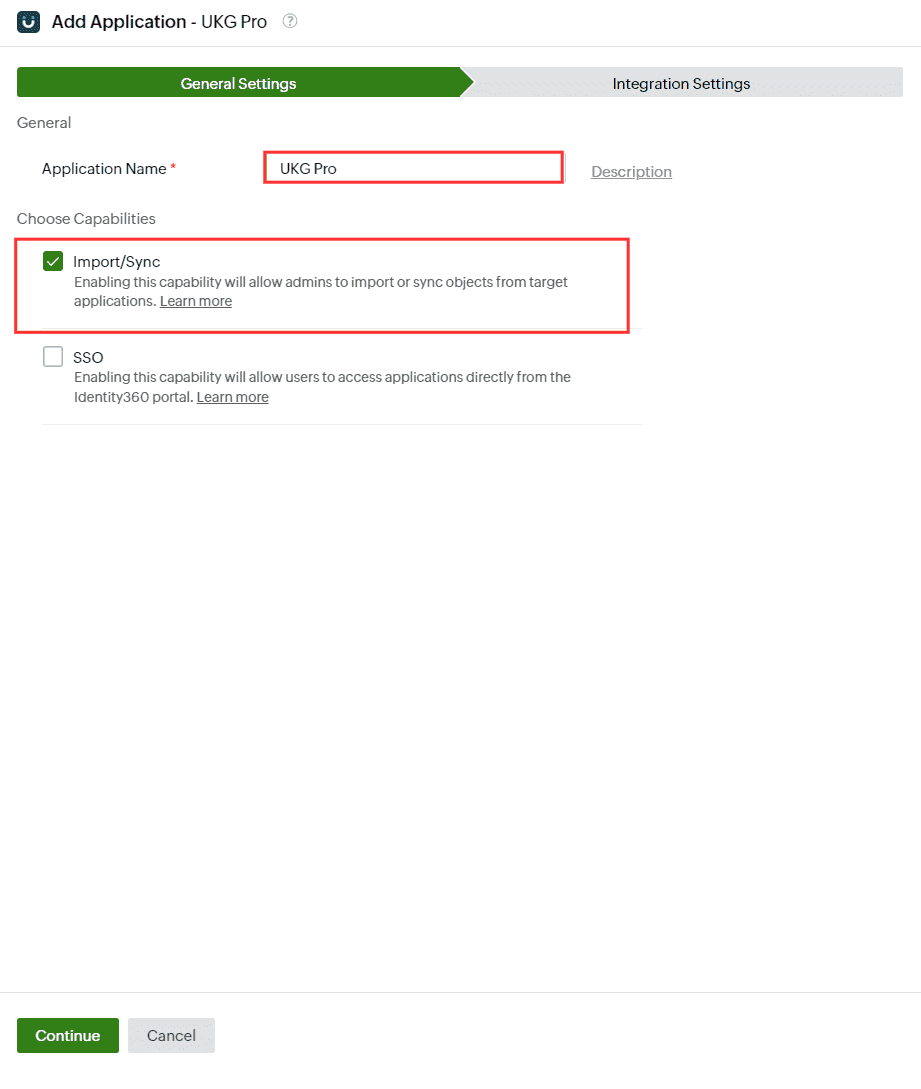 General settings of LCM configuration for UKG Pro
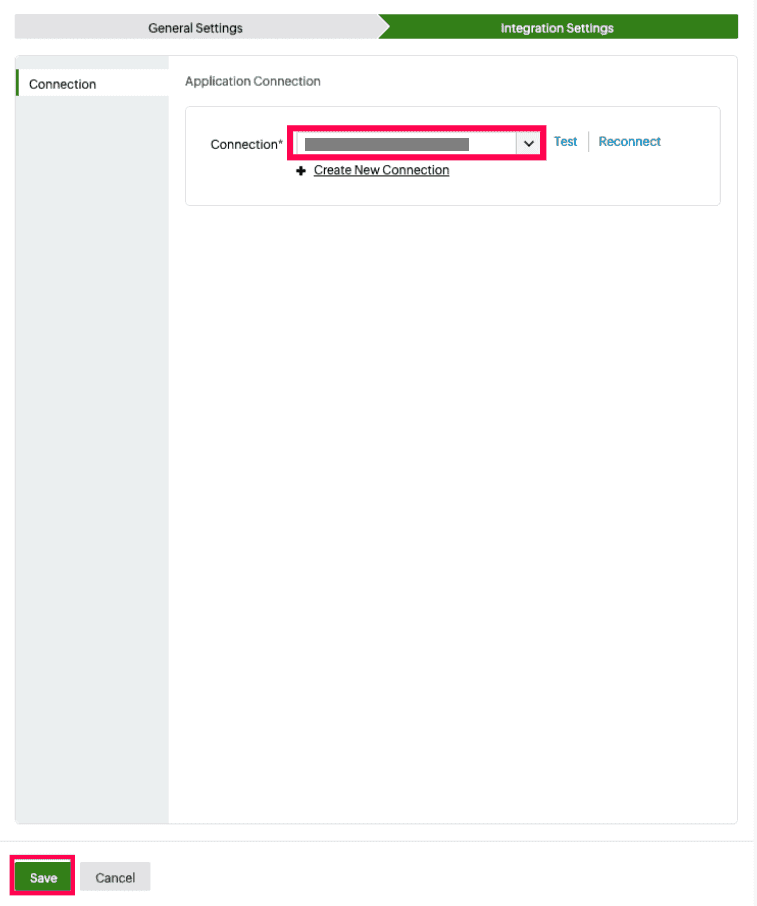 Connection selection for UKG Pro
An application connection is a link established between Identity360 and UKG Pro to automate the process of importing and syncing, UKG Pro user accounts into Identity360 and to ensure user accounts are consistently managed and synchronized between the two entities.
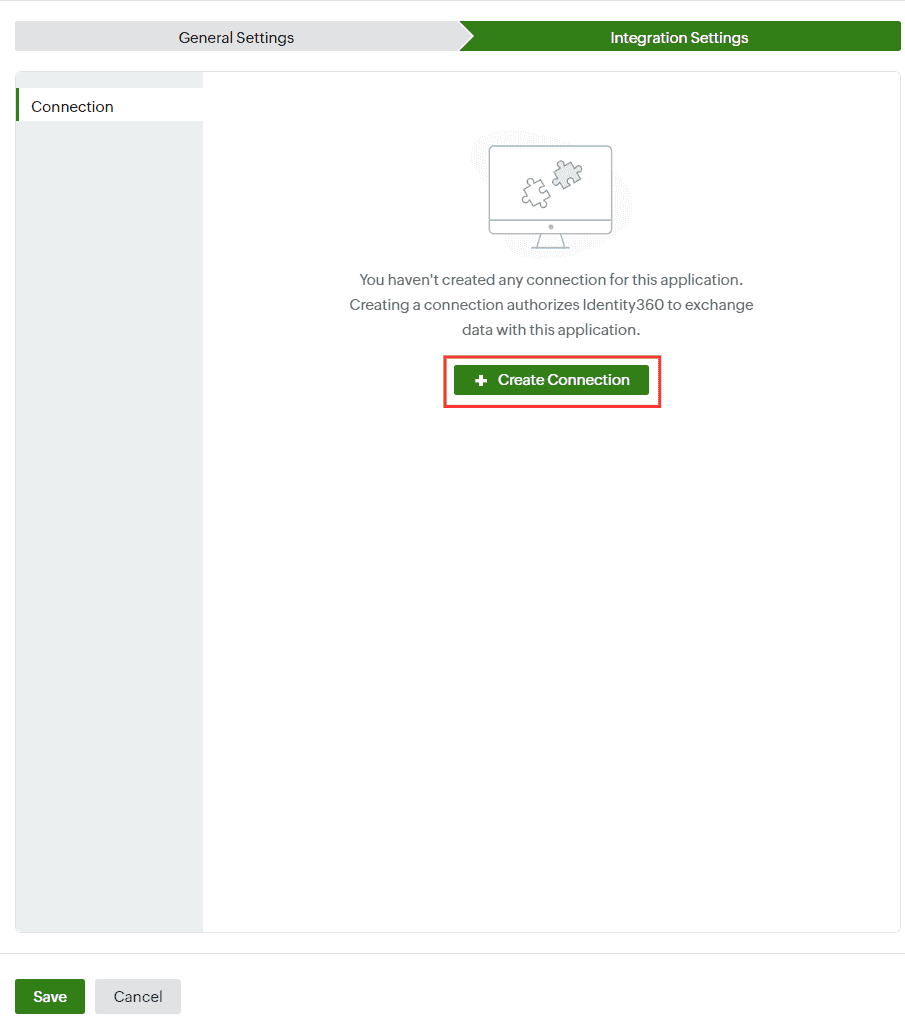 Creating a new connection for UKG Pro
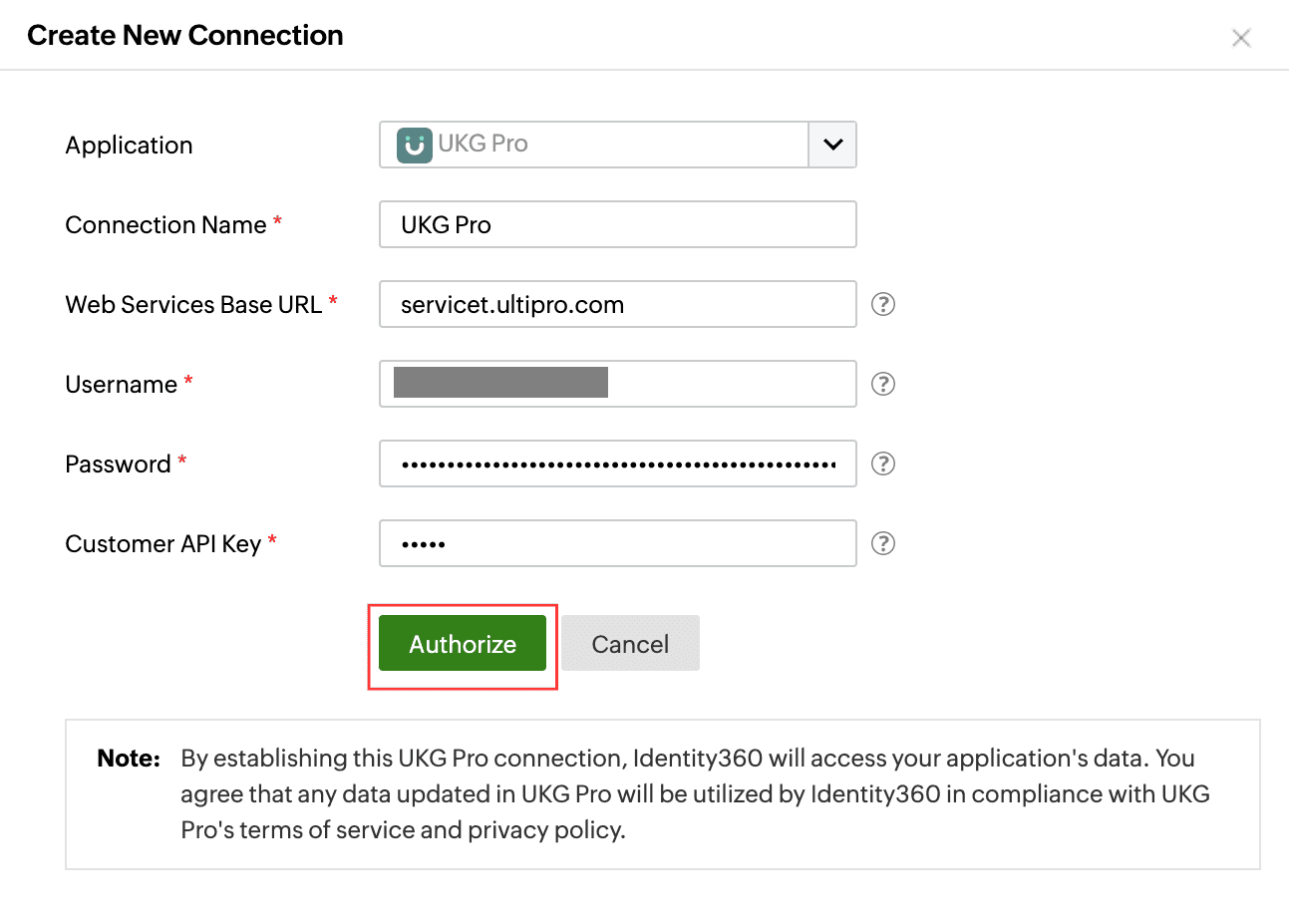 Configuring connection for UKG Pro
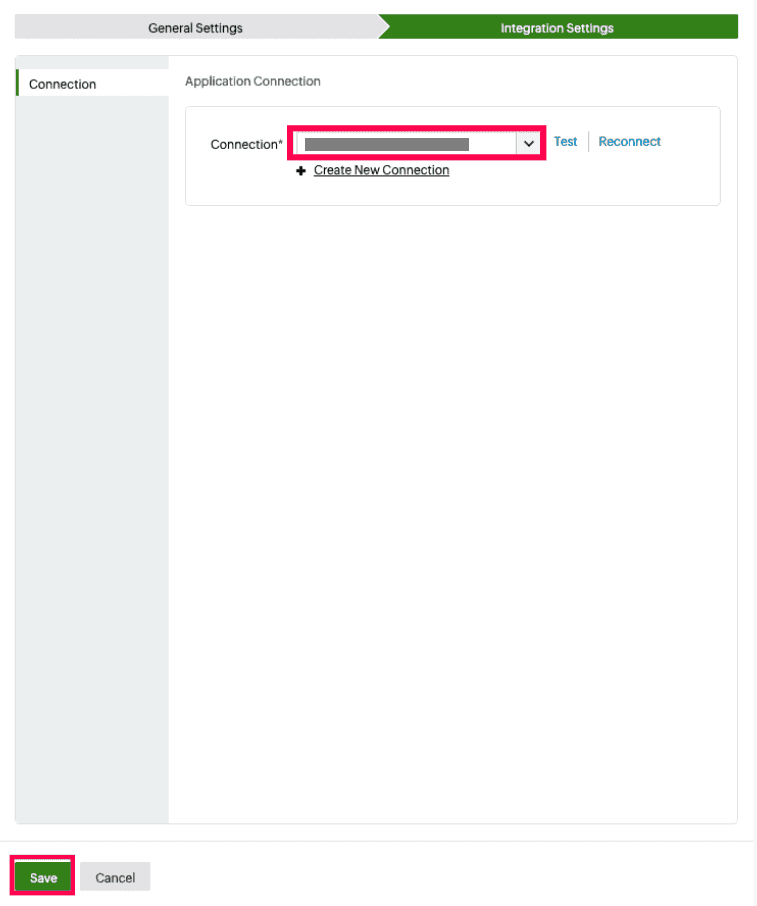 Testing the connection to UKG Pro